Xiaomi-pro-hackintosh: Theme for OC
Hi Guys,
I changed now from Clover to OC for Big Sur, but I don't like the theme from OC.
Is it possible to get the same theme for OC "out of the box" or can someone tell me how to change?
Thanks in advise
 orhan-drsn
All 7 comments
You can change icon files in /EFI/OC/Resources/Image.
 stevezhengshiqi
on 20 Nov 2020
stevezhengshiqi
on 20 Nov 2020
Is it possible to get this in OC as standard?
It looks more nicer then.
orhan-drsn
on 20 Nov 2020
I am not sure what do you mean. The goal of OC is to stimulate real Mac’s boot picker, and that is the current OC theme.
stevezhengshiqi
on 20 Nov 2020
I guess he would like to have on the OC efi the Xiaomi boot theme that clover has as default theme (that's what I need too). We can't swap to Clover efi, because big sur won't boot.
 s-monti97
on 22 Nov 2020
s-monti97
on 22 Nov 2020
I found this repo that have a "Big Sur like" theme for icons, better than the default one:
https://github.com/blackosx/OpenCanopyIcons
As described by @stevezhengshiqi mount EFI and replace files in the folder indicated.
 matvada
on 23 Nov 2020
matvada
on 23 Nov 2020
I found this repo that have a "Big Sur like" theme for icons, better than the default one:
https://github.com/blackosx/OpenCanopyIcons
As described by @stevezhengshiqi mount EFI and replace files in the folder indicated.
That's what I was looking for, I can't thank you enough. Now my boot just looks like the clover EFI version with xiaomi theme. I used set 4 > White_Plain and I've replaced cursor, selector, selected and harddrive.
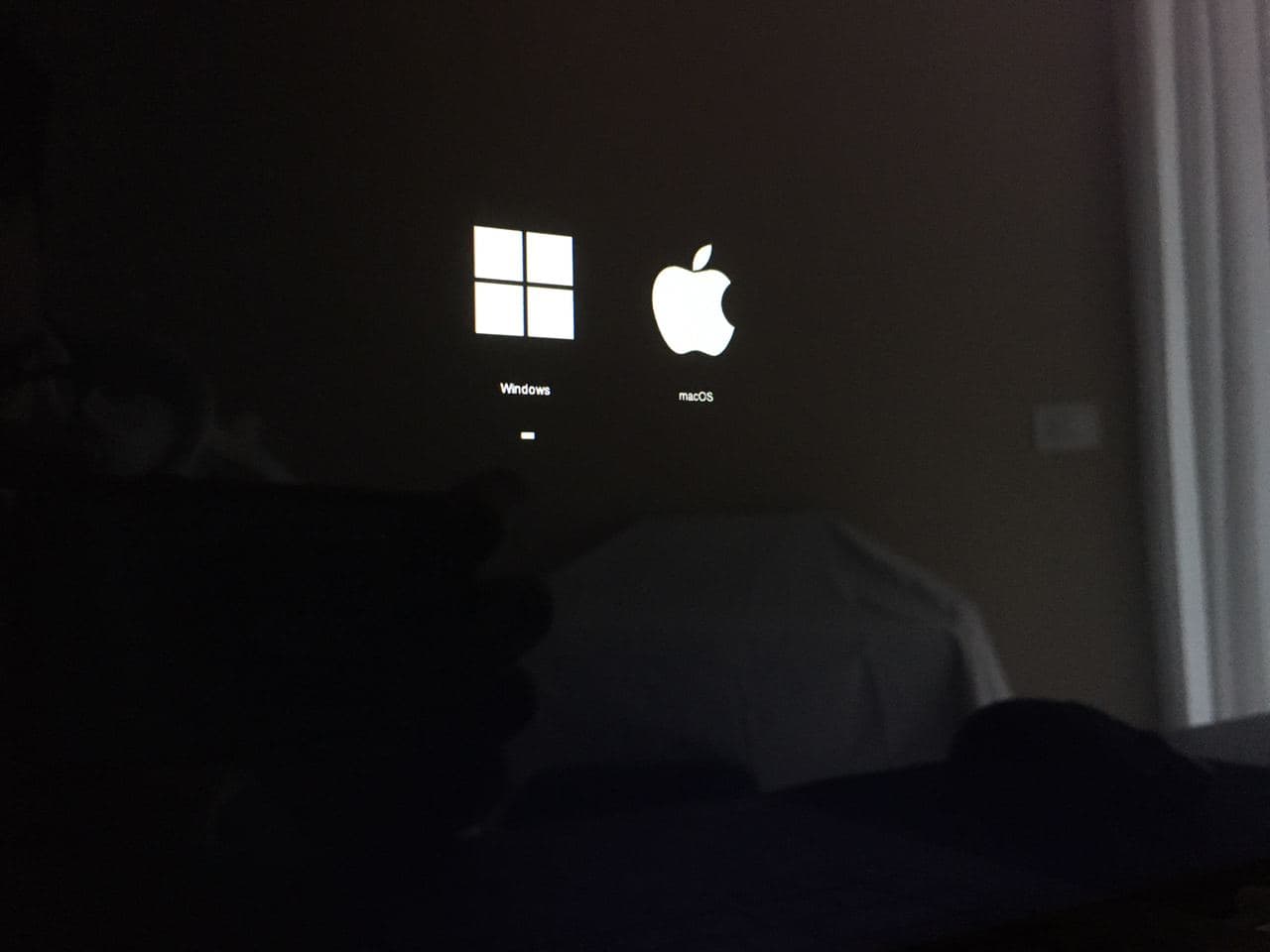
s-monti97
on 23 Nov 2020
People actually can change to whatever they like by redesigning images under /EFI/OC/Resources/Image. I don't think is an issue, but related to user preference.
stevezhengshiqi
on 23 Nov 2020
Related issues
 rajibxo
·
7Comments
rajibxo
·
7Comments
 cook1e0
·
7Comments
cook1e0
·
7Comments
 paajake
·
8Comments
paajake
·
8Comments
 larryare
·
8Comments
larryare
·
8Comments
 Mateo1234454545
·
5Comments
Mateo1234454545
·
5Comments
Most helpful comment
I found this repo that have a "Big Sur like" theme for icons, better than the default one:
https://github.com/blackosx/OpenCanopyIcons
As described by @stevezhengshiqi mount EFI and replace files in the folder indicated.