Wp-calypso: Template preview content expanding past preview frame (and sometimes too close to the frame).
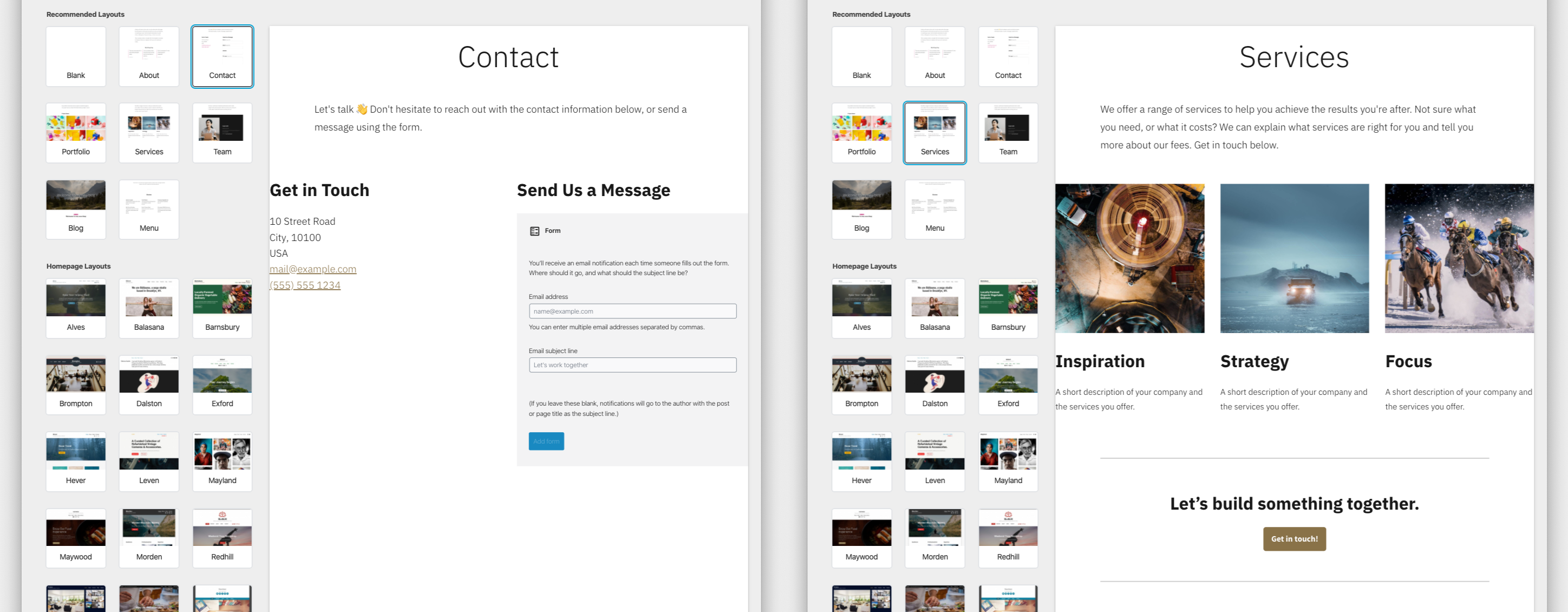
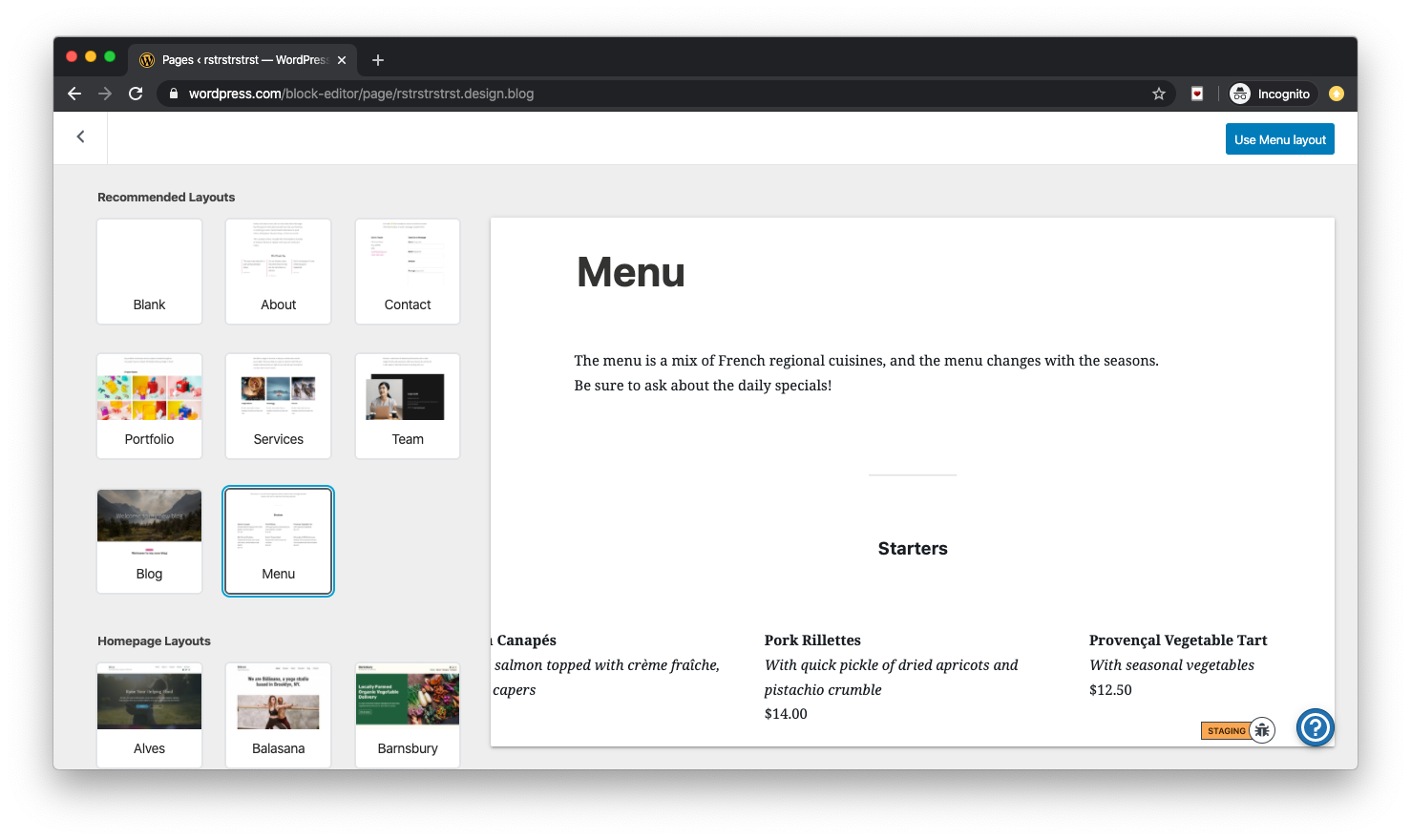
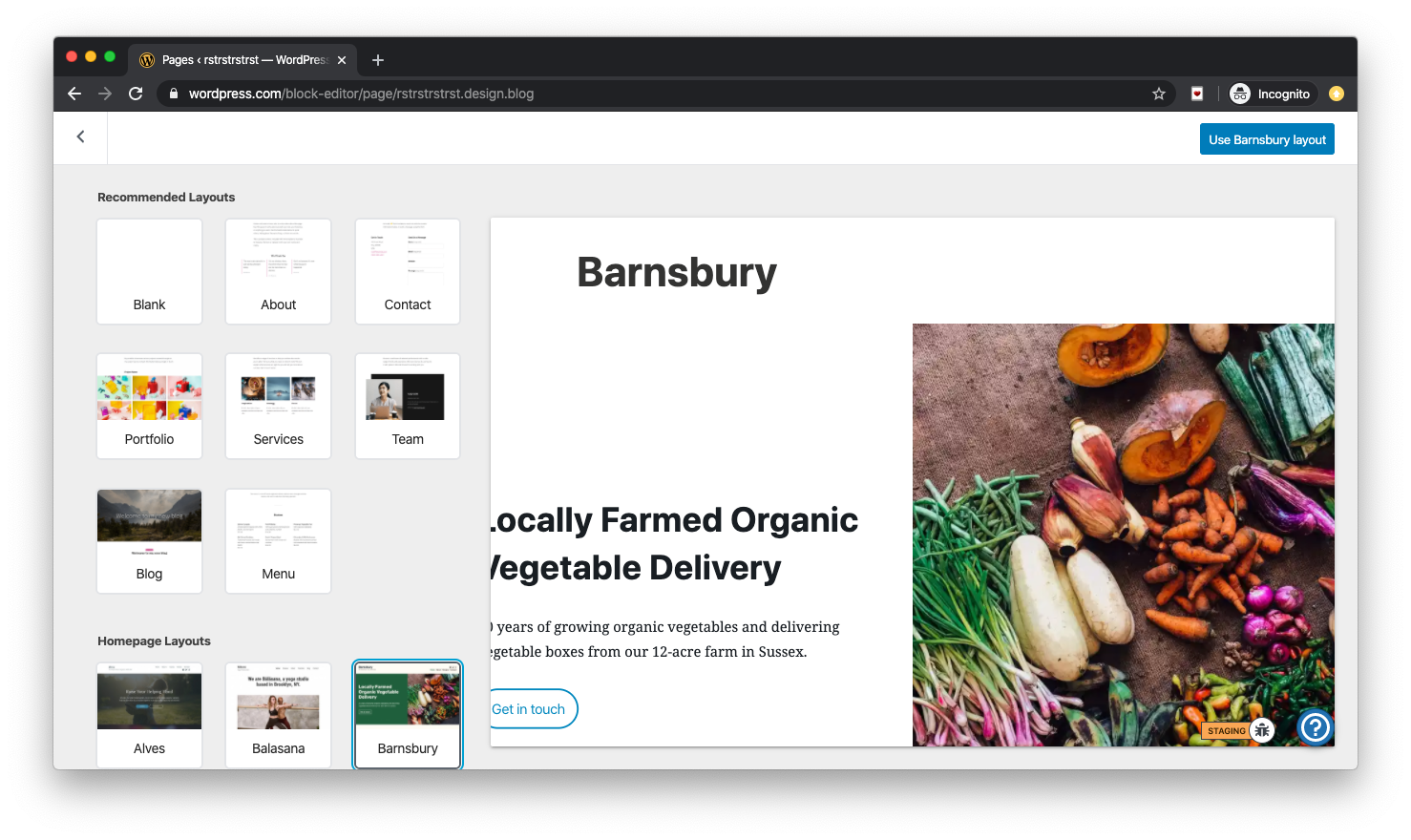
Template preview content is expanding beyond the preview frame or right up to the edge of the frame and looks either "very broken" or "broken" in Chrome on MacOS. Some examples …
Expanding beyond the template preview …
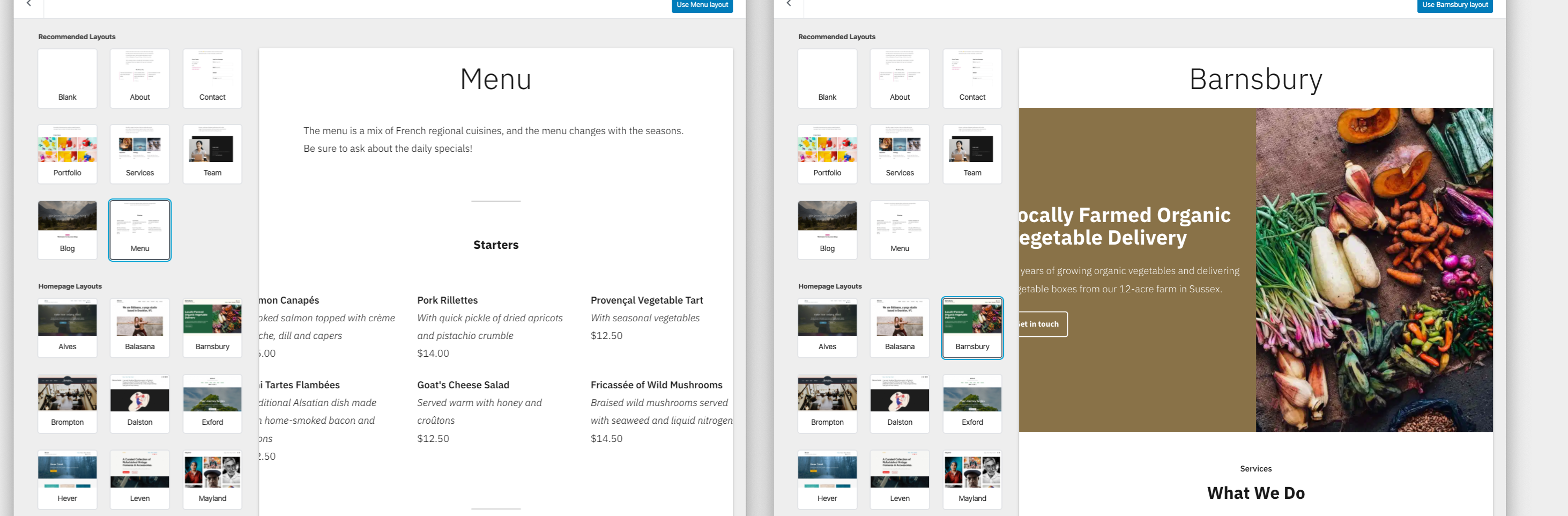
Too close to the edge of the preview …
cc @apeatling @iamtakashi @alaczek
 ianstewart
All 5 comments
I can't reproduce this at all on Mac Chrome. Anything specific I need to do?
 apeatling
on 21 Jan 2020
apeatling
on 21 Jan 2020
I can see the same thing as Ian does when the viewport is narrower like the screenshot. It seems a responsive issue in the preview.
 iamtakashi
on 21 Jan 2020
iamtakashi
on 21 Jan 2020
I can reproduce this in Mac Chrome with both the Maywood theme and the Independent Publisher 2 theme at a browser window size of 1366x768. It's most noticeable on the Menu template and the Barnsbury template.
Definitely looks like a responsive issue in the preview. Barnsbury will start to almost look right if only you can get your browser window past the 2200px width. :)
ianstewart
on 21 Jan 2020
Anything specific I need to do?
- Open Chrome on a Mac with browser resolution set at 1366x768
- Create a new account and site from WP.com
- Add a new page
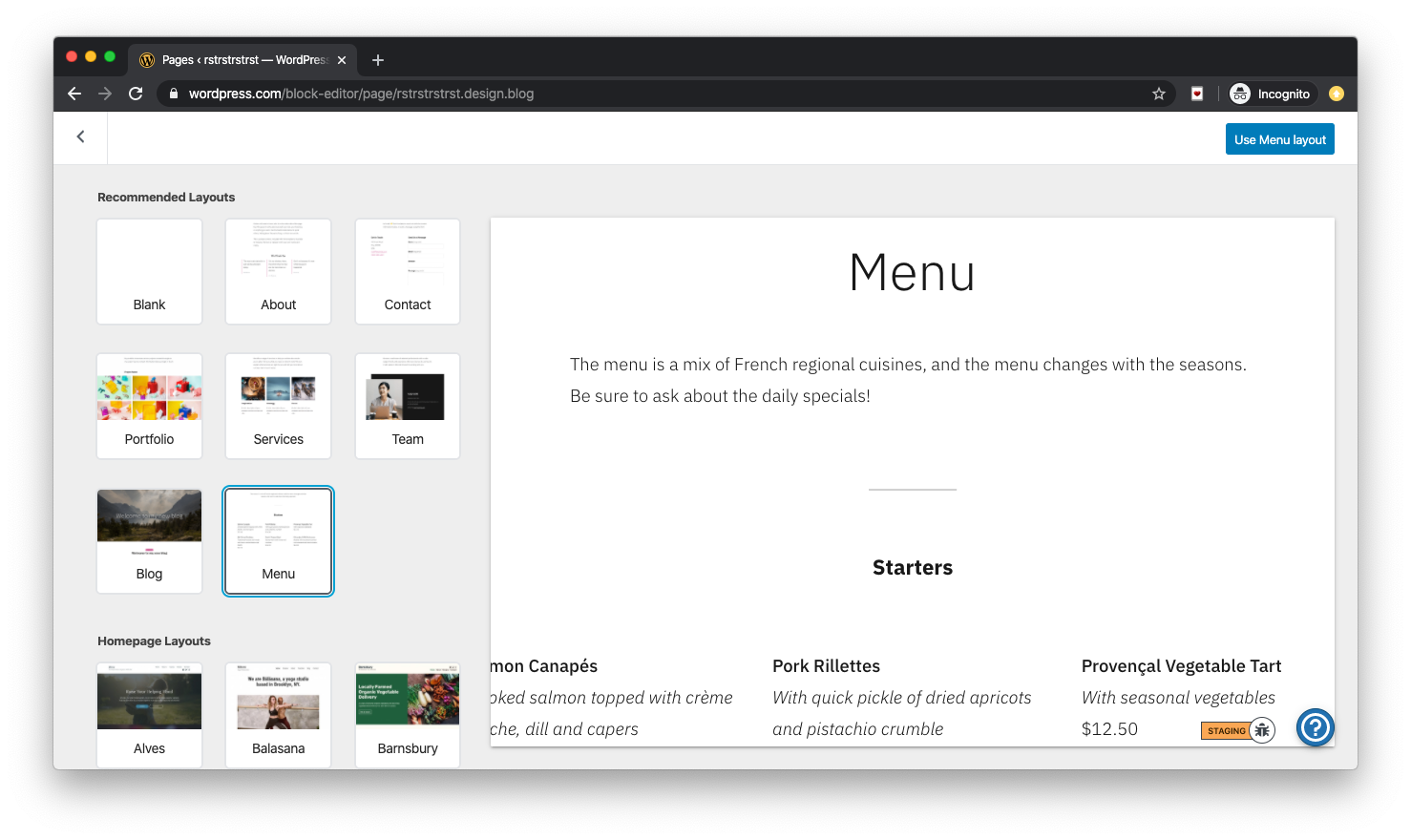
- Click on Menu and Barnsbury, the preview should look like the following …
Maywood active …
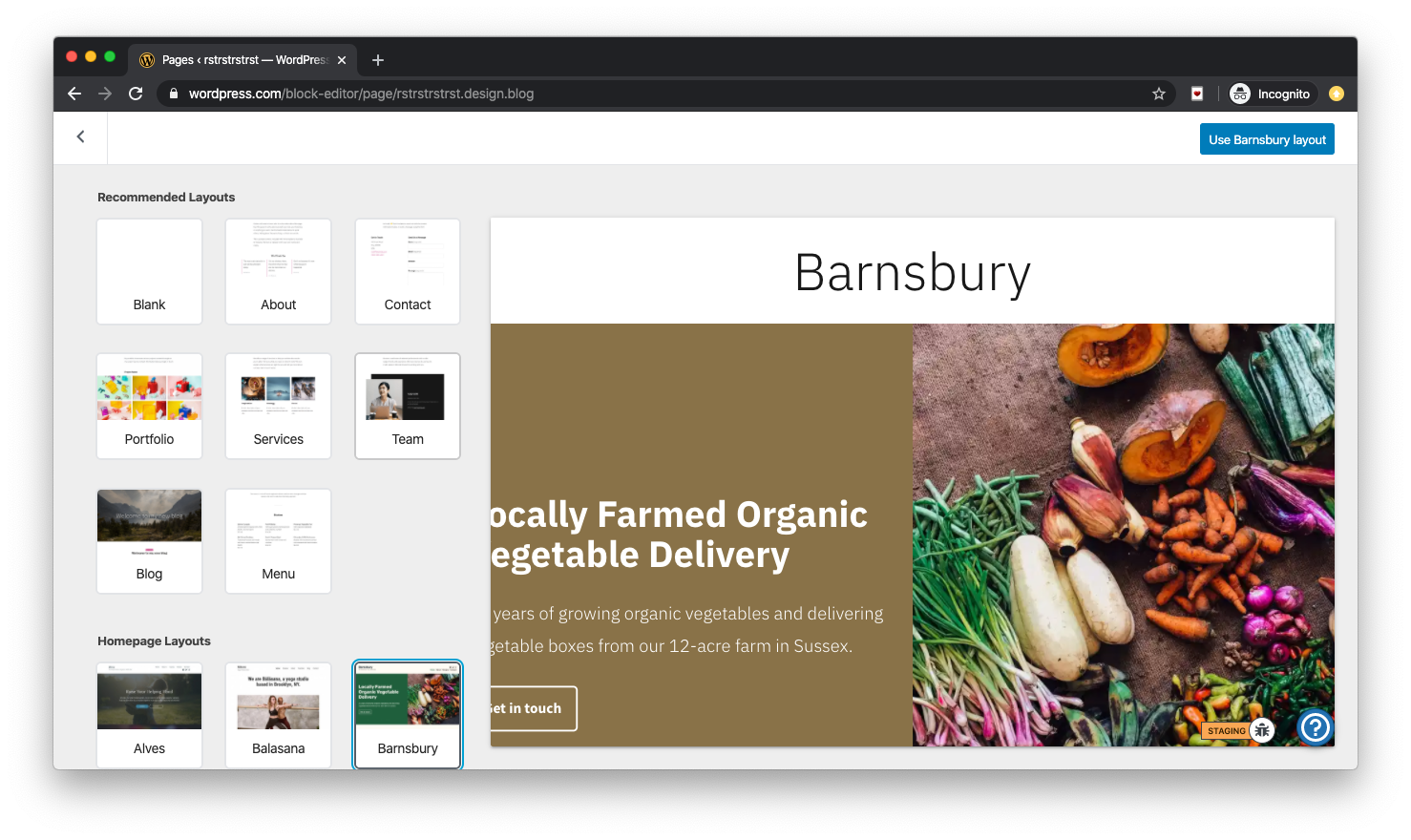
Independent Publisher 2 active …
ianstewart
on 21 Jan 2020
cc @michaeldcain who has started looking at this one.
ianstewart
on 21 Jan 2020
Related issues
 gedex
·
3Comments
gedex
·
3Comments
 ehg
·
3Comments
ehg
·
3Comments
 jeherve
·
3Comments
jeherve
·
3Comments
 BrookeDot
·
3Comments
BrookeDot
·
3Comments
 rickybanister
·
3Comments
rickybanister
·
3Comments
Most helpful comment
cc @michaeldcain who has started looking at this one.