Wordpress-seo: The configuration wizard could not be started
- [x] I've read and understood the contribution guidelines.
- [x] I've searched for any related issues and avoided creating a duplicate issue.
Please give us a description of what happened.
- The configuration wizard could not be started after successfully installed.
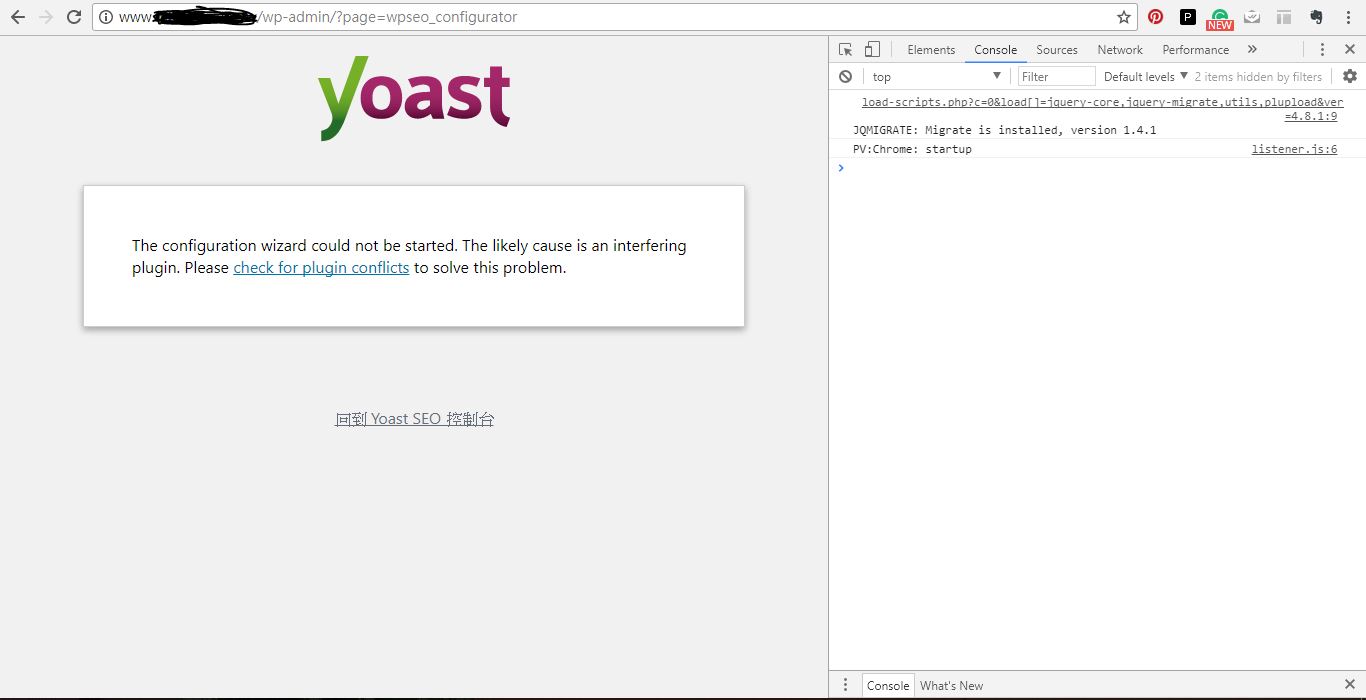
After clicking the link to start the config then just show the page stated" The configuration wizard could not be started. The likely cause is an interfering plugin. Please check for plugin conflicts to solve this problem."
I followed the step"Check for Conflicts" you provided, and have the same result with the default WordPress theme -Twenty Seventeen and only active Yoast SEO.
There's no error message shown in the console.
Please describe what you expected to happen and why.
Start the configuration
How can we reproduce this behavior?
- Using WordPress version: 4.8.1 & Yoast SEO version: 5.2 & default WordPress theme -Twenty Seventeen
- Clicking the link to start the config
Technical info
- WordPress version: 4.8.1
- Yoast SEO version: 5.2
*Google Chrome version:60.0.3112.101 (64 bit)
 melodytsay
All 29 comments
Thank you for reporting this bug.
Since we can rule out a plugin or theme conflict, could you go to the Settings > General page in Wordpress, and check the Wordpress Address and Site Address fields? Do they both have the same URL? Prefixes like http and www matter. If they are not identical, can you correct that, try the config wizard again and report the result here? Thank you.
 hedgefield
on 23 Aug 2017
hedgefield
on 23 Aug 2017
Hi ,
I've checked that both wordpress & site address are same. And upgrade Yoast SEO version to 5.3.2 and get the same result failed to start the config wizard.
Best
melodytsay
on 23 Aug 2017
Thank you very much for checking so quickly, now we can rule out another possible cause. This is an elusive problem, so we're going to collect some more information. Could you do the following?
- Open the configuration wizard again.
- Press control+shift+j (on windows) or command+option+j (on mac). This should open your browser's _inspector console_.
- Reload the page (press F5 on Windows or Cmd + R on Mac).
- Take note of the errors (in red) that appear in the console, and either copy that text or take a screenshot, and share it here.
This will give us more information about what is going wrong. If you need more help collecting this info, let me know, thanks.
hedgefield
on 23 Aug 2017
Hi ,
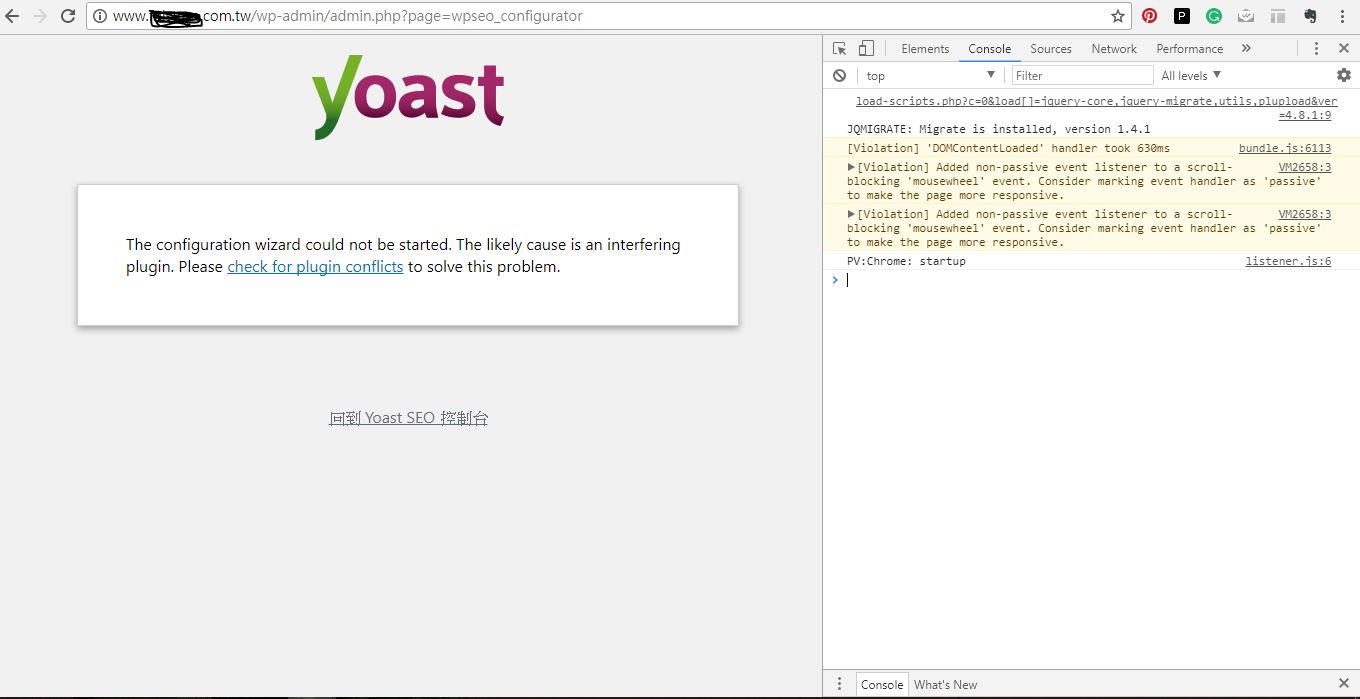
Actually, there's no error message shown in the console like the screenshot I provided before.
But I still checked again, here's the new screenshot about result:)
If there's any thing I can try please let me know. Thank you
melodytsay
on 23 Aug 2017
Oh that is _very_ interesting. Thanks for checking it out! I'll discuss this with the development team and see if we can figure out a solution for you.
hedgefield
on 23 Aug 2017
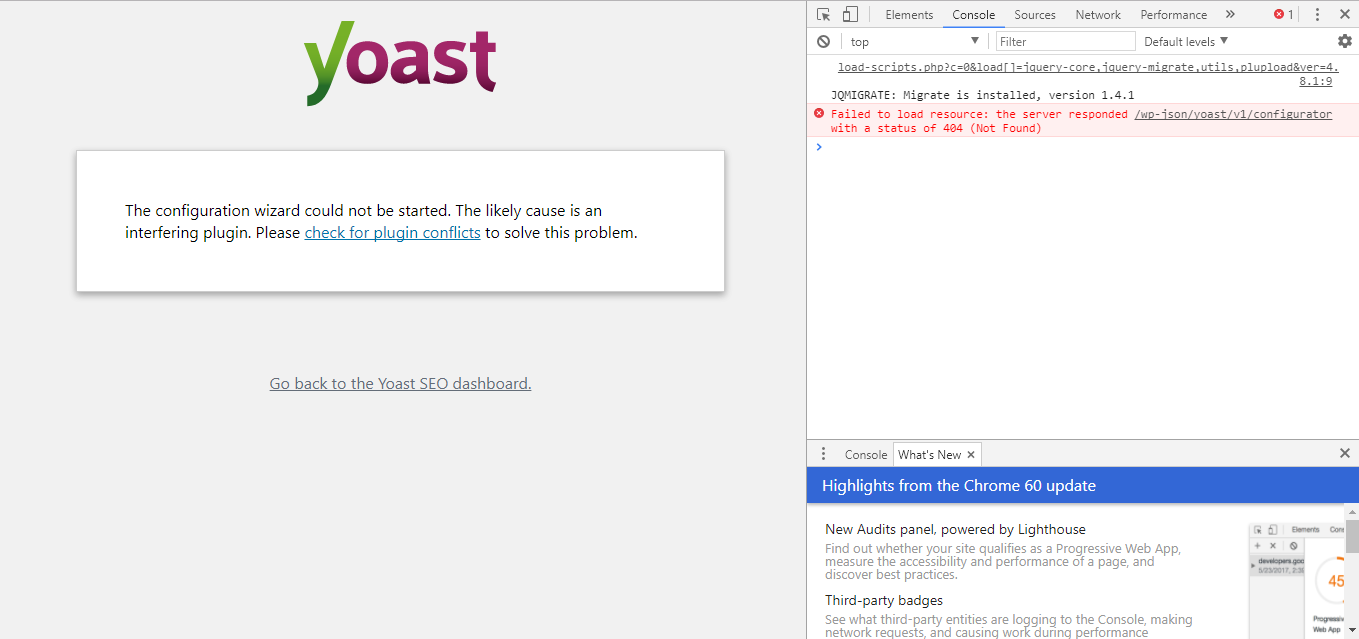
Same with my problem, I think. Take a look the error from inspection.
 andreyferriyan
on 3 Sep 2017
andreyferriyan
on 3 Sep 2017
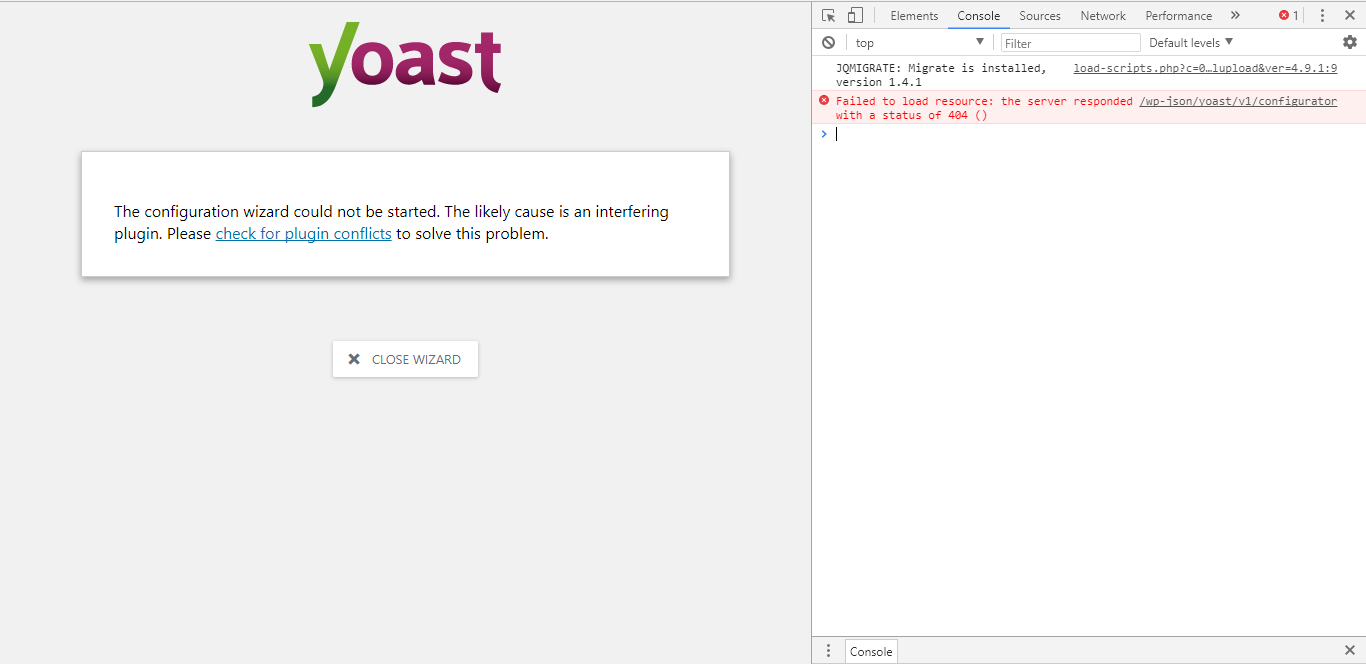
Hi guys, I'm having this kind of issue too. I veryfied in my Chrome console and it shows me this:
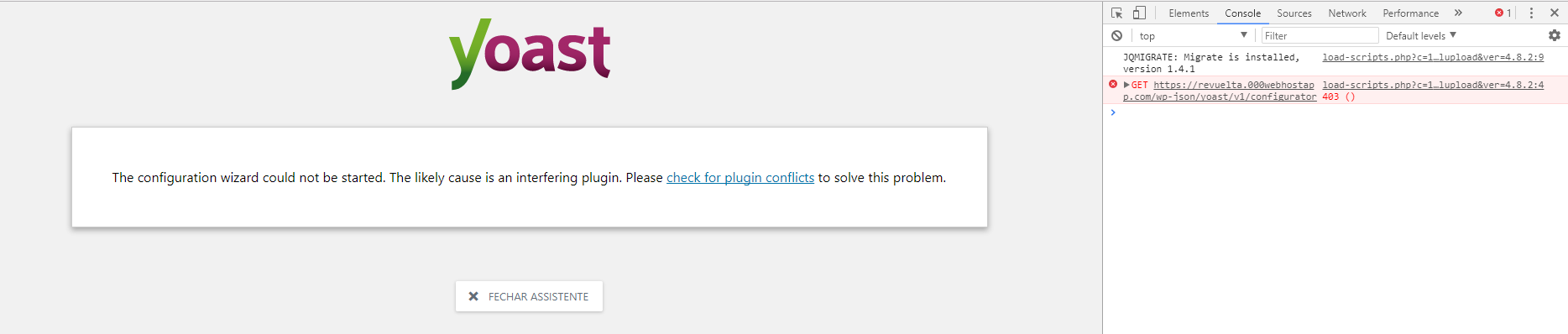
I've already exchange my HTTP field (from HTTPS to HTTP - actually, before I install SEO Yoast), shutted down all my plugins, reinstalled my Yoast, but the problem continues . How can I proceed?
Thanks for your attention :)
 anRevuelta
on 9 Oct 2017
anRevuelta
on 9 Oct 2017
Hi! I have the same issue. Initially I noticed a few warnings in the inspector console, so I uninstalled 2 browser extensions a plugin. Now I don't get any warnings, but the Wizard still does not start. This is possibly even more puzzling. Not much of a help I'm afraid, just letting you know that I my Wizard does not start up either. Happy to help if I can.
 Maaike-UK
on 23 Oct 2017
Maaike-UK
on 23 Oct 2017
Hi, still no solution for this problem? I'm also having the same problem
 cafeculturemy
on 12 Jan 2018
cafeculturemy
on 12 Jan 2018
No, still there, even after the regular updates, reinstallation, etc. I'm not sure how other errors are related to this, but I cannot use some of the main features of Yoast either, such as the link counter. I would really like to see this fixed. Please help!
Maaike-UK
on 12 Jan 2018
I'm no longer having this problem. In Wordpress, check your https settings. Also, check it at your database (MySQL, Maria, etc). For me, it worked, I've exchange this setting on PhpMyAdmin and the problem was solved (yeah, I realised this option has not been updated automatically).
anRevuelta
on 12 Jan 2018
Could you please leave a fe more details, so I can try to do the same? Cheers!!
Maaike-UK
on 12 Jan 2018
Basically, for me, it was a HTTP/HTTPS protocol issue. Once my server is a free webserver, it does not provides an SSL certificate, so I had to change this settings in my server and in the PHPMyAdmin (because a realised that this setting was not updated automatically at PHPMyAdmin when I exchanged this setting on WordPress).
I'm not at my computer right now, I can not tell you the path, but basically it worked for me.
anRevuelta
on 12 Jan 2018
I checked on my HTTP settings (as someone mentioned before) and found that this helped. I have an SSL Certificate installed but my settings did not match up.
Go to your wordpress dashboard >> Settings >>General Settings
Make sure both WordPress Address (URL) and Site Address (URL) are the same and start with "https"
Mine defaulted to http and was causing the conflict. Hope this helps others!
 ckdolnik
on 13 Jan 2018
ckdolnik
on 13 Jan 2018
No, this did not help me, still the same issue. Please help!
Maaike-UK
on 3 Feb 2018
Do you need SSL Cert installed to use Yoast?
 emiliadei
on 7 Feb 2018
emiliadei
on 7 Feb 2018
Did you try to uninstall and re-install Yoast?
anRevuelta
on 7 Feb 2018
I did not, thanks.. I realized that my wordpress version I older than what’s required by yoast, so I figured I’d try updating before seeking assistance.
Sent from my iPhone
On Feb 7, 2018, at 5:05 PM, anRevuelta notifications@github.com wrote:
Did you try to uninstall and re-install Yoast?
—
You are receiving this because you commented.
Reply to this email directly, view it on GitHub, or mute the thread.
emiliadei
on 7 Feb 2018
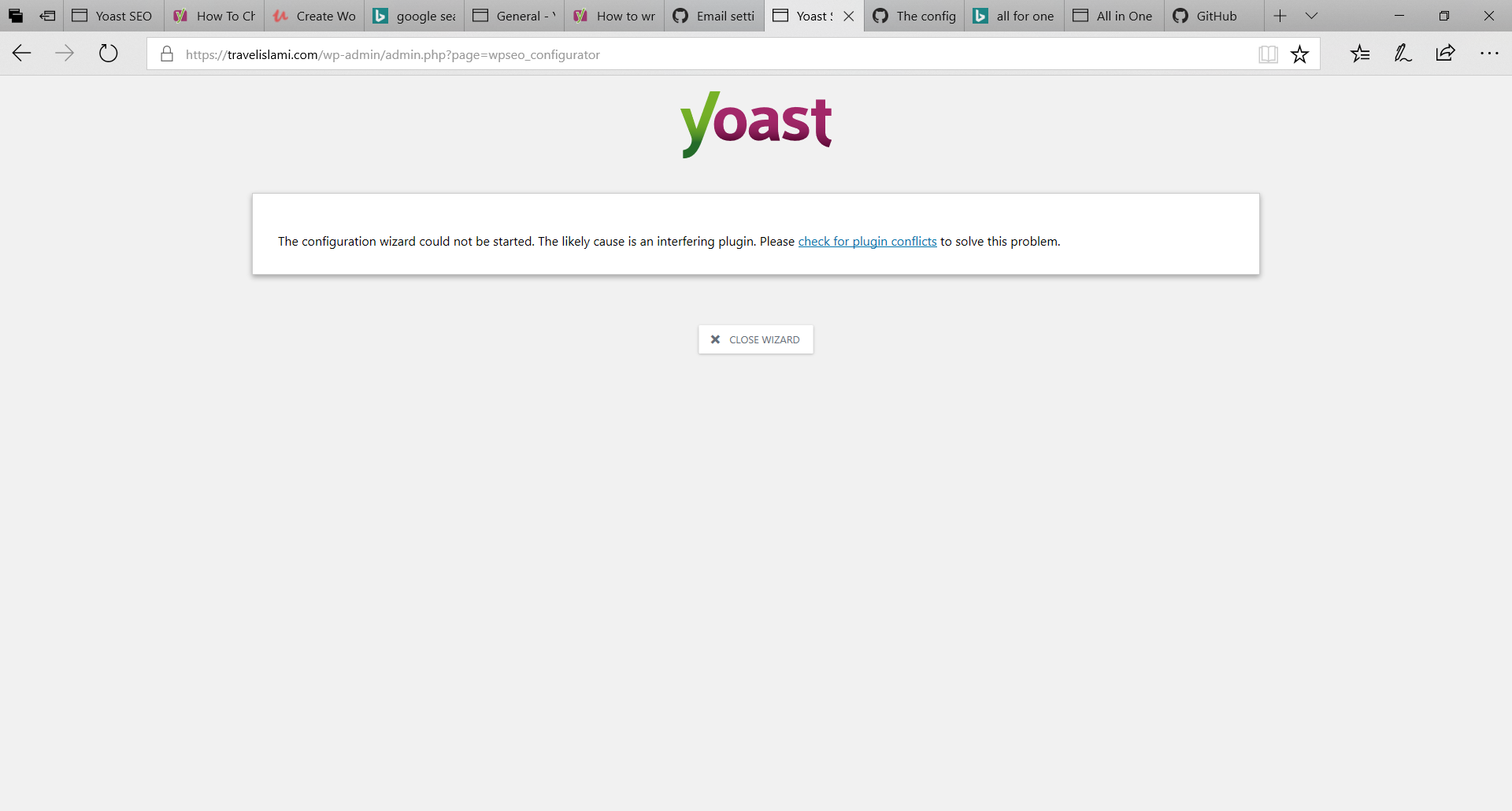
I still have same bug, deactivate all plugin, but still same. Anyone can help
 reypryma
on 11 Feb 2018
reypryma
on 11 Feb 2018
I was going to switch to premium version but I definitely will not do this. The issue is still not fixed.
 iowelinux
on 23 Aug 2018
iowelinux
on 23 Aug 2018
I have the same issue , I checked all of the above and it still happens...
 gitit1
on 9 Sep 2018
gitit1
on 9 Sep 2018
I had the same problem and i solved it by going to Settings > General page in Wordpress, and setting the Wordpress Address and Site Address to a none https site.
 BlackNetworkBit
on 13 Sep 2018
BlackNetworkBit
on 13 Sep 2018
I switched server, from windows to Linux: problem solved!
Maaike-UK
on 13 Sep 2018
The configuration wizard could not be started. The likely cause is an interfering plugin
Its showing me RED error in the console screen
I deactivate all non-Yoast plugins and switch to a standard theme like Twenty Seventeen. But still the issue not resolved.
I am using Chrome browser
- WordPress version: Version 4.9.8
- Yoast SEO version: Version 9.2.1

@hedgefield can you please check and revert
 raghavgubrani
on 30 Nov 2018
raghavgubrani
on 30 Nov 2018
Same issue here. All plugins disabled. URLs in Settings>General are fine. No errors in the JS console. :(
 JeroenDeDauw
on 14 Dec 2018
JeroenDeDauw
on 14 Dec 2018
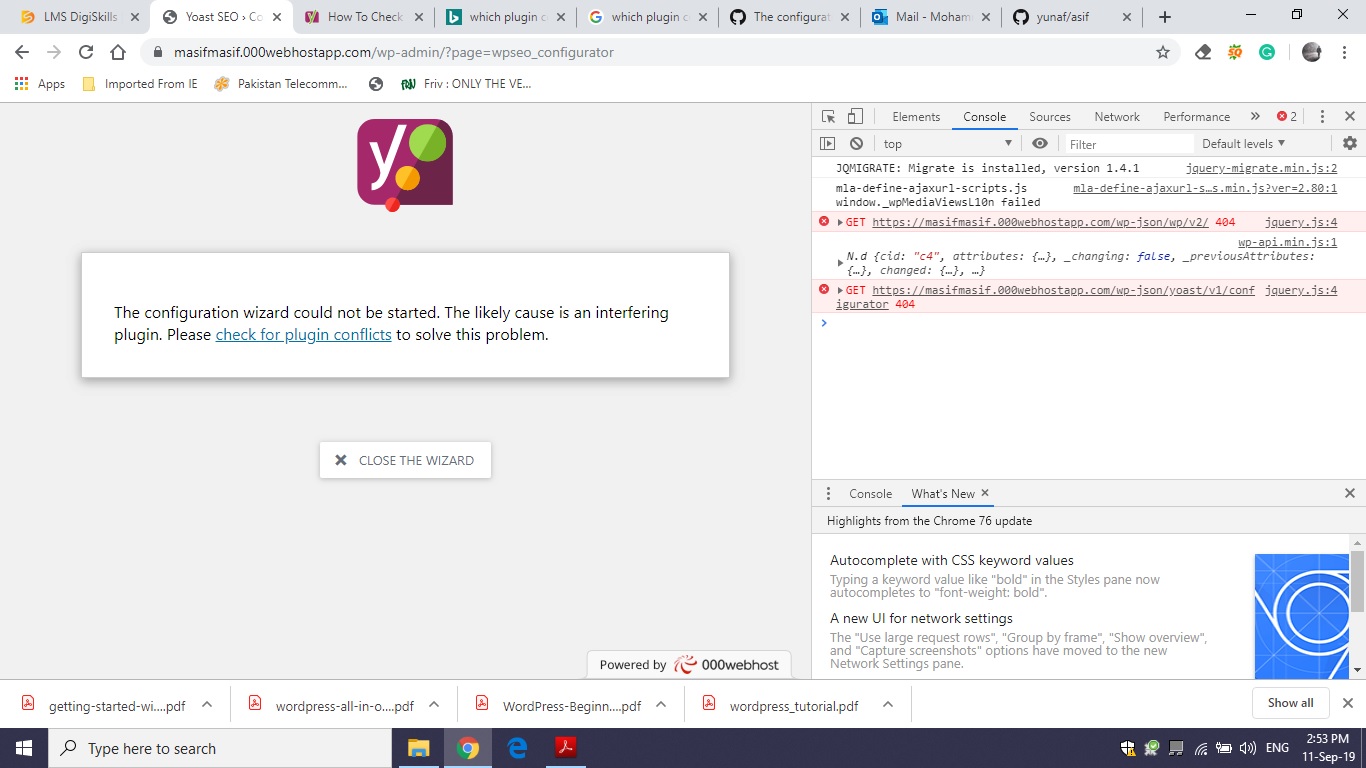
I am facing the same issue and have attached the snap of the console here. Please guide what to do next.
 yunaf
on 11 Sep 2019
yunaf
on 11 Sep 2019
The main issue I am able to spot in this thread is that the sites are returning a 404 error code when trying to connect to the wp-json API. Unfortunately, this is not something that has to do with our plugin, but is generally an issue with the WordPress configuration or the server settings.
Please have a look at https://stackoverflow.com/questions/34670533/wordpress-rest-api-wp-api-404-error for additional information and tips to get this working. Note that that thread is kind of old but the suggestions still apply today.
- re-save permalinks (in a non-plain structure)
- on Apache, check the mod-rewrite settings
If you don't have the knowledge or possibility to work with these configurations, please contact a developer or perhaps your host's support engineers.
Since this is not something that can be fixed by us I am going to close this thread. If you have a similar (but not the same) issue that you want to report as a bug, please follow our bug report guidelines. If you are a premium customer, please contact our support team directly if you have any related questions.
 Djennez
on 11 Sep 2019
Djennez
on 11 Sep 2019
Mybe you can try this
1.install wordpress
2.install yoast,now everything is ok include the configuration wizard
3.open setting ->Permalink,change the selection from simple(?p=123) to postname(/%postname%/),save . Now , the error occurs
4.beacuse if you use postname in link,there were many error,so you mast use rewrite rule.I use the software name called AMRewrite,and set the rule like this
location / {
if (-f $request_filename/index.html){
rewrite (.) $1/index.html break;
}
if (-f $request_filename/index.php){
rewrite (.) $1/index.php;
}
if (!-f $request_filename){
rewrite (.*) /index.php;
}
}
save,and nginx will reboot
5.the configuration wizard is OK
 java-msk
on 12 Apr 2020
java-msk
on 12 Apr 2020
Going to General - Settings and changing my Wordpress Address and Site Address to have "www" in front of them solved the problem for me. They were the same but without the "www". Once I added "www." the wizard started working.
 GenZodd
on 10 Sep 2020
GenZodd
on 10 Sep 2020
Related issues
 adrianleira
·
6Comments
adrianleira
·
6Comments
 qmdev
·
6Comments
qmdev
·
6Comments
 Chouby
·
4Comments
Chouby
·
4Comments
 shanejones
·
5Comments
shanejones
·
5Comments
 cristopherrosenberg
·
3Comments
cristopherrosenberg
·
3Comments
Most helpful comment
The configuration wizard could not be started. The likely cause is an interfering plugin
Its showing me RED error in the console screen
I deactivate all non-Yoast plugins and switch to a standard theme like Twenty Seventeen. But still the issue not resolved.
I am using Chrome browser
@hedgefield can you please check and revert