Woocommerce-ios: If site is inaccessible after logging in - there's no way to log in as a different user.
Describe the bug
Related to https://github.com/woocommerce/woocommerce-ios/issues/678
Basically if we log in and the sites are not accessible for some reason - it isn't possible to log out and log in as a different user which makes the troubleshooting workflow difficult (the only way is to re-install the app).
To Reproduce
Steps to reproduce the behavior:
- Log in as a user with connection issues (one of examples - 1924167-zen)
- It isn't possible to log in as a different user and we're "trapped" on site choice screen
Expected behavior
I'd hope to be able to log in as a different user if I'm unable to access a site as this particular user. Not sure if that's the best flow for regular users but this would definitely make troubleshooting easier as we wouldn't have to re-install the app to access a different account.
Isolating the problem (mark completed items with an [x]):
- [x] I have deactivated other plugins and confirmed this bug occurs when only WooCommerce plugin is active. Not applicable
- [x] This bug happens with a default WordPress theme active, or Storefront.
- [x] I can reproduce this bug consistently using the steps above.
Mobile Environment
Please include:
- Device: iPhone SE
- iOS version: 12.1.2
- WooCommerce iOS version: 1.4
WordPress Environment
Copy and paste the system status report from **WooCommerce > System Status** in WordPress admin.
 grig-23
All 18 comments
Thanks for logging this @grigorijurasov 😄
Just providing a little visual context here → the WPAuthenticator epilogue screen (aka store picker) is presented as a full-screen modal without a back button:
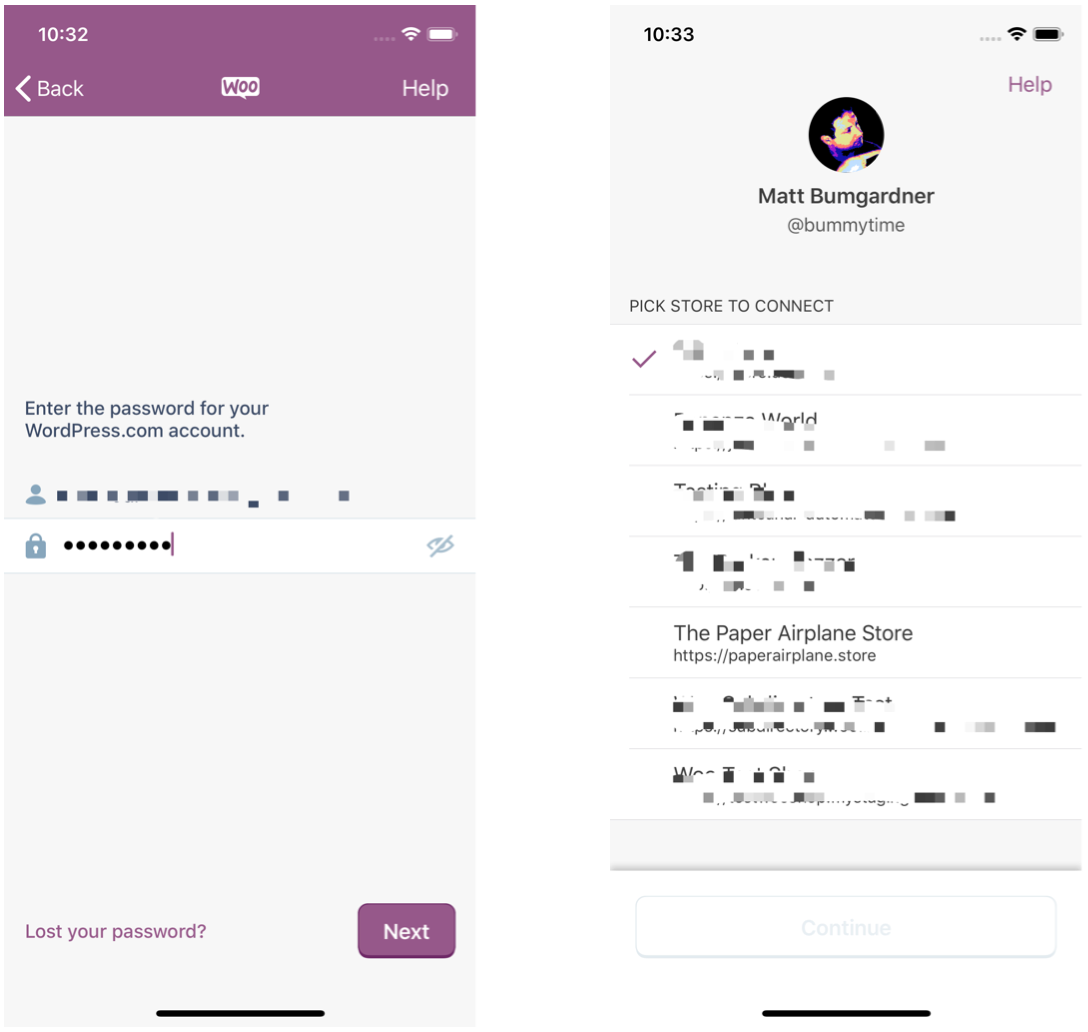
it isn't possible to log out and log in as a different user which makes the troubleshooting workflow difficult (the only way is to re-install the app).
@grigorijurasov until we fix this, just a heads up that if you kill the app while on the store picker screen, the next time you run the app you will be back at the beginning of the login flow. DM me if you have any questions :-)
 bummytime
on 1 Apr 2019
bummytime
on 1 Apr 2019
Re: https://github.com/woocommerce/woocommerce-android/issues/954#issuecomment-481331493:
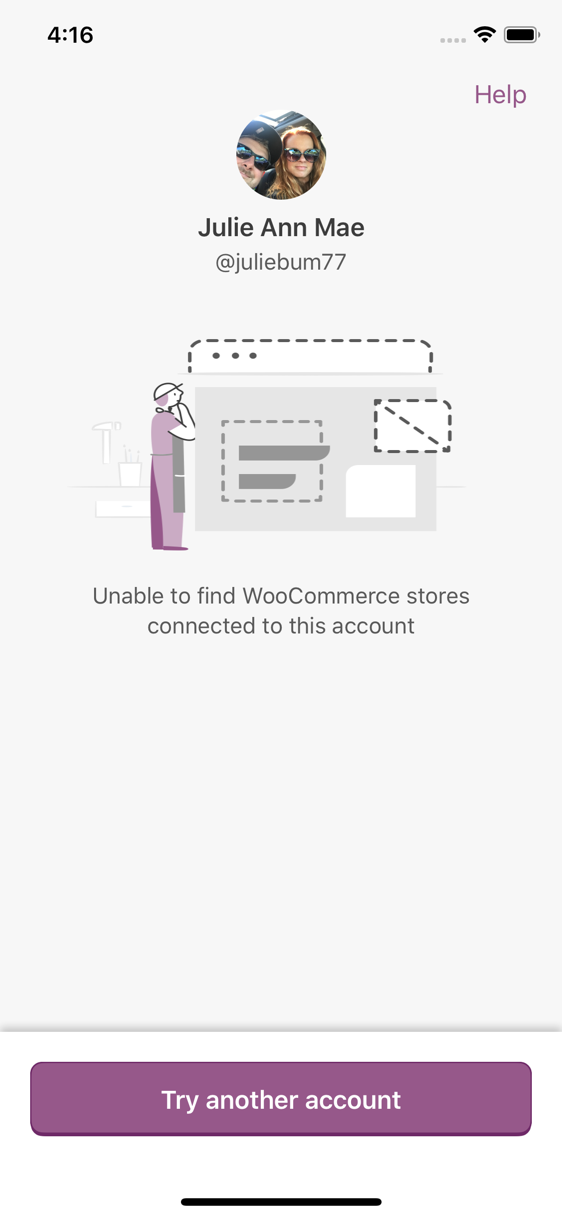
We could enable the "Try another account" button on the WCiOS store picker too.
/cc @kyleaparker 😄
bummytime
on 9 Apr 2019
As I mentioned in https://github.com/woocommerce/woocommerce-android/issues/954, this will be solved with the Sign In project:
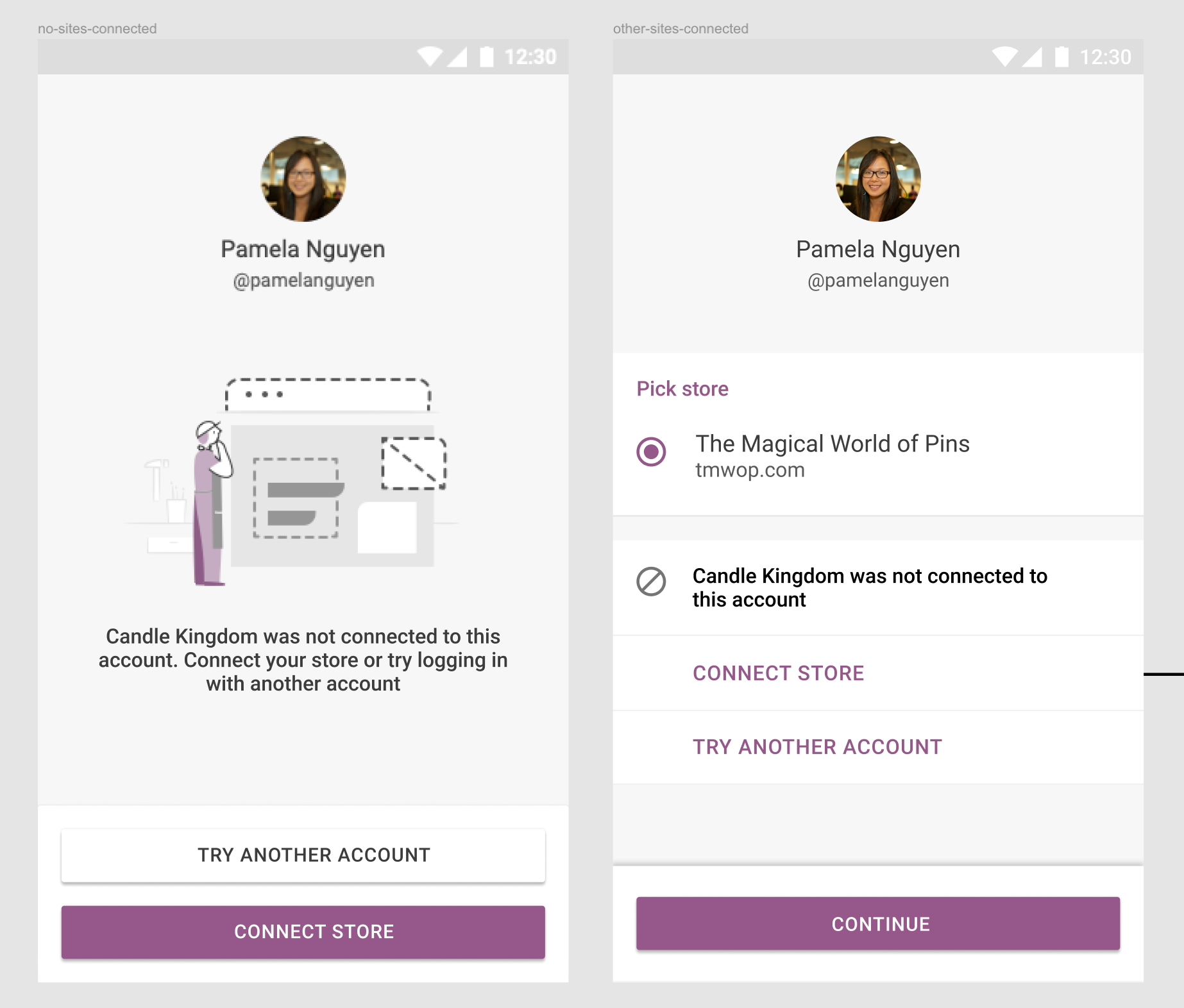
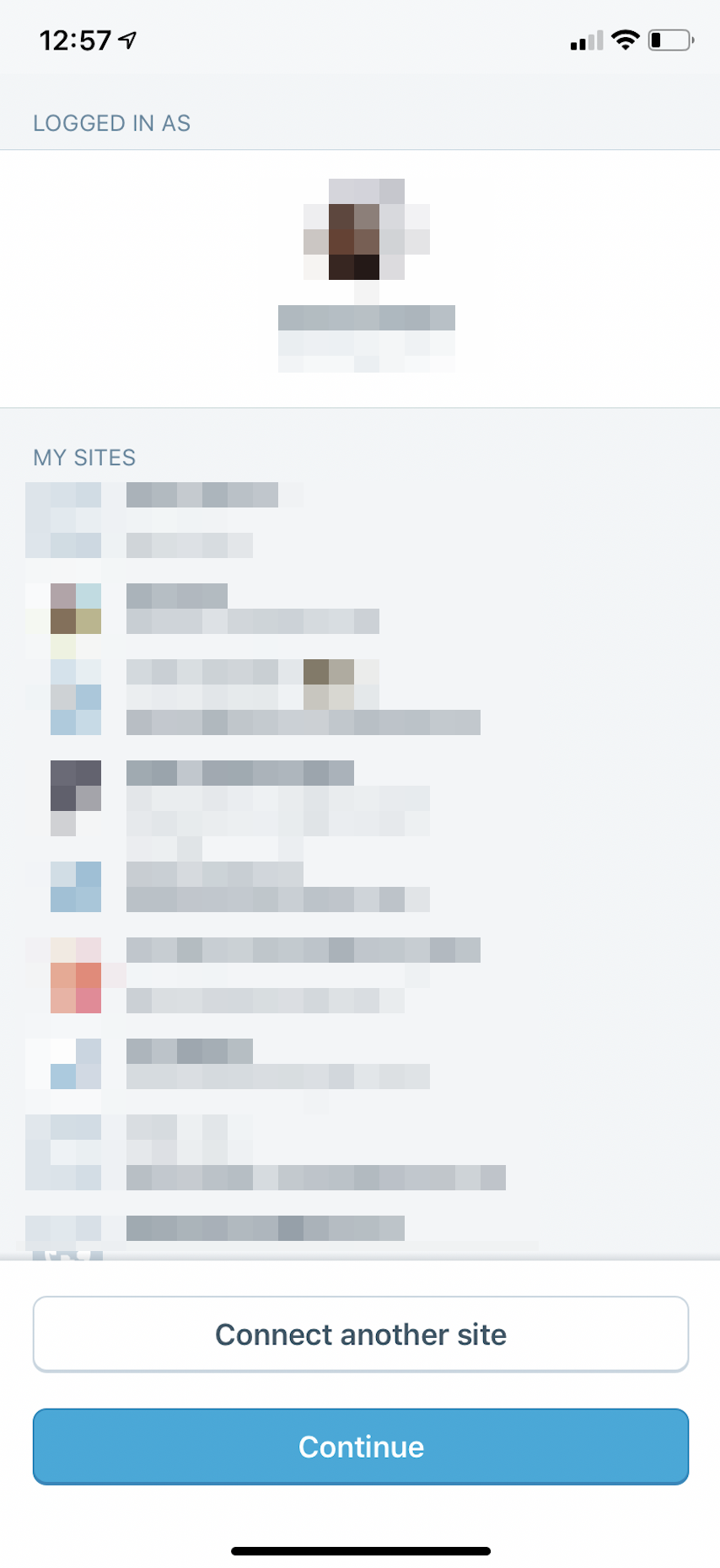
In the meantime, we can add secondary buttons for "Try another account" on both the screen that has stores and the screen without. Let's follow the same design as the WP iOS app:
 kyleaparker
on 11 Apr 2019
kyleaparker
on 11 Apr 2019
More context https://github.com/woocommerce/woocommerce-ios/pull/1030#pullrequestreview-249460525
 mindgraffiti
on 2 Jul 2019
mindgraffiti
on 2 Jul 2019
@jaclync this one might interest you. It's up for grabs if you feel like working in navigation.
mindgraffiti
on 2 Jul 2019
hmm I had trouble reproducing this issue, what I've tried:
- Log in with credentials and 2FA, and then turn my network to 100% loss via iOS Settings > Developer --> can still enter a store
- Log in with credentials and 2FA, and then go offline completely --> can still enter a store
- While logged in and offline --> I can still log out and be back to the home login screen
@grigorijurasov could you give me more details on how I can reproduce this issue? Like in which step I go offline or how to make a site inaccessible?
 jaclync
on 11 Jul 2019
jaclync
on 11 Jul 2019
@jaclync Steps to Reproduce:
- Set up a new WordPress.com account - this prevents the account from being associated with WooCommerce.
- Try to log into our app.
- The "Try another account" button appears, but doesn't work.
More context and background here: https://github.com/woocommerce/woocommerce-ios/pull/1030#pullrequestreview-249460525
mindgraffiti
on 11 Jul 2019
Thanks for the steps to repro, I misunderstood the "connection issues".
I just logged into a WP.com without any WC store on my device, and when I tapped "Try another account", it led me back to the log in screen. It seems like a reasonable flow?
jaclync
on 12 Jul 2019
There are certain steps during the login flow that you can take, where the view controllers lose their nav controller. I can't remember exactly how to reproduce it, but I know it hasn't been fixed.
Maybe try a WooCommerce account with an invalid store and no valid stores?
mindgraffiti
on 13 Jul 2019
Maybe try a WooCommerce account with an invalid store and no valid stores?
What does an "invalid store" mean in this case, and how can I create one?
jaclync
on 15 Jul 2019
That was poor phrasing :) A store that is using WooCommerce version 3.4 or older. I'll DM you.
mindgraffiti
on 15 Jul 2019
In the case of 1924167-zen, the user has an alternate XML-RPC route listed in the Jetpack Debugger tool. This can cause our API request to receive a response with a no_response_body error message.
mindgraffiti
on 16 Aug 2019
Reproduced the error with the provided information. Per p99K0U-1By-p2, the problem was from the user's configurations. The app UI doesn't need changed. After the fix is released on Jetpack, this issue will be closed.
If any further cases are found, have a mobile dev check the API request and determine if its a 500 server error. This "login limbo state" + 500 error that users are getting into continues to hint at unusual server configurations.
mindgraffiti
on 17 Aug 2019
Apologies @jaclync for marking this as a "good first issue". Login problems continue to be rabbit holes, not good first issues.
mindgraffiti
on 17 Aug 2019
Jetpack fix deployed
mindgraffiti
on 19 Aug 2019
sorry I haven't got to create a self-hosted store yet, thanks for fixing! is the fix on the Jetpack backend? any PR we could link here for more details about the fix?
jaclync
on 20 Aug 2019
Yep, the fix was made on the Jetpack side. Their code isn't public as far as I know. Ref. p99K0U-1By-p2.
mindgraffiti
on 20 Aug 2019
Re-opening. I solved the problem for the use case that was listed, but I didn't end up adding the "Try another account" button. I see what Gregorij is getting at. The flow can still be broken for some users (in situations that we haven't identified yet). So the "Try another account" button should be present regardless of whether or not the stores can connect successfully.
mindgraffiti
on 21 Aug 2019
Related issues
 jkmassel
·
4Comments
jkmassel
·
4Comments
 designsimply
·
3Comments
mindgraffiti
·
4Comments
mindgraffiti
·
3Comments
kyleaparker
·
3Comments
designsimply
·
3Comments
mindgraffiti
·
4Comments
mindgraffiti
·
3Comments
kyleaparker
·
3Comments