Winforms: Accessibility: In Inspect: MSAA, the child items of some controls cannot be displayed, and Children property gets error
.NET Core Version:
.Net 6.0.100-alpha.1.20516.5Have you experienced this same bug with .NET Framework?:
NoMore Info
- This issue cannot repro on .Net Core 3.1.
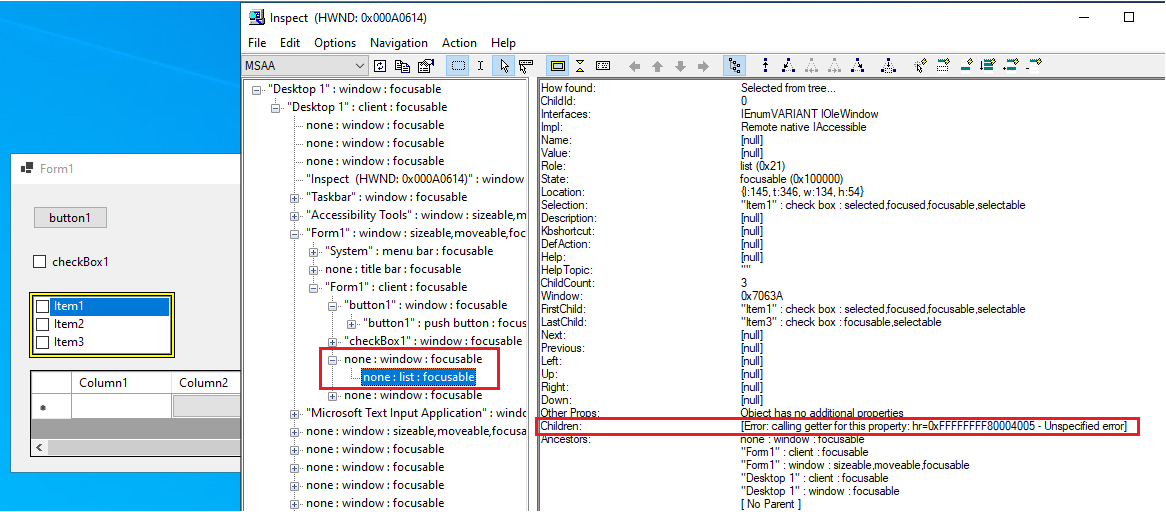
- Affected controls: CheckedListBox, ListBox, ToolStrip, StatusStrip, ContextMenuStrip, BindingNavigator, DataGridView, ListView
Minimal repro:
- Create a Winforms .Net Core app with controls: CheckedListBox/ListBox/ToolStrip/StatusStrip, ContextMenuStrip/BindingNavigator/DataGridView/ListView
- Added items for these controls
- Build and run app
- Open the Inspect tool and observe these controls hierarchy on MSAA mode
Actual behavior:
Controls' items cannot be displayed in Inspect: MSAA
Expected behavior:
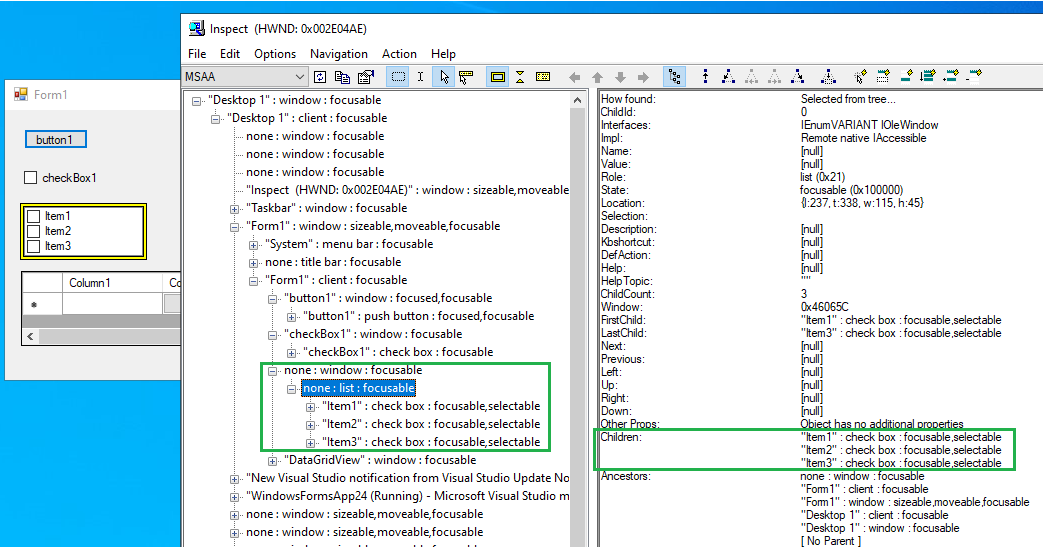
Controls' items can be displayed in Inspect: MSAA hierarchy
 Olina-Zhang
All 5 comments
@Olina-Zhang what happens with the UIA option selected? How about Accessibility Insights for Windows? Those should be our priority now, rather than MSAA (which we used to use quite a bit).
 merriemcgaw
on 6 Nov 2020
merriemcgaw
on 6 Nov 2020
@merriemcgaw I see. Inspect:UIA, Accessibility Insights are worked well for controls hierarchy. They are our top priority. And Inspect:MSAA testing was from another issue: 4100, and @Tanya-Solyanik @dreddy-work suggest us check all controls to ensure no issue in MSAA. so filed several issues related MSAA.
Olina-Zhang
on 9 Nov 2020
It can be fixed by #4168
 vladimir-krestov
on 9 Nov 2020
vladimir-krestov
on 9 Nov 2020
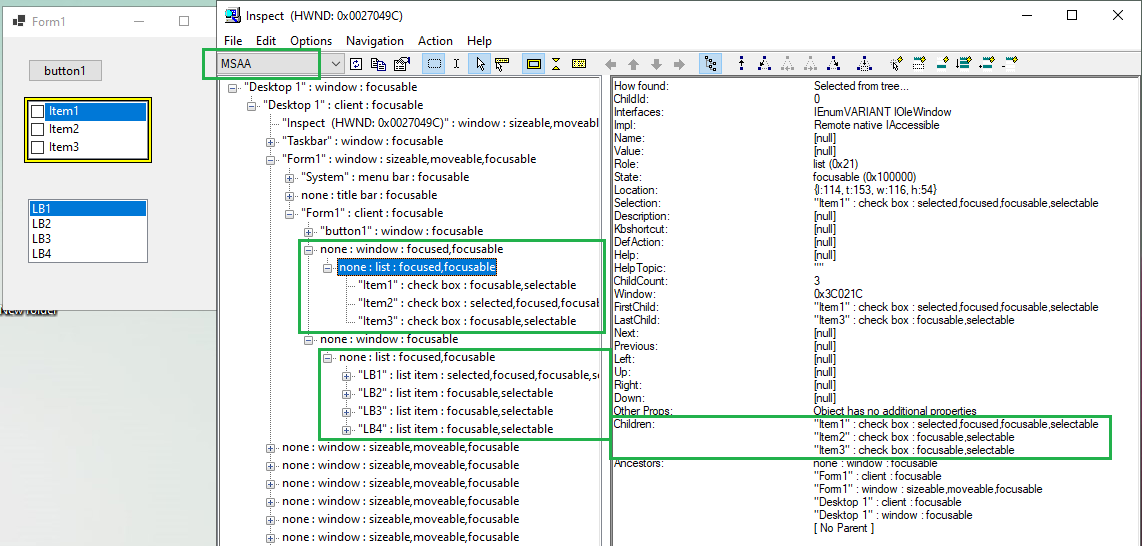
Verified this issue with .Net 6.0.100-alpha.1.20562.2 from master branch, it is fixed, now controls' items can be displayed in Inspect: MSAA hierarchy.
 Marie-Shi
on 13 Nov 2020
Marie-Shi
on 13 Nov 2020
Verified this issue in .Net SDK 5.0.101 build, this issue is fixed.
 Zheng-Li01
on 2 Dec 2020
Zheng-Li01
on 2 Dec 2020
Related issues
 0x084E
·
3Comments
vladimir-krestov
·
3Comments
0x084E
·
3Comments
vladimir-krestov
·
3Comments
 weltkante
·
5Comments
weltkante
·
5Comments
 damageboy
·
4Comments
damageboy
·
4Comments
 kirsan31
·
4Comments
kirsan31
·
4Comments