Windowscommunitytoolkit: Improvements on in-app notifications
- [x] Add events Opened/Opening/Closed/Closing
- [x] Add details on EventArgs (user action or timeout)
- [x]
Show/Hide from XAML - [x] Ability to change animation/transition - Change animation type to fly-in (and/or allow custom animations, I could see Fade being wanted)
- [x] Ability to control animation speed
- [x] Export styles so devs don't have to copy them in their project
- [x] Export default styles (MS Edge, VSCode)
- [x] Write documentation that explain where/how to add new styles in the Toolkit
- [x] Fix bugs #1415
- [x] Options to render multiple notifications (replace, stack above or queue behind?)
cc. @cbarkerms @michael-hawker
 Odonno
All 22 comments
With the animation to display the in app "toast" - could you not work with Windows.UI.Xaml.Media.Animation.Transition so the user can change the animation using the existing system transitions?
 mdtauk
on 25 Aug 2017
mdtauk
on 25 Aug 2017
@mdtauk Good idea. But what is the default transition I should use? PopupTransition (https://docs.microsoft.com/en-us/uwp/api/windows.ui.xaml.media.animation.popupthemetransition) or EdgeUITransition (https://docs.microsoft.com/en-us/uwp/api/windows.ui.xaml.media.animation.edgeuithemetransition)?
Odonno
on 25 Aug 2017
A property to set the Top/Bottom spacing to show the notification little below the Top/Bottom line. The animation should look like the content is coming from Top/Bottom Line.

 Vijay-Nirmal
on 25 Aug 2017
Vijay-Nirmal
on 25 Aug 2017
@Vijay-Nirmal it could just be a singular margin property combined with a positional element like the toastr option.
 michael-hawker
on 25 Aug 2017
michael-hawker
on 25 Aug 2017
You could already add margin to it, not sure if a new property is needed
 nmetulev
on 25 Aug 2017
nmetulev
on 25 Aug 2017
@nmetulev we should add a margin in the sample app example ;). Luckily I can test it out quick for myself now, it worked great!
I guess @Vijay-Nirmal's point though was to allow for an animation as a fly-in vs. the stretch we have now.
michael-hawker
on 25 Aug 2017
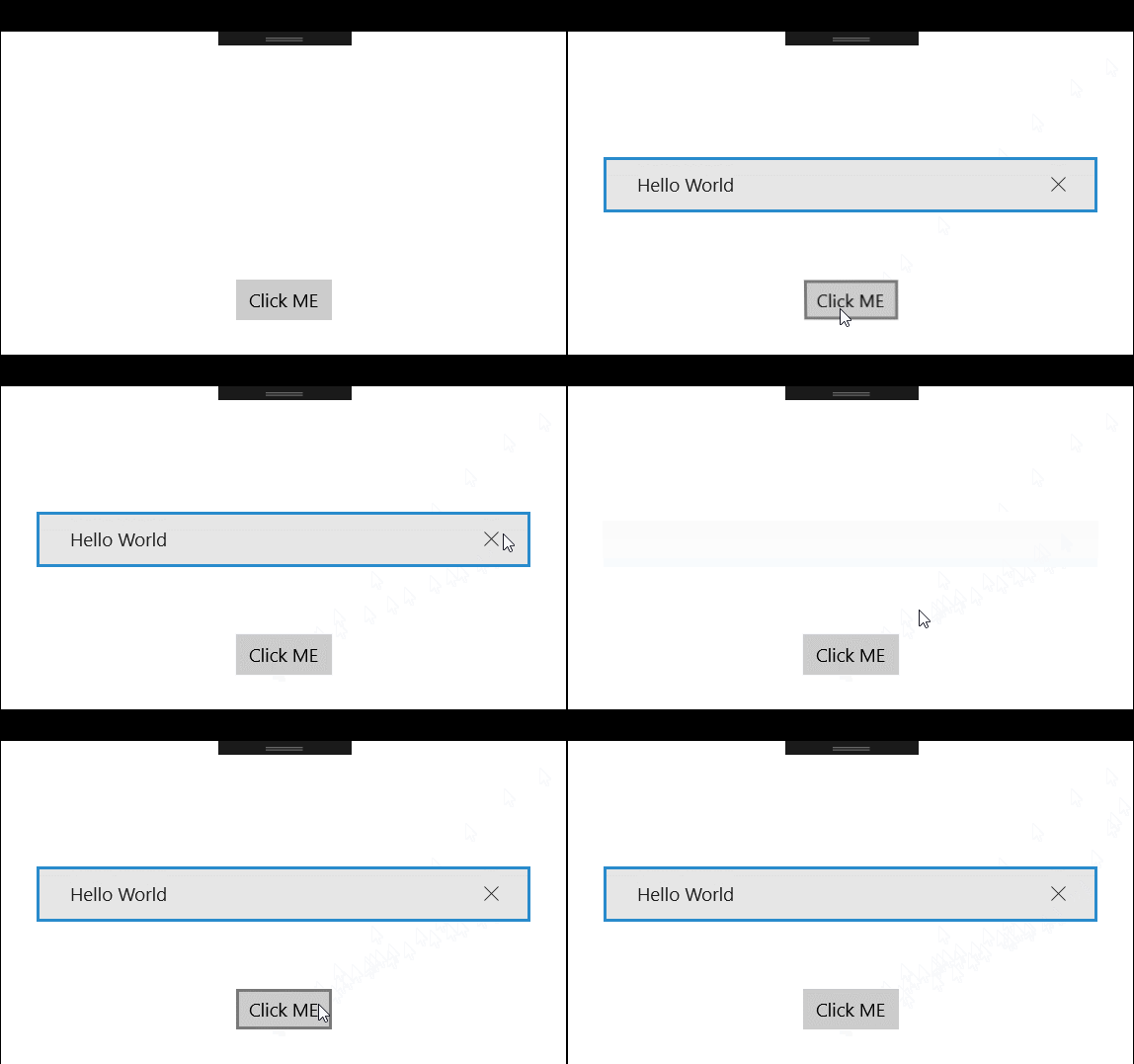
@nmetulev With stretch animation, the notification doesn't look like notification when it has a margin (See the gif below). @michael-hawker got my point, the animation should be fly-in. Notification should come from Top/Bottom, not from middle
Vijay-Nirmal
on 25 Aug 2017
Got it, that makes more sense
nmetulev
on 25 Aug 2017
@Odonno I don't know what the default should be, if the intention is for the notification to hug the edge UI, then Edge Transition makes sense, but it depends on the recommended placement is for the control, and what is flexible with distance from a known edge etc.
mdtauk
on 25 Aug 2017
@Vijay-Nirmal @michael-hawker Seems like you are refering to the animation. I think that's close to what @mdtauk is suggesting with animation/transition by giving devs the ability to change it.
Odonno
on 25 Aug 2017
Right now, you can change the animation by re-templating:
nmetulev
on 25 Aug 2017
@nmetulev maybe it'd be good to show that in one of the example templates?
michael-hawker
on 25 Aug 2017
nmetulev
on 25 Aug 2017
I tried using PopInThemeAnimation and EdgeUIThemeAnimation but it did not work as expected. I tried @nmetulev example and it works like a charm. I will create Properties for Offset and Duration of the animation based on this method.
Odonno
on 27 Aug 2017
@Vijay-Nirmal The original implementation that you are referring to was built using PopupThemeTransition (cc: @Odonno) with vertical offset. It had a separate grid used as a container to show multiple notifications. As each notification was added, the Transitions were shown.
I think In-App notifications should evolve in the container based approach to better support multiple notifications.
 Raamakrishnan
on 5 Sep 2017
Raamakrishnan
on 5 Sep 2017
another idea: multiple notifications stacks like in visual studio code
 tibitoth
on 5 Sep 2017
tibitoth
on 5 Sep 2017
@Raamakrishnan @totht91 Good idea. I think it should be an option for the Host container because Microsoft Edge allow multiple notifications (they are on top of each other, like playing with ZIndex) and VSCode shows them as a StackPanel.
Odonno
on 6 Sep 2017
@Odonno Yes, that would be the best. Along with options to control how a new notification behaves with an existing one: replace, stack above or queue behind.
Raamakrishnan
on 6 Sep 2017
@Raamakrishnan Totally agree with that, stack notifications in mobile can be a really bad idea, there must be option to control that behavior.
 CabuxaMapache
on 7 Sep 2017
CabuxaMapache
on 7 Sep 2017
Looks like most items are now completed. :)
From the two that are left, I'd like to see the stacking notifications.
Not sure about the show/hide from XAML, how would that work?
nmetulev
on 7 Nov 2017
@nmetulev The Show/Hide from XAML won't be done. It was a request from @michael-hawker to be able to call the Show method from XAML using TriggerBehavior. But the thing is that I set an optional parameter duration = 0 and not sure why the TriggerBehavior is not able to call the method without parameter.
The only task remaining is the stacking of notifications.
Odonno
on 8 Nov 2017
Sounds good to me :)
nmetulev
on 8 Nov 2017
Related issues
 ilinkmobility
·
4Comments
ilinkmobility
·
4Comments
 jamesmcroft
·
3Comments
jamesmcroft
·
3Comments
 Kyaa-dost
·
3Comments
Kyaa-dost
·
3Comments
 miguelarcilla
·
4Comments
miguelarcilla
·
4Comments
 HardySoftware
·
3Comments
HardySoftware
·
3Comments