Windowscommunitytoolkit: Images get cropped out when "DesiredColumnWidth" and "ColumnSpacing" gets shifted right or left in StaggeredPanel Controls
Describe the bug
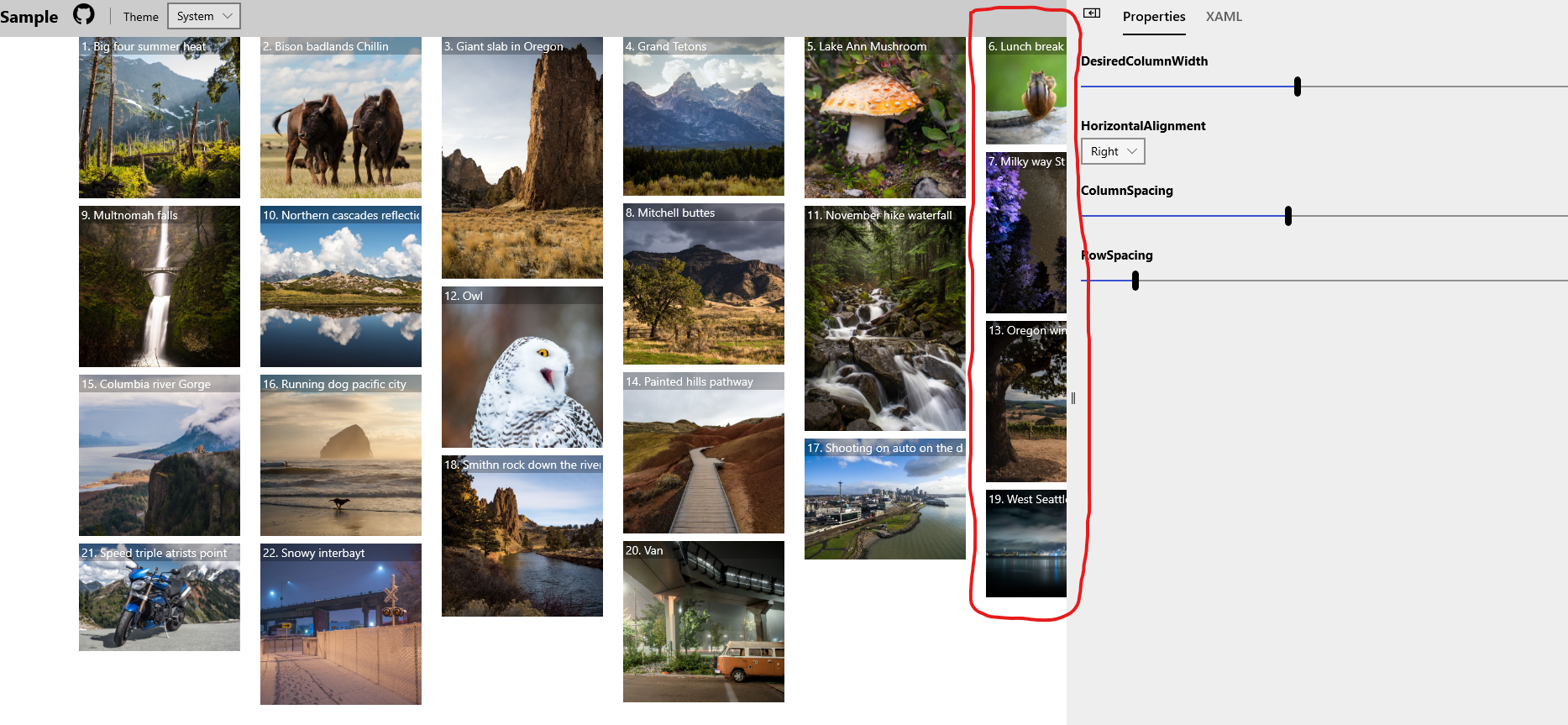
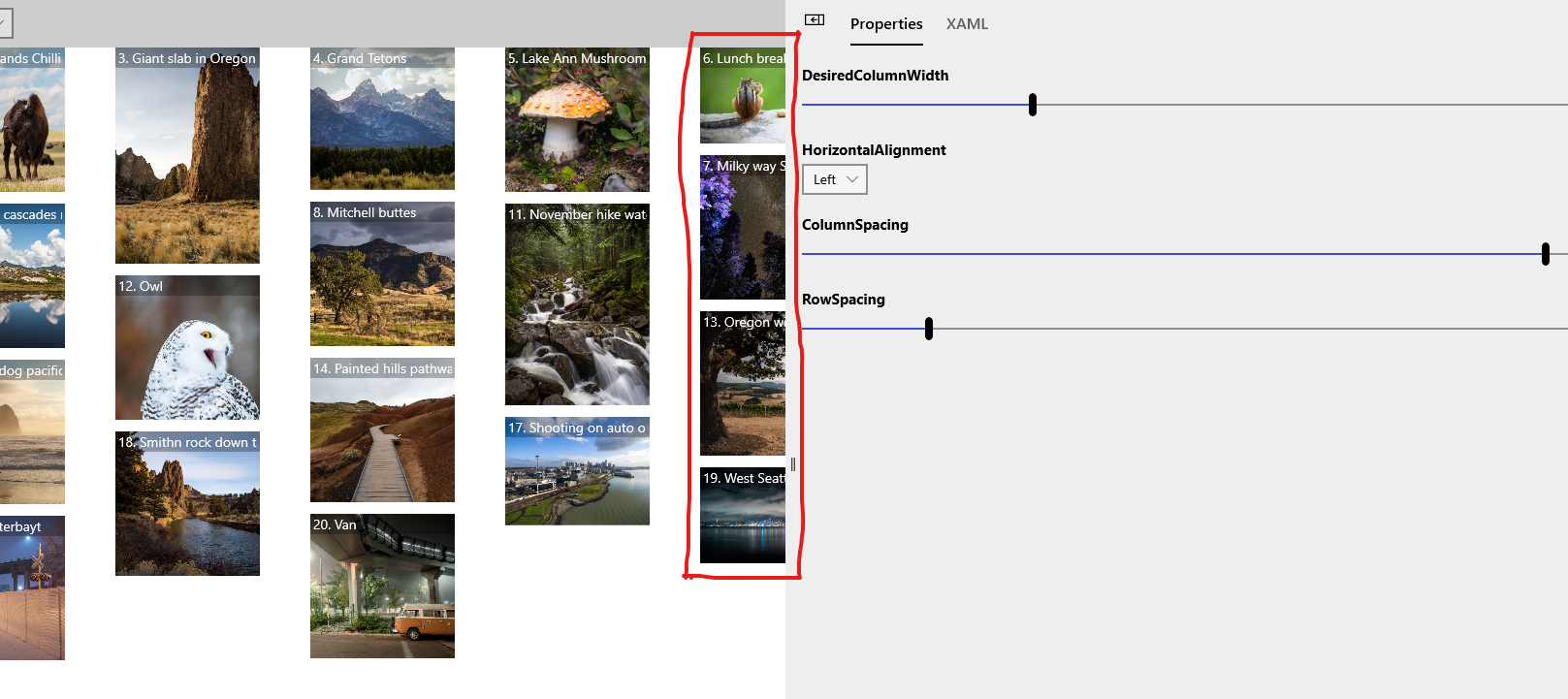
Images either breaks or get cropped out when"DesiredColumnWdth" and "ColumnSpacing" are adjusted to Right or left in the StaggeredPanel
Steps to Reproduce
Steps to reproduce the behavior:
- Select Right, Left, Center or Stretch in HorizontalAlignment.
- Try moving DesiredColumnWidth and ColumnSpacing Right or left
- You can also try moving the edges
- By now you will see images being cropped and not adjusting fully in the window
Expected behavior
Images should preview without being cropped out when shifting Column spacing or width.
Screenshots
When Horizontal Alignment Selected as "Right"
When Selected As Left
Environment
Windows 10 Build Number:
- [ ] Fall Creators Update (16299)
- [ ] April 2018 Update (17134)
- [ ] October 2018 Update (17763)
- [X] May 2019 Update (18362)
- [ ] Insider Build (build number: )
App min and target version:
- [ ] Fall Creators Update (16299)
- [ ] April 2018 Update (17134)
- [ ] October 2018 Update (17763)
- [X] May 2019 Update (18362)
- [ ] Insider Build (xxxxx)
Device form factor:
- [X] Desktop
- [ ] Xbox
- [ ] Surface Hub
- [ ] IoT
Visual Studio
- [ ] 2017 (version: )
- [X] 2019 (version: )
- [ ] 2019 Preview (version: )
 Kyaa-dost
All 3 comments
@skendrot We were thinking of this to be part of 6.0 release and fully functional. Will you be able to look into this?
Kyaa-dost
on 13 Sep 2019
@Kyaa-dost Thanks for reporting this. I'll look into what's causing it
 skendrot
on 20 Sep 2019
skendrot
on 20 Sep 2019
👍2
@skendrot did you have a chance to take a look? It'd be good to see if we can fix this for the release next week as it's a new feature.
 michael-hawker
on 24 Oct 2019
michael-hawker
on 24 Oct 2019
Was this page helpful?
0 / 5 - 0 ratings
Related issues
 IanStorm
·
4Comments
IanStorm
·
4Comments
Need native support of command binding when hamburger menu item is clicked or option item is clicked
 HardySoftware
·
3Comments
michael-hawker
·
3Comments
HardySoftware
·
3Comments
michael-hawker
·
3Comments
 nolanblew
·
3Comments
nolanblew
·
3Comments
 kusanagi2k2
·
4Comments
kusanagi2k2
·
4Comments
Most helpful comment
@Kyaa-dost Thanks for reporting this. I'll look into what's causing it