Windows-itpro-docs: Memory Integrity
I keep getting a message "Memory integrity can't be started. There may be an incompatibility on you device"
How do I correct this?
Regards
Keith
Document Details
⚠ Do not edit this section. It is required for docs.microsoft.com ➟ GitHub issue linking.
- ID: 9f784502-84dc-1122-eab4-1eeeb08da046
- Version Independent ID: 21f210a7-4c38-8f62-0226-121562617fef
- Content: Memory integrity - Windows security
- Content Source: windows/security/threat-protection/device-guard/memory-integrity.md
- Product: w10
- Technology: windows
- GitHub Login: @levinec
- Microsoft Alias: ellevin
 KeithQuestion
All 31 comments
what
 resistor420
on 3 May 2020
resistor420
on 3 May 2020
Same problem for me. Dell XPS 8700, Windows 10 Version 10.0.18363 Build 18363. I only tried the setting for the first time today.
 eshutah
on 4 May 2020
eshutah
on 4 May 2020
@eshutah . @KeithQuestion There are two ways to set this. One is by group policy and another manually adding registry key.
Processor must be supported with bios compatible firmware is needed.secure boot must be enabled in bios. Use 64bit OS.
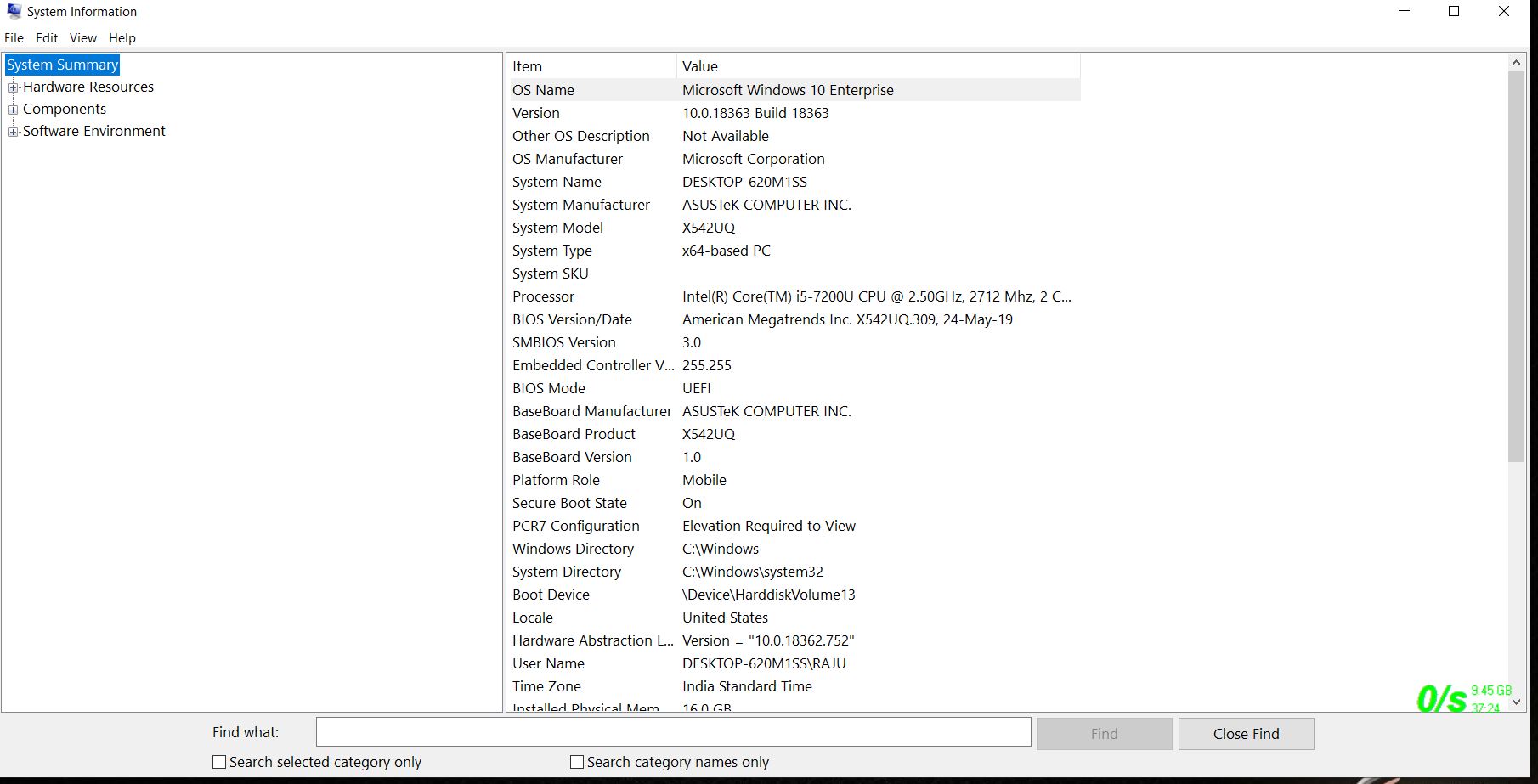
I have intel i5 7200u . I enabled memory integrity.
 RAJU2529
on 4 May 2020
RAJU2529
on 4 May 2020
I have the same error on Microsoft Surface Laptop 3.
 alfa-batsi
on 7 May 2020
alfa-batsi
on 7 May 2020
@alfa-batsi . Did you enabled VBS virtualization-based security before enabling memory integrity
RAJU2529
on 7 May 2020
I do not think so. Prior trying to enable memory integrity, I turned on core isolation first. Where do i turn the VBS virtualization from?
alfa-batsi
on 7 May 2020
@alfa-batsi type the following in cmd with admin rights and press enetr
Reg.exe add "HKLM\SYSTEM\CurrentControlSet\Control\DeviceGuard" /v EnableVirtualizationBasedSecurity /t REG_DWORD /d 1 /f
RAJU2529
on 7 May 2020
I did as you suggested, restarted computer, but still get same error
alfa-batsi
on 7 May 2020
@alfa-batsi. give me the screenshot , what's the hardware configurations are there in your laptop
RAJU2529
on 7 May 2020
@alfa-batsi
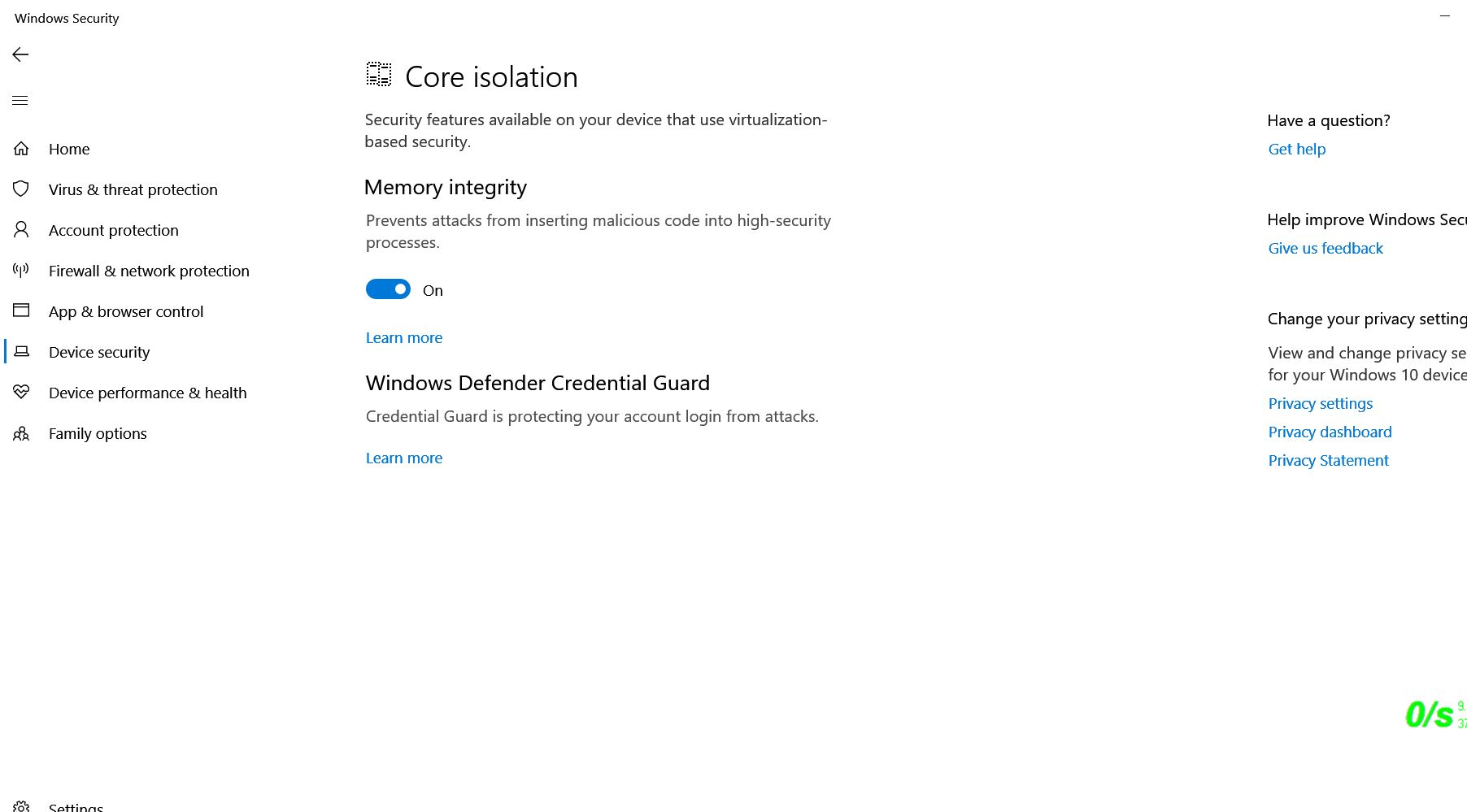
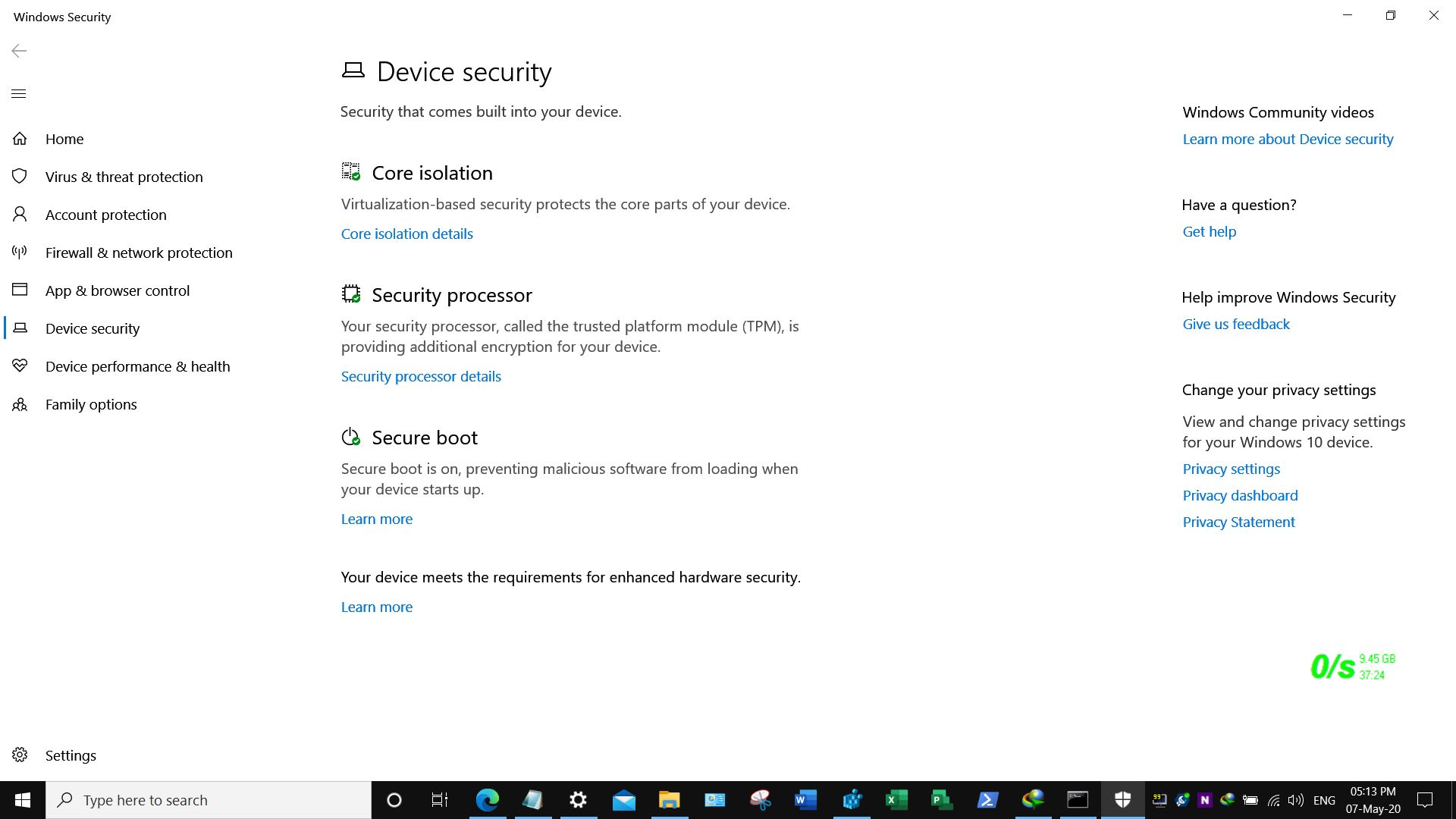
here is my laptop configuartions
RAJU2529
on 7 May 2020
alfa-batsi
on 7 May 2020
alfa-batsi
on 7 May 2020
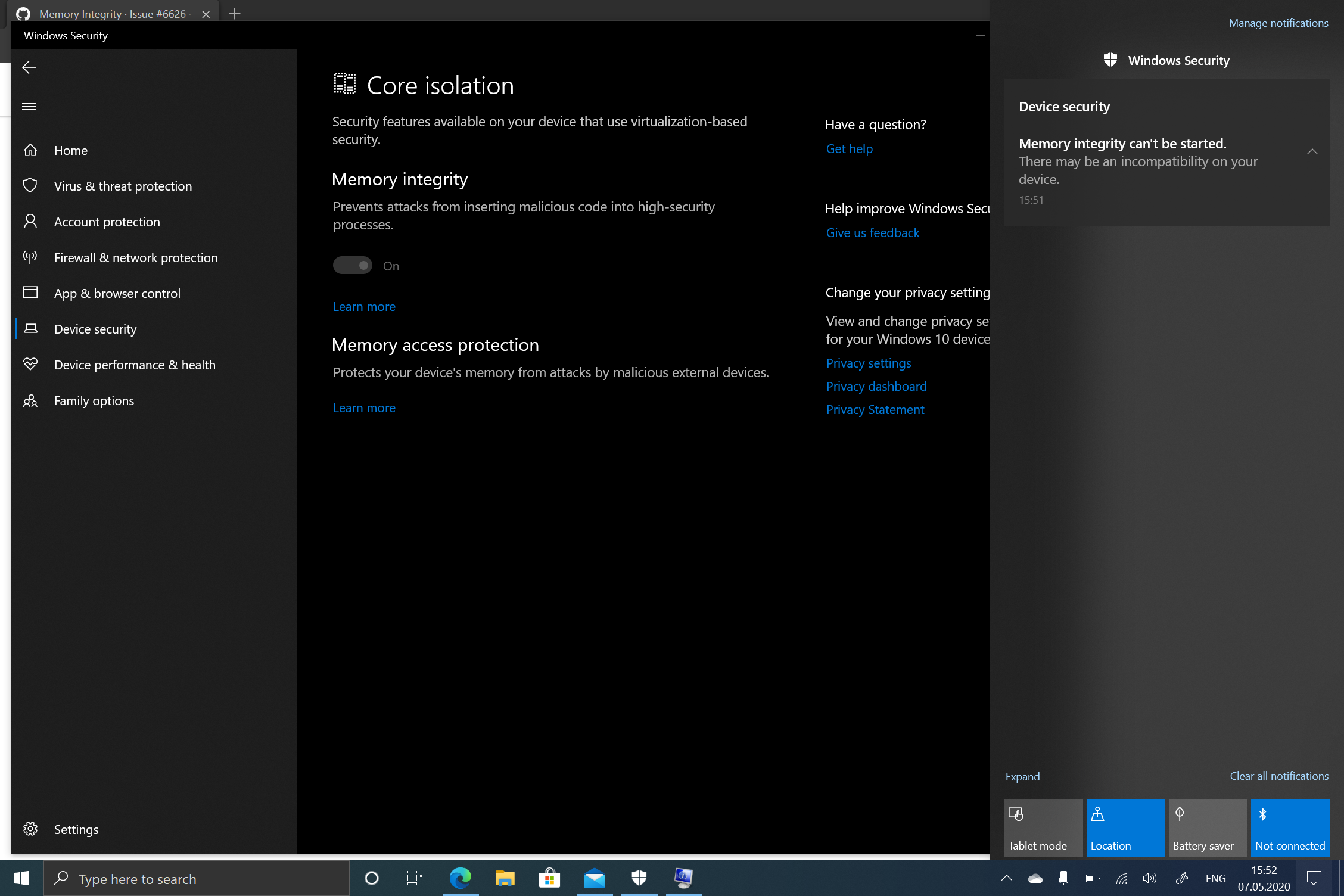
@alfa-batsi . memory integrity is already turned on
RAJU2529
on 7 May 2020
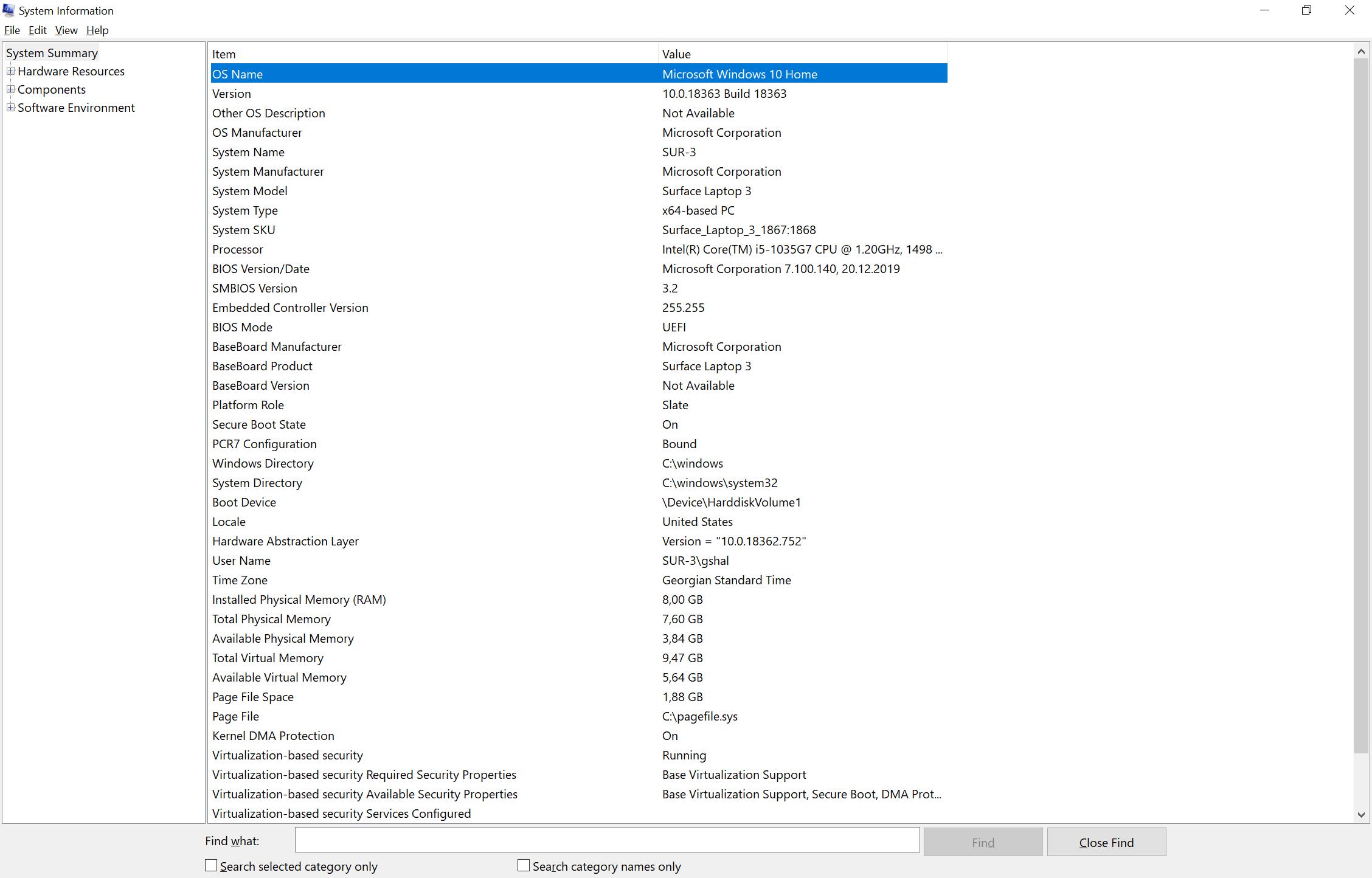
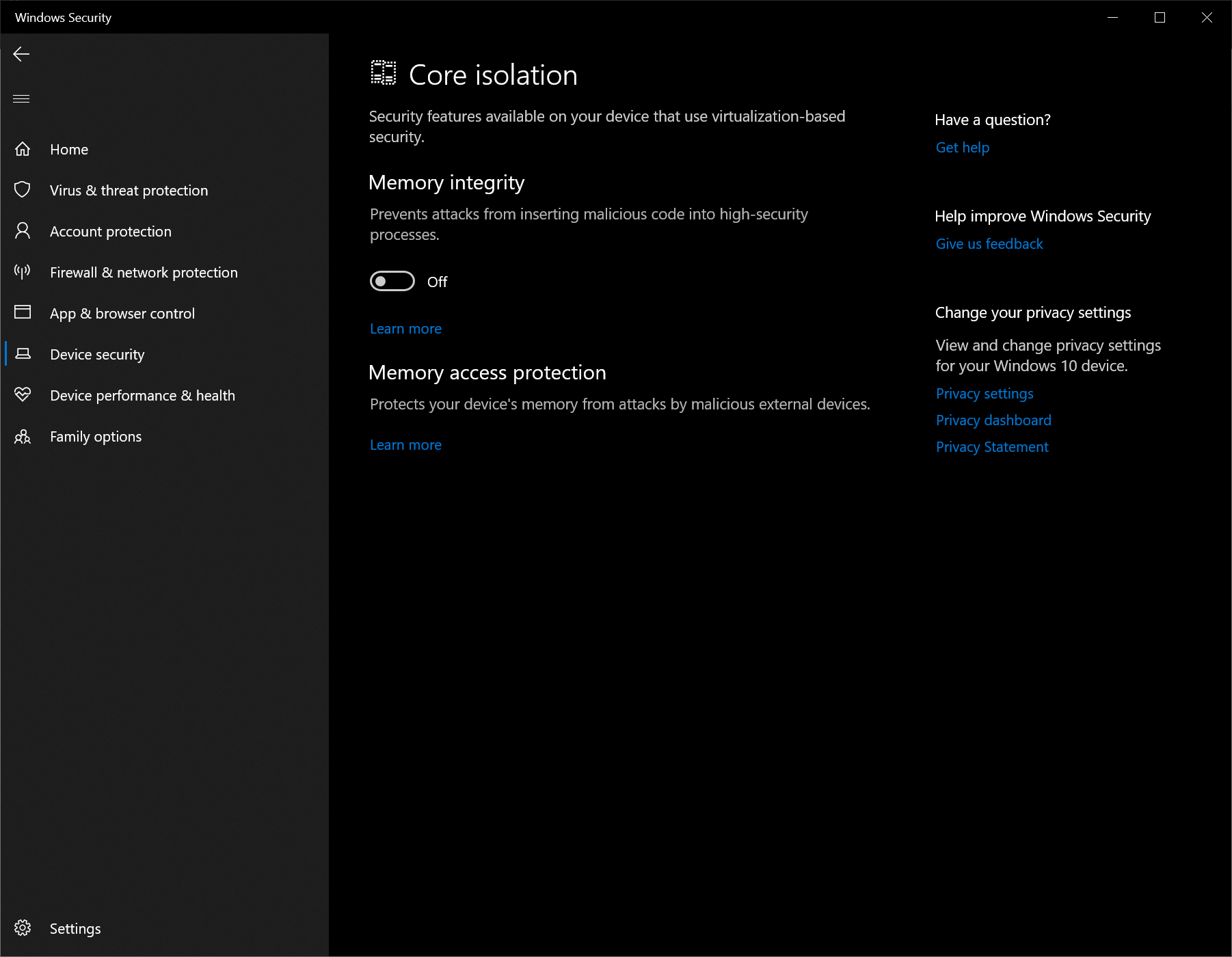
The last screenshot is when i try to turn it on and the error pops up. Then it goes back to off
alfa-batsi
on 7 May 2020
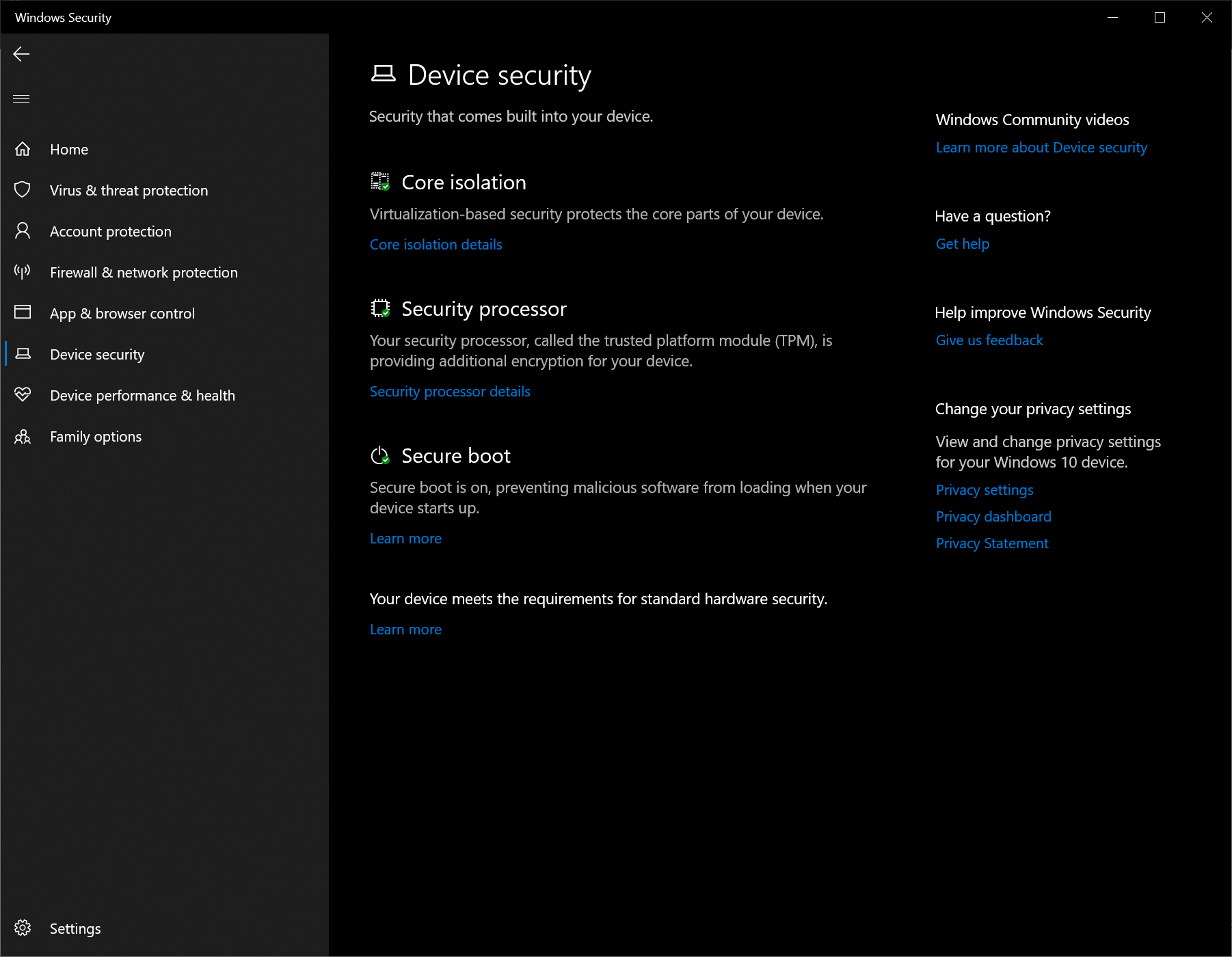
@alfa-batsi . what about device security page
RAJU2529
on 7 May 2020
I do not think there is anything usefull there, nut anyway:
alfa-batsi
on 7 May 2020
@alfa-batsi , You using windows 10 home, not pro version, so you cant configured through group policy editor.
did you enabled all advanced security features related to INTEL processor
RAJU2529
on 7 May 2020
I just looked through bios settings. There is everything enabled related to security
alfa-batsi
on 7 May 2020
may be this feature is not support for win 10 home. I will look through microsoft docs. Thanks for your time.
alfa-batsi
on 7 May 2020
@alfa-batsi At last try, i give device guard registry key, merge it
Deviceguard.zip
RAJU2529
on 7 May 2020
I went with "Enable DeviceGuard.reg" file, restarted the computer, but still no luck.
alfa-batsi
on 7 May 2020
@alfa-batsi , sorry then no more ideas
RAJU2529
on 7 May 2020
Thanks a lot.
alfa-batsi
on 7 May 2020
I'm going to file this setting under "Unfinished/Bug riddled" for now. If you have to edit the registry and/or run the group policy editor in hopes of making it work, Microsoft has more work to do.
eshutah
on 7 May 2020
@eshutah . Is your issues is solved or not
RAJU2529
on 7 May 2020
no, did not have time to dig deeper. maybe some time later. i will post update.
alfa-batsi
on 7 May 2020
@eshutah . Is your issues is solved or not
The issue is not resolved for me. I'm going to consider the setting unusable for now. Or, you could argue that it is resolved for me since I have chosen not to pursue the sorts of fixes you are suggesting. I will probably try it again after the next update.
eshutah
on 7 May 2020
Hi, I had the same issues with memory integrity and found this thread with same "no result". But I found the following and finally did it:
In my msinfo32 (System Information) the item "Visualization-based security Services Running" had an empty value. The rest was like it is shown in the picture. => Something is wrong but I went forward
I followed top down and got the same result with the "Memory Integrity" switch as before. It turns gray and UAC dialog pops up (but sometimes it doesn't. But never mind). The expected message Restart dialog never came up. And so wasn't the red remark "This change requires you to restart your device."
Hoping for the second chance. And as I looked for the reg-value of HKEY_LOCAL_MACHINE\SYSTEM\CurrentControlSet\Control\DeviceGuard\Scenarios\HypervisorEnforcedCodeIntegrity it was set to 0. After setting it to 1 and restarting ... voila ... Memory Integrity is working and the value of msinfo32 (System Information) item "Visualization-based security Services Running" is set to "Hypervisor enforced Code integrity".
Hope that will help you out of trouble.
Cheers
Karsten
 Sadlic
on 7 May 2020
Sadlic
on 7 May 2020
Sadlic is correct - I had the same issue on a device that was running Memory integrity and I turned it off to check something, then it refused to re-activate. Editing the registry key solved the issue and forced it back on.
 Kaldek
on 10 May 2020
Kaldek
on 10 May 2020
@Kaldek . I don't have that registry key, but still memory integrity is ON.
RAJU2529
on 10 May 2020
Closing the issue based on @Sadlic's response. Thank you all for the productive discussion.
 e0i
on 10 May 2020
e0i
on 10 May 2020
Related issues
 zjalexander
·
3Comments
zjalexander
·
3Comments
 marcnil815
·
3Comments
marcnil815
·
3Comments
 ATR-Master
·
3Comments
ATR-Master
·
3Comments
 ang216
·
3Comments
ang216
·
3Comments
 KamilSzafarczyk
·
3Comments
KamilSzafarczyk
·
3Comments
Most helpful comment
Hi, I had the same issues with memory integrity and found this thread with same "no result". But I found the following and finally did it:
https://www.tenforums.com/tutorials/104025-turn-off-core-isolation-memory-integrity-windows-10-a.html
In my msinfo32 (System Information) the item "Visualization-based security Services Running" had an empty value. The rest was like it is shown in the picture. => Something is wrong but I went forward
I followed top down and got the same result with the "Memory Integrity" switch as before. It turns gray and UAC dialog pops up (but sometimes it doesn't. But never mind). The expected message Restart dialog never came up. And so wasn't the red remark "This change requires you to restart your device."
Hoping for the second chance. And as I looked for the reg-value of HKEY_LOCAL_MACHINE\SYSTEM\CurrentControlSet\Control\DeviceGuard\Scenarios\HypervisorEnforcedCodeIntegrity it was set to 0. After setting it to 1 and restarting ... voila ... Memory Integrity is working and the value of msinfo32 (System Information) item "Visualization-based security Services Running" is set to "Hypervisor enforced Code integrity".
Hope that will help you out of trouble.
Cheers
Karsten