Windows-itpro-docs: Link to 'Manage Local Users' points to Windows 7 and Server 08 to 12 page
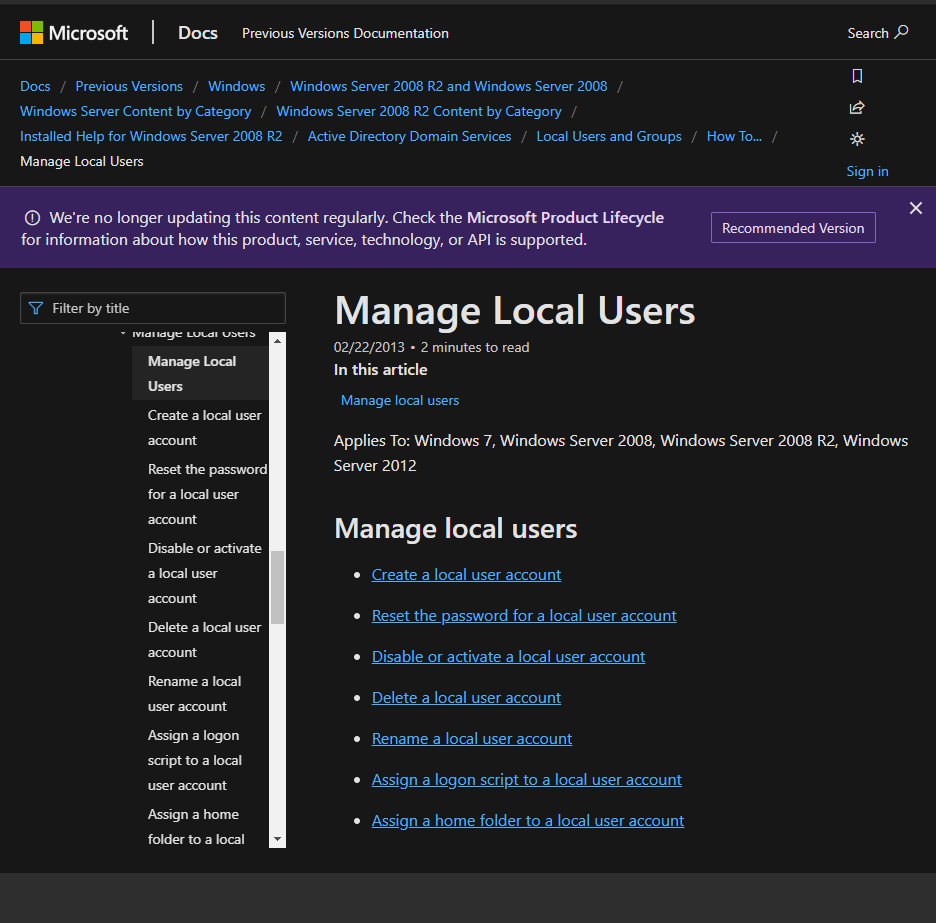
Under How to manage local user accounts the link to Manage Local Users points to the page for Windows 7, Windows Server 2008, Windows Server 2008 R2, Windows Server 2012. Is the info still relevant to Windows 10, Windows Server 2016 and Windows Server 2019; since the information on the Local Accounts page is related to them?
I also get the below alert on that page, which lead me to think that something changed:
Document Details
⚠ Do not edit this section. It is required for docs.microsoft.com ➟ GitHub issue linking.
- ID: 74d32ee6-c7ff-9328-97d6-40ad82c73392
- Version Independent ID: 01f10cbb-4cae-077f-8245-7b0ada8305d7
- Content: Local Accounts (Windows 10)
- Content Source: windows/security/identity-protection/access-control/local-accounts.md
- Product: w10
- Technology: windows
- GitHub Login: @DulceMontemayor
- Microsoft Alias: dansimp
 Amorpheuz
All 13 comments
@officedocsbot assign @jvsam
 jvsam
on 22 Sep 2019
jvsam
on 22 Sep 2019
Hm, that is an interesting link combination. The link you refer to is initially a TechNet link, but it changes to a docs.microsoft.com link:
- https://technet.microsoft.com/library/cc731899.aspx (which redirects to the link below)
- https://docs.microsoft.com/en-us/previous-versions/windows/it-pro/windows-server-2008-R2-and-2008/cc731899(v=ws.11)?redirectedfrom=MSDN
I wonder if there is any existing Docs page it could be linked to instead, or if that role has been replaced by Azure or Active Directory management.
 illfated
on 22 Sep 2019
illfated
on 22 Sep 2019
Is the info still relevant to Windows 10, Windows Server 2016 and Windows Server 2019; since the information on the Local Accounts page is related to them?
Hi @Amorpheuz, thanks for your feedback. The alert is normal, but I understand that it may be confusing since the link points to information related to the previous versions. @illfated, I thought of the same thing, but in the Active Directory Accounts, it implies the information is still relevant for 'default local user accounts for a member or standalone server or for a Windows client.' This thread in the Tech Community is interesting, see a comment from a user - 'create a local account the "old" way'. And in this TechNet question, an external resource was provided by MSFT for Windows 10, and upon checking, it has the same steps. Can you please check if you have time, @illfated? Thanks.
jvsam
on 29 Sep 2019
Fair point, it is still possible to manage local users in Windows 10, but with slightly different settings and UI dialog boxes, compared to earlier versions. Browsing the pages you provided links to, I notice that it mostly references the use of Local Users and Groups (or the command lusrmgr.msc). I am fairly sure it is also possible to manage local users in Windows 10 Settings, based on personal experience with a Windows Server 2016 Active Directory domain and a handful of Windows 10 Pro computers upgraded from Windows 7 or Windows 8. When I need to log in as a local user, I do it in the form of replacing the domain name with the computer name, for example Guest-PC\Administrator, and from there I can choose whether to use Local Users and Groups (via Control Panel or Computer Management) or Windows 10 Settings\Accounts to manage local users.
The question now seems to be: How do we proceed to update or replace the page to accurately depict the process of accessing local users in Windows 10?
illfated
on 29 Sep 2019
I did go through those docs afterwards and lusrmgr.msc stays the same, so the steps provided do provide accurate information in case of Windows Server 2019. It isn't possible to use lusrmgr in Windows 10 (Home) atleast, as shown here:
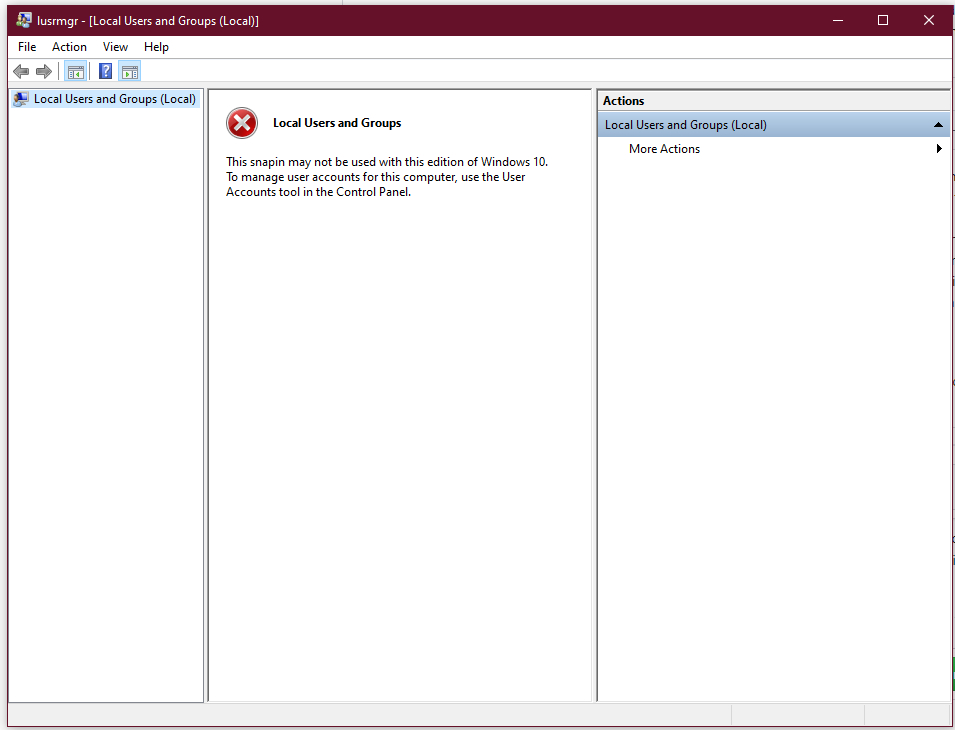
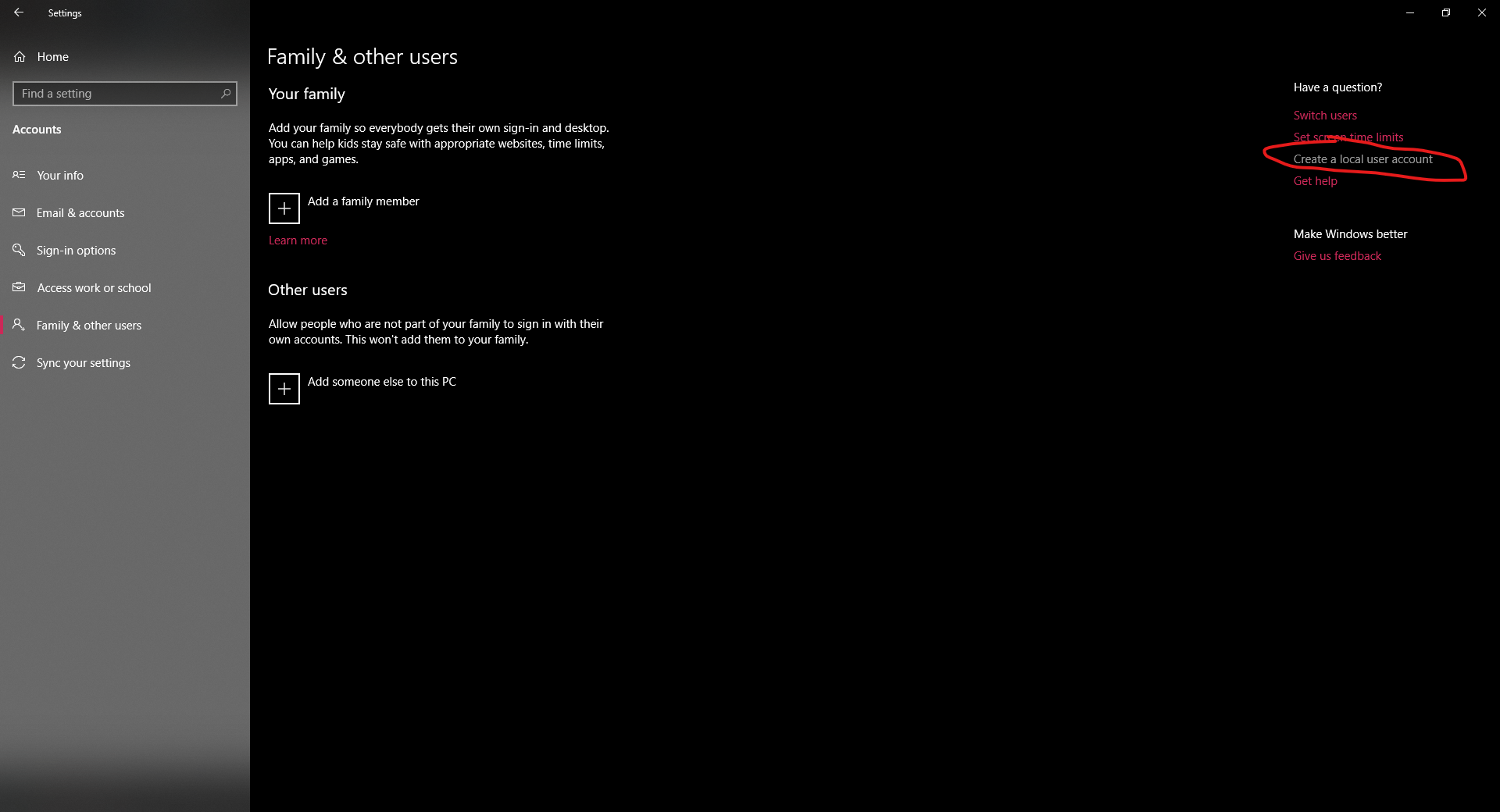
Instead you have to use the new settings; where clicking on Create a local user account under Family & other users leads to a Bing page which in turn is generated from Microsoft Support but due to lack of breadcrumbs, I can't find where other related articles to the same might be located.
Amorpheuz
on 29 Sep 2019
@Amorpheuz : Please note that this repository (MicrosoftDocs/windows-itpro-docs) only concerns itself with Windows 10 Professional and its Enterprise licensed versions in relation to Windows Server or Azure, not Windows 10 Home. The scenario shown in your images is to be expected when you are not using Windows 10 Pro in an Enterprise or Domain scenario.
illfated
on 29 Sep 2019
That being said, it is still necessary to propose a solution to missing documentation on how to manage local users and groups in Windows 10 related to Windows Server 2016/2019 Domains or even when using Azure AD. We need updated images from Windows 10 Professional for this, as well as possibly rewritten and validated documentation page(s) to replace the current page(s).
illfated
on 29 Sep 2019
@illfated I don't have any information if there is a plan to write a doc set specifically for Windows 10 Pro or to update the existing doc set—it would seem to require extensive content revision and/or update. The possible challenge when it comes to time and effort—even if done incrementally—is that the updates will require thorough review & technical verification. If you see any contents that are easy to amend, please create a PR. By the way, here's the resource for the graphics guidelines, perhaps you already know, if not FYI.
Hi @DulceMontemayor is there any plan to update the How to manage local accounts doc? Please consider this as a suggestion from the community. Thank you.
jvsam
on 6 Oct 2019
Fair point. I will set it aside for the moment, maybe pick it up again next weekend and see if there is anything existing somewhere else to be used.
I must admit that I do not fancy planning a full set of new pages and their directory structure.
illfated
on 6 Oct 2019
Hi @illfated are you planning to propose amendments or updates to this documentation, if not, I believe we can close this issue. Thanks.
jvsam
on 12 Oct 2019
Sorry, I must admit that I have not been able to find any useful and up to date material to cover this issue as a solution. Without any extra input or feedback from others, I will not be able to contribute with any useful material the size of a full page or pages in a working hierarchy.
illfated
on 13 Oct 2019
@illfated that is fine. It'll be quite an undertaking. For now, let's just tag this as a suggestion.
Hi @DulceMontemayor, not sure if this is already in your backlog. If not, kindly take a look at this community suggestion if you have time. Thank you and we look forward to seeing (and reading!) the updates to the docs.
@Amorpheuz thank you again for bringing this to our attention. We will now close this issue, but please continue to send your feedback and suggestions to improve the quality of the Microsoft documentation. Thanks for being part of the Microsoft Docs community!
jvsam
on 19 Oct 2019
@officedocsbot close
jvsam
on 19 Oct 2019
Related issues
 ruffy91
·
3Comments
ruffy91
·
3Comments
 thohun
·
3Comments
thohun
·
3Comments
 ang216
·
3Comments
ang216
·
3Comments
 RAJU2529
·
3Comments
RAJU2529
·
3Comments
 helloitsliam
·
3Comments
helloitsliam
·
3Comments