Widescreenfixespack: [NFSUC] HUD Aspect Ratio and FoV Issues on Ultrawide (and Possibly Other Crop Aspect Ratio) Screens
Hey 13AG! Thanks for your awesome work on the Generic Fix. I'm finally able to set the game resolution to 2560x1080 without any external stuff.
But there are some issues:
- FoV is Hor- (it crops upper and lower parts, instead of widening the image)
- HUD is stretched (I was able to partially fix it) Cheat Engine table (works on v1.0 PROPHET nfs.exe), rename extension to .ct
Here you can see some shots I've taken for comparison:
http://www.framecompare.com/image-compare/screenshotcomparison/WWLGNNNX
Also, HUD looks centered in gameplay, but it's aligned to left in menus:

I don't know how to fix it (yet) :(
I hope you can implement these improvements into the fix! Thanks from now. :)
 nlgzrgn
All 17 comments
Sure, maybe not right away, but at some point I can add that.
 ThirteenAG
on 14 Nov 2018
ThirteenAG
on 14 Nov 2018
I think Pro Street suffers from the same problem (vert- FOV for 21:9) so it's probably worth fixing that game as well.
 AeroWidescreen
on 14 Nov 2018
AeroWidescreen
on 14 Nov 2018
@nlgzrgn
Centered the menus. It probably isn't the best solution (breaks 4:3 if value isn't reverted) but it works.
Cheat Table (v1.0)


AeroWidescreen
on 16 Nov 2018
Nice one! But as I see, the values you use have a small mistake.
Ultrawide resolutions are advertised as 21:9, but they aren't actually 21:9.
2560/21*9 ~= 1097,143
Their actual ratio is 64:27.
2560/64*27 = 1080
Thus, the value should be 1706 or 1707 instead:
720*64/27 ~= 1706,667
You also used another value in the script. I figured out how did you calculate it:
1280/1678 ~= 0,7628129
1280/1706 ~= 0,7502931
1707 may be better to use here, but, you know, the script will calculate these values for us when implemented.
So, here is another comparison to show the small difference between the values you and I use:
http://www.framecompare.com/image-compare/screenshotcomparison/WWDPNNNX
Now I need to find the functions to push HUD left and right groups to sides.
nlgzrgn
on 16 Nov 2018
Thanks for the info, I'll keep that in mind. Did you still need help with the FOV? Because I fixed that too. I also made some improvements so that 4:3 doesn't break and you don't need to refresh the HUD anymore.
I know ThirteenAG said he's going to implement this, but the cheat table is something you can use in the meanwhile.

Now I need to find the functions to push HUD left and right groups to sides.
I know I'm repeating myself here, but it would be great if you made a HUD adapter for Pro Street too. It would be way better than squishing the HUD for 16:10 support.
AeroWidescreen
on 17 Nov 2018
@AeroWidescreen Do you think you could do a write up of all the changes to implement, like you usually do? If there's not a lot, I might be able to get to it sooner rather than later (did not check cheat table or anything yet).
ThirteenAG
on 17 Nov 2018
Calculation
Explanation for how we got 0.750293 for 21:9.
16:9
1280 / 1280 = 1.0 (because 1280 x 720 is 16:9)
21:9
1280 / 1706 = 0.750293 (because 1706 x 720 is 21:9)
HUD Refresh
This part may be necessary if you plan on calculating the HUD values in real-time so users don't have to restart when changing their resolution. It simply nops a conditional jump so that the HUD function (0076CFD0) is always active.
0078C487 nop
0078C488 nop
HUD Width
16:9
1280 / 1 = 1280
21:9
1280 / 0.750293 = 1706.000244
00C21B00 44D54002 // float
HUD X Pos
16:9
-1 * 1 = -1
21:9
-1 * 0.750293 = -0.750293
0076D018 jmp 00000000
00000000 test al,al
00000001 je 00000004 // jumps if not widescreen resolution
00000002 movss xmm2,[XXXXXXXX] // widescreen mode x pos; calculated value goes here
00000003 jmp 0076D020
00000004 movss xmm2,[XXXXXXXX] // normal mode x pos; 1.0 static float
00000005 jmp 0076D020
FOV
Unfortunately the results aren't perfect. I think it suffers from the same issue as the previous NFS games where the horizontal does not scale in proportion to the vertical. Not much I can do about it right now.
@nlgzrgn If you know a better method then feel free to share.
16:9
[value] / 1 = [value]
21:9
[value] / 0.750293 = [new value]
These changes only affect widescreen mode.
All values here are double.
0074A81F movsd xmm1,[XXXXXXXX] // Hor
0074A86A mulsd xmm0,[XXXXXXXX] // Vert
0074A82E mulsd xmm0,[XXXXXXXX] // Scale #1
0074A83E subsd xmm0,[XXXXXXXX] // Scale #2; multiply original value by 0.750293, DO NOT DIVIDE HERE
0074A846 - mulsd xmm0,[XXXXXXXX] // Scale #3
Implemented hud fix, without fov yet.

ThirteenAG
on 26 Nov 2018
@ThirteenAG Working good. I'll see if I can find a better solution for the FOV this week. Maybe I can increase the camera FOV, then make some small corrections to the horizontal with the scaling values I have.
AeroWidescreen
on 26 Nov 2018
Alright, this is as good as it's going to get. I tested it with 16:10 so the calculations here should be good for other aspect ratios.


16:9
(1280 x 720)
720 / 720= 1
16:10
(1280 x 800)
720 / 800 = 0.9
21:9
(1280 x 540)
720 / 540 = 1.33333
0074A81F jmp 00000000
00000000 fild dword ptr [esp+38]
00000001 fmul dword ptr [ ] // controls widescreen mode FOV; calculated float goes here
00000002 fistp dword ptr [esp+38]
00000003 mov ebp,[esp+38]
00000004 movsd xmm1,[00C1FD28]
00000005 jmp 0074A827
0.0054931640625 * [calculated double] = [new value]
0074A82E mulsd xmm0,[ ] // Hor scale 1; double
10 * [calculated double] * = [result] * [calculated double] = [result] * [calculated double] = [new value]
0074A83E subsd xmm0,[ ] // Hor scale 2; double
AeroWidescreen
on 30 Nov 2018
I figured out the functions to adapt HUD like I did in NFSMW and NFSC!
Here is the code I used: https://gist.github.com/nlgzrgn/4fb61f1a07da6fe7678123f8fe1605ae
(No minimap adaptation for now, sorry. :P But you can do it using the cheat table I provided before.)
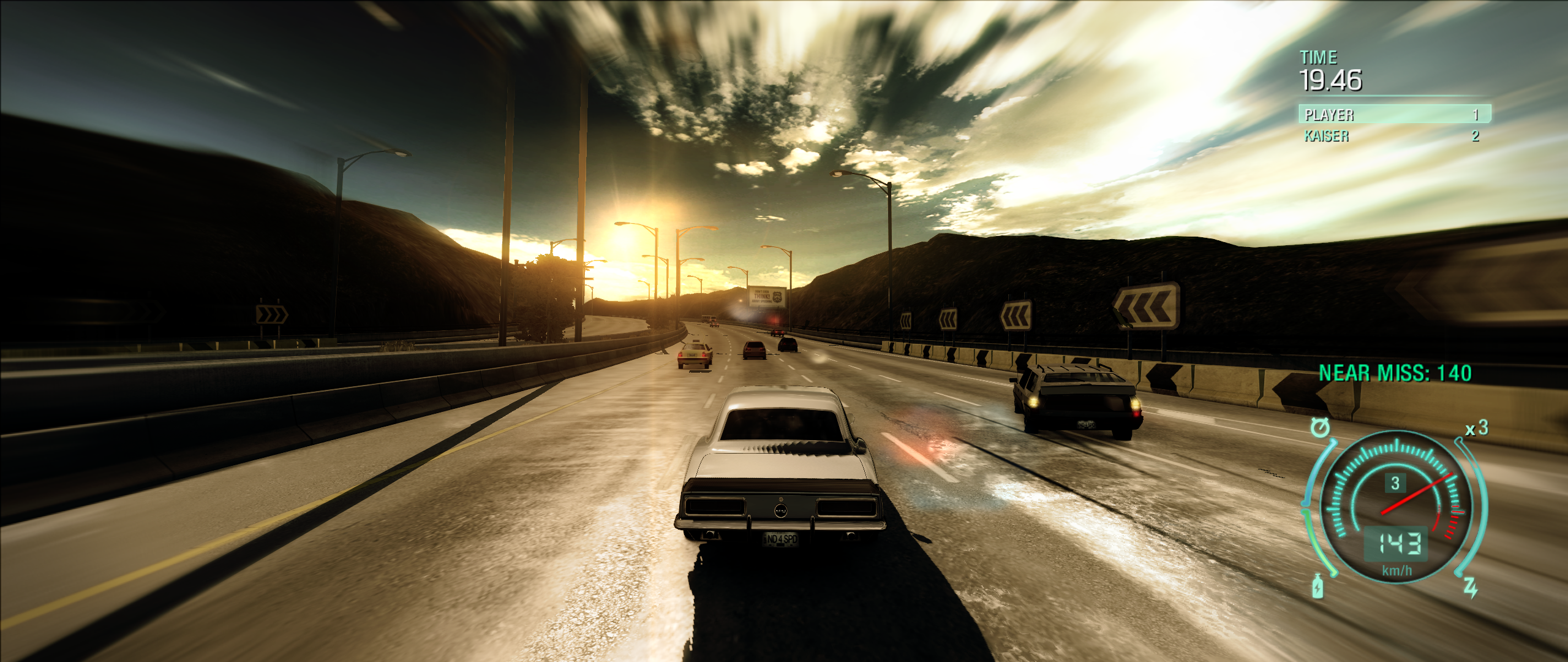
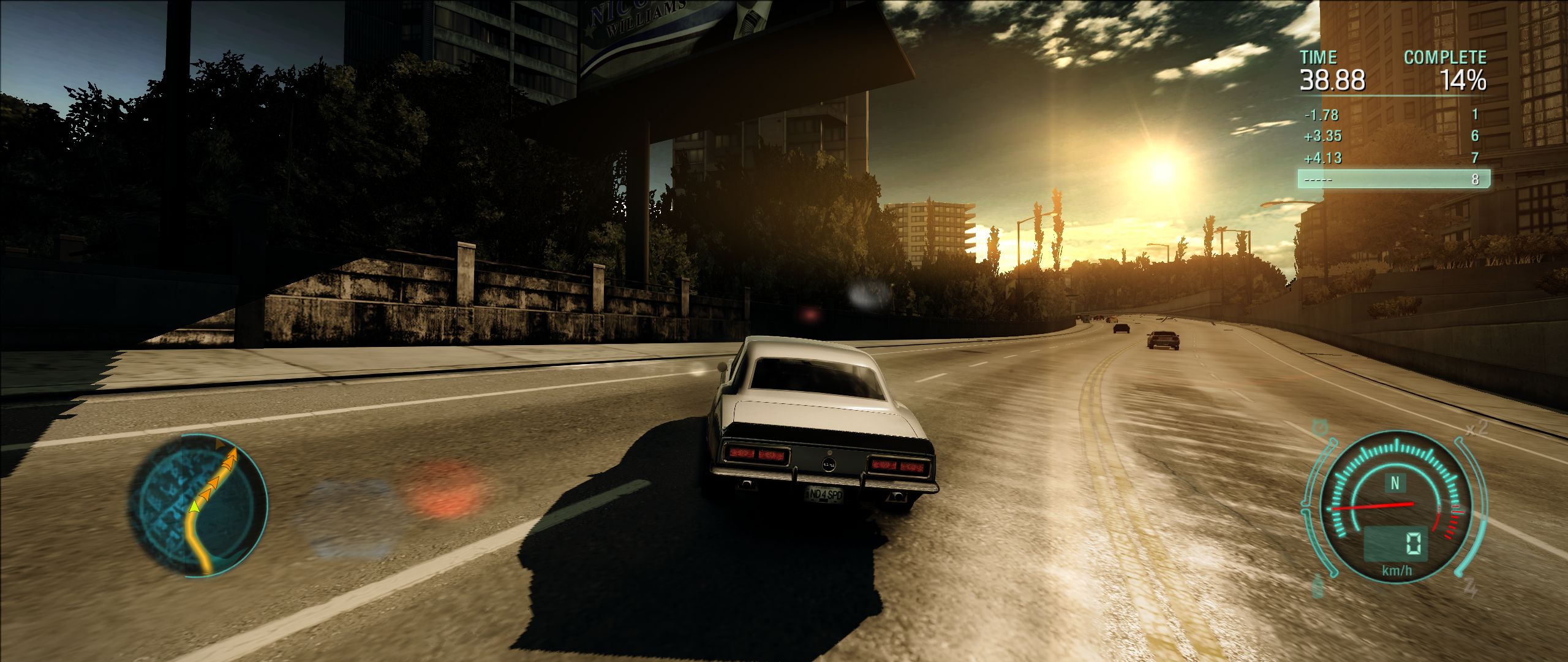
And yeah, there is a small issue. Text which appears over the minimap may get cut. And sometimes, north indicator can disappear.
nlgzrgn
on 30 Nov 2018
@AeroWidescreen I'm trying to implement your FOV thing, it seems to me the image is horizontally stretched (at least on 1920x540): https://transfer.sh/zkBmv/NFSUndercover.GenericFix.asi
Am I missing something?
pattern = GetPattern("F2 0F 10 0D ? ? ? ? 0F B7 C5 F2 0F 2A C0"); //0x74A81F
struct FOVHook
{
void operator()(injector::reg_pack& regs)
{
static constexpr double qword_C1FD28 = 1.174999952316284;
static double qword_BE3DE8 = 0.005493164062500 * (1.0f / fHudScale);
static double qword_BD9D40 = 10.00000000000000 * (1.0f / fHudScale) * (1.0f / fHudScale) * (1.0f / fHudScale);
float f = (float)*(int32_t*)(regs.esp + 0x38) * (1.0f / fHudScale);
*(int32_t*)®s.ebp = (int32_t)f;
double d = (double)LOWORD(regs.ebp);
_asm
{
movsd xmm1, ds : qword_C1FD28
movsd xmm0, ds : d
mulsd xmm0, ds : qword_BE3DE8
cvtsd2ss xmm0, xmm0
cvtss2sd xmm0, xmm0
subsd xmm0, ds : qword_BD9D40
}
}
}; injector::MakeInline<FOVHook>(pattern.get_first(0), pattern.get_first(39));
Honestly, I don't know. I got better results for 32:9 (1920x540) following my steps manually, but the scaling for that aspect ratio was still off either way. What are the odds that it would work for the aspect ratios I tested but not this one?
This needs more time and research I guess. Even the HUD fix isn't perfect, since nlgzrgn's problem is caused by how we center the HUD:
And yeah, there is a small issue. Text which appears over the minimap may get cut. And sometimes, north indicator can disappear
AeroWidescreen
on 11 Dec 2018
I think when I switched to 720p it was fine, so I'm not sure what's going on. This function is also different on other exes, they use floats there, so it's not possible to universally fix it like with other stuff.
ThirteenAG
on 11 Dec 2018
@ThirteenAG
Let's hit the reset button and try this again. I've tested the following information with many different aspect ratios and resolutions, including 32:9 (1920x540), and I've provided an ASI script so you can confirm my results. I'm not posting the source code because it's poorly written and only intended for testing. I'll leave the programming to you.
Download: NFSUC Widescreen Fix (Steam Version)
_Note: If you choose to try this, please use the Generic Fix ASI provided in the download. The current version is not compatible due to conflicting code._

Aspect Ratio Calculation
I'm going to be using this value for many different things, so please get this done first before moving on to the rest of the information.
Formula
ResolutionX / ResolutionY = Result
Result * 0.5625 = ScreenAspectRatio
4:3
1440 / 1080 = 1.333333333333333
1.333333333333333 * 0.5625 = 0.75
ScreenAspectRatio = 0.75
16:9
1920 / 1080 = 1.777777777777778
1.777777777777778 * 0.5625 = 1
ScreenAspectRatio = 1
21:9
2560 / 1080 = 2.37037037037037
2.37037037037037 * 0.5625 = 1.333333333333333
ScreenAspectRatio = 1.333333333333333
FOV (if FixFOV)
The FOV code should be completely new, so I suggest deleting everything you have for this. I'm using a new method that I discovered while I was working on ProStreet.
Force 16:9 FOV Settings
This does two things: it ensures the game uses the same vertical for all aspect ratios, and it ensures the game uses the same scaling for all aspect ratios. This way we don't have to worry about creating different calculations for 4:3.
0076B7FF 0xEB // jmp
0074A81D 0x9090 // 2 nops
Horizontal FOV Correction
Now we correct the horizontal using standard calculations.
0074A959 jmp 00000000
00000000 fld dword ptr [esp + 0x38] // Loads original horizontal value
00000001 fdiv dword ptr [ScreenAspectRatio] // Divides value by screen aspect ratio
00000002 fstp dword ptr [esp + 0x38] // Overwrites original horizontal value with new value
00000003 movss xmm0, dword ptr [esp + 0x38] // Moves new value to xmm0
00000004 jmp 0074A95F
HUD (if FixHUD)
While some of the HUD code may be the same, I suggest starting over so there's no confusion.
Force 16:9 HUD Settings
Similar concept as the FOV; it allows us to use the same calculations for all aspect ratios.
007454F1 0x9090 // 2 nops
Force HUD Refresh
This part may not be necessary, but it's very useful for troubleshooting. Usually you'd have to change the resolution to see any changes to the HUD, but with this the HUD will update in real-time.
0078C487 0x9090 // 2 nops
HUD Render Fix
This solves the issue nlgzrgn was having with his HUD Adapter code. This will ensure the HUD does not get cut off at the edge of the screen.
007B1DD5 call 00000000
007B1DDA nop
007B1DDB nop
007B1DDC nop

00781C7D call 00000000
00781C82 nop
00781C83 nop
00781C84 nop

00000000 mov dword ptr [esi + 0x058C], C7C34F80 // -99999 static float
00000001 ret
007B1DB3 XXXXXXXX
00781C61 XXXXXXXX
XXXXXXXX 47C34F80 // 99999 static float
HUD Backgrounds & Overlays
These are solid black images, so we're going to stretch these out with high static values so we don't have to worry about them at all.
GPS Map Background
00830301 call 00000000
00000000 push ecx
00000001 movss xmm0, [ ] // 99999 static float
00000002 movss dword ptr [esp], xmm0
00000003 fld dword ptr [esp]
00000004 pop ecx
00000005 ret
00830388 jmp 00000000
00000000 fld dword ptr [esp]
00000001 fadd dword ptr [ ] // -99999 static float
00000002 fstp dword ptr [esp]
00000003 call 005617D0
00000004 jmp 0083038D
Transition Overlay
00561A00 call 00000000
00000000 push ecx
00000001 movss xmm0, [ ] // 99999 static float
00000002 movss dword ptr [esp], xmm0
00000003 fld dword ptr [esp]
00000004 pop ecx
00000005 ret
00561AA8 jmp 00000000
00000000 fstp dword ptr [esp]
00000001 fld dword ptr [esp]
00000002 fadd dword ptr [ ] // -99999 static float
00000003 fstp dword ptr [esp]
00000004 call 005617D0
00000005 jmp 00561AB0
HUD Width
1280 * ScreenAspectRatio = HUDWidth (float)
0076443A XXXXXXXX
0076CFF4 XXXXXXXX
0077B2D9 XXXXXXXX
0079E228 XXXXXXXX
0079E41B XXXXXXXX
007B19FA XXXXXXXX
007B1A9B XXXXXXXX
007B1B96 XXXXXXXX
007B1C62 XXXXXXXX
007B1D22 XXXXXXXX
007B2DE0 XXXXXXXX
XXXXXXXX 00000000 // HUDWidth
HUD X Pos
0076D018 jmp 00000000
00000000 fld dword ptr [00BD9AAC] // loads original x pos value
00000001 fdiv dword ptr [ScreenAspectRatio] // divides value by screen aspect ratio
00000002 fstp dword ptr [HUDXPos] // saves new value at address of your choice
00000003 movss xmm2, dword ptr [HUDXPos] // moves contents of address to xmm2
00000004 jmp 0076D020
Widescreen Mode (if HUDWidescreenMode)
Moves the HUD and menus elements for 16:9 or 4:3 based on the value set in the ini file.
HUDWidescreenMode =
00520C91 call 00000000
00830DCB call 00000000

00000000 mov eax, dword ptr ds : [HUDWidescreenMode] // Uses value from ini file (1 or 0)
00000001 ret
The following information is for nlgzrgn's HUD Adapter. ThirteenAG, you can ignore this post.
@nlgzrgn
MiniMap Position Calculation
I'm going to share the formula I used to get the minimap position, but it shouldn't be necessary for you to understand if the code I'm providing is any good.
_However_, please keep in mind that you'll need to add code for the ScreenAspectRatio on your own. Please refer to the "Aspect Ratio Calculation" section I posted above.
Formula
-320 * ScreenAspectRatio = Result(A)
Result(A) - -320 = Result(B)
Result(B) + Result(A) = X Pos
4:3
-320 * 0.75 = -240
-240 - -320 = 80
80 + -240 = -160
16:9
-320 * 1 = -320
-320- -320 = 0
0 + -320 = -320
21:9
-320 * 1.333333333333333 = -426.6666666666666
-426.6666666666666 - -320 = -106.6666666666666
-106.6666666666666 + -426.6666666666666 = -533.3333333333332
MiniMap X Pos
Remember, you must add code for _ScreenAspectRatio_ yourself. Everything else is done for you.
I had to use MiniMapXPosOffset to adjust the positioning to match your HUD Adapter, since it was slightly off. Feel free to adjust this yourself.
float MiniMapXPos = -320;
float MiniMapXPosSubtraction = -320;
float MiniMapXPosAddition;
float MiniMapXPosOffset = -7;
void __declspec(naked) MiniMapXPosCodeCave1()
{
    __asm {
        movss xmm2, dword ptr ds : [MiniMapXPos] // -320
        mulss xmm2, dword ptr ds : [ScreenAspectRatio] // Multiplies by screen ratio
        movss dword ptr ds : [MiniMapXPosAddition], xmm2 // Stores ratio Result
        subss xmm2, dword ptr ds : [MiniMapXPosSubtraction] // -320
        addss xmm2, dword ptr ds : [MiniMapXPosAddition] // Adds ratio result
        addss xmm2, dword ptr ds : [MiniMapXPosOffset] // Controls position
        ret
    }
}

void __declspec(naked) MiniMapXPosCodeCave2()
{
    __asm {
        movss xmm0, dword ptr ds : [MiniMapXPos] // -320
        mulss xmm0, dword ptr ds : [ScreenAspectRatio] // Multiplies by screen ratio
        movss dword ptr ds : [MiniMapXPosAddition] , xmm0 // Stores ratio Result
        subss xmm0, dword ptr ds : [MiniMapXPosSubtraction] // -320
        addss xmm0, dword ptr ds : [MiniMapXPosAddition] // Adds ratio result
        addss xmm0, dword ptr ds : [MiniMapXPosOffset] // Controls position
        ret
    }
}

void __declspec(naked) MiniMapXPosCodeCave3()
{
    __asm {
        movss xmm0, dword ptr ds : [MiniMapXPos] // -320
        mulss xmm0, dword ptr ds : [ScreenAspectRatio] // Multiplies by screen ratio
        movss dword ptr ds : [MiniMapXPosAddition] , xmm0 // Stores ratio Result
        subss xmm0, dword ptr ds : [MiniMapXPosSubtraction] // -320
        addss xmm0, dword ptr ds : [MiniMapXPosAddition] // Adds ratio result
        addss xmm0, dword ptr ds : [MiniMapXPosOffset] // Controls position
        movss dword ptr ds : [edx + 0x1C] , xmm0
        ret
    }
}
injector::MakeCALL(0x5C7965, MiniMapXPosCodeCave1, true);
injector::MakeNOP(0x5C796A, 3, true);
injector::MakeCALL(0x5C7C65, MiniMapXPosCodeCave1, true);
injector::MakeNOP(0x5C7C6A, 3, true);
injector::MakeCALL(0x5CC815, MiniMapXPosCodeCave1, true);
injector::MakeNOP(0x5CC81A, 3, true);
injector::MakeCALL(0x5C1E1F, MiniMapXPosCodeCave2, true);
injector::MakeNOP(0x5C1E24, 3, true);
injector::MakeCALL(0x5C3EBD, MiniMapXPosCodeCave3, true);


md5-b8bb165d02f105ba26e7196f017b638a


void __declspec(naked) ForceWidescreenHUDCodeCave()
{
    __asm {
        mov eax, 0x01
        mov dword ptr ds : [ecx], eax
        pop esi
        mov al, bl
        jmp ForceWidescreenHUDCodeCaveExit
    }
}
injector::MakeJMP(0x520C9E, ForceWidescreenHUDCodeCave, true);
AeroWidescreen
on 21 Jul 2019
AeroWidescreen
on 2 Oct 2020
Related issues
 Brunn0121
·
6Comments
Brunn0121
·
6Comments
 vrubayka
·
8Comments
vrubayka
·
8Comments
 DaRkL3AD3R
·
7Comments
DaRkL3AD3R
·
7Comments
 Diamondew
·
11Comments
Diamondew
·
11Comments
 Polymega
·
9Comments
Polymega
·
9Comments
Most helpful comment
@ThirteenAG
Let's hit the reset button and try this again. I've tested the following information with many different aspect ratios and resolutions, including 32:9 (1920x540), and I've provided an ASI script so you can confirm my results. I'm not posting the source code because it's poorly written and only intended for testing. I'll leave the programming to you.
Download: NFSUC Widescreen Fix (Steam Version)
_Note: If you choose to try this, please use the Generic Fix ASI provided in the download. The current version is not compatible due to conflicting code._
Aspect Ratio Calculation
I'm going to be using this value for many different things, so please get this done first before moving on to the rest of the information.
Formula
ResolutionX / ResolutionY = Result
Result * 0.5625 = ScreenAspectRatio
4:3
1440 / 1080 = 1.333333333333333
1.333333333333333 * 0.5625 = 0.75
ScreenAspectRatio = 0.75
16:9
1920 / 1080 = 1.777777777777778
1.777777777777778 * 0.5625 = 1
ScreenAspectRatio = 1
21:9
2560 / 1080 = 2.37037037037037
2.37037037037037 * 0.5625 = 1.333333333333333
ScreenAspectRatio = 1.333333333333333
FOV (if FixFOV)
The FOV code should be completely new, so I suggest deleting everything you have for this. I'm using a new method that I discovered while I was working on ProStreet.
Force 16:9 FOV Settings
This does two things: it ensures the game uses the same vertical for all aspect ratios, and it ensures the game uses the same scaling for all aspect ratios. This way we don't have to worry about creating different calculations for 4:3.
Horizontal FOV Correction
Now we correct the horizontal using standard calculations.
HUD (if FixHUD)
While some of the HUD code may be the same, I suggest starting over so there's no confusion.
Force 16:9 HUD Settings
Similar concept as the FOV; it allows us to use the same calculations for all aspect ratios.
007454F1 0x9090 // 2 nopsForce HUD Refresh
This part may not be necessary, but it's very useful for troubleshooting. Usually you'd have to change the resolution to see any changes to the HUD, but with this the HUD will update in real-time.
0078C487 0x9090 // 2 nopsHUD Render Fix
This solves the issue nlgzrgn was having with his HUD Adapter code. This will ensure the HUD does not get cut off at the edge of the screen.
HUD Backgrounds & Overlays
These are solid black images, so we're going to stretch these out with high static values so we don't have to worry about them at all.
GPS Map Background
Transition Overlay
HUD Width
1280 * ScreenAspectRatio = HUDWidth (float)
HUD X Pos
Widescreen Mode (if HUDWidescreenMode)
Moves the HUD and menus elements for 16:9 or 4:3 based on the value set in the ini file.