Widescreenfixespack: [SH2] FMVs black bars/DOF/Softer 2D images/Noise Filter
Hi there! I just have a few little questions to ask so I'm going to resume here in one single post, sorry for the trouble and thanks in advance ^^
1 - Is it possible to eliminate the black bars at left and right side of the enhanced FMVs?
2 - As far as I know PC version doesn't have DOF effect but could we do something to have it?
I'm afraid that the answer is no...
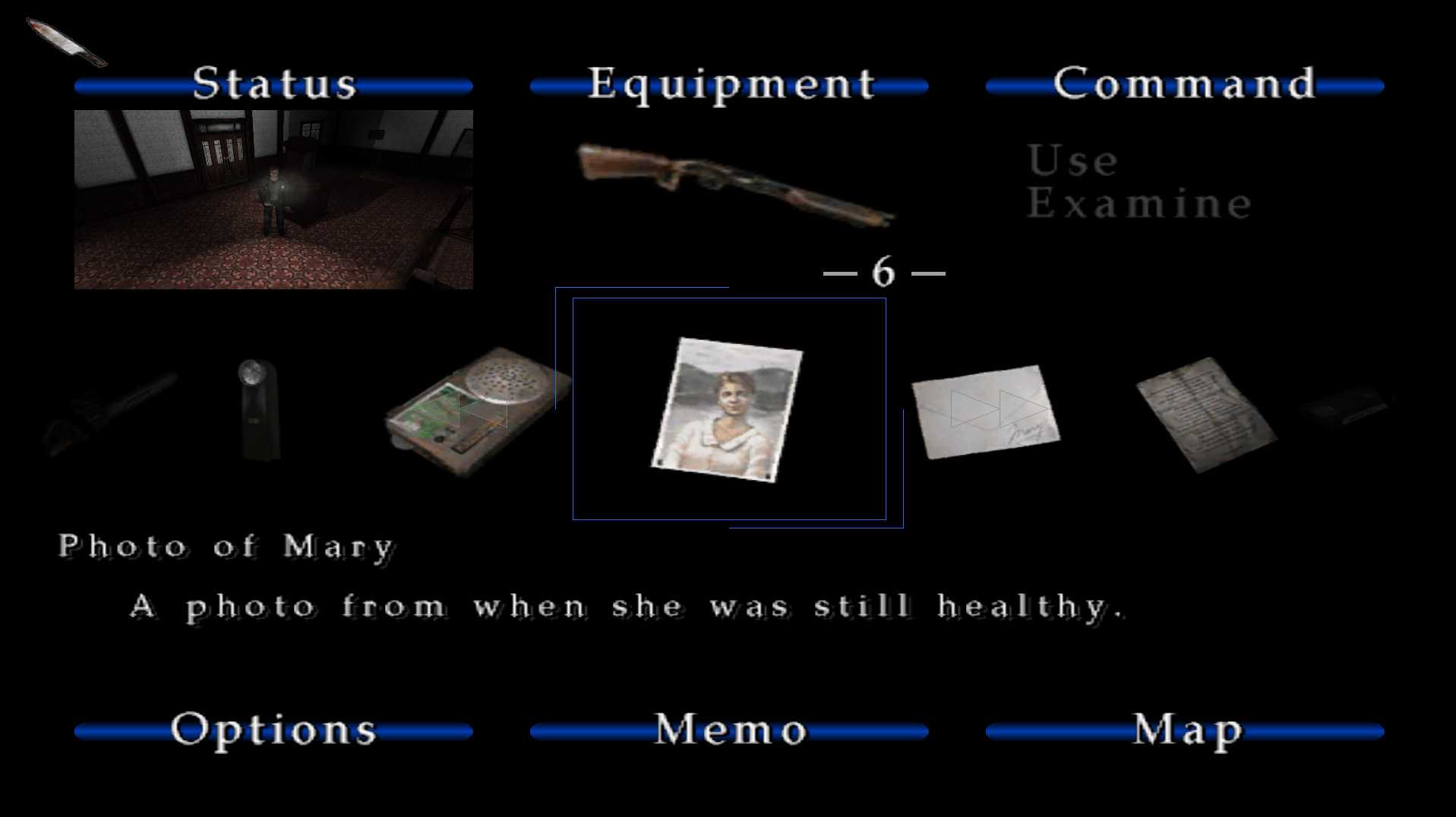
4 - Loving the new 2D images fix update, but I've noticed that the items/weapons looks so blurry in the menu comparing to the PS2 emulated version. Should be doing something to make it look softer in borders? If the PCSX2 emulator can do it, maybe I can force any graphical setting from my Nvidia Control Panel...
5 - As I read, we are going to have the noise filter, but we are going to have an update, or do I need to copy/paste the code you wrote in the other thread instead?
Apart from all this, will be great if someday we can have the sounds from the PS2 version and the DOF effect, that would make PC version the best one out there...
 RenoFriends
All 22 comments
Maybe. When we first added this feature we struggled to get the FMVs in the right aspect ratio, so it's possible the scaling for enhanced FMVs isn't right. I'll take a look at this again later.
If it doesn't already exist in the game then probably not, no.
You skipped this number I think.
I don't know. I've never noticed a difference besides the text looking bolder.
It will be added in an update. The way our collaboration works is, I do the research and then pass along that information to ThirteenAG for him to translate into actual code. He's currently busy last I heard.
 AeroWidescreen
on 19 Aug 2017
AeroWidescreen
on 19 Aug 2017
Thanks for the replys ;)
1 - Great, glad to hear that! For me it looks like this even I set the widescreen option on in the fix:
http://imgur.com/a/DyS1o
2 - This capture is from the screenshots examples at the widescreen fix site and I think it shows DOF doesn't it? http://i.imgur.com/SgfkcOM.jpg
This is how it looks for me: http://imgur.com/a/wRbUq
Also in the settings.ini from the game you can found the option too:
SET DX_CONFIG_EFFECT_FOG_ON 1
SET DX_CONFIG_EFFECT_SHADOWS_ON 1
SET DX_CONFIG_EFFECT_LENS_FLARE_ON 1
SET DX_CONFIG_EFFECT_MOTION_BLUR_ON 1
SET DX_CONFIG_EFFECT_DEPTH_OF_FIELD_ON 1
SET DX_CONFIG_RES 1
SET DX_CONFIG_USE_LORES_TEXTURES 0
SET DX_CONFIG_3D_SOUND_HARDWARE 0
SET DX_CONFIG_3D_SOUND_HARDWARE_AVAILABLE 0
SET DX_CONFIG_BRIGHTNESS 4
SET DX_CONFIG_SCREEN_POS_X 0
SET DX_CONFIG_SCREEN_POS_Y 0
SET DX_CONFIG_NOISE 1
4 - For the menu thing I made a comparative to see the differences better, I think the text has like a shader on it or more resolution to look softer maybe...
http://imgur.com/a/9bNxW
5 - Thanks for the info on how it works and for the works of both!
I also wanted to ask you about shadows problems in SH3 but I think I shouldn't put that in the old sh3proxy thread I opened here... https://github.com/07151129/sh3proxy/issues/20
RenoFriends
on 19 Aug 2017
2 - As someone with an AMD gpu, I've never had an issue with any visual effect in the SH2. Maybe @jdkubiak can help you.
4 - Yeah, but there's nothing I can do about that. Plus it's not widescreen related, I can't call it a bug, and it wouldn't be much of an enhancement either. It's arguably a downgrade with how blocky and flat it looks.
AeroWidescreen
on 20 Aug 2017
The new 2D images fix update? I think I've missed that, what is it about?
 CHNSK
on 20 Aug 2017
CHNSK
on 20 Aug 2017
It allows you to disable the aspect ratio correction of all the menus.
AeroWidescreen
on 20 Aug 2017
Ugh.. that sounds nasty, no offense.
CHNSK
on 20 Aug 2017
The new 2D images fix update? I think I've missed that, what is it about?
The overlaid 2D images will now stretch to fill out the resolution of your display. In other words: No more black bars or floating words over the map. But this will affect all static, overlaid 2D screens such as the pause menu, inventory screen, notes screen, etc.
Ugh.. that sounds nasty, no offense.
People will make concern that it wasn't an option and people will make concern it stretches images. It's a good compromise until if/when a more elegant solution is found.
I'm willing to bet that angular_graphics (the person who created the FMV Enhancement Pack) worked on these enhancements on a 1920 x 1200 monitor. I say this because my monitor's resolution is the same and I have no borders whatsoever--it fits perfectly on my screen--when using the Enhancement Pack. But if I change the game's resolution to 1920 x 1080 (from the .ini file) I get those exact same bars. (Although I don't have those white lines as shown in your image: http://imgur.com/a/DyS1o )
I have DOF on my Nvidia tower. (Tested on the intro cutscene when it changes the DOF from toilet to James.) I can test on my AMD one later.

- To me they don't look noticeably worse than they did before? The item images have always been low resolution so you're going to have pixelated-looking items with "crusty" edges but they only look _slightly, marginally_ blurrier when Fix2D is disabled... and that makes sense because you're now stretching the image slightly. But they don't look drastically blurry to me by any means.
.
The text/font remains "softer" for me so I'm not sure why it is so sharp for you. It may have something to do with the .exe version you're using? Have you tried this .exe instead? (Make sure to backup your other .exe files):
http://widescreenfix.townofsilenthill.com/SH2/files/SH2PC_NOCD.zip
- You may periodically receive an Updates available dialog box upon game launch. If you see this box that means there is an important update for the Widescreen Fix. Chances are the next update will include the new Noise Filter option.
.
Choose how the updater will handle your INI files then click Download and install updates now. If you have modified any settings in the SilentHill2.WidescreenFix.ini file you may want to choose Don't replace INI files during the update to avoid having your customizations reset. But note that an update may add new modifiable settings within the INI file (such as the new Noise Filter settings) you would not receive if you choose to not replace the INI files.
 Polymega
on 20 Aug 2017
Polymega
on 20 Aug 2017
Thanks for the answers everyone
1 - Sorry about the white lines! I place them in there just for being more noticeable, maybe you are right and the original resolution is 1920x1200...
2 - Maybe DOF is there but I think is not because is just a little bit in comparison to the PS2 version? Don't know...
4 - I will test this exe to see if it works! You letters looks softer than mines
EDIT: Now it looks better, thanks! Don't know why the original exe letters looks blurrier...
5 - Yeah, thanks, I will wait ^^
RenoFriends
on 20 Aug 2017
1. It would be nice to find where angular_graphics is and see if he still has the source files and would re-render/re-package them for correct widescreen ratio (1920 x 1080).
^ Scratch this; Aero figured out why the bars are present!
- Yes I think the DOF is just a little more intense on the PS2 version. It's definitely there for the PC version though.
Polymega
on 20 Aug 2017
4 - Now it looks better, thanks! Don't know why the original exe letters looks blurrier...
RenoFriends
on 20 Aug 2017
1 - After looking at it our width is slightly off, but not enough to make a noticeable difference. Also, angular_graphics did nothing wrong here. The videos aren't in 16:9, so the only way to get them to fill the entire screen would be to zoom in or stretch them.
It's a similar situation to this:

AeroWidescreen
on 20 Aug 2017
Nice research!
Polymega
on 20 Aug 2017
@AeroWidescreen is this 2D static images crop already available? last time i checked the wfp it does not have this option
 Brunn0121
on 27 Aug 2017
Brunn0121
on 27 Aug 2017
It is, run the Mod Updater for UAL or re-download the package from their download page.
Polymega
on 27 Aug 2017
@Brunn0121 No. Honestly, I tried doing this last weekend but I don't know how to control the size of those images separately, despite being able to control the size of other background images quite easily. I couldn't find any variables that indicate when those particular images are displayed either, otherwise I would come up with my solution to resize them.
@jdkubiak I think he means the fullscreen feature we talked about before. I'm trying every chance I get.
AeroWidescreen
on 29 Aug 2017
Ah, I see. Sorry for the confusion in semantics!
@AeroWidescreen can an "if not" statement be made then? I have no clue what you're able to work with but can something like "IF a background image and NOT the ones you can control easily THEN ____" be done?
Or would that be too broad of a command and may cause repercussions elsewhere?
Polymega
on 29 Aug 2017
can an "if not" statement be made then? I have no clue what you're able to work with but can something like "IF a background image and NOT the ones you can control easily THEN ____" be done?
No, at least not to my knowledge. I think I was able to fix the 4:3 cutscene transition though, the one at the bowling alley.
AeroWidescreen
on 4 Sep 2017
Thank you Aero!!
Polymega
on 4 Sep 2017
And if you're curious about my progress on the map problem, this is my recent discovery: https://www.youtube.com/watch?v=_Y5Dp2e-Ths
(read the description)
It's not much but it's interesting. I have to see how the map scaling differs from the marker scaling.
AeroWidescreen
on 7 Sep 2017
That is interesting! So you're hoping to use whatever coding is behind the marker scaling for the map scaling then?
I wonder if you can crack the code for the marker scaling if that scaling can be applied to the fixed, static 2D images as well (outside of the map screens)? Similar to how you determined the amount to reduce FOV for the cutscenes and apply/force a scaling integer on the 2D images with the marker scaling code?
But then that ponders the question: If you did that you'd crop a little of those images off. Would people be okay with that?
Polymega
on 7 Sep 2017
I wonder if you can crack the code for the marker scaling if that scaling can be applied to the fixed, static 2D images as well (outside of the map screens)? Similar to how you determined the amount to reduce FOV for the cutscenes and apply/force a scaling integer on the 2D images with the marker scaling code?
Nope, I'd still need a way to identify those 2D images regardless. Scaling in general is not an issue, but the way the game zooms the map in is terrible. I can't seem to do anything about it besides replacing it with my own hacked together solution like I thought of doing before.
The problem with replacing the zoom is that the function for zoom and map movement are one in the same, so it's a lot more complicated than I originally thought. Here's my first try with only the zoom replaced:
https://www.youtube.com/watch?v=7laGqSc5MSE
The map is not centered when zooming because the X/Y coordinates for movement haven't been implemented yet. That's going to be the challenging part, but if done correctly no one would even know I replaced anything. We'll see what happens though.
AeroWidescreen
on 9 Sep 2017
Thanks, I got an even better understanding of it now. With them being one and the same if you modify part of one it'll more than likely bork something on the other, then. Well done with the progress you've made so far and I hope that inspiration keeps going for you on this!
Polymega
on 9 Sep 2017
Related issues
 vrubayka
·
8Comments
vrubayka
·
8Comments
 tiwdaym
·
4Comments
tiwdaym
·
4Comments
 DaRkL3AD3R
·
7Comments
DaRkL3AD3R
·
7Comments
 Diamondew
·
11Comments
Diamondew
·
11Comments
 FunkyDarkKnight
·
3Comments
FunkyDarkKnight
·
3Comments
Most helpful comment
1 - After looking at it our width is slightly off, but not enough to make a noticeable difference. Also, angular_graphics did nothing wrong here. The videos aren't in 16:9, so the only way to get them to fill the entire screen would be to zoom in or stretch them.
It's a similar situation to this: