Webiny-js: `webiny deploy-api` not working
Continuing from #712...
Here's the error I am receiving:
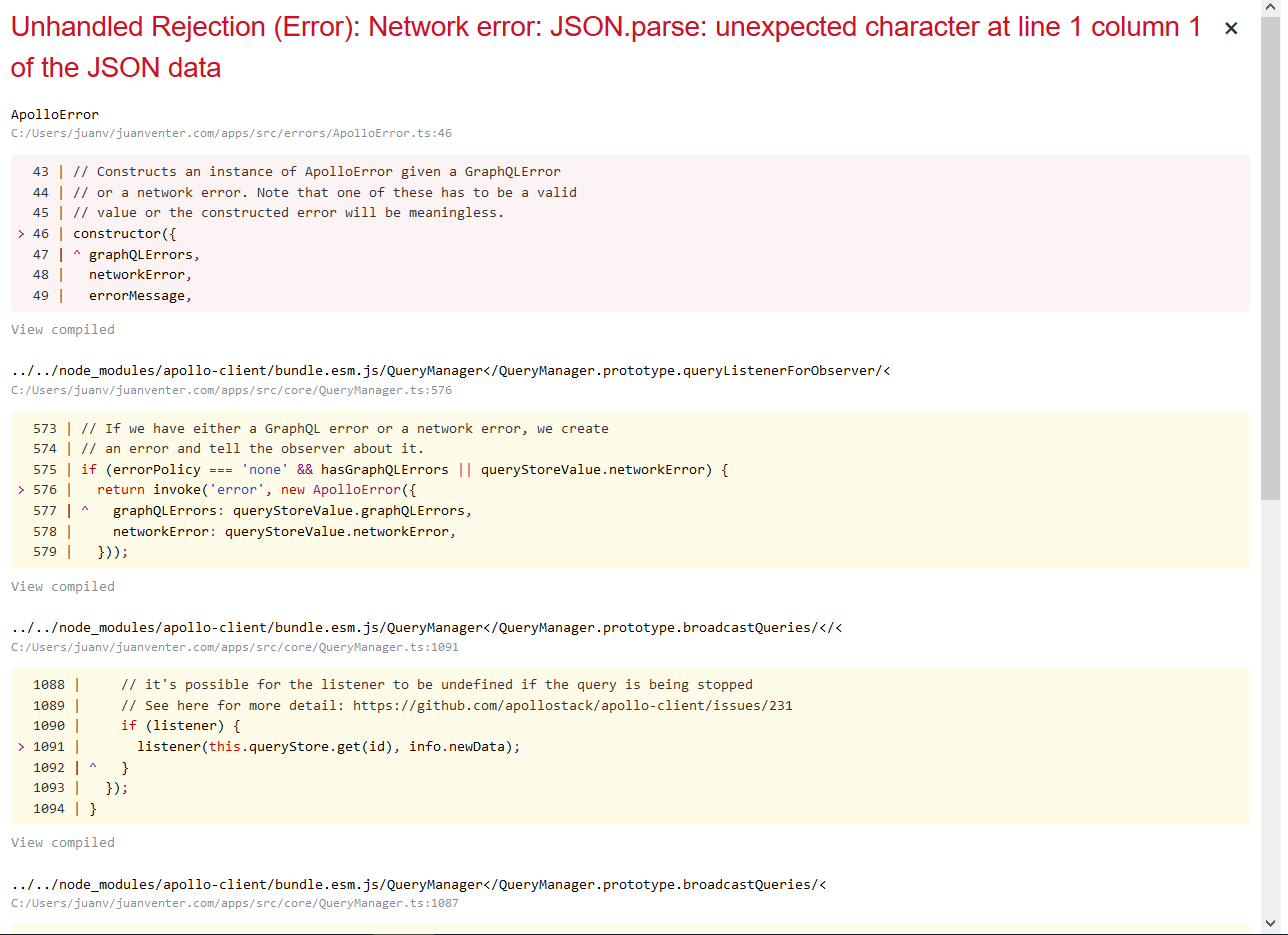
I've deleted the project and restarted (just in case I've missed a step).
I'm following this tutorial: https://docs.webiny.com/docs/get-started/quick-start
Not sure if I missed this error before, but when I run webiny deploy-api, it throws the following error:
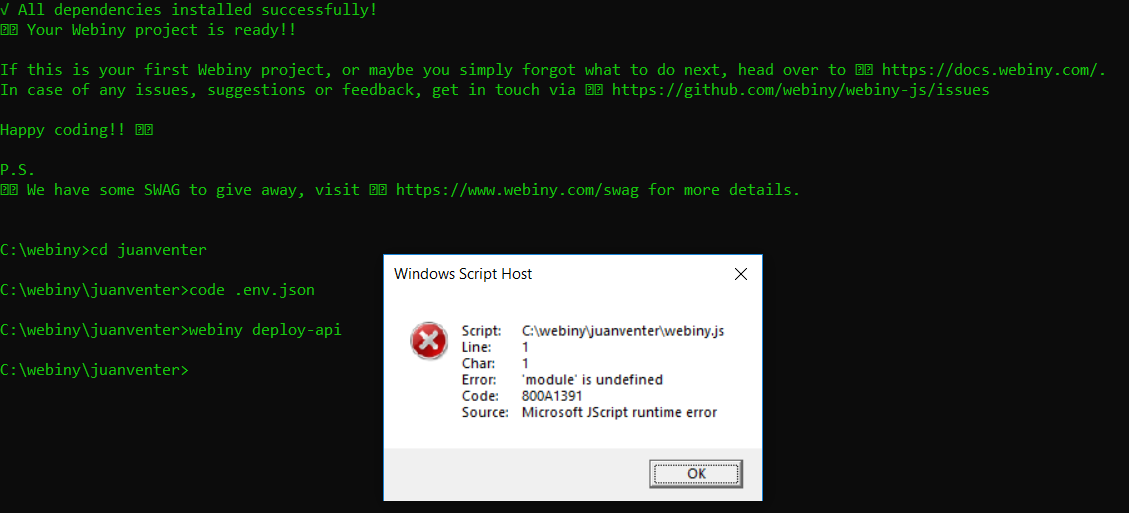
So clearly the issue was indeed that the API is not running.
_Originally posted by @Juan007 in https://github.com/webiny/webiny-js/issues/712#issuecomment-598625506_
 doitadrian
All 11 comments
@Pavel910 @Juan007
I hope you don't mind, I moved this to a separate issue.
doitadrian
on 13 Mar 2020
@Juan007 This error is actually not because of Webiny itself, but because when you run webiny, your terminal sees the webiny.js file and thinks you want to open that (see that script path in the dialog).
My guess would be:
- try removing
jsfile association, so it doesn't attempt to open the file - try running this with
yarn webiny deploy-api --debug(yarn will resolve to the appropriate binary file) - not sure if this is Git Bash or plain CMD; maybe try running this in Git Bash ?
Btw. I'm also using Windows, and it works fine, but I'm 100% sure I don't have that file association. We had this problem with another community member long ago, and he managed to narrow it down to file association.
In some future releases, I think we need to rename that webiny.js to webiny.config.js so this doesn't happen to people with js file association.
 Pavel910
on 13 Mar 2020
Pavel910
on 13 Mar 2020
Thanks! Hopefully this will help someone in future!
Yes, exactly that: So the issue was "windows by default associate *.js files with _Microsoft Windows Based Script Host_"
Issue explained and resolved here: https://stackoverflow.com/a/40864934
I'm attempting to deploy the API now, will revert back if my issue(s) has been resolved!
 Juan007
on 13 Mar 2020
Juan007
on 13 Mar 2020
Ok, so now I'm back to where I started.
Ran webiny deploy-api:

Ran yarn start in app/admin:
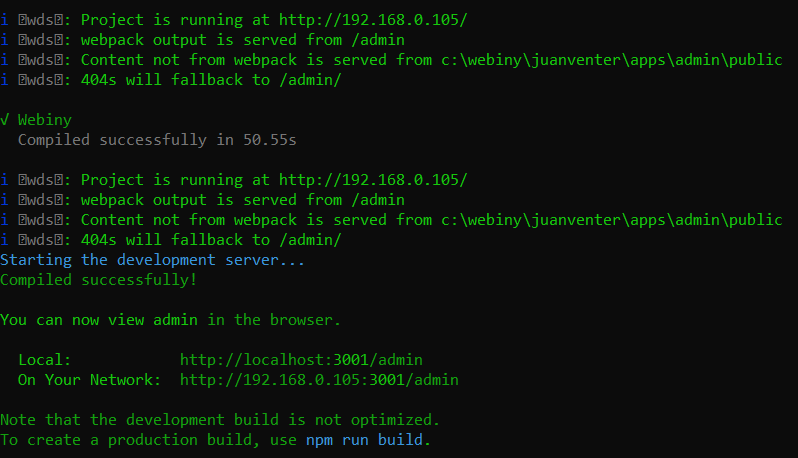
Then when I browse, it's back to:
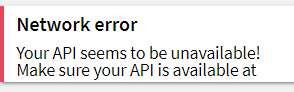
This happens both if I navigate to http://192.168.0.105:3001/admin or http://localhost:3001/admin
Where do I browse to access the API?
Juan007
on 13 Mar 2020
Try adding the --debug flag, so you actually see the output during deploy. So webiny deploy-api --debug. To me this looks like it failed all together, because normally you get output with your API URL, etc. Also, is this cmd or git bash ?
Pavel910
on 13 Mar 2020
Ok, will do. I'm running from cmd. Should I rather switch to git bash?
Juan007
on 13 Mar 2020
If you can, please do try git bash (that's what I'm using on Windows). cmd is really a horrible terminal :( Let me know how it goes :)
Pavel910
on 13 Mar 2020
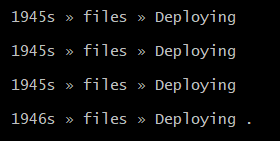
Seems to be working. Is it normal to take quite a while?
Juan007
on 13 Mar 2020
Not this long... usually the first deploy takes about 3 minutes.
Maybe try creating a blank new project with GitBash, and run a fresh deploy.
Pavel910
on 13 Mar 2020
Done! Finally! :)
Learnings from this for users that might run into the same issues in the future:
- Make sure Windows associates
*.jsfiles as text editor (like Notepad or VS Code) - Run commands from Git Bash as administrator instead of using cmd
- Be patient with the API deployment step. It takes a while. (mine took 429 seconds).
- After API has been deployed, the output will will show you the API url that the application will use. Test that first. It can take up to 10 minutes to become available after first deploy.
Juan007
on 13 Mar 2020
Glad you made it! 👍
Pavel910
on 13 Mar 2020
Related issues
doitadrian
·
4Comments
 V1xel
·
7Comments
V1xel
·
7Comments
 tjrexer
·
6Comments
doitadrian
·
5Comments
tjrexer
·
6Comments
doitadrian
·
5Comments
 EmilK15
·
5Comments
EmilK15
·
5Comments
Most helpful comment
@Pavel910 @Juan007
I hope you don't mind, I moved this to a separate issue.