Webannoyances: "Switch to Google" on non Google Chrome Browsers
I'm surprised this hasn't been reported :o
Maybe it's difficult to tackle. I'm not too familiar with how custom filters work :(
URL(s) where the issue occurs
www.google.com, https://www.google.com/maps/, https://calendar.google.com/ (basically all the google sites)
Describe the issue
Using anything that's not Google Chrome, Google will popup this window
Screenshot(s)
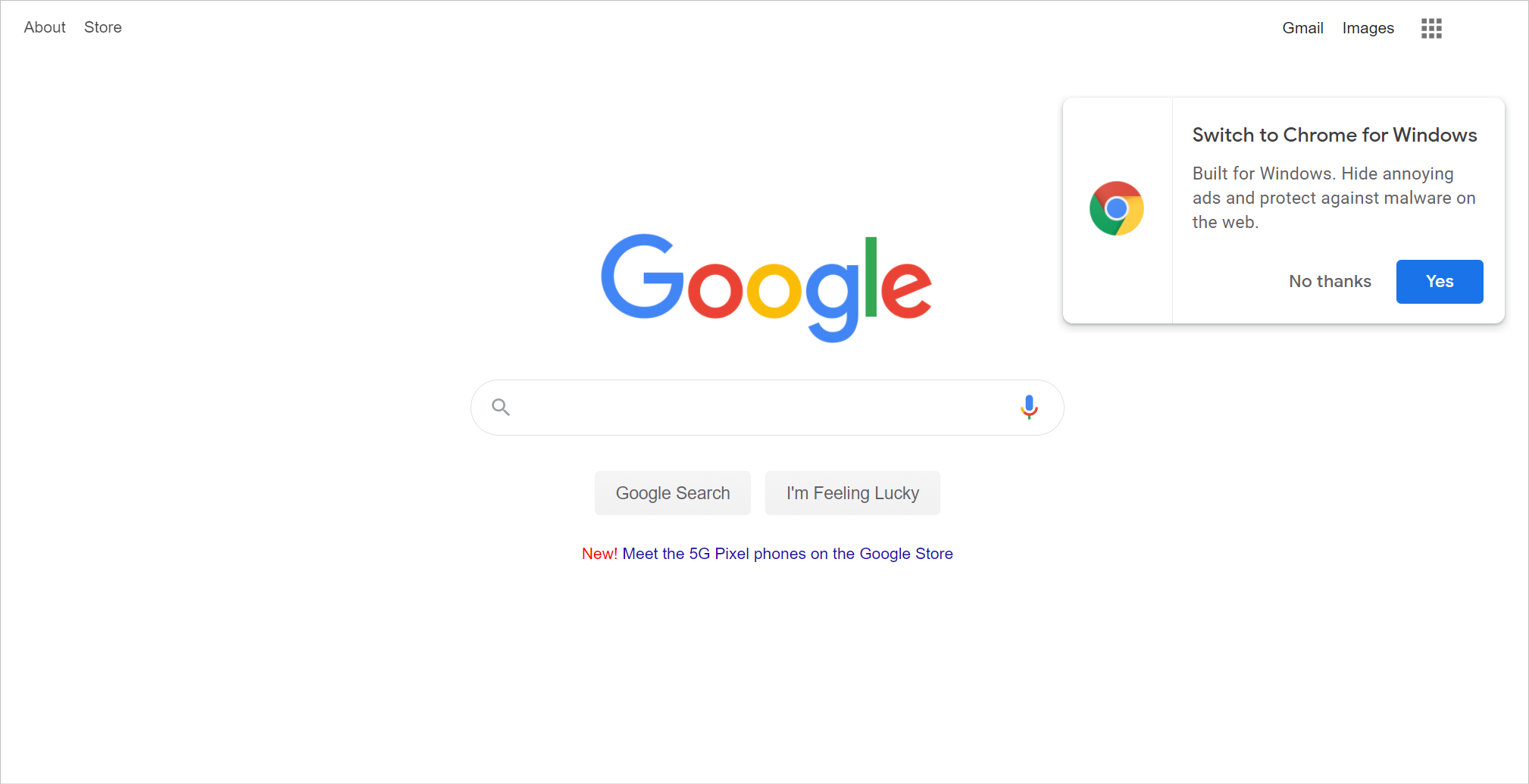
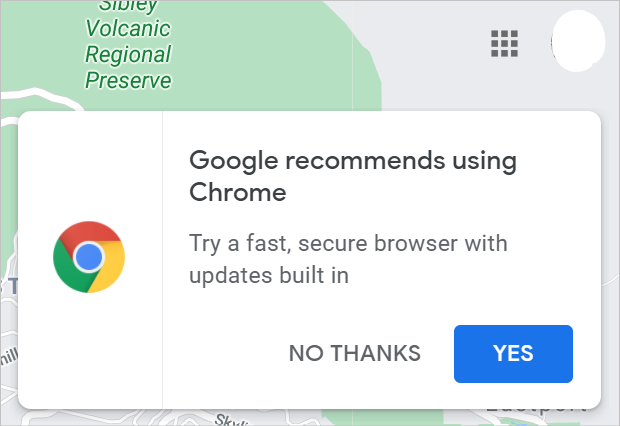
Versions
- Browser & Version: [Microsoft Edge Version 86.0.622.56, Firefox 82.0.2]
- Adblocker (uBlock Origin) & Version: [1.30.6]
Settings
All Default settings except add this webannoyances list
Notes
Every time I use the element picker; I notice that the filter is a different string of text so blocking it once only helps for a little while
 prediscover
All 9 comments
Also AdGuard Annoyance idea down.
 krystian3w
on 2 Nov 2020
krystian3w
on 2 Nov 2020
Do you have to be logged in to google account to see this? I can't reproduce on non-logged to google firefox.
 yourduskquibbles
on 2 Nov 2020
yourduskquibbles
on 2 Nov 2020
@prediscover @krystian3w I tried again using 2 different google accounts on firefox and can not get this to reproduce. Maybe non-US IP is required? Or is this a message that if dismissed once on google account will never show back up? I also have all activity controls "Paused" on both google accounts set under https://myaccount.google.com/data-and-personalization maybe they need to not be paused?
I'm not sure how to reproduce since I am not experiencing the same popup with stock uBO filters + Web Annoyances Ultralist as ONLY other list enabled.
So far tested and can't reproduce on:
https://goo.gl/maps/nwQco9HSgXgV1fnd8https://myaccount.google.com/data-and-personalizationhttps://calendar.google.com/calendar/u/0/r?pli=1https://www.google.com/search?source=hp&ei=qbOiX9zlM-6lytMPmNK2yAQ&q=mansions+in+france&oq=mansions+in+france
yourduskquibbles
on 4 Nov 2020
For me helped remove completely chromium Edge profile.
So bug like as A/B test for Guests.
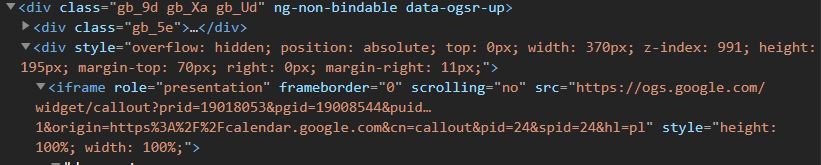
Still I see pop-up in calendar:
<iframe role="presentation" frameborder="0" scrolling="no" src="https://ogs.google.com/widget/callout?prid=19018053&pgid=19008544&puid…1&origin=https%3A%2F%2Fcalendar.google.com&cn=callout&pid=24&spid=24&hl=pl" style="height: 100%; width: 100%;">
 |
|
--- |
So needed block by network filter or based on [role] and [style].
krystian3w
on 4 Nov 2020
@krystian3w Thanks for tip on new profile in edge, that worked for me...
I see a few filter options ordered from least to most aggressive, what do you think?
- Maybe least aggressive filter option with like you suggest using just
[role]and[style]
google.com##iframe[role="presentation"][style="height: 100%; width: 100%;"]:upward(1)
- More aggressive than
1.but I think this filter would also work, but not sure if there is anything else google uses theogs.google.comiframe for?
google.com##iframe[src*="ogs.google.com/widget"]:upward(1)
- Also possible network filter, but this probably most aggressive option:
||ogs.google.com/widget/callout$subdocument,1p
yourduskquibbles
on 5 Nov 2020
ogs.google.com domain discussion: https://old.reddit.com/r/privacy/comments/enjoiy/is_ogsgooglecom_a_safelegitimate_cookie/
I think it is safest to go with approach 1. google.com##iframe[role="presentation"][style="height: 100%; width: 100%;"]:upward(1) since I don't want to cause any authentication breakage possibility by adding a network filter to that domain - thoughts?
yourduskquibbles
on 5 Nov 2020
AdGuard used similar with subdomains:
calendar.google.com,docs.google.com,mail.google.com,news.google.com,drive.google.com##iframe[src^="https://ogs.google.com/widget/callout?prid="]:upward(div[style^="overflow: hidden; position: absolute; top: 0px; width:"])
I'm going to add google.com##iframe[role="presentation"][style="height: 100%; width: 100%;"]:upward(1)
yourduskquibbles
on 5 Nov 2020
Updated the filter to google.com##iframe[role="presentation"][style="height: 100%; width: 100%;"][src*="ogs.google.com/widget/callout"]:upward(1) to address #269
yourduskquibbles
on 7 Dec 2020
Related issues
 RedDragonWebDesign
·
4Comments
RedDragonWebDesign
·
4Comments
 chocolateboy
·
7Comments
chocolateboy
·
7Comments
 Jose1971AB
·
9Comments
Jose1971AB
·
9Comments
 vavavr00m
·
8Comments
vavavr00m
·
8Comments
 Omoeba
·
3Comments
Omoeba
·
3Comments