Web-stories-wp: Display a message when Browser is not supported
Feature Description
When the user's browser is not supported or fails to load, a javascript should detect this and show a message to the user, say they user is not supported.
Currently it shows a message of 'Please wait...' is displayed and nothing happens.
Alternatives Considered
Additional Context
_Do not alter or remove anything below. The following sections will be managed by moderators only._
Acceptance Criteria
Implementation Brief
- Detect whether the browser supports
Object.fromEntries. - If it doesn't — which is the case for Safari 11 and IE — display an error admin notice to notify user about this.
 spacedmonkey
All 19 comments
spacedmonkey
on 29 Apr 2020
There are two things here that should be split up:
- Show a message if browser is not officially supported
- Fail gracefully if there is a JavaScript error
The former is debatable IMO.
The latter can be done using React error boundaries, see #1219 for prior art.
 swissspidy
on 29 Apr 2020
swissspidy
on 29 Apr 2020
Regarding showing a message to users with unsupported browsers, once this plugin is on the WP plugin repo, lots of people will be using it. Many with older laptops etc. I do not want this plugin to get 1 star review from those users. Kindly explaining to them that they browser not supported, may stop some of this.
spacedmonkey
on 29 Apr 2020
I suggest splitting this ticket up into 2: one for browser message, one for error boundaries.
swissspidy
on 1 May 2020
Important to have this when listing the plug-in.
 o-fernandez
on 20 May 2020
o-fernandez
on 20 May 2020
@swissspidy @spacedmonkey Is there a list of supported browser so I can add to the message.
 samitron7
on 24 Jun 2020
samitron7
on 24 Jun 2020
@samitron7 Citing the PRD:
- The latest two versions of all major browsers (currently Chrome, Firefox, Edge, Safari and Opera)
- We support desktop & tablet versions of these respective browsers
- We accept fixes for all browsers with market share greater than 1 percent
swissspidy
on 24 Jun 2020
We should consider holistically, from a design perspective, how we want to surface errors to users and align on a pattern. #3132 is another example of where this would be helpful.
o-fernandez
on 5 Aug 2020
@o-fernandez @swissspidy Currently, I have created the following system for messaging and error handling and hopefully all our messaging and error handling needs fall into one of these categories. If would be helpful for me if we can gather up and list all the possible scenarios for error messaging and provide an example for each type (especially if we think the system notification we have right now isn't sufficient). On sitekit, we created a list of error states for ux because I won't be able to trigger them all and thus wont' be aware of them. At the very least link all messaging and error tickets to provide me with a more holistic view of them.
Dialog
Dialogs inform users about a task and can contain critical information, require decisions, or involve multiple tasks.
Snackbar
Snackbars provide brief messages about app processes at the bottom of the screen.
Tooltips
Tooltips display informative text when users hover over, focus on, or tap an element.
Callout
Callouts are tooltip like messages in visual simplicity but show up inline on the page and provide brief messages about the user's work flow
Inline errors
These show up at the location in which the user is currently focused on (ie text input fields)
samitron7
on 5 Aug 2020
@samitron7 Your list looks fine and generally makes sense. I think for this kind of message we could use a dialog.
The important bit here is that when we show this unsupported browser message, the editor will not be working at all, so all users would see is a blank page with a dialog in the middle saying "This browser is not supported, the editor will not work, etc. Please update your browser"
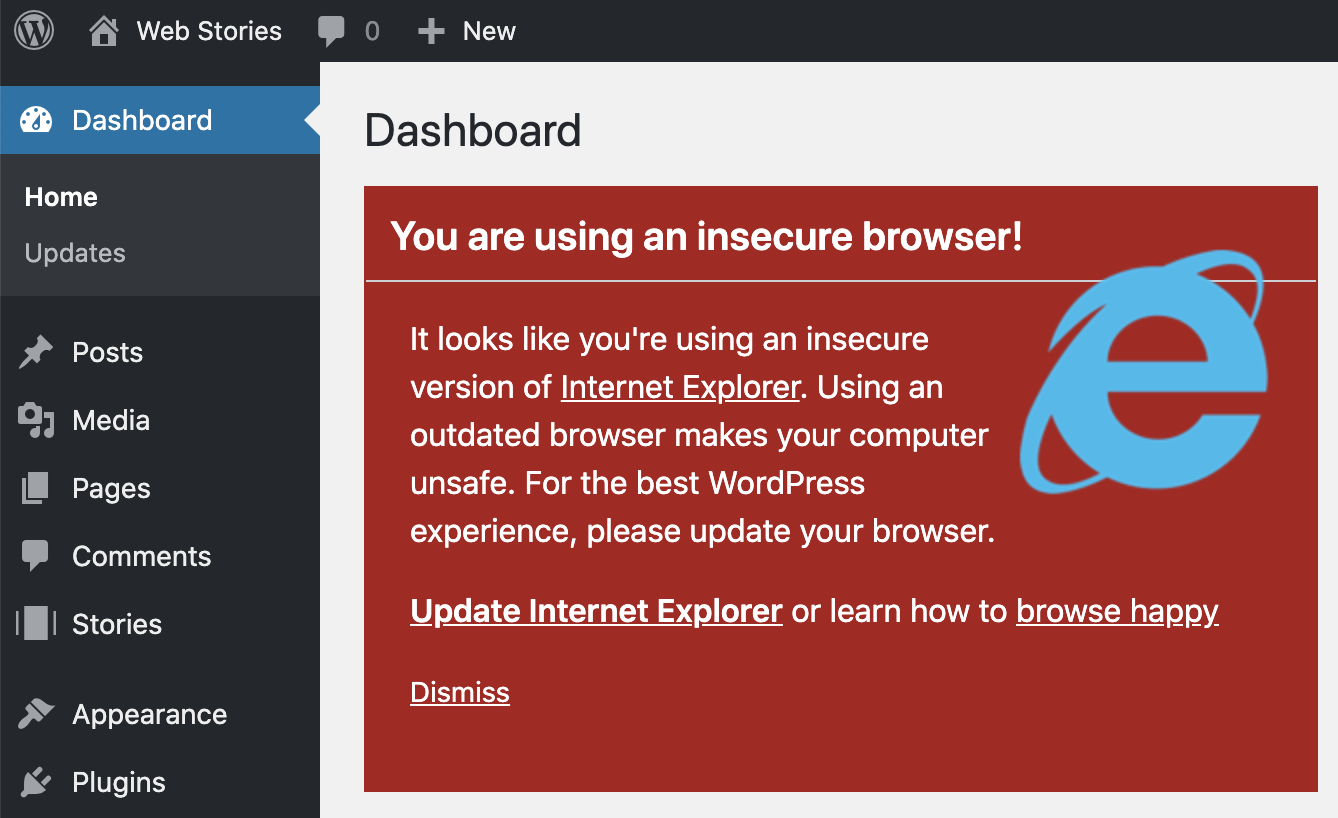
For reference, here's what WordPress displays when using an outdated browser:
swissspidy
on 13 Aug 2020
@swissspidy To unblock this for Stable, I'd say, let's go with something similar to #3132 and say something like: "Web Stories may not work on your current web browser. This is usually fixed by updating to the latest version of common web browsers."
We can refine the message and make it more helpful later, but I'd go with the quick approach for now and not block this, so we can get something in for Stable. WDYT?
Also, would this be something WP pod can work on, or should this be on the Pea or Prometheus pods?
o-fernandez
on 19 Aug 2020
Easy enough. I think we can work on this, as it might also need some PHP changes and spans both editor and dashboard
swissspidy
on 20 Aug 2020
@swissspidy to add some clarifications and questions for Product @o-fernandez
 bmattb
on 2 Sep 2020
bmattb
on 2 Sep 2020
@o-fernandez So, we've discussed this in our meeting today and came to some conclusions about it:
First of all, it's impossible to detect which browser is exactly being used. So we can't actually reliably tell whether the current browser is supported or not. See also https://developer.mozilla.org/en-US/docs/Web/HTTP/Browser_detection_using_the_user_agent on why trying this kind of detection is a bad idea.
Feature detection (does this browser support function XYZ) is also cumbersome to maintain and unreliable. It would be better to do graceful degradation.
Second, we already have some error boundaries / error messaging. If a browser fails to render the editor, there's an error screen saying something went wrong.
tl;dr: So the gist is that I basically suggest closing this issue as a wontfix, or move it out of stable to give us time to really think about if something's actually needed here, and if so, what possible solutions could look like.
swissspidy
on 2 Sep 2020
I'm ok with that approach. @pbakaus FYI and in case you have any other thoughts here. If not, let's drop from 1.0 Stable.
o-fernandez
on 2 Sep 2020
SGTM, but just want to call out that graceful degradation, by definition, requires detection of some kind - ideally feature detection.
 pbakaus
on 3 Sep 2020
pbakaus
on 3 Sep 2020
I suppose progressive enhancement was the word I was really looking for.
Moving this out of the sprint so we can discuss this properly after release.
swissspidy
on 3 Sep 2020
Worth noting, I did a little testing. If you view google docs in IE 9 / 10 you get a generic error message.
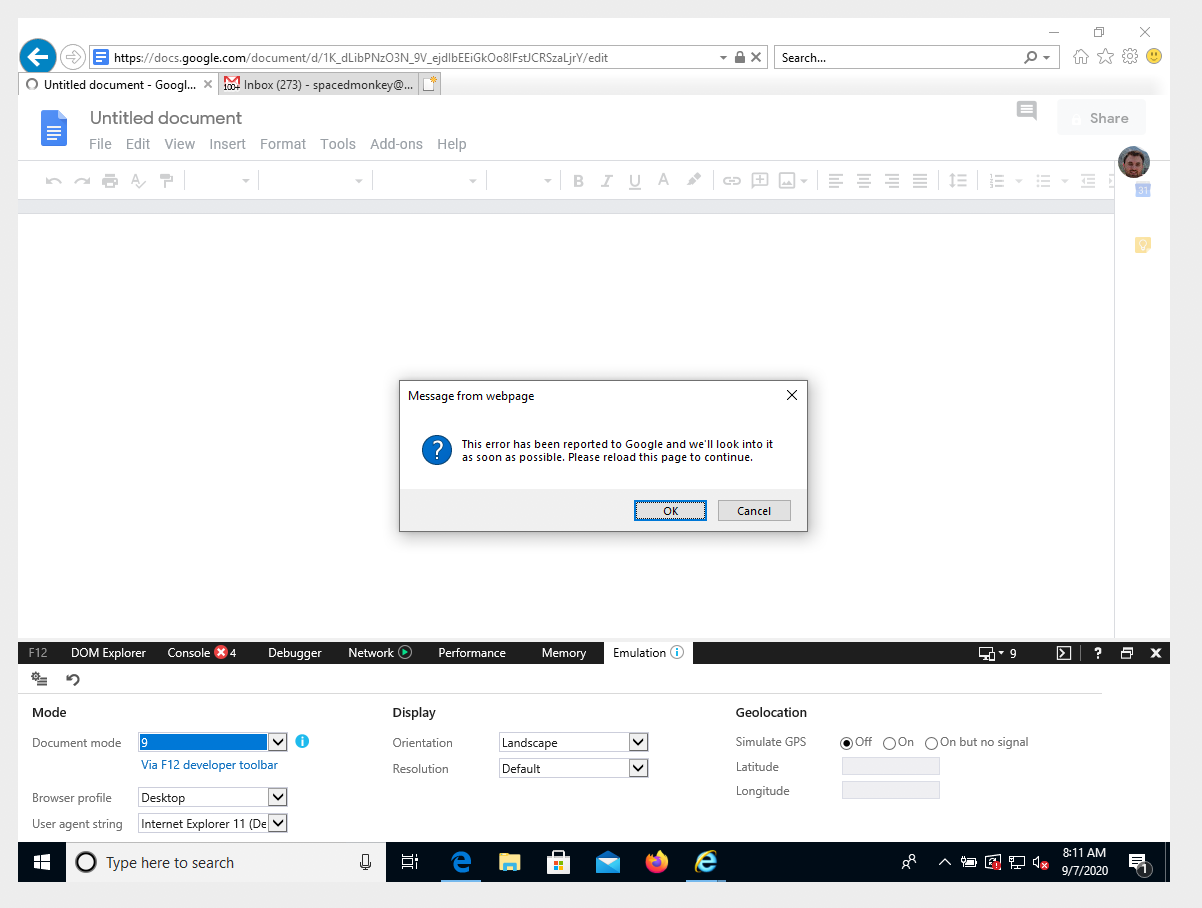
Gmail fallbacks to a simple HTML version.
I am starting to believe an error maybe overkill.
spacedmonkey
on 7 Sep 2020
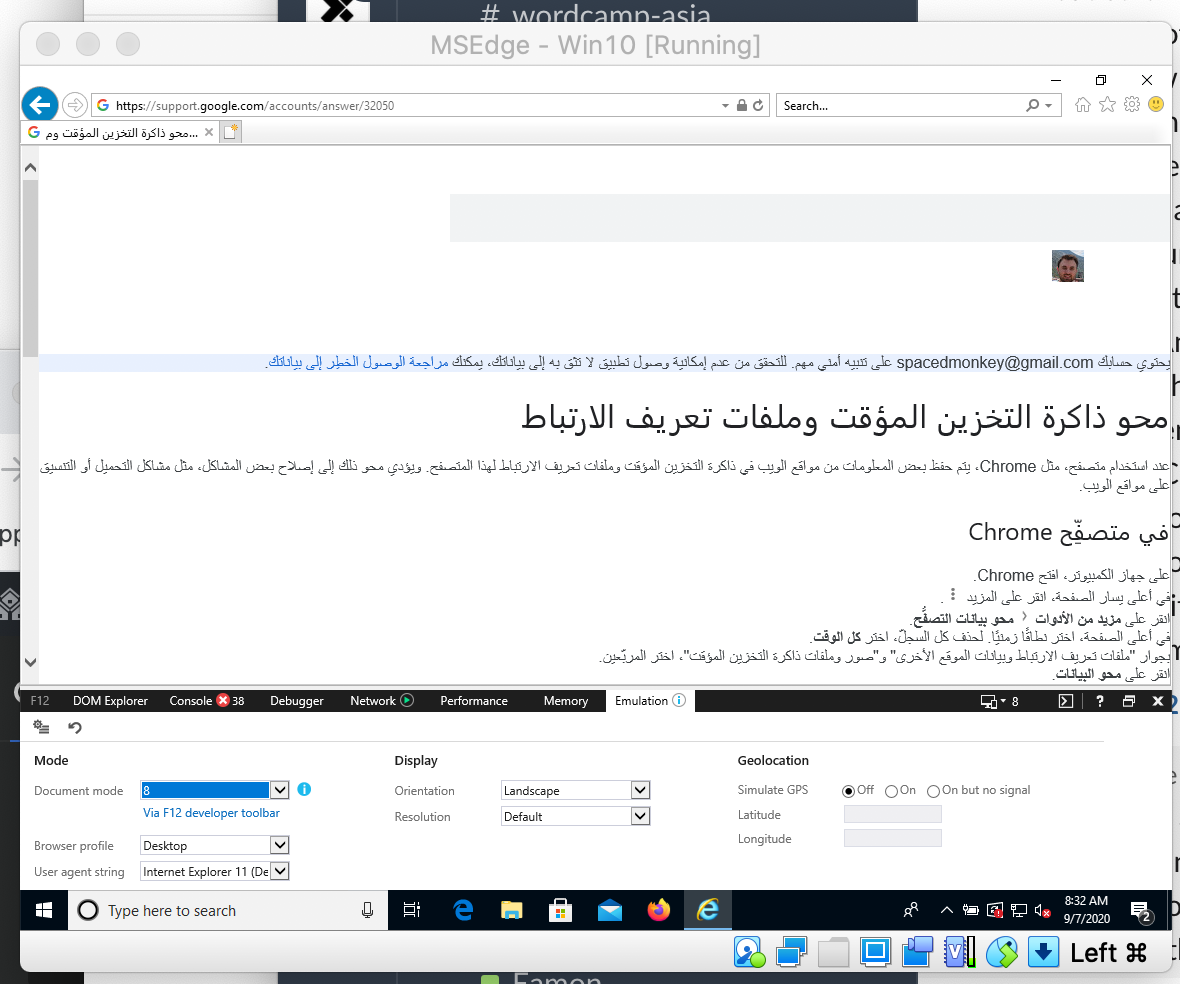
Also worth noting that IE8 users gets redirected to a weird page.
spacedmonkey
on 7 Sep 2020
Related issues
swissspidy
·
3Comments
 jauyong
·
4Comments
o-fernandez
·
4Comments
jauyong
·
4Comments
o-fernandez
·
4Comments
 Maverick283
·
3Comments
Maverick283
·
3Comments
 injainja
·
4Comments
injainja
·
4Comments
Most helpful comment
Regarding showing a message to users with unsupported browsers, once this plugin is on the WP plugin repo, lots of people will be using it. Many with older laptops etc. I do not want this plugin to get 1 star review from those users. Kindly explaining to them that they browser not supported, may stop some of this.