Web-bugs: www.paypal.com - design is broken
URL: https://www.paypal.com/myaccount/money/
Browser / Version: Firefox 83.0
Operating System: Windows 10
Tested Another Browser: Yes Chrome
Problem type: Design is broken
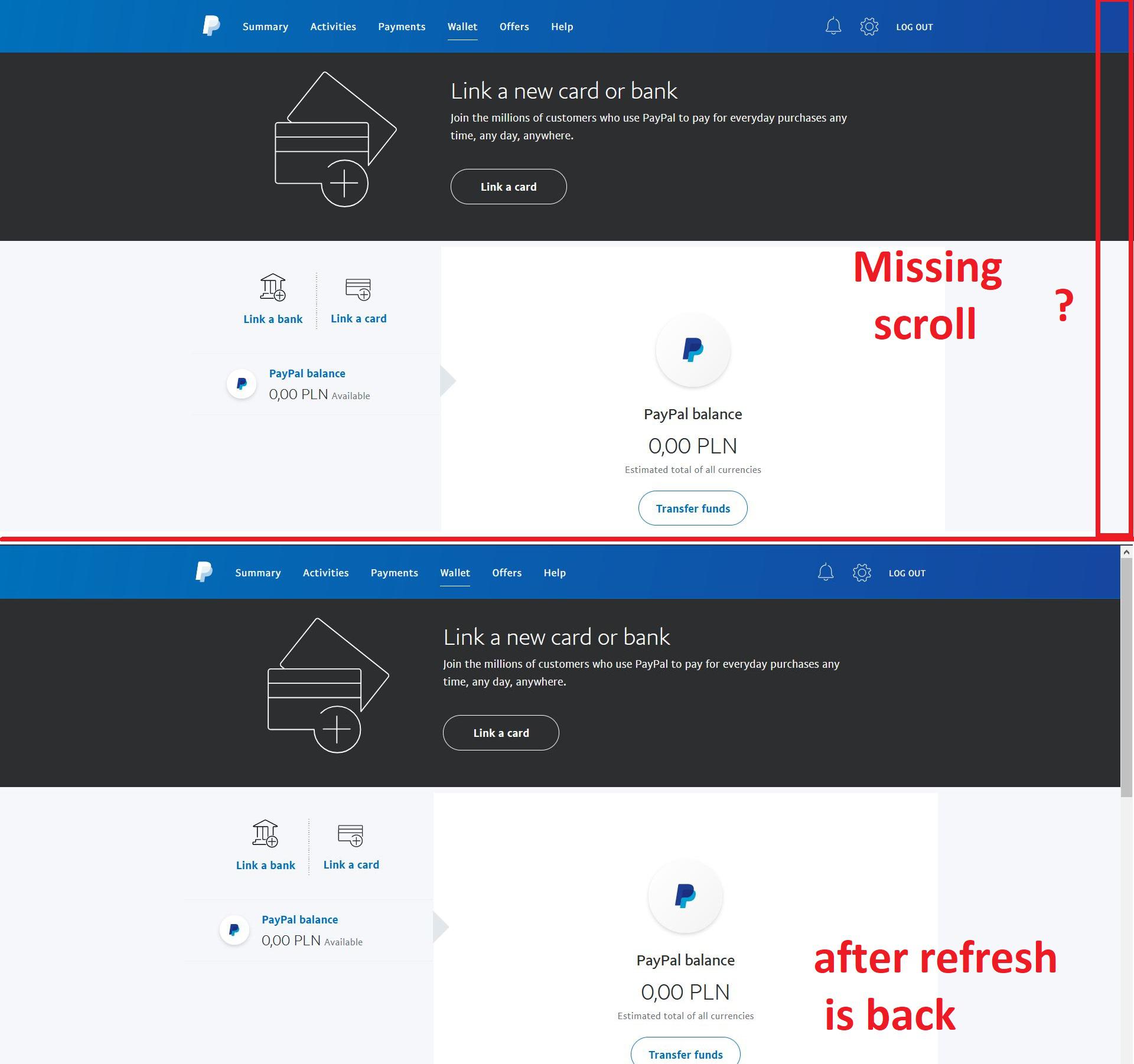
Description: Items not fully visible
Steps to Reproduce:
Page lose scrolling due close pop-ups:
- try add card or credit account to your PayPal account
- close pop-up by click in X in right-top corner
- page lose scrolling due JavaScript no remove class
vx_hasOpenModal - scroll comeback only after refresh page
View the screenshot
Browser Configuration
- None
_From webcompat.com with ❤️_
 webcompat-bot
All 5 comments
Thanks for the report, but I'm not able to reproduce the issue. For me the scroll bar remains and is functional at any time.
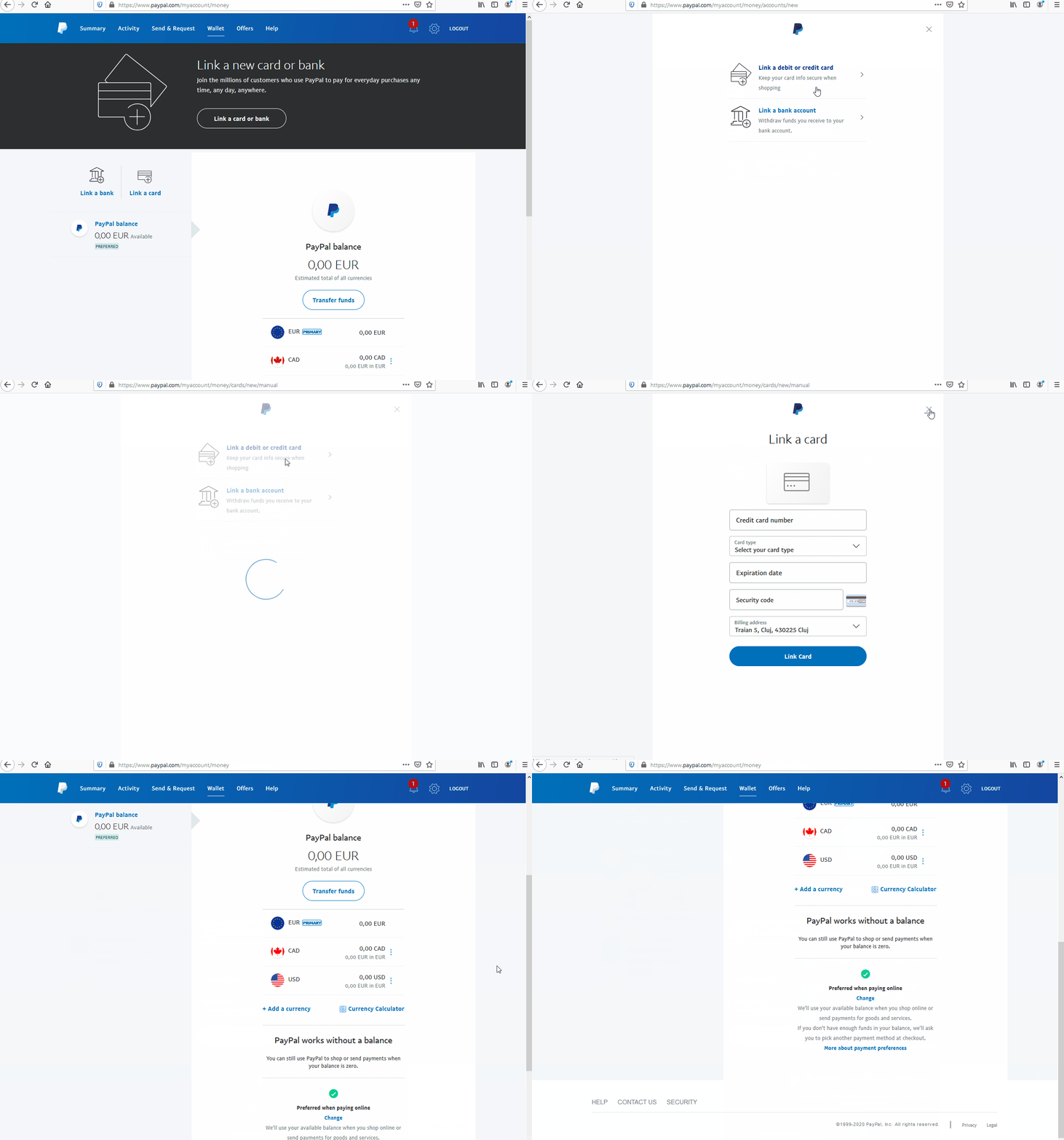
Tested with:
Browser / Version: Firefox Nightly 85.0a1 (2020-11-16)
Operating System: Windows 10 Pro
Reporter could you try clearing cache/data/cookies, disable Ad-blocker (if available), or use a clean profile, and check again?
 softvision-oana-arbuzov
on 17 Nov 2020
softvision-oana-arbuzov
on 17 Nov 2020
@softvision-oana-arbuzov can you test on legacy Firefox 83 and 84, we need wait 12 weeks to fix scrolling if webmaster no recommend Firefox + PayPal?
 krystian3w
on 17 Nov 2020
krystian3w
on 17 Nov 2020
@krystian3w for me scroll bar remains displayed in Firefox Release 83.0 after performing the same steps.
@cipriansv can you reproduce it on your side?
softvision-oana-arbuzov
on 17 Nov 2020
OK, guilty are:
https://tools.google.com/dlpage/gaoptout?hl=en
https://addons.mozilla.org/firefox/addon/google-analytics-optout/
First and second too aggresive neutralize request for ga.js file.
But both no have option to disable by domain.
krystian3w
on 17 Nov 2020
@softvision-oana-arbuzov, I am unable to reproduce the issue.
Scrolling is not broken after closing the pop-up.
Tested with:
Browser / Version: Firefox Nightly 85.0a1 (2020-11-17)
Operating System: macOS 10.15.6
 cipriansv
on 18 Nov 2020
cipriansv
on 18 Nov 2020
Related issues
 lolrepeatlol
·
4Comments
lolrepeatlol
·
4Comments
 halwane050
·
5Comments
halwane050
·
5Comments
 IngrownMink4
·
3Comments
IngrownMink4
·
3Comments
 scheinercc
·
6Comments
scheinercc
·
6Comments
 softvision-sergiulogigan
·
6Comments
softvision-sergiulogigan
·
6Comments