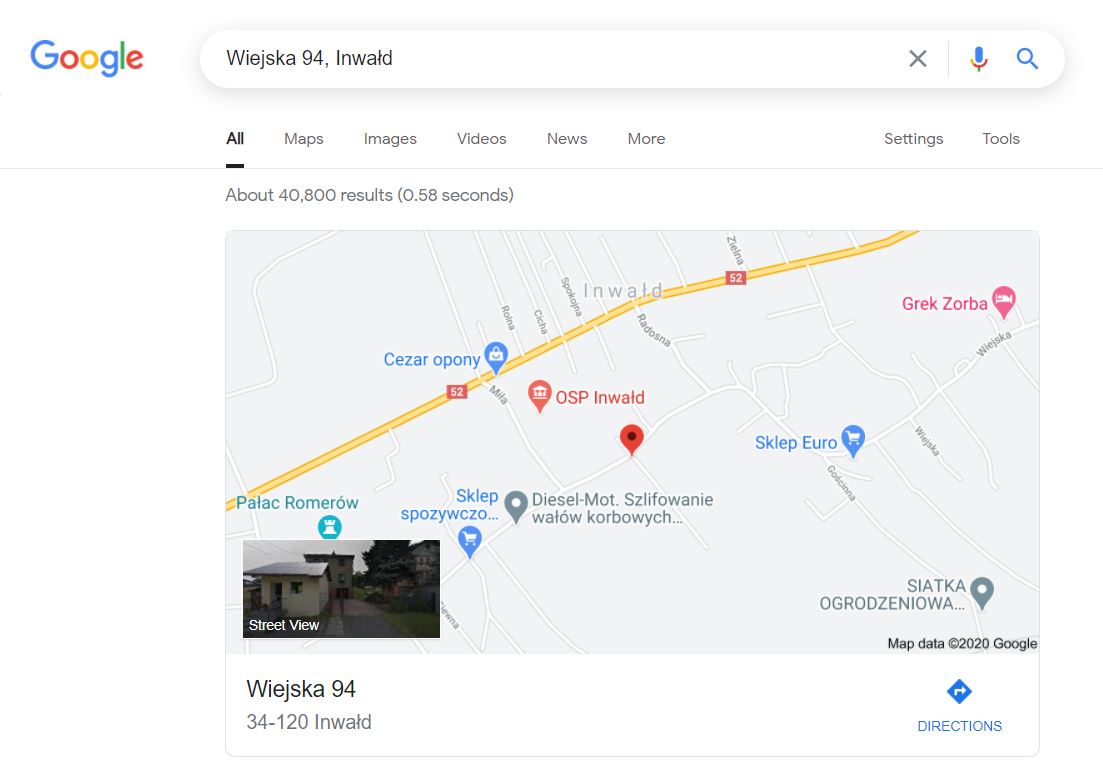
Web-bugs: www.google.com - "Street View" image doesn't load
URL: https://www.google.com/search?q=Wiejska+94%2C+Inwa%C5%82d
Browser / Version: Firefox 79.0
Operating System: Windows 10
Tested Another Browser: Yes Chrome
Problem type: Design is broken
Description: Images not loaded
Steps to Reproduce:
Image background for Google street view is invisible due incorrect linear-gradient generated by Gooogle:
linear-gradient(top, rgba(0,0,0,0), rgba(0,0,0,.5))
Google "script" for Firefox 57+ ommit needed -moz- prefix also no try use corect syntax:
linear-gradient(to bottom, rgba(0,0,0,0), rgba(0,0,0,.5))
Supported by Firefox Quantum.
View the screenshot
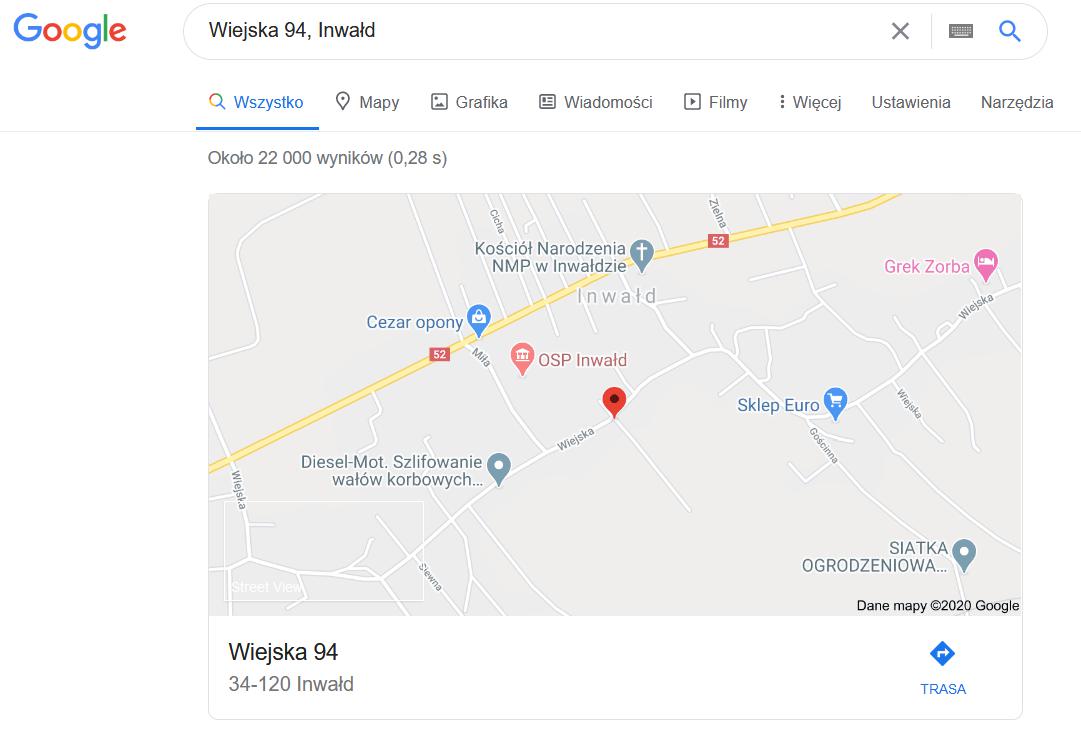
Browser Configuration
- None
_From webcompat.com with ❤️_
 webcompat-bot
All 9 comments
Thanks for the report, I was able to reproduce the issue.
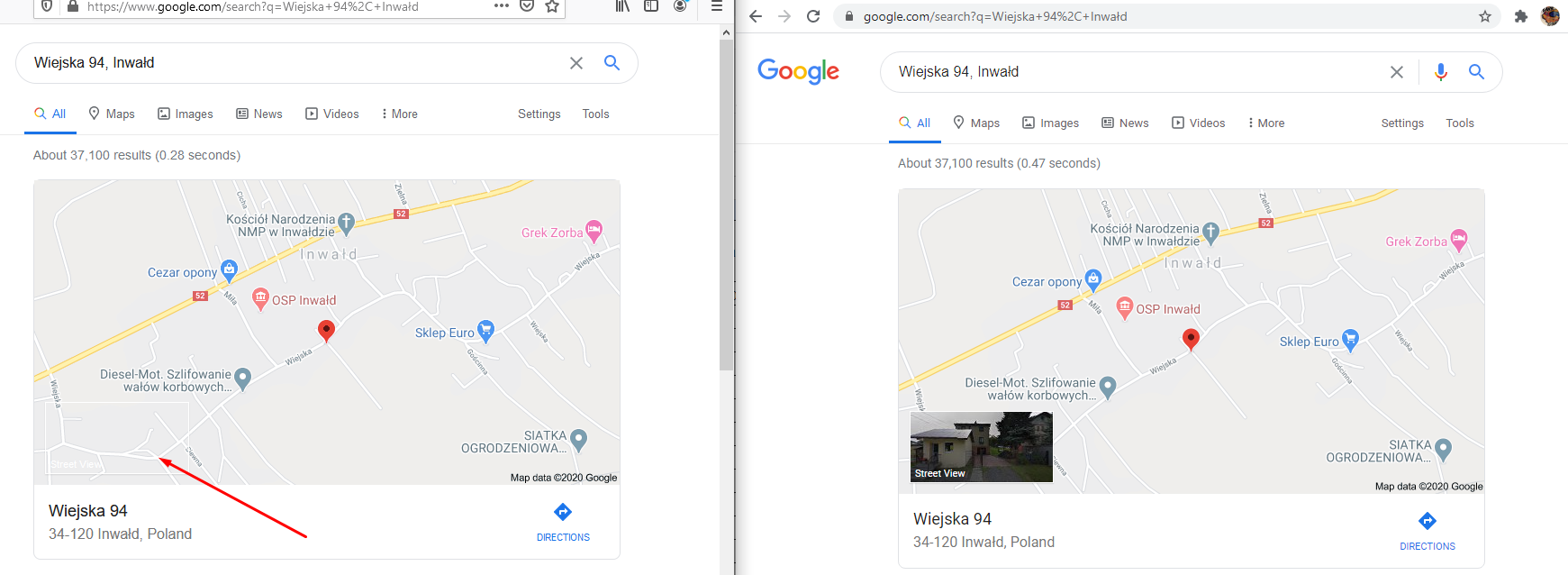
Note:
- The issue is not reproducible on Chrome.
- The issue is reproducible on Firefox regardless if ETP is enabled or not.
Affected area:
<div class="DviQ8b" style="top:246px;left:12px;height:78px">
<a href="/maps/place/Wiejska+94,+Inwa%C5%82d/@49.8596939,19.3918791,3a,75y,143.76h,90t/data=!3m4!1e1!3m2!1sUNvfOoFY4w-4s018ZOzdNg!2e0!4m2!3m1!1s0x4716859de4d3eaf7:0x3cfb4cac47e87d28?sa=X&ved=2ahUKEwjgre26u-_qAhU3gnIEHRPWAfkQxB0wAHoECAsQAg">
<div class="wpk9re" style="background-image:linear-gradient(top, rgba(0,0,0,0), rgba(0,0,0,.5)),url('//geo1.ggpht.com/cbk?panoid=UNvfOoFY4w-4s018ZOzdNg&output=thumbnail&cb_client=search.gws-prod.gps&thumb=2&yaw=143.75676&pitch=0&thumbfov=100&w=158&h=78');height:78px;width:158px"></div>
<div style="position:absolute;bottom:3px;left:5px;font-weight:normal;word-wrap:break-word;font-size:11px;color:#fff">Street View</div>
</
Tested with:
Browser / Version: Firefox Nightly 81.0a1 (2020-07-27)
Operating System: Windows 10 Pro
Moving to Needsdiagnosis for further investigation.
 softvision-oana-arbuzov
on 28 Jul 2020
softvision-oana-arbuzov
on 28 Jul 2020
After changing useragent to Chrome/62, the style is changing to:
style="background-image:webkit-linear-gradient(top, rgba(0,0,0,0), rgba(0,0,0,.5)),url()"
...and it starts working.
 TyDraniu
on 28 Jul 2020
TyDraniu
on 28 Jul 2020
Contacted Google Mailing list about it.
 karlcow
on 6 Aug 2020
karlcow
on 6 Aug 2020
The layout has changed, it seems that they removed the image now.
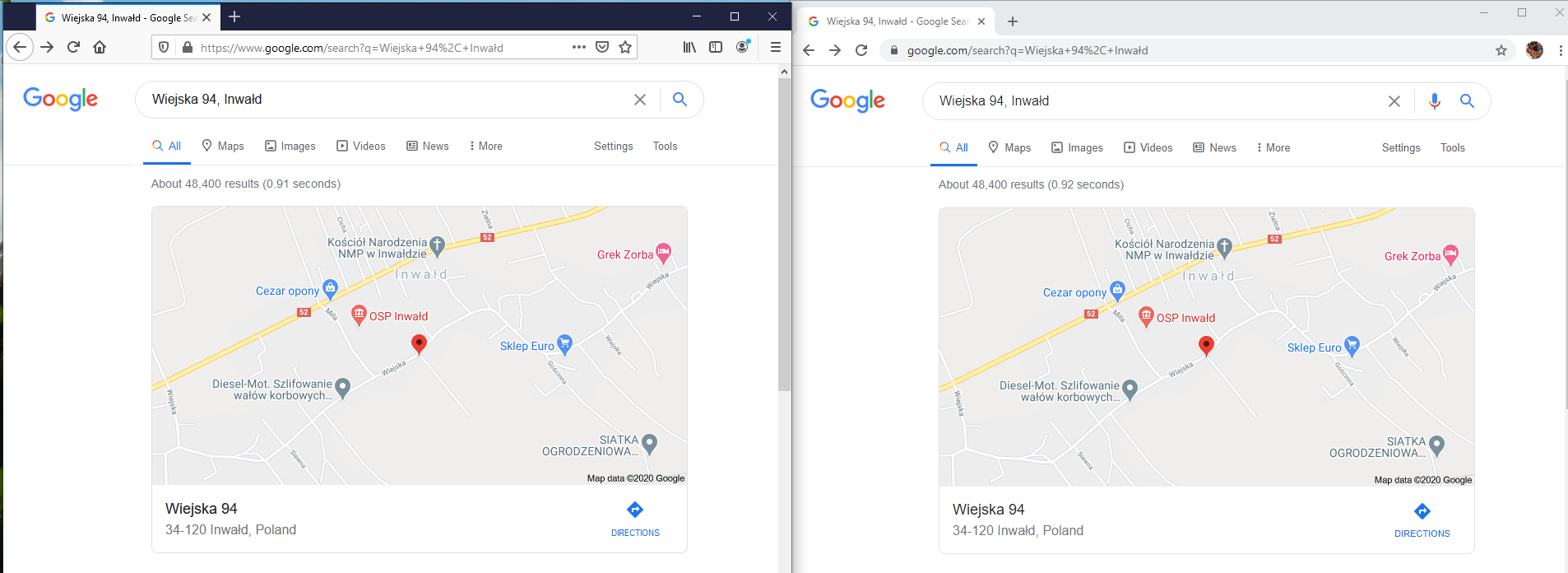
Tested with:
Browser / Version: Firefox Nightly 83.0a1 (2020-10-01), Chrome 85.0.4183.121, Opera 71.0.3770.198, Microsoft Edge 85.0.564.68
Operating System: Windows 10 Pro
softvision-oana-arbuzov
on 2 Oct 2020
No better create other milestone as:
Issues which do not make sense or are clearly not in the scope of this project.
 krystian3w
on 2 Oct 2020
krystian3w
on 2 Oct 2020
Usually when layout changed we set as Invalid.
But it works to set it as Fixed too, since the image is removed everywhere. I will do this.
softvision-oana-arbuzov
on 2 Oct 2020
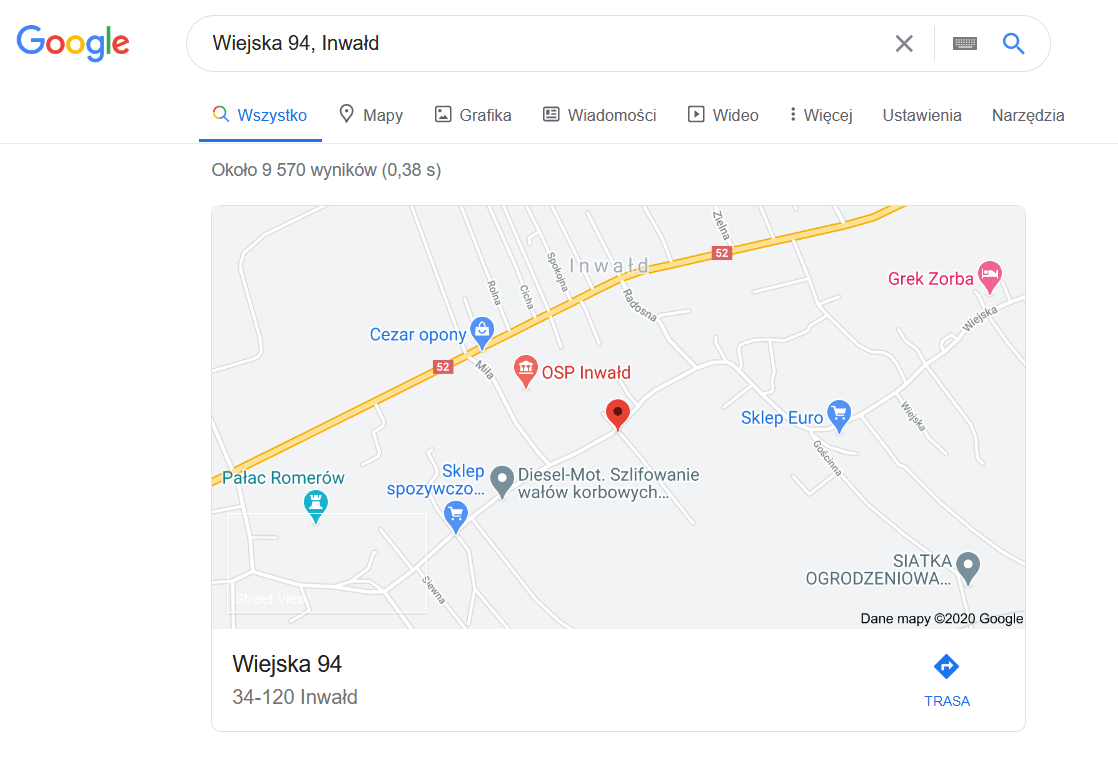
IMO pictures back with broken linear-gradient:
Fresh screennhot by Firefox extension (left):
 |
| 
--- | ---
Blue Google | Dark Google with removed icons
Maybe Google was A/B test before completely remove object and test failed.
krystian3w
on 6 Nov 2020
Thanks @krystian3w, indeed, the picture shows now on Google but not on Firefox.
Tested with:
Browser / Version: Firefox Nightly 84.0a1 (2020-11-04)
Operating System: Windows 10 Pro
Reopening for further investigation.
softvision-oana-arbuzov
on 6 Nov 2020
I sent a reminder that this is still broken.
karlcow
on 9 Nov 2020
Related issues
 GeorgeWL
·
5Comments
GeorgeWL
·
5Comments
 Gravydigger
·
4Comments
Gravydigger
·
4Comments
 tGstep
·
3Comments
tGstep
·
3Comments
 vickychin
·
4Comments
vickychin
·
4Comments
 massic80
·
5Comments
massic80
·
5Comments
Most helpful comment
I sent a reminder that this is still broken.