Web-bugs: bing.com - Unable to scroll the areas section
Browser / Version: Firefox 76.0
Operating System: Mac OS X 10.15
Tested Another Browser: Yes Safari
Problem type: Design is broken
Description: Items not fully visible
Steps to Reproduce:
I can't scroll the left column
Browser Configuration
- None
_From webcompat.com with ❤️_
 Khoncode
All 6 comments
Thanks for the report @Khoncode, I was able to reproduce the issue.
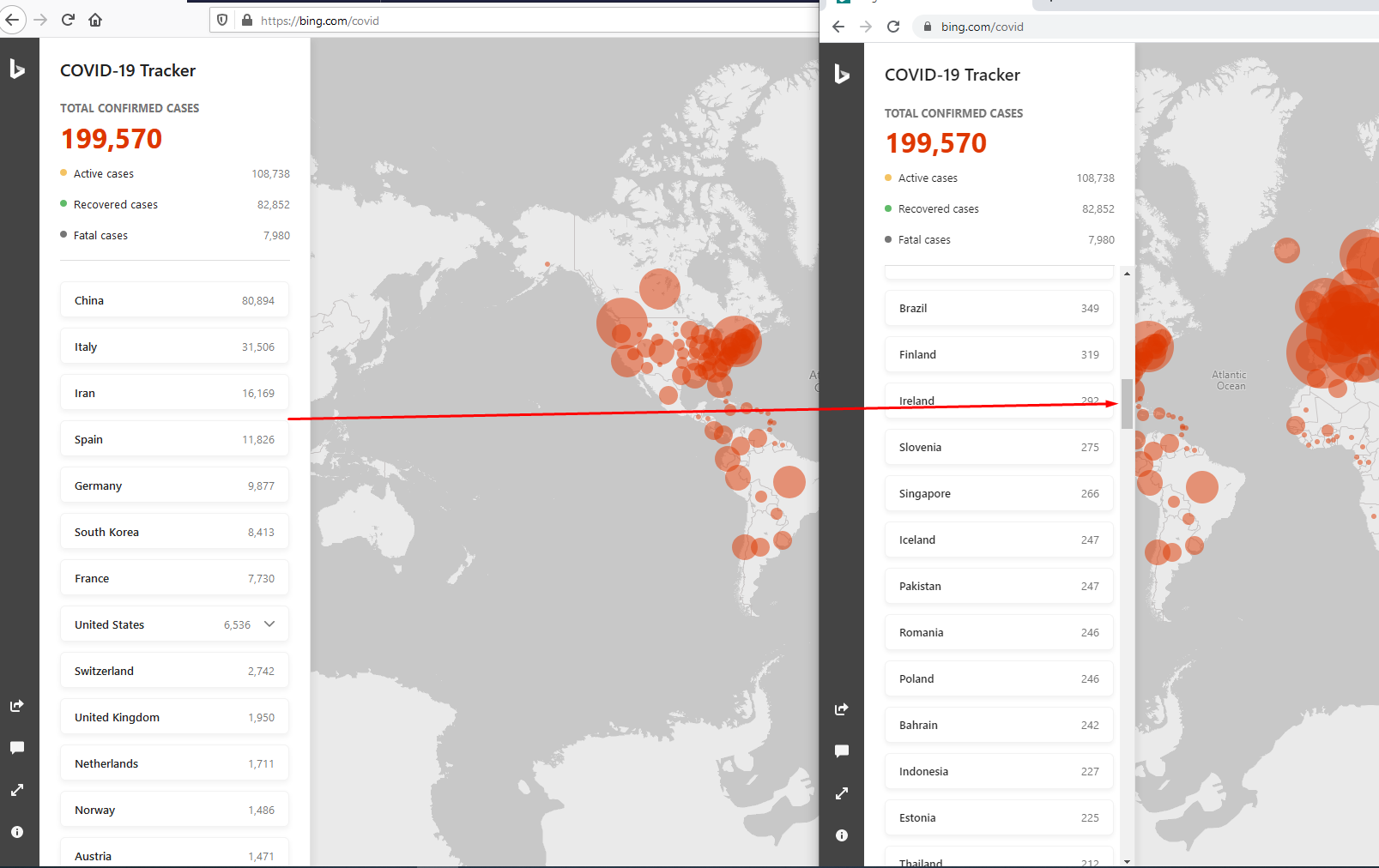
Note: The issue is not reproducible on Chrome.
Affected area:
<div class="areas">
    <div id="china" class="area ">
        <div class="areaName" title="China">China</div>
        <div class="areaTotal">80,894</div>
    </div>
<!--cut out-->
</div>
Tested with:
Browser / Version: Firefox Nightly 76.0a1 (2020-03-17)
Operating System: Windows 10 Pro
Moving to Needsdiagnosis for further investigation.
 softvision-oana-arbuzov
on 18 Mar 2020
softvision-oana-arbuzov
on 18 Mar 2020
The site is using overflow-y: overlay; once there is a hover on affected element, which is not supported in Firefox (https://bugzilla.mozilla.org/show_bug.cgi?id=1521631). So scrollbar never appears in Firefox since there is default overflow: hidden;
.areas:hover {
    overflow-y: overlay;
}
.areas {
    padding: 24px;
    width: 100%;
    margin-left: -24px;
    height: calc(100% - 260px);
    overflow: hidden;
}
We should reach out to the site to see if they can change this - possibly make it so the scrollbar is always there to make it compatible
.areas {
  overflow: auto;
}
 ksy36
on 18 Mar 2020
ksy36
on 18 Mar 2020
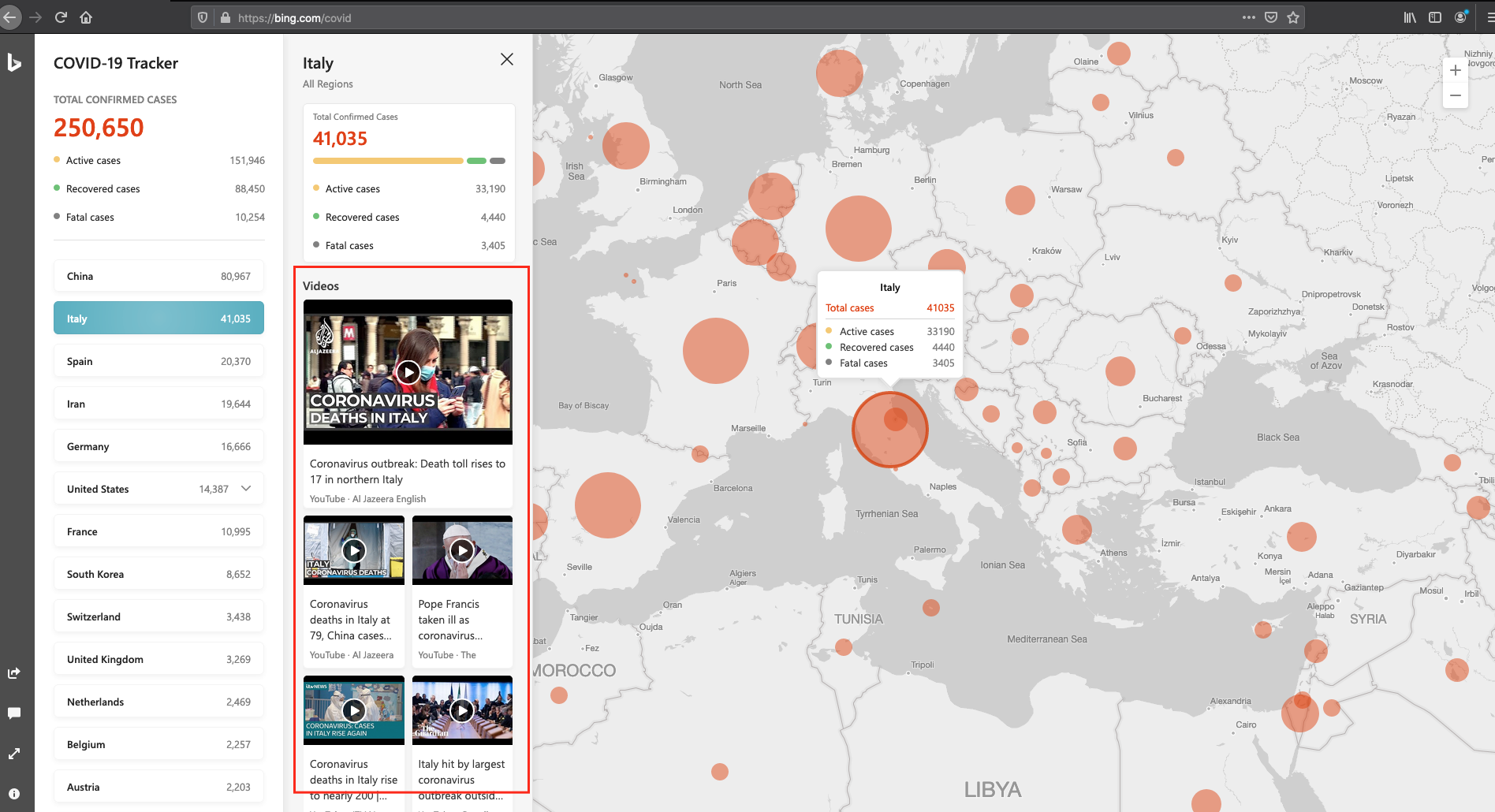
The issue is also reproducible when you try to scroll the video list from the country stats:
 cipriansv
on 20 Mar 2020
cipriansv
on 20 Mar 2020
This is now working in Firefox release since the site has applied a fix with @-moz-document
@-moz-document url-prefix() {
    /* firefox*/
    .areas,
    .segmentPanel {
        overflow: auto;
    }
}
But will break once support for @-moz-document will be removed in https://bugzilla.mozilla.org/show_bug.cgi?id=1449753
ksy36
on 25 Mar 2020
I guess we can close this for now (and maybe need to re-open in the future).
 miketaylr
on 8 Apr 2020
miketaylr
on 8 Apr 2020
This issue has been automatically locked since there has not been any recent activity after it was closed. Please open a new issue at https://webcompat.com/issues/new if you are experiencing a similar problem.
![lock[bot] picture](https://avatars1.githubusercontent.com/in/6672?v=4&s=40) lock[bot]
on 19 Apr 2020
lock[bot]
on 19 Apr 2020
Related issues
 tGstep
·
3Comments
tGstep
·
3Comments
 Ezio916
·
4Comments
Ezio916
·
4Comments
 webcompat-bot
·
5Comments
webcompat-bot
·
5Comments
 vickychin
·
4Comments
webcompat-bot
·
4Comments
vickychin
·
4Comments
webcompat-bot
·
4Comments