Web-bugs: globoesporte.globo.com - The table layout is broken
URL: https://globoesporte.globo.com/futebol/eliminatorias-da-eurocopa/
Browser / Version: Firefox Mobile 68.0
Operating System: Android 8.0.0
Tested Another Browser: Yes
Problem type: Design is broken
Description: design os broken
Steps to Reproduce:
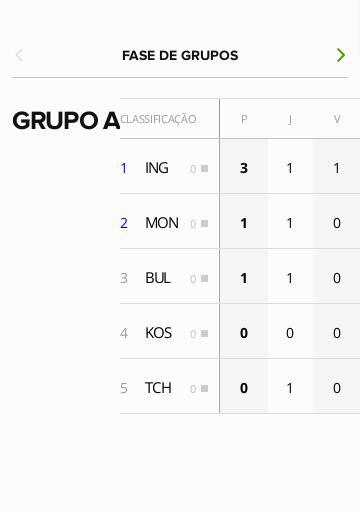
Browser Configuration
- mixed active content blocked: false
- image.mem.shared: true
- buildID: 20190323094805
- tracking content blocked: false
- gfx.webrender.blob-images: true
- hasTouchScreen: true
- mixed passive content blocked: false
- gfx.webrender.enabled: false
- gfx.webrender.all: false
- channel: nightly
Console Messages:
[u'[JavaScript Warning: "The resource at https://sb.scorecardresearch.com/beacon.js was blocked because content blocking is enabled." {file: "https://globoesporte.globo.com/futebol/eliminatorias-da-eurocopa/" line: 0}]', u'[console.log(Modulo de otimizacao chamado) https://tags.globo.com/utag/globo/ge/prod/utag.js:88:93]', u'[JavaScript Warning: "The resource at https://www.googletagservices.com/tag/js/gpt.js was blocked because content blocking is enabled." {file: "https://globoesporte.globo.com/futebol/eliminatorias-da-eurocopa/" line: 0}]', u'[JavaScript Warning: "The resource at https://tag.navdmp.com/tm13574.js was blocked because content blocking is enabled." {file: "https://globoesporte.globo.com/futebol/eliminatorias-da-eurocopa/" line: 0}]', u'[JavaScript Warning: "The resource at https://cdn.krxd.net/controltag/J2lZajxx.js was blocked because content blocking is enabled." {file: "https://globoesporte.globo.com/futebol/eliminatorias-da-eurocopa/" line: 0}]', u'[JavaScript Warning: "The resource at https://tag.navdmp.com/tm13574.js?utv=201705111540 was blocked because content blocking is enabled." {file: "https://globoesporte.globo.com/futebol/eliminatorias-da-eurocopa/" line: 0}]', u'[JavaScript Warning: "Falha no carregamento do
All 7 comments
Thanks for the report,
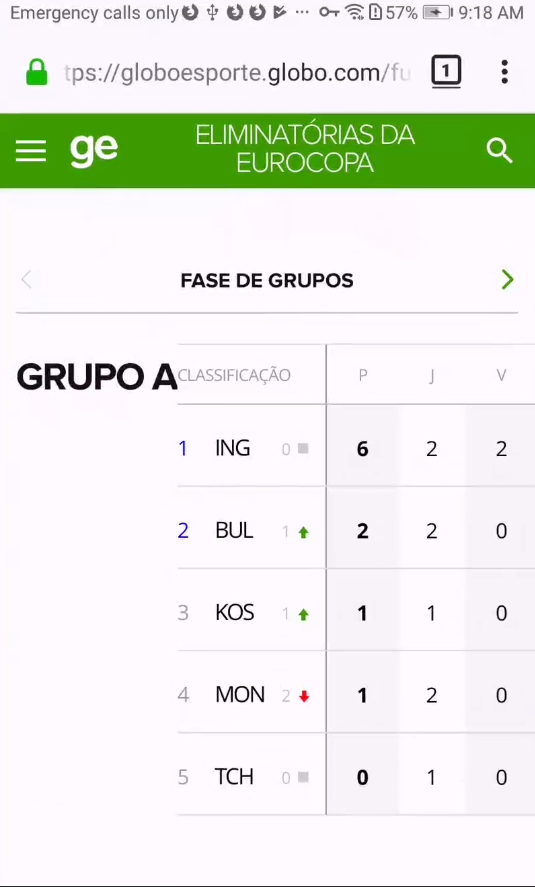
I was indeed able to reproduce the issue. The table layout is broken.
Tested with:
Browser / Version: Firefox Nightly Mobile 68.0a1 (2019-04-03), Chrome 73.0.3683.90
Operating System: Huawei P10 (Android 8.0) - 1080 x 1920 pixels (~432 ppi pixel density)
This is the table displayed in Firefox Nightly:
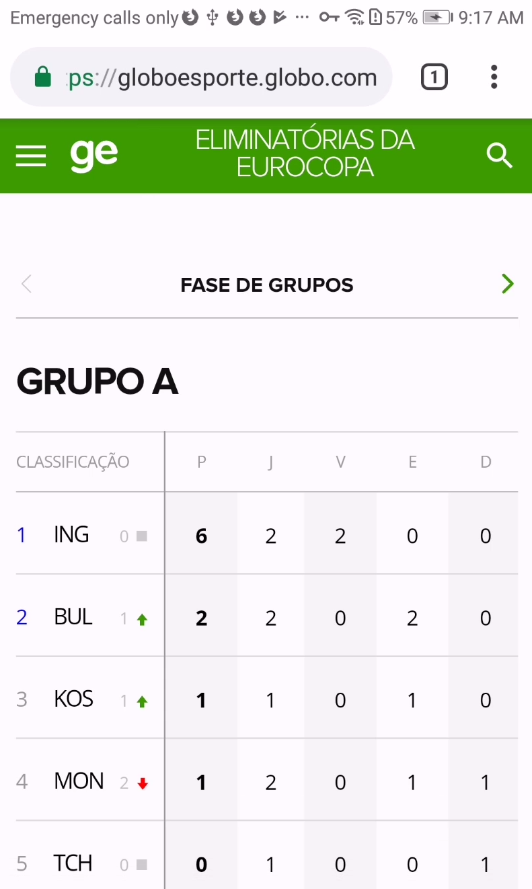
And this is the table displayed in Chrome:
 cipriansv
on 4 Apr 2019
cipriansv
on 4 Apr 2019
The change is very simple
They can fix it like this:
/* bf7f3ba1e8857e9e52423f13b7a0298f.css | https://s3.glbimg.com/v1/AUTH_b002e0039b9f46a5a4a94ff667d31e2d/assets/dist/bf7f3ba1e8857e9e52423f13b7a0298f.css */

.tabela__futebol--listinhas {
  /* flex-wrap: wrap; */
}
And this will not change the layout.
That's an interesting difference on what flex-wrap: wrap; means on a layout with columns. It seems that Firefox and Chrome interpret this differently.
Moving to needscontact for now. But I'll try to make a reduced test case.
 karlcow
on 22 Apr 2019
karlcow
on 22 Apr 2019
I don't know yet the why it breaks, but there is something interesting.
Each article is composed of a header, two tables side by side with one which is larger than the viewport and a summary block. The summary block is pushed beside the table. All of that peppered with flexbox.
On RDM if I make the window large enough that the second table will fit in the width, then suddenly the summary fits under the rest
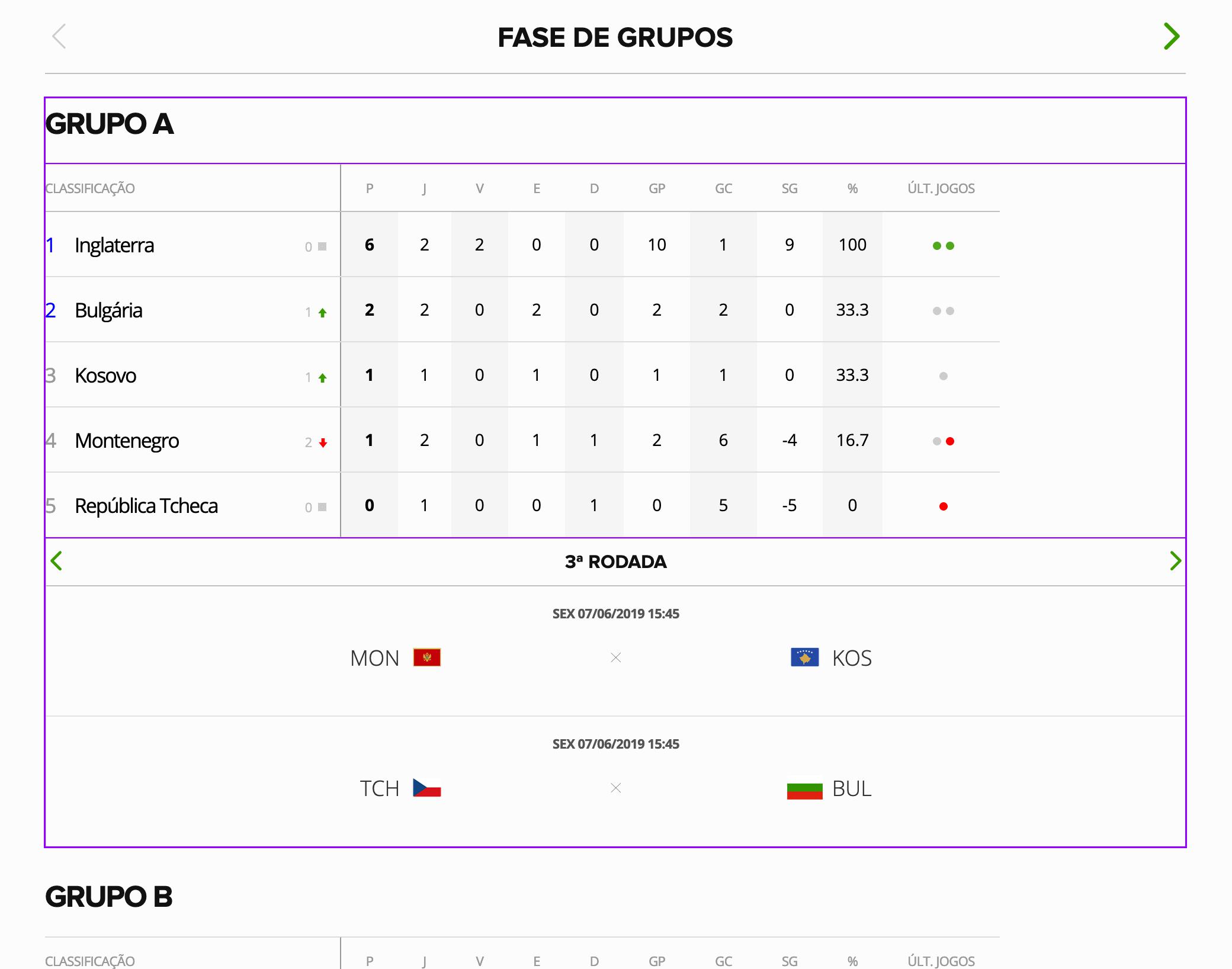
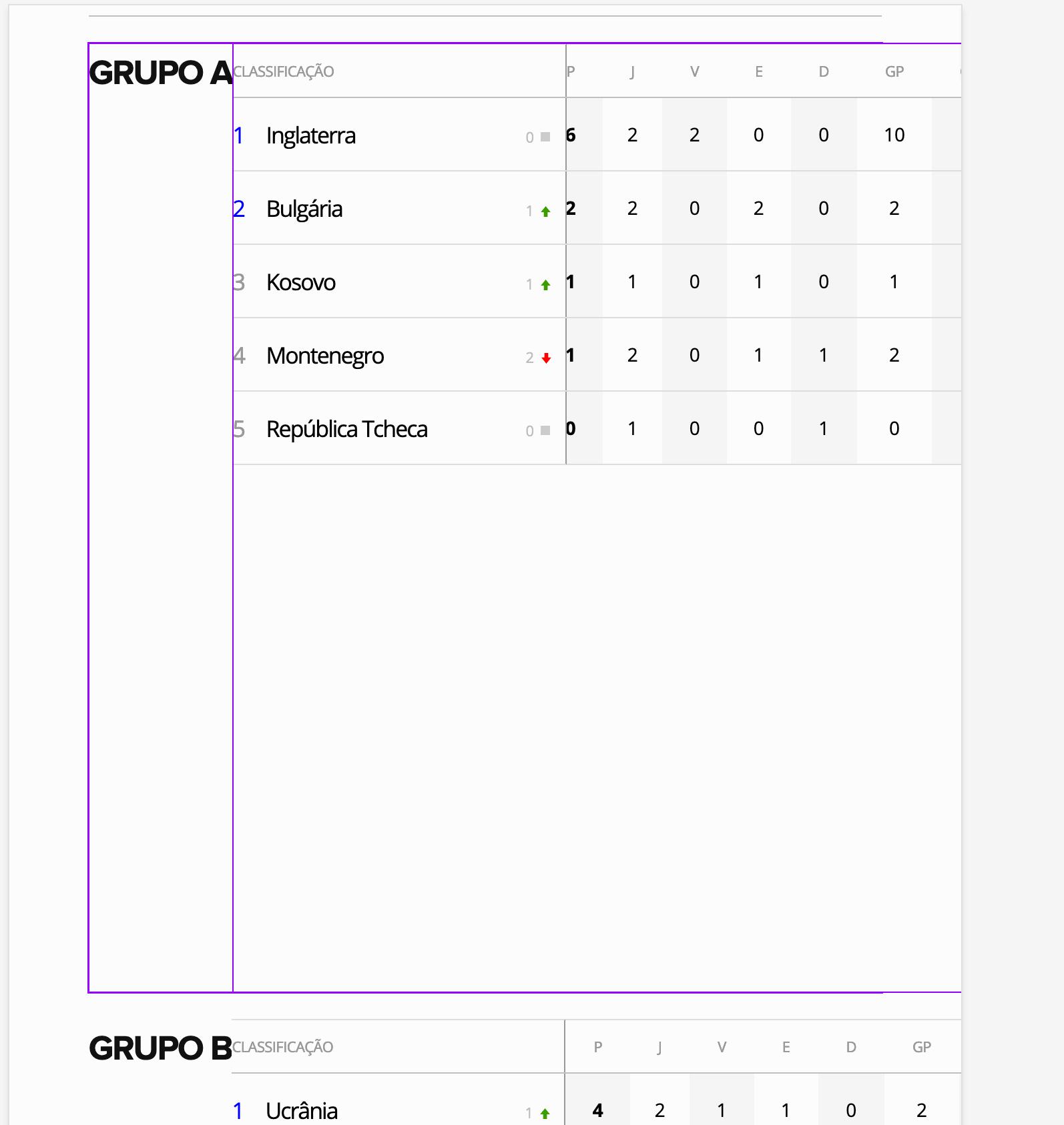
As soon as I remove the wrap, everything fits.
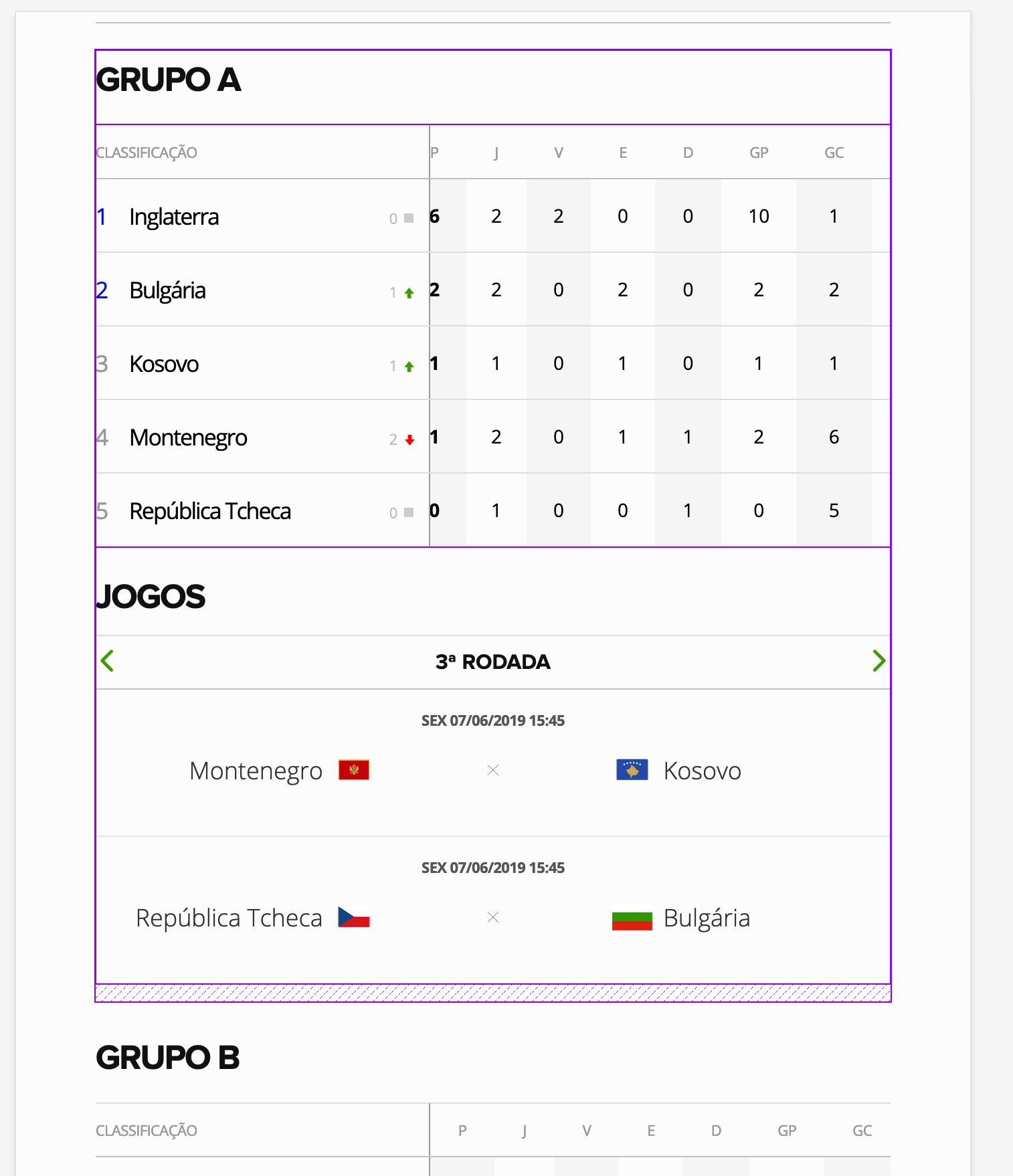
That might be interesting for @dholbert.
It seems that Chrome doesn't care about the wrap here.
karlcow
on 22 Apr 2019
So, this is a column-oriented flex container with flex-wrap:wrap and two flex items:
(1) the "GRUPO A" <header> element
(2) the table of data
Firefox thinks both flex items are quite tall and don't fit on the same column, so we wrap them to two separate columns.
Whereas, Chrome thinks they both fit in the same column.
Each of the flex items has a rule that applies flex-basis: 100%, and Firefox honors that percent height and sizes each flex item element to be as tall as the flex container, which obviously means nothing else will fit in its same column. Chrome does not honor the percent, though -- they fall back to using the auto content height.
I think Chrome is actually correct, because this is a percent value that's applied to an "indefinite" height (ultimately chaining back to an auto height on .classificacao__wrapper a few levels up).
Firefox is overzealously honoring the percent here, which is https://bugzilla.mozilla.org/show_bug.cgi?id=1092007 which is a Firefox bug.
If you replace flex-basis: 100% with flex-basis:auto in both rules here, then Firefox changes to match Chrome's behavior here (and Chrome's behavior doesn't change, because their percent value correctly falls back to auto anyway).
 dholbert
on 24 Apr 2019
dholbert
on 24 Apr 2019
So bottom-line, this is Firefox bug https://bugzilla.mozilla.org/show_bug.cgi?id=1092007 , and they could work around that bug swapping to flex-basis:auto instead of 100% in these rules:
.tabela__futebol--listinhas header {
    flex-basis:100%;
}
.tabela__futebol--listinhas .tabela {
    width:100%;
    flex-basis:100%;
}
...from this stylesheet: https://s3.glbimg.com/v1/AUTH_b002e0039b9f46a5a4a94ff667d31e2d/assets/dist/a3fff62c72b524d511fe31819fc31ec6.css
Or as karl suggested, it may be better to simply drop the flex-wrap:wrap since clearly they don't really want wrapping to happen. (In that case, we'll probably still start out both flex items as being very tall via mistakenly honoring their flex-basis:100% due to the same Firefox bug, but we'll then realize that they don't fit and we'll shrink them according to their minimum intrinsic size, which then probably makes it end up looking correct.)
dholbert
on 24 Apr 2019
https://bugzilla.mozilla.org/show_bug.cgi?id=1092007 is now fixed in today's Nightly, and I can confirm that it fixes this issue.
I just retested this in Firefox 68.0.2 vs. current Nightly (in Responsive Design Mode to match the width of the original screenshots here), and Firefox 68.0.2 shows the broken rendering (chart to the right of GRUPO A) and Nightly shows the expected rendering (chart below GRUPO A).
dholbert
on 6 Sep 2019
After retesting the issue I confirm that the issue has been fixed.
The tables are now properly displayed.
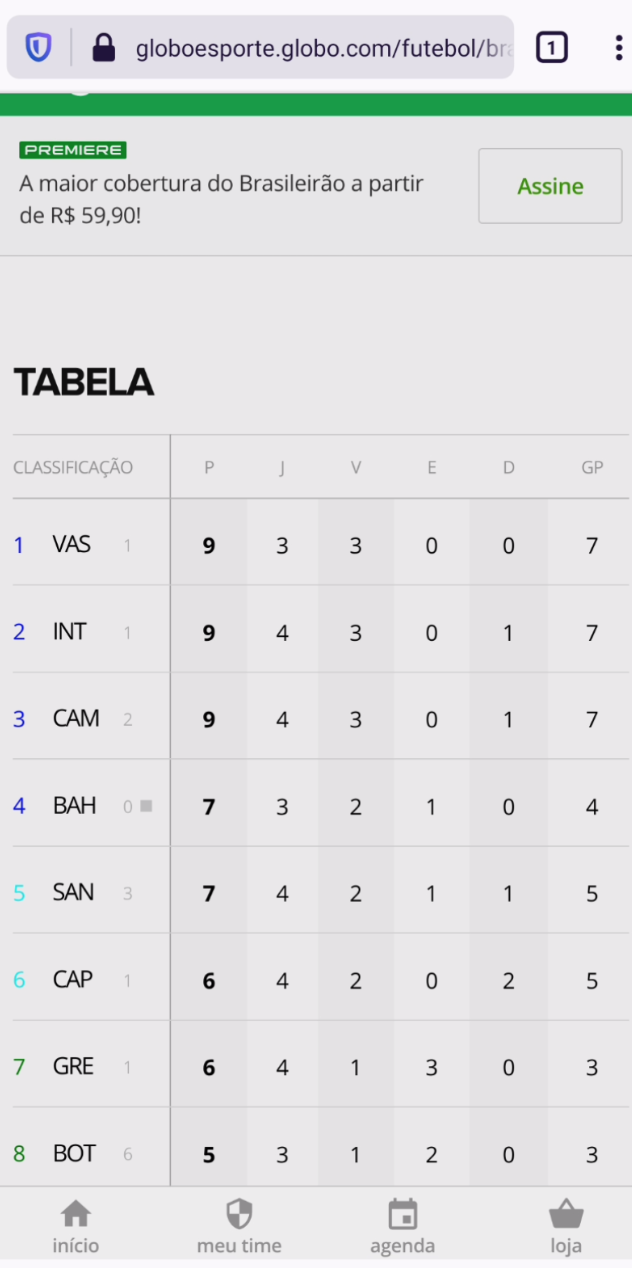
Tested with:
Browser / Version: Firefox Nightly 200820(🦎 81.0a1-20200818092452)
Operating System: OnePlus6 (Android 10) - 1080 x 2280 pixels (~402 ppi pixel density)
Closing the issue as fixed.
cipriansv
on 21 Aug 2020
Related issues
 GeorgeWL
·
5Comments
GeorgeWL
·
5Comments
 halwane050
·
5Comments
halwane050
·
5Comments
 vickychin
·
4Comments
vickychin
·
4Comments
 bvanrijn
·
4Comments
bvanrijn
·
4Comments
 webcompat-bot
·
5Comments
webcompat-bot
·
5Comments