Web-bugs: publicaccess2.croydon.gov.uk - Map details are not rendered correctly
Browser / Version: Firefox 64.0
Operating System: Mac OS X 10.13
Tested Another Browser: Yes
Problem type: Something else
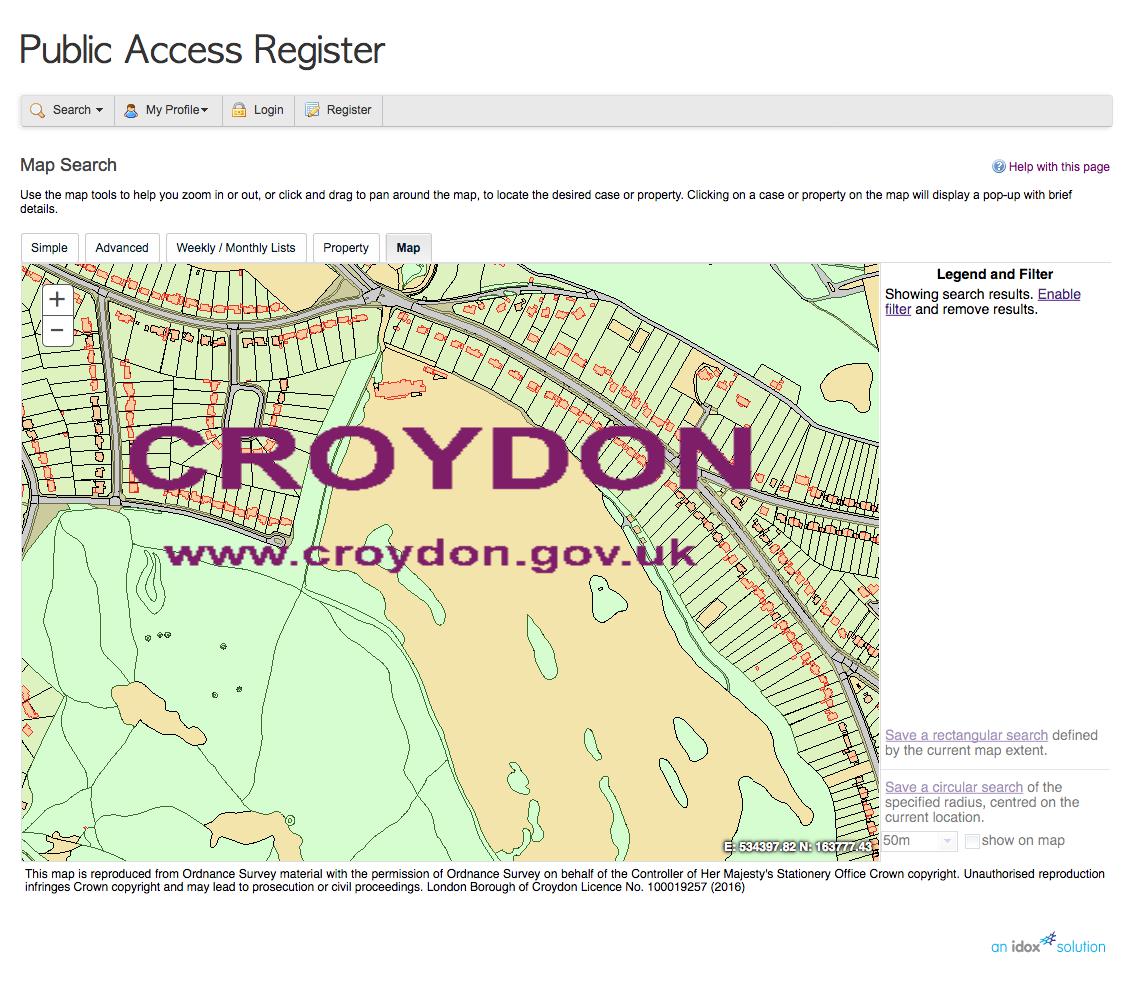
Description: A legend and flter should be displayed, and the map should show red boundaries when zoomed in
Steps to Reproduce:
Once the map has loaded, click the zoom (+) button five times. This should show red boundaries on the map. It's working in Safari and Chrome for me, and according to another source is working in Edge.
_From webcompat.com with ❤️_
 davehunt
All 7 comments
Thank you for the report, @davehunt
I can see the differences you reported on Windows 10 too:
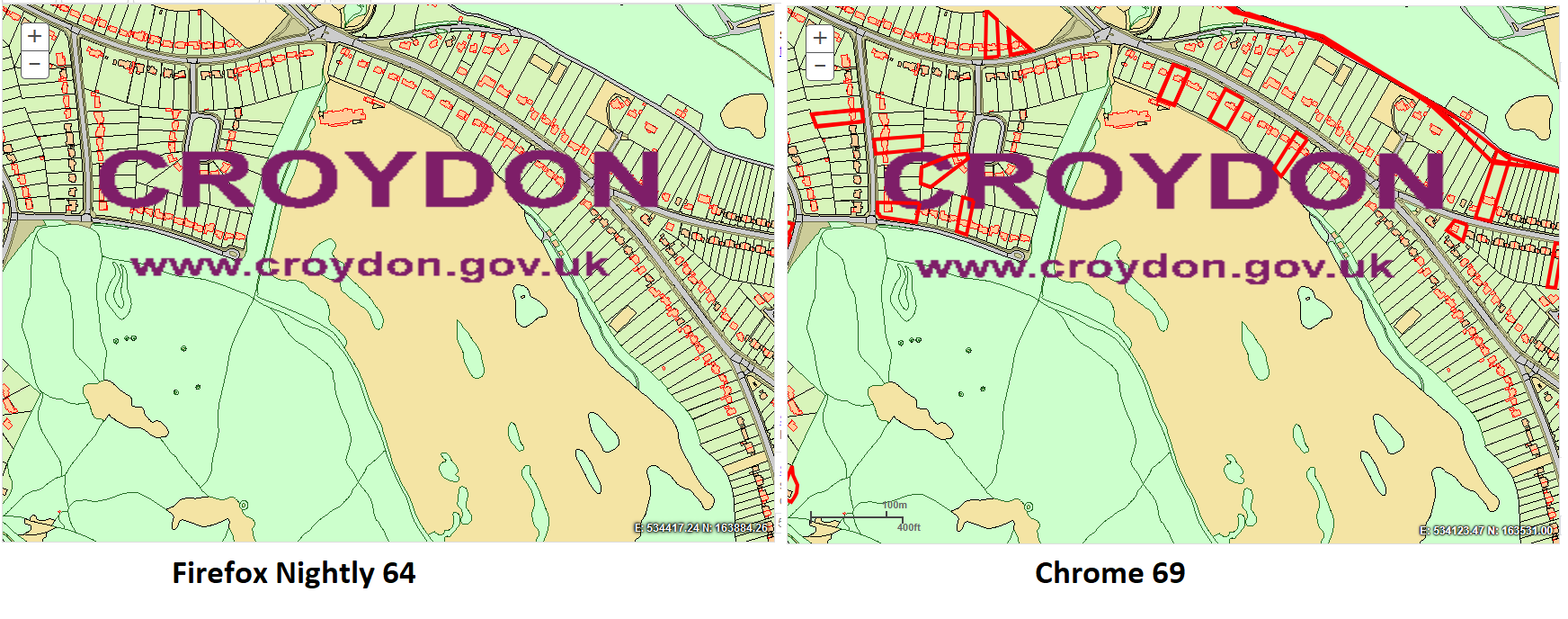
Furthermore, I feel like Firefox is not rendering the map as fast or as smooth as Chrome does.
This calls for further investigation.
 softvision-sergiulogigan
on 5 Oct 2018
softvision-sergiulogigan
on 5 Oct 2018
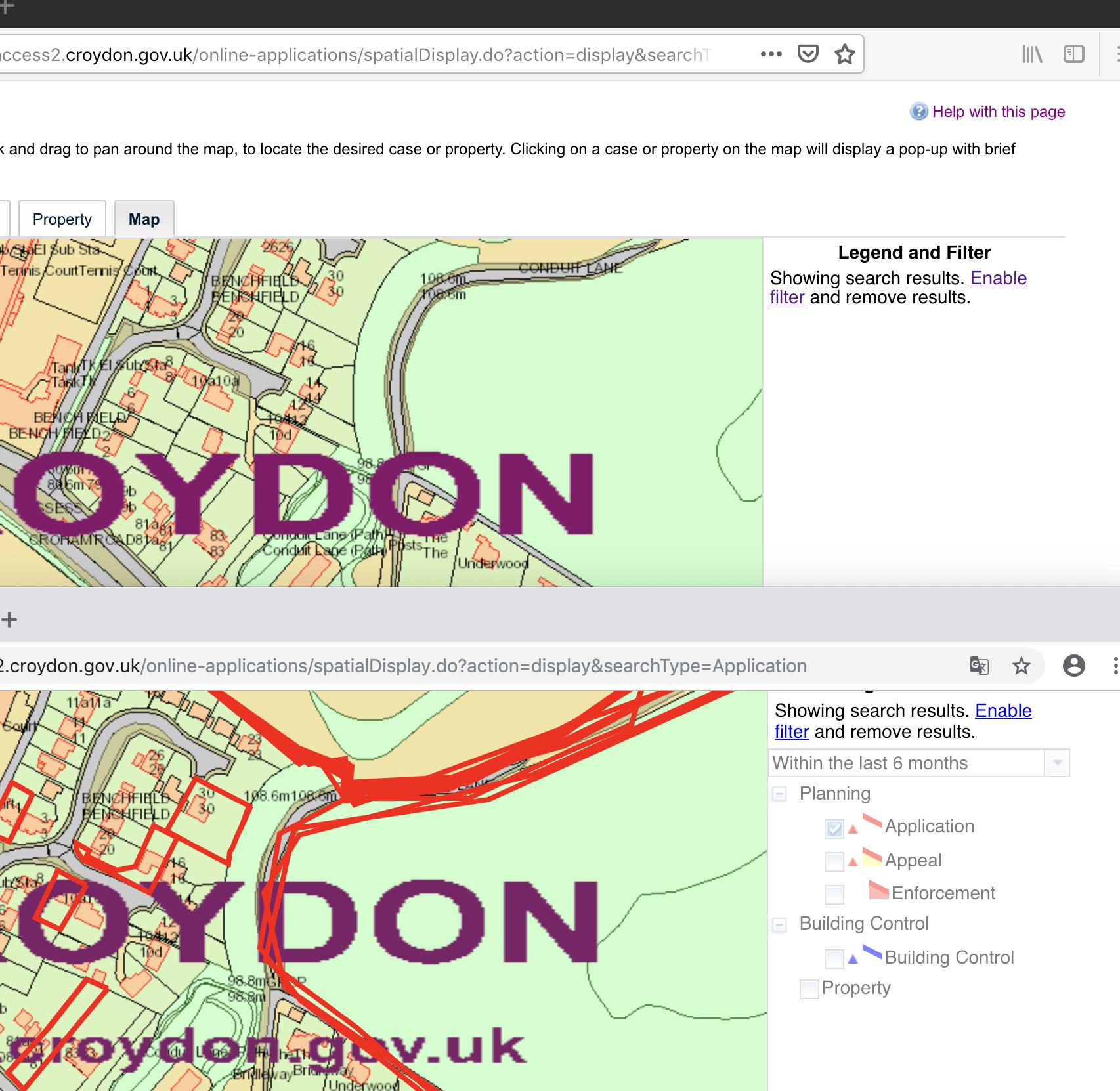
Yes I guess the missing red lines are due to the missing legend on the right.
 karlcow
on 9 Oct 2018
karlcow
on 9 Oct 2018
The map is created through an iframe with user-agent sniffing.
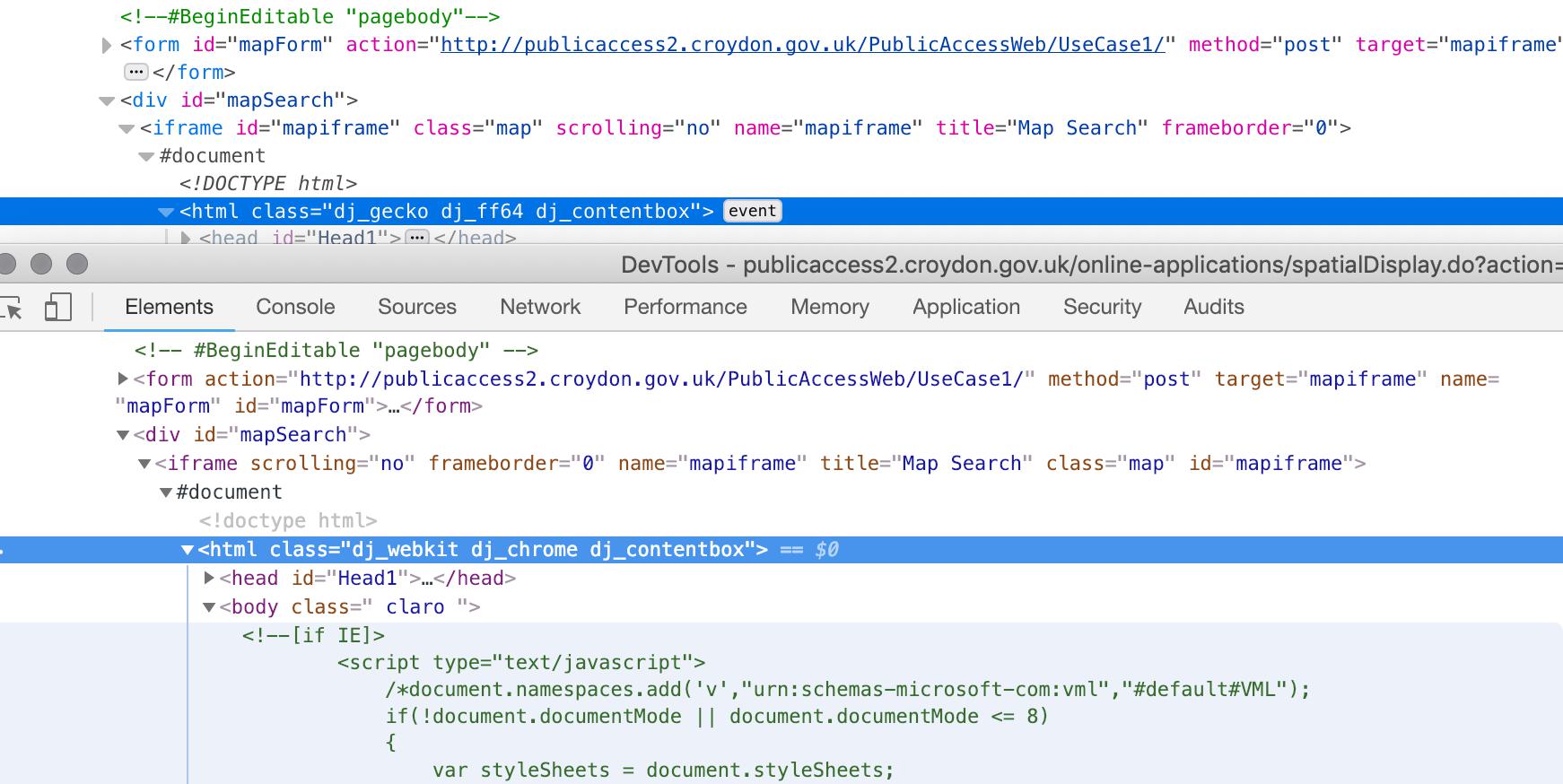
http://publicaccess2.croydon.gov.uk/PublicAccessWeb/js/legend.js
function showLegendInTooltipDialog(node,map) {
…
}
I don't think I will be able to find the source of the breakage given the complexity of the code, but the developers have a better knowlege of their own code.
Let's move this to needscontact.
karlcow
on 9 Oct 2018
To contact them
https://secure.croydon.gov.uk/eforms/ufsmain?formid=EXT_SC_CUSTOMER_CONTACT&ebz=1_1539054116173&ebd=0&ebp=10&ebz=1_1539054116173
And the map solution is made by https://www.idoxgroup.com/
https://www.idoxgroup.com/about-us/contact-us/
karlcow
on 9 Oct 2018
I've heard from the site technical support team responsible for the website, and they pushed an update this weekend, which fixes the polygons rendering on the map. The map still takes considerably more time to load on Firefox than it does on Chrome, though. I measured 12.61 seconds for Chrome and 24.27 seconds for Firefox (65.0a1, 20181026100128)
davehunt
on 29 Oct 2018
@davehunt Thanks a lot. I will close the webcompat issue here as fixed.
For the performance issue itself, maybe we could open an issue on Bugzilla. Would you do want to do that?
https://bugzilla.mozilla.org/enter_bug.cgi?product=Core&component=Canvas%3A%20WebGL
karlcow
on 30 Oct 2018
Thanks @karlcow. My previous measurements were with the network tab in devtools open. Without this, there doesn't appear to be any noticable difference between Firefox and Chrome in initial load time. Zooming the map feels slower in Firefox but that's most likely because Chrome animates the zoom, the actual effective loading time seems very similar in both browsers.
davehunt
on 1 Nov 2018
Related issues
 massic80
·
5Comments
massic80
·
5Comments
 webcompat-bot
·
5Comments
webcompat-bot
·
4Comments
webcompat-bot
·
5Comments
webcompat-bot
·
4Comments
 oksas
·
5Comments
oksas
·
5Comments
 bvanrijn
·
4Comments
bvanrijn
·
4Comments
Most helpful comment
Thanks @karlcow. My previous measurements were with the network tab in devtools open. Without this, there doesn't appear to be any noticable difference between Firefox and Chrome in initial load time. Zooming the map feels slower in Firefox but that's most likely because Chrome animates the zoom, the actual effective loading time seems very similar in both browsers.