Web-bugs: www.bing.com - desktop site instead of mobile site
URL: https://www.bing.com/search?q=42+dollar+indian&pc=MOZI&form=MOZLBR
Browser / Version: Firefox 60.0
Operating System: Windows 10
Tested Another Browser: Yes
Problem type: Desktop site instead of mobile site
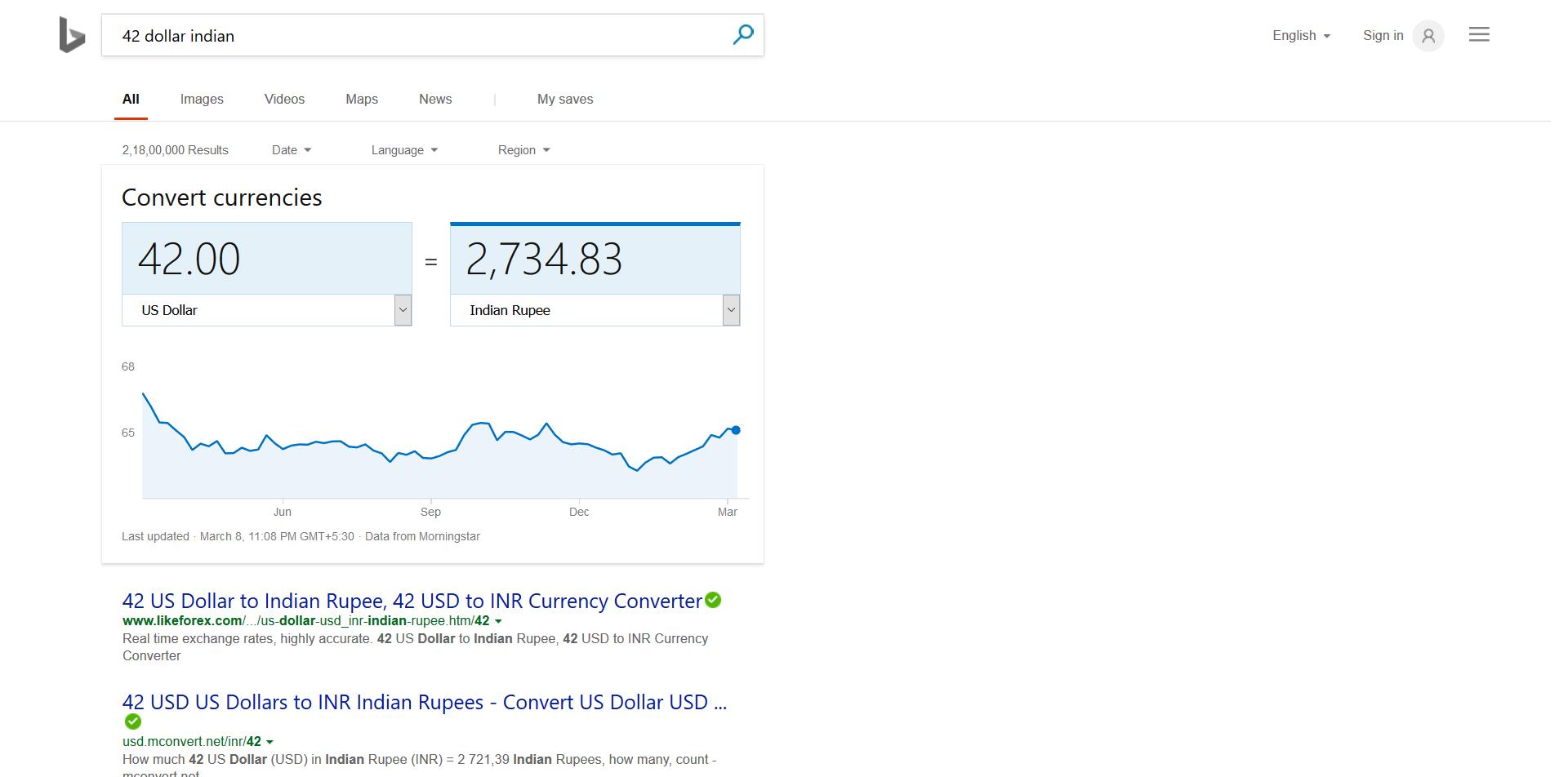
Description: not able to edit the amount in bing
Steps to Reproduce:
gfx.webrender.all: false
gfx.webrender.blob-images: 1
gfx.webrender.enabled: false
image.mem.shared: 2
_From webcompat.com with ❤️_
 webcompat-bot
All 7 comments
This is reproducible in Nightly 60 in Android 7.0. In this case, editing the numbers will trigger a QWERTY keyboard then the numeric keypad.
 reinhart1010
on 9 Mar 2018
reinhart1010
on 9 Mar 2018
I was also able to reproduce both on mobile and desktop.
Replacing
<input id="cc_fdv" value="42" maxlength="100" style="display: block;" class="ctxt b_focusTextMedium" aria-label="Source currency value" type="text">
with
<input type="text" id="cc_fdv" value="42" maxlength="100" style="display: block;" class="ctxt b_focusTextMedium" aria-label="Source currency value">
or
<input id="cc_fdv" value="42" maxlength="100" style="display: block;" class="ctxt b_focusTextMedium" aria-label="Source currency value" data-bm="23" type="number">
makes the field editable.
 softvision-sergiulogigan
on 9 Mar 2018
softvision-sergiulogigan
on 9 Mar 2018
@wisniewskit can you take a look here please? This seems pretty bad.
 miketaylr
on 22 Mar 2018
miketaylr
on 22 Mar 2018
I consider this site error, based on the code. They seem to want to format their numbers nicely (with thousands-separators and trailing .00, which browsers do not currently show on number type inputs), but also to bring up the virtual numeric pad when the user taps on the number (which browsers don't bring up unless it's a number type input).
The only way to do this (that I'm aware of) is what they're doing here: showing a text input with the carefully-formatted value, and swapping to a number type input when the user taps on that input.
Unfortunately, this is the code they use for this:
  n.prototype.setInput = function(n, t, i) {
    sb_st(function() {
        i ? (n.style.display = "block", t.style.display = "none", n.focus())
          : (n.style.display = "none", t.style.display = "block")
    }, 0)
  }

/* and further on */

  sj_be(this.inputFromDisp, "focus", function() {
    n.setInput(n.inputFrom, n.inputFromDisp, !0)
  });
  sj_be(this.inputToDisp, "focus", function() {
    n.setInput(n.inputTo, n.inputToDisp, !0)
  });
  sj_be(this.inputFrom, "blur", function() {
    n.setInput(n.inputFrom, n.inputFromDisp, !1)
  });
  sj_be(this.inputTo, "blur", function() {
    n.setInput(n.inputTo, n.inputToDisp, !1)
  })
In other words, when the user taps to flip between inputs, this is actually the sequence that happens:
on-focus is called:
  number.style.display = "block";
  text.style.display = "none"; // this calls on blur

on-blur is called:
  text.style.display = "block";
  number.style.display = "none";

the original on-focus continues:
  number.focus();
That is, they're forgetting that if you hide a text input, it will blur. This causes their code to get into an unexpected state, which ruins the effect.
They can work around this by just not running a second setInput while one is ongoing:
  n.prototype.setInput = function(n, t, i) {
    if (n.currentlySettingInput) return;
    n.currentlySettingInput = true;
    sb_st(function() {
        i ? (n.style.display = "block", t.style.display = "none", n.focus())
          : (n.style.display = "none", t.style.display = "block")
       delete n.currentlySettingInput;
    }, 0)
  }
That fixes this particular issue. There will still be another issue, however: the validation code for the inputs will complain because of the fractional values (that is, if you tap on the input with "2,716.98" in it, you'll see a message to select a valid value, like the nearest integer value 2716 or 2717).
To prevent this, they will need to add a step="0.01" attribute to their HTML for the number type inputs.
 wisniewskit
on 29 Mar 2018
wisniewskit
on 29 Mar 2018
Reaching out on our partner mailing list.
 adamopenweb
on 4 Apr 2018
adamopenweb
on 4 Apr 2018
It's got fixed now.
Thank you for the detailed investigation; thank @wisniewskit for the proposal fixing, it's really helpful.
 anders-liu
on 8 Apr 2018
anders-liu
on 8 Apr 2018
Thanks @anders-liu! Closing this report.
adamopenweb
on 8 Apr 2018
Related issues
 Ezio916
·
4Comments
Ezio916
·
4Comments
 christantoan
·
4Comments
christantoan
·
4Comments
 tGstep
·
3Comments
webcompat-bot
·
5Comments
webcompat-bot
·
4Comments
tGstep
·
3Comments
webcompat-bot
·
5Comments
webcompat-bot
·
4Comments
Most helpful comment
I consider this site error, based on the code. They seem to want to format their numbers nicely (with thousands-separators and trailing
.00, which browsers do not currently show onnumbertype inputs), but also to bring up the virtual numeric pad when the user taps on the number (which browsers don't bring up unless it's anumbertype input).The only way to do this (that I'm aware of) is what they're doing here: showing a
textinput with the carefully-formatted value, and swapping to anumbertype input when the user taps on that input.Unfortunately, this is the code they use for this:
In other words, when the user taps to flip between inputs, this is actually the sequence that happens:
That is, they're forgetting that if you hide a text input, it will
blur. This causes their code to get into an unexpected state, which ruins the effect.They can work around this by just not running a second
setInputwhile one is ongoing:That fixes this particular issue. There will still be another issue, however: the validation code for the inputs will complain because of the fractional values (that is, if you tap on the input with "2,716.98" in it, you'll see a message to select a valid value, like the nearest integer value 2716 or 2717).
To prevent this, they will need to add a
step="0.01"attribute to their HTML for thenumbertype inputs.