Web-bugs: www.kalvisolai.com - see bug description
URL: http://www.kalvisolai.com/
Browser / Version: Firefox 57.0
Operating System: Linux
Tested Another Browser: Unknown
Problem type: Something else
Description: Tamil fonts are not getting rendered
Steps to Reproduce:
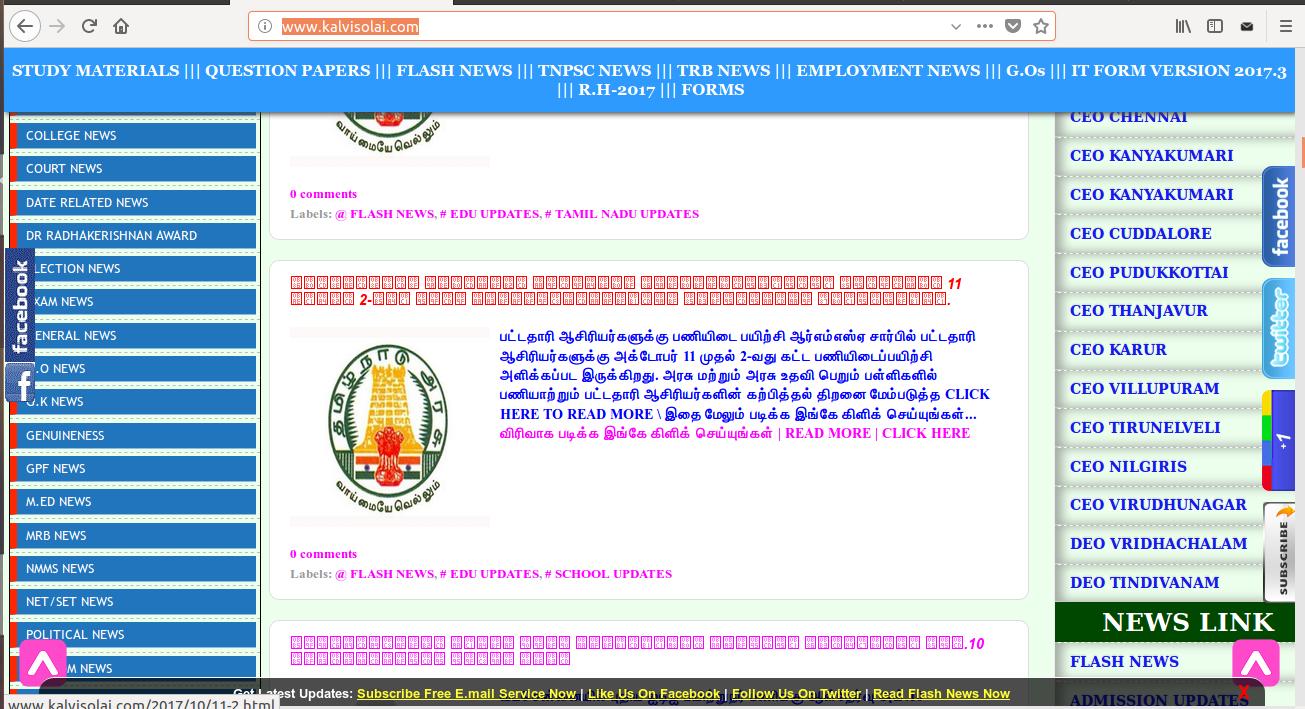
_From webcompat.com with ❤️_
 sriram23
All 18 comments
bold tamil.
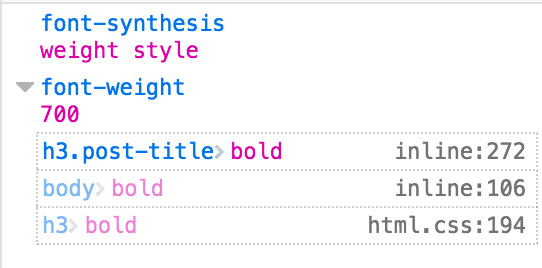
This is working for me but something happening for people on Linux it seems with tamil in bold.
 karlcow
on 10 Oct 2017
karlcow
on 10 Oct 2017
Duplicate of https://bugzilla.mozilla.org/show_bug.cgi?id=1407114
karlcow
on 10 Oct 2017
Duplicate of #11422
karlcow
on 10 Oct 2017
@sriram23 Could you help us diagnose a bit more the issue?
karlcow
on 17 Oct 2017
Sure, @karlcow. Please tell me how I could help you.
sriram23
on 17 Oct 2017
@sriram23 Fabulous 🏅
- Download Nightly https://download.mozilla.org/?product=firefox-nightly-latest-ssl
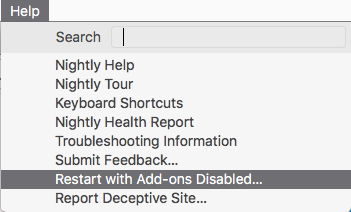
- Restart with addons disabled
- Go to http://www.kalvisolai.com/
- Inspect the element with the contextual menu (right+click or ctrl+click) when hovering the text with the squares.
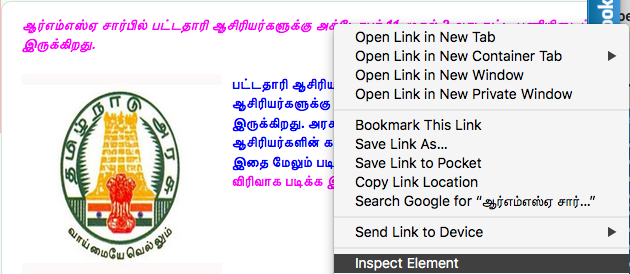
- You get the inspector window.
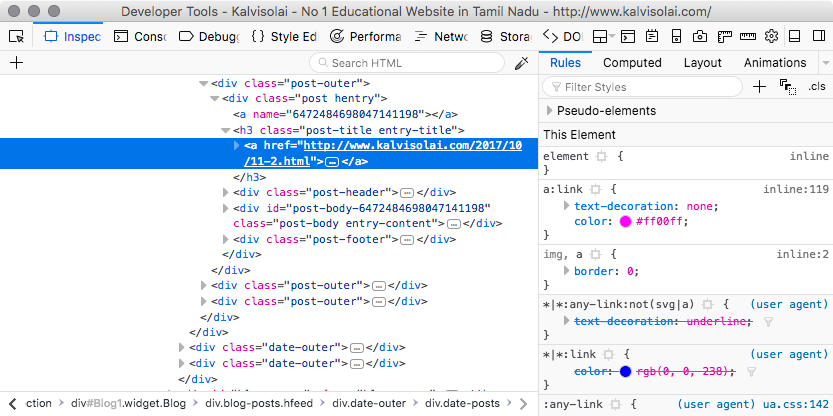
- Open the font panels
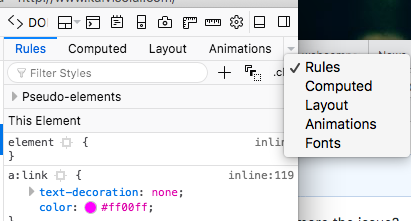
- You should see something similar to
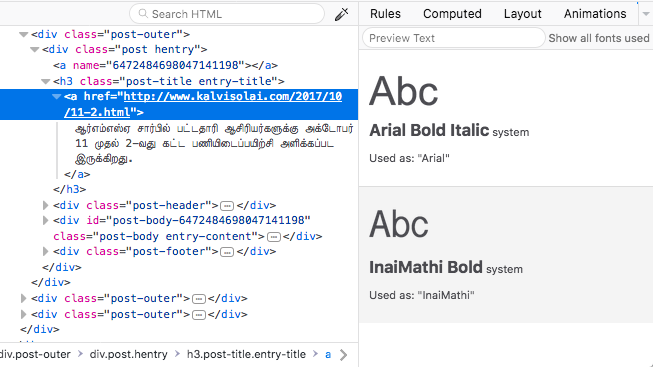
- Write down the font and copy it here in a comment OR take a screenshot of this part. :)
- Do the same thing for the part which has text working (the blue text under the squares in your case.)
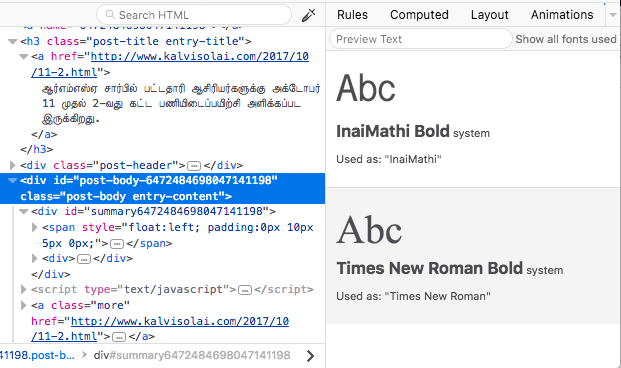
Thanks a lot.
Also which Linux version do you use?
karlcow
on 18 Oct 2017
@karlcow the link that you have provided https://download.mozilla.org/?product=firefox-nightly-latest-ssl is for windows os I think. But I tried the same with Mozilla/5.0 (X11; Linux x86_64; rv:57.0) Gecko/20100101 Firefox/57.0. I have attached the screen shot with this comment.
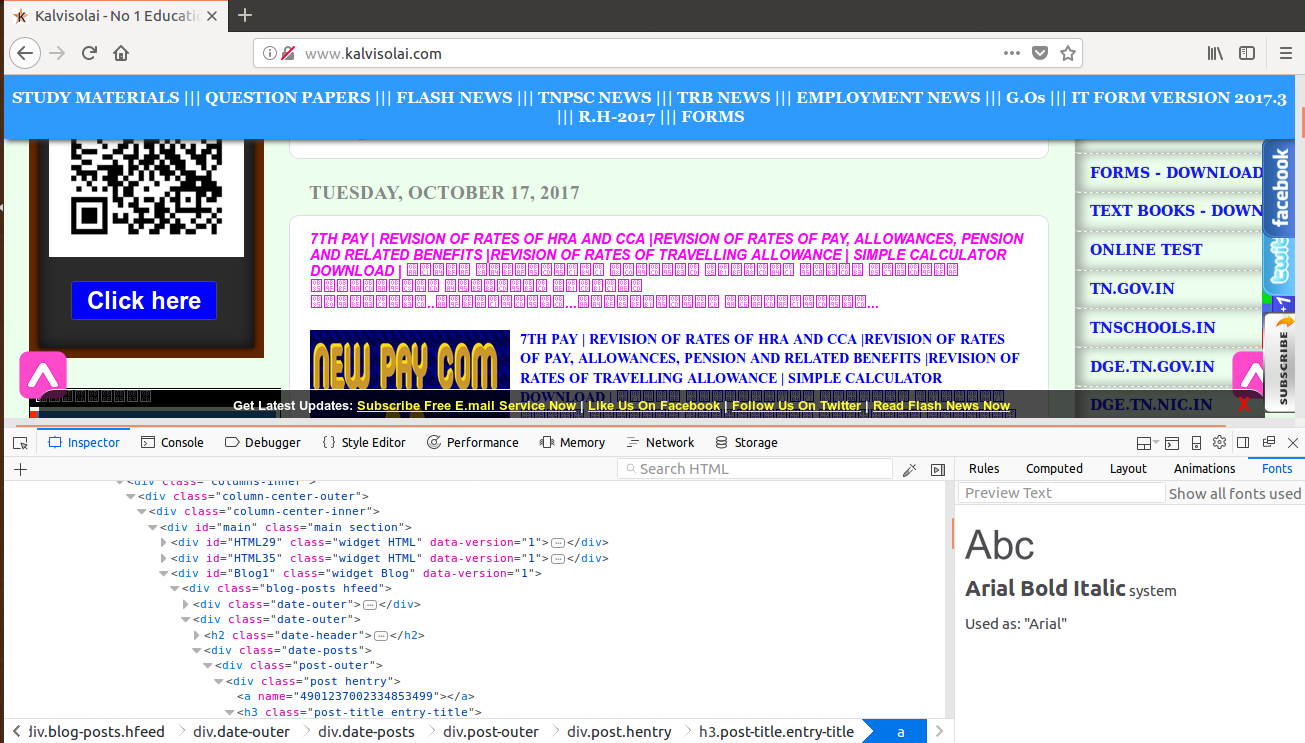
I am using Linux Ubuntu 16.04 LTS.
sriram23
on 18 Oct 2017
@sriram23 could you also do it on a part where the characters are properly displayed in the page?
Thanks.
karlcow
on 18 Oct 2017
@karlcow Sure.!
sriram23
on 19 Oct 2017
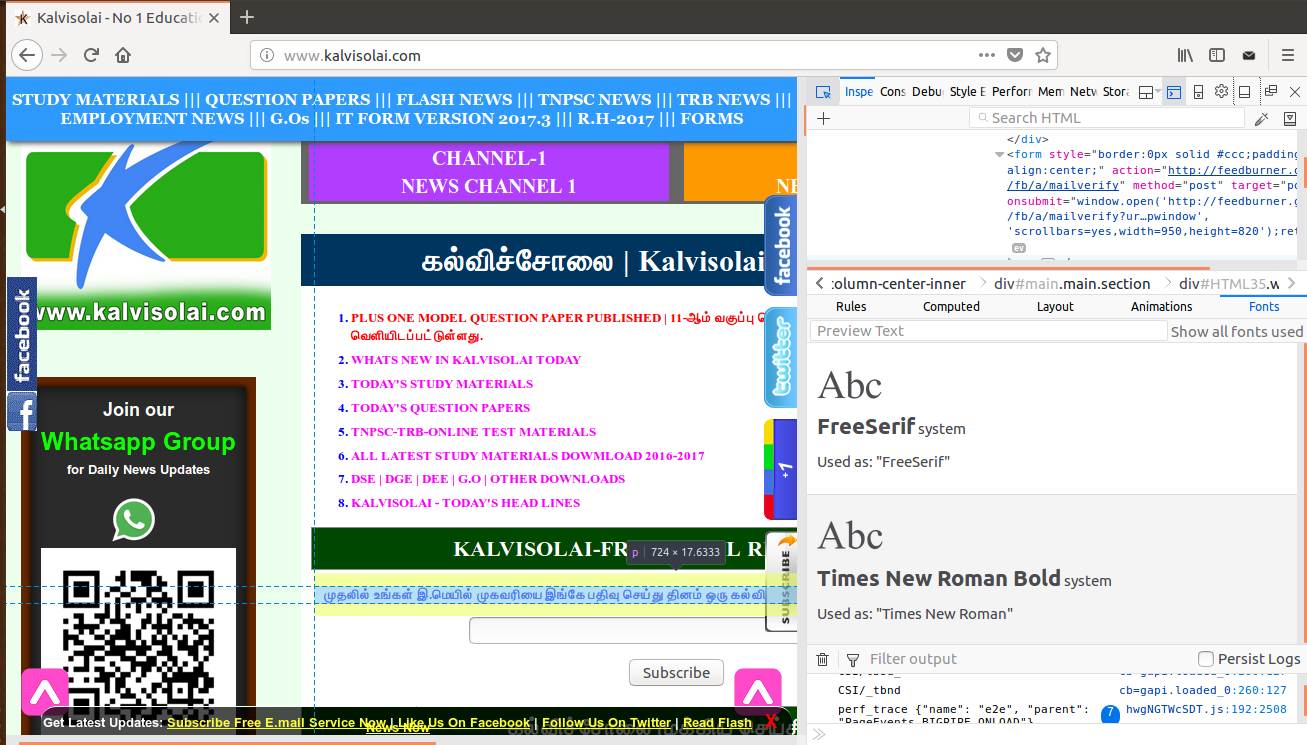
@karlcow This is the screenshot of Tamil fonts that are displaying properly.
sriram23
on 19 Oct 2017
@sriram23 Thanks a lot.
karlcow
on 19 Oct 2017
Added the findings of @sriram23 to https://bugzilla.mozilla.org/show_bug.cgi?id=1407114#c6
That should help.
karlcow
on 19 Oct 2017
Thanks a lot @sriram23 This has been fixed.
You could check in the latest nightly build.
karlcow
on 30 Oct 2017
Hi @sriram23 may I know your email address? We would like to send a t-shirt for you.
 kelimuttu
on 3 Nov 2017
kelimuttu
on 3 Nov 2017
Woow..
Thanks @kelimuttu .
My Mail Id: [email protected]
Always happy to contribute :)
sriram23
on 3 Nov 2017
My Mail Id: [email protected]
sriram23
on 5 Nov 2017
Even in the Quantum (57.0), I could see some Tamil fonts not displaying.

sriram23
on 15 Nov 2017
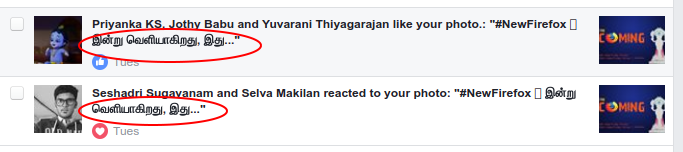
This is a screenshot from Chromium Browser.
sriram23
on 15 Nov 2017
Related issues
karlcow
·
5Comments
 bvanrijn
·
4Comments
bvanrijn
·
4Comments
 webcompat-bot
·
4Comments
webcompat-bot
·
4Comments
 massic80
·
5Comments
webcompat-bot
·
4Comments
massic80
·
5Comments
webcompat-bot
·
4Comments
Most helpful comment
@karlcow This is the screenshot of Tamil fonts that are displaying properly.