Web-bugs: www.disney.com – Incorrect layout of items in the “Filter” list
URL: https://m.disneystore.com/disney/store/products/filter?Ntt=disney+animators+collection
Browser / Version: Firefox Mobile Nightly 55.0a1 (2017-04-10)
Operating System: Android 6.0.1
Problem type: Something else - I'll add details below
Steps to Reproduce
- Navigate to: https://m.disneystore.com/disney/store/products/filter?Ntt=disney+animators+collection
- Tap the “Filters“ button.
- Tap “Characters” and observe the list of items.
Expected Behavior:
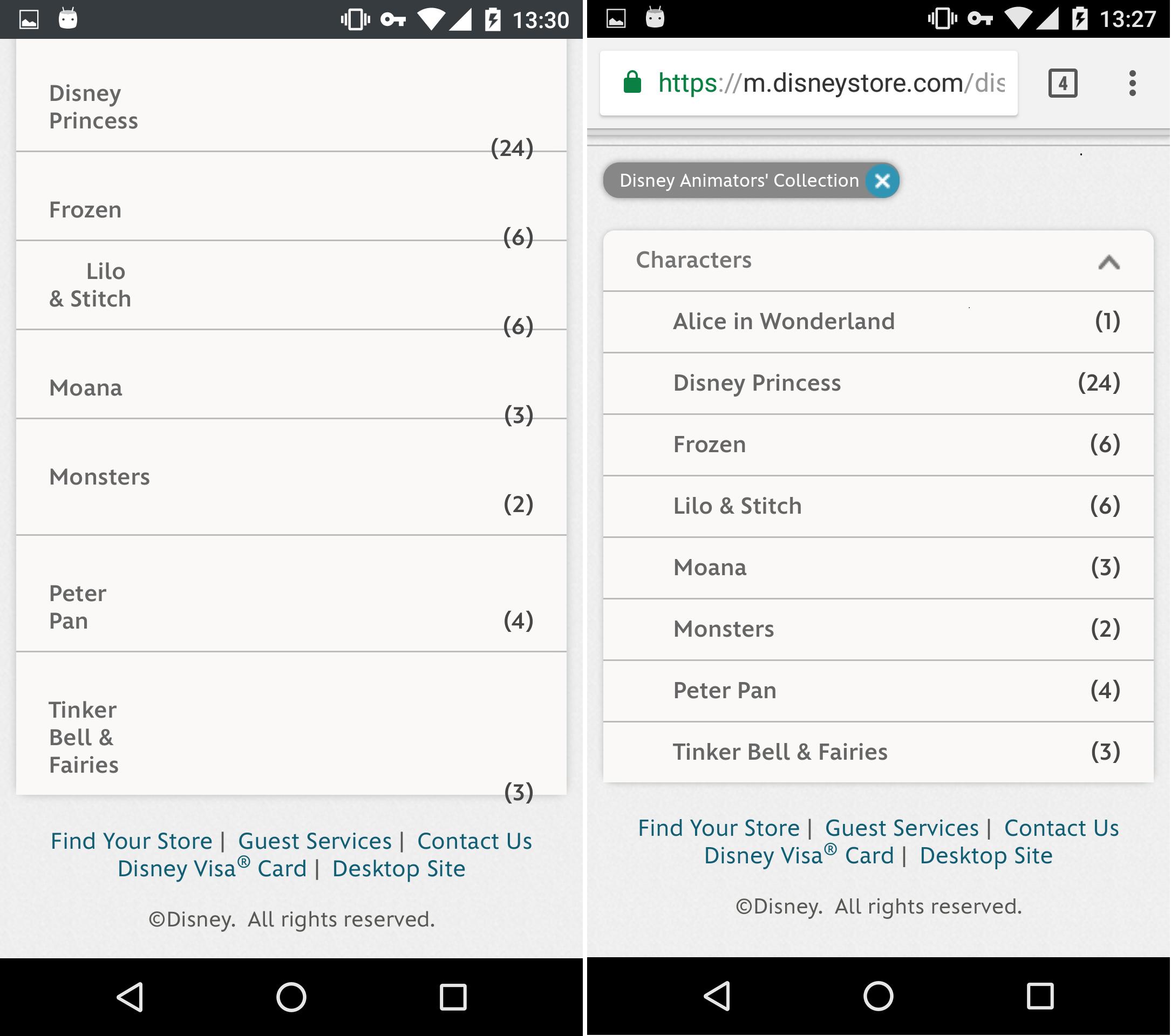
Items and counter are displayed correctly in the allocated space.
Actual Behavior:
Items are not displayed in the entire allocated space and the item count is not correctly positioned.
Note:
- Reproducible also on the Firefox 52.0 Release.
- Not reproducible on Chrome (Mobile) 57.0.2987.132.
- Screenshot attached.
Watchers:
@softvision-sergiulogigan
@softvision-oana-arbuzov
sv; country: us
_From webcompat.com with ❤️_
 softvision-oana-arbuzov
All 16 comments
Thanks @softvision-oana-arbuzov.
The list has a padding-right value of 242px. In Chrome this is ignored but not in Firefox. I'm not sure why they are using this high value but removing it would fix Firefox and Chrome seems fine as well.
.subcategoryContents.container_0 a.subcategoryLink {
    padding: 10px 242px 10px 0px;
}
 adamopenweb
on 12 Apr 2017
adamopenweb
on 12 Apr 2017
I think we can contact them about this issue first. For this issue Firefox doesn't do anything wrong but some trick in Chrome makes it correct, but doesn't mean we need to understand why.
I move this issue to needscontact, is that ok for you @adamopenweb?
 MDTsai
on 4 May 2017
MDTsai
on 4 May 2017
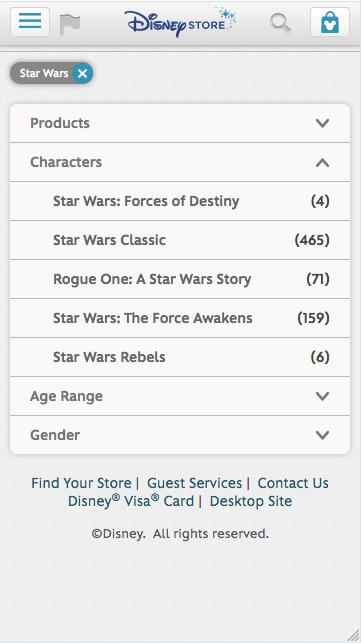
This has been fixed.
 karlcow
on 9 Aug 2017
karlcow
on 9 Aug 2017
So I updated the link, because the previous one was not valid anymore.
https://m.disneystore.com/disney/store/products/filter?Ntt=disney+animators+collection
This one still exhibits the issue.
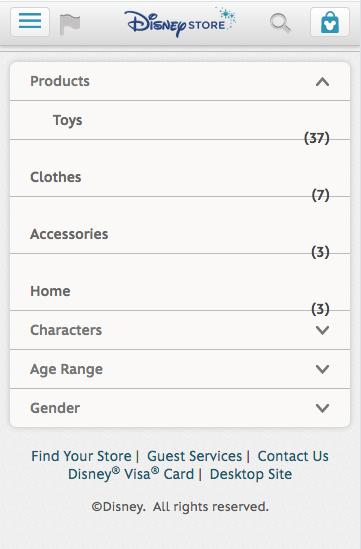
Let's add a bit of outline.
karlcow
on 9 Aug 2017
The best solution indeed like @MDTsai recommended is to put
.subcategoryContents.container_0 a.subcategoryLink {
    padding: 10px 0;
}
As Karlcow commented:
It appears that the issue was fixed for "Characters", but it is still reproducible for "Products" category according to the scenario:
- Navigate to: https://m.disneystore.com/disney/store/search?Ntt=disney%20animators%20collection&isRfkLeftNavSearch=true.
- Tap the “Filters“ button.
- Tap “Products” and observe the list of items.
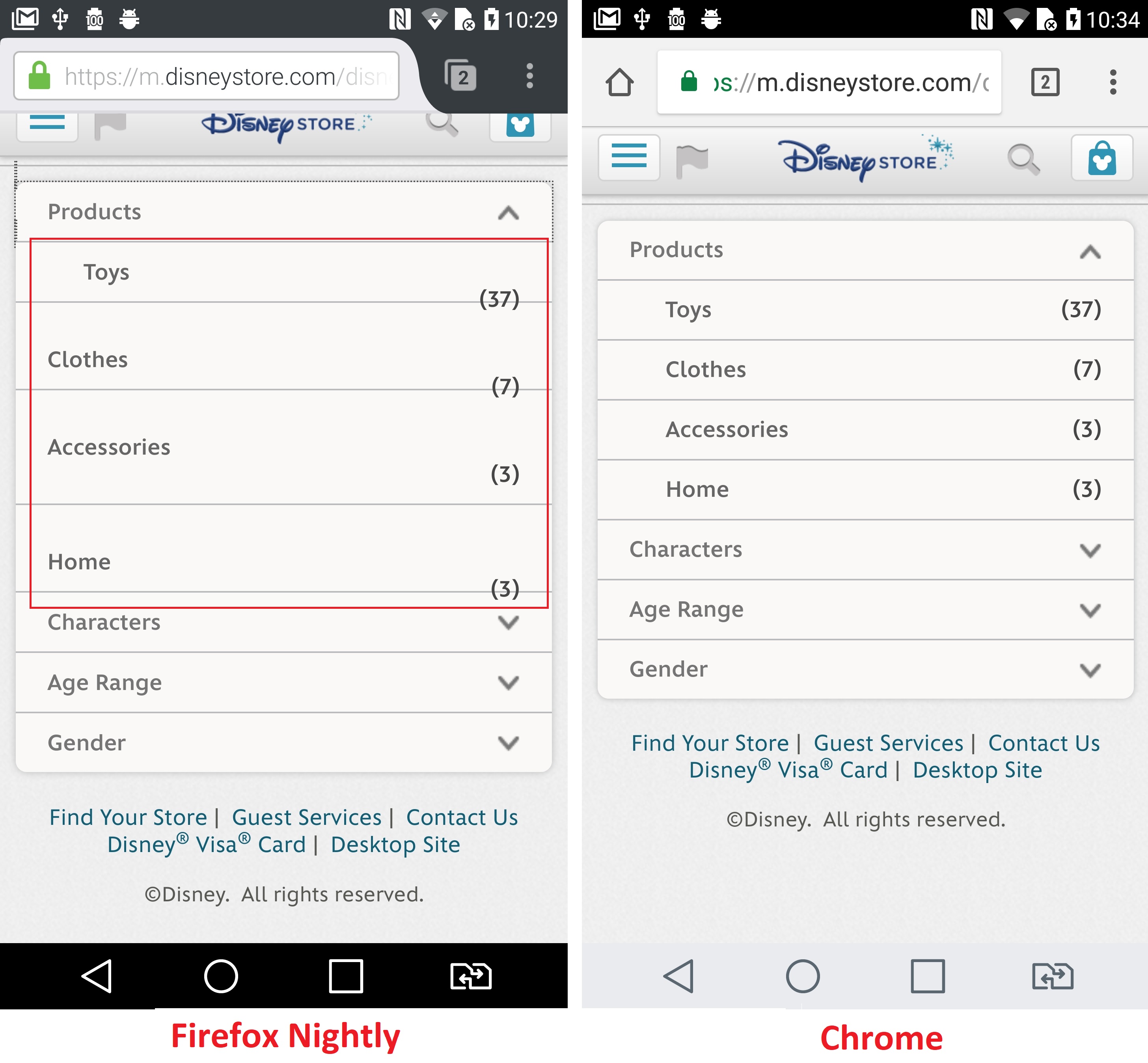
Tested with:
Browser / Version: Firefox Mobile Nightly 57.0a1 (2017-08-07)
Operating System: LG G5 (Android 7.0) - Resolution 1440 x 2560 pixels (~554 ppi pixel density)
softvision-oana-arbuzov
on 9 Aug 2017
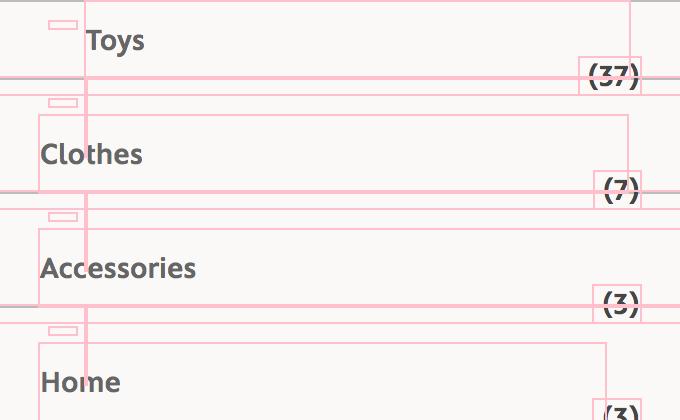
And to better understand the difference in between Blink and Gecko this is the outline when looking with a Blink engine.
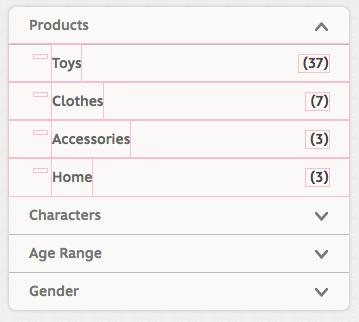
The Blink has a surprising behavior. You can grow the padding value from 0px and when it reaches the left border of the number box, it disappears.
Here with a value of 171px,
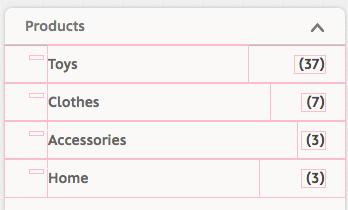
Then reaching 173px see how the accessories one "disappears".
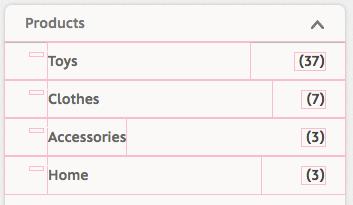
For me it looks like a bug in Blink.
but I'm interested by the opinion of @dholbert.
It smells funny.
Anyway reopening with needscontact.
karlcow
on 9 Aug 2017
Reduced testcase: https://jsfiddle.net/doy5okmz/
HTML:
html
<div class="container">
  <span class="padded">
      a
      <span class="float">Float
CSS:
css
.container {
  width: 300px;
  border: 3px solid black;
}
.padded {
  padding-right: 260px;
  border: 2px dotted lime;
}
.float {
  float: right;
  width: 50px;
  border: 2px dotted red;
}
In Edge and Firefox, "Float" is pushed to a new line. In Chrome and Safari, it is not.
I agree this seems like a Chrome and Safari bug. In particular, if .padded happens to have a background, then it covers up the float, which is undesirable. The relevant spec text here isn't very clear -- I think the most relevant line is "A floating box must be placed as high as possible." Given that floats aren't meant to overlap with other normal-flow sibling boxes, I think the Firefox/Edge behavior makes more sense for "as high as possible" here.
 dholbert
on 10 Aug 2017
dholbert
on 10 Aug 2017
Thanks @dholbert
Created https://bugs.chromium.org/p/chromium/issues/detail?id=754136
I wonder if @foolip knows who to ping for this issue.
karlcow
on 10 Aug 2017
I set a component, @eaenet will probably find it in triage soon.
 foolip
on 10 Aug 2017
foolip
on 10 Aug 2017
Thanks!
karlcow
on 11 Aug 2017
FYI, there is some discussion on the chrome issue that might be relevant.
 eaenet
on 15 Aug 2017
eaenet
on 15 Aug 2017
Two updates:
(1) The Chrome bug is fixed (in trunk at least -- and I can confirm that "Float" gets pushed to a new line now at https://jsfiddle.net/doy5okmz/ , in Chrome dev edition)
(2) The affected site here -- m.disneystore.com -- now seems to redirect to www.shopdisney.com, which has a different design. And I can't find a way to trigger the original bug with the design on this redesigned site.
Can anyone still reproduce the original site issue? If not, should we close this issue?
dholbert
on 26 Sep 2017
Chrome team has fixed the issue.
https://bugs.chromium.org/p/chromium/issues/detail?id=754136#c5
Canary on top
Firefox bottom.
Reduced test case from @dholbert renderings
https://jsfiddle.net/doy5okmz/
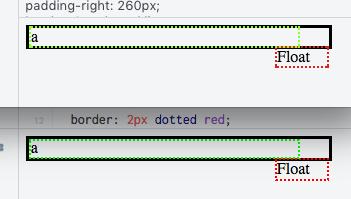
The Disney Web site has changed in the mean time. So we can close the webcompat bug has invalid.
karlcow
on 27 Sep 2017
Safari has still the issue.

karlcow
on 27 Sep 2017
I opened an issue for Safari https://bugs.webkit.org/show_bug.cgi?id=177521
karlcow
on 27 Sep 2017
Related issues
 webcompat-bot
·
4Comments
webcompat-bot
·
5Comments
webcompat-bot
·
4Comments
webcompat-bot
·
5Comments
 scheinercc
·
6Comments
webcompat-bot
·
4Comments
scheinercc
·
6Comments
webcompat-bot
·
4Comments
 christantoan
·
4Comments
christantoan
·
4Comments