Web-bugs: fonts.google.com - unknown
URL: https://fonts.google.com/specimen/Roboto
Browser / Version: Firefox 54.0
Operating System: Linux
Problem type: Unknown
Steps to Reproduce
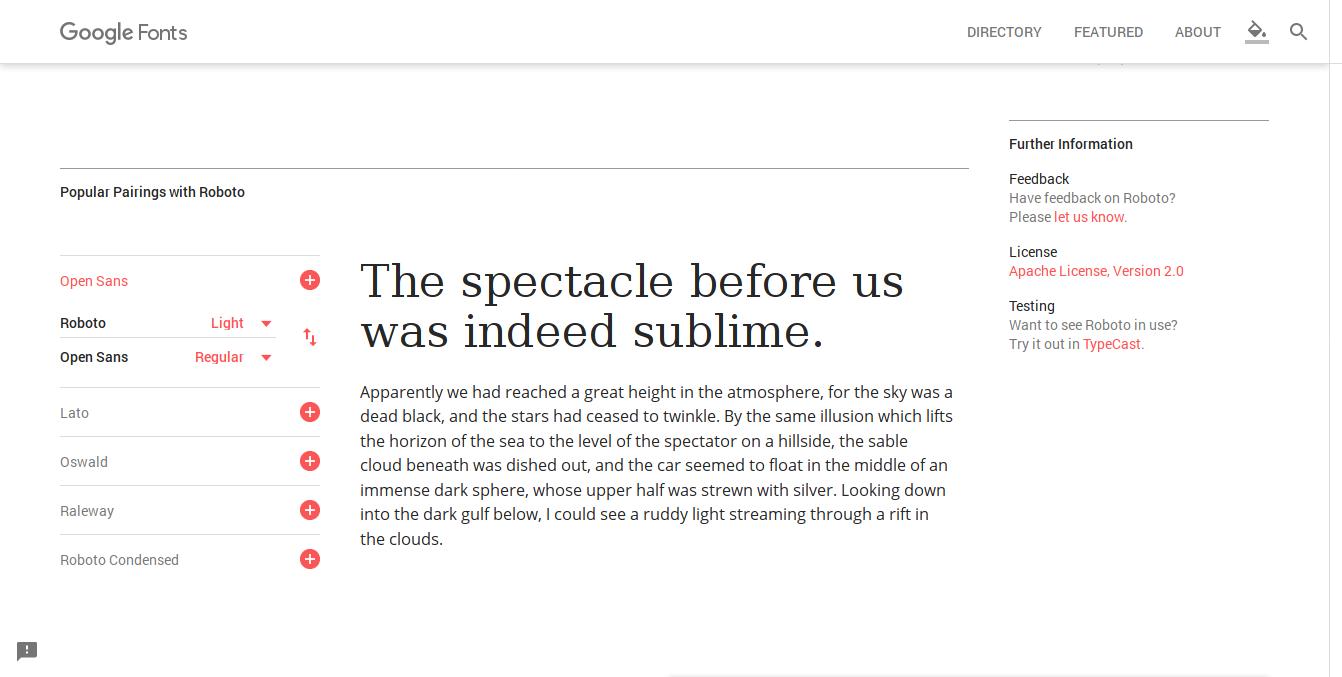
- Navigate to: https://fonts.google.com/specimen/Roboto
- Change font-weight
Expected Behavior: specified font-weight should be applied
Actual Behavior: needed font fails to load due to an Angular error
_From webcompat.com with ❤️_
 webcompat-bot
All 9 comments
Appears to work fine on Windows (Nightly) and Mac (release)
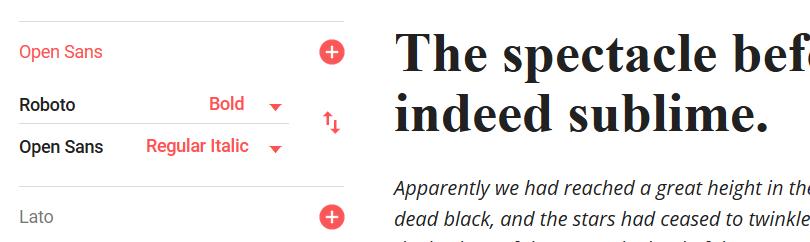
However, above the section shown in that screenshot is another one where you can type in some text and have it rendered in various styles. This fails for me on Windows:
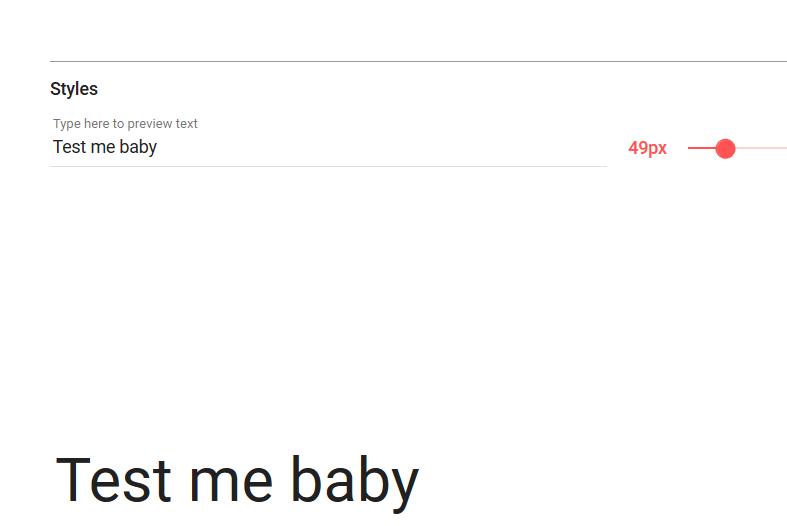
There are a number of error messages: "Native load test failed: Roboto" from Angular in the console.
 hallvors
on 18 Feb 2017
hallvors
on 18 Feb 2017
Cc = function (a, b, c, d) {
  var e = oc([rc(d)], d.variant, '1px');
  a.v.fonts.load(e, c).then(function (a) {
    1 <= a.length && b.resolve()
  }, function () {
    a.h.error('Native load test failed: ' + d.familyName);
    b.reject()
  })
},
So some "load this" promise is returning an error instead of a result.
Unfortunately the Fx devtools debugger is still so slow when stepping in huge scripts that I didn't get very far on this..
hallvors
on 18 Feb 2017
The problem here seems to be related to the loading of the font. I'm getting the following errors in my console (Firefox Developer Edition 53.0a2) -
downloadable font: Layout: DFLT script doesn't satisfy the spec. DefaultLangSys is NULL (font-family: "Roboto script=all rev=1" style:italic weight:900 stretch:normal src index:0) source: https://fonts.gstatic.com/l/font?kit=b9PWBSMHrT2zM5FgUdtu0R522y8kqHRQQsEDESlaDcAOvxghYlPG4T8NJMCgB9Szfmf8HavddHRfeBvF_tD3wQ&skey=b80be3241fe40325&v=v15
downloadable font: Layout: Failed to parse script table 0 (font-family: "Roboto script=all rev=1" style:italic weight:900 stretch:normal src index:0) source: https://fonts.gstatic.com/l/font?kit=b9PWBSMHrT2zM5FgUdtu0R522y8kqHRQQsEDESlaDcAOvxghYlPG4T8NJMCgB9Szfmf8HavddHRfeBvF_tD3wQ&skey=b80be3241fe40325&v=v15
downloadable font: GSUB: Failed to parse script list table (font-family: "Roboto script=all rev=1" style:italic weight:900 stretch:normal src index:0) source: https://fonts.gstatic.com/l/font?kit=b9PWBSMHrT2zM5FgUdtu0R522y8kqHRQQsEDESlaDcAOvxghYlPG4T8NJMCgB9Szfmf8HavddHRfeBvF_tD3wQ&skey=b80be3241fe40325&v=v15
downloadable font: rejected by sanitizer (font-family: "Roboto script=all rev=1" style:italic weight:900 stretch:normal src index:0) source: https://fonts.gstatic.com/l/font?kit=b9PWBSMHrT2zM5FgUdtu0R522y8kqHRQQsEDESlaDcAOvxghYlPG4T8NJMCgB9Szfmf8HavddHRfeBvF_tD3wQ&skey=b80be3241fe40325&v=v15
Looking at Bugzilla, there have been several similar issues to this raised in the past -
- OTS font sanitizer rejects fonts opening a new Google docs document
- FF 44 fails to load some web fonts (WOFF or TrueType/OpenType)
- Google Docs "Some fonts could not be loaded. Try reloading." warnings about "Varela Round--Menu" font
Also see this similar issue raised on a WordPress theme -
In those issues, they seem to have been closed under the statement that this was a problem for Google to solve because the fonts themselves being loaded are the problem (they aren't passing a sanity check).
This is a confusing one 😕
 ireade
on 1 Mar 2017
ireade
on 1 Mar 2017
@ireade, Firefox nightly and dev-edition are simply stricter than beta and release builds about OTF fonts, and generate errors like the messages you were getting.
Bug 1331737 states that you can toggle this stricter behavior off in pre-release builds with the about:config flag gfx.downloadable_fonts.otl_validation. I just tried that right now, and nightly is indeed loading the page.
According to the related bugs, the correct action would be to inform the site about the broken font, but it looks like the latest version has fixed the problem. Their github page confirms:
A subset of an earlier version of Roboto is available from Google Fonts, and can be used as a web font.
Which seems to be the likely problem. As such I've used the feedback form on Google Fonts to send them a note in the hopes that they might update the version they're using, with a link back to this webcompat.com issue:
The version of Roboto up on Google Fonts has strict validation errors, which can be seen if the font is loaded in Firefox nightly or Developer Edition builds. As a result those builds of Firefox cannot load the font (by design) without toggling off strict validation.
I suspect these issues have been fixed in the current version of Roboto on github. For web compatibility's sake, would it be possible to update the version being delivered here on Google Fonts?
Note that we are tracking the issue at https: //github.com/webcompat/web-bugs/issues/4742
Thanks for your time.
@karlcow, @adamopenweb, do you think that will be good enough, or would you like to contact them in some other way?
 wisniewskit
on 3 Mar 2017
wisniewskit
on 3 Mar 2017
@wisniewskit thanks for the clarification!
ireade
on 4 Mar 2017
Moving back to contactready -- @karlcow can we raise this on the ML?
(the feedback form is a great way to raise the issue, but we should be able to get more eyes on it via our mailing list).
 miketaylr
on 1 May 2017
miketaylr
on 1 May 2017
@miketaylr Yes we can try. Note that @wisniewskit said that
- Firefox nightly and dev-edition are not working because stricter.
- Firefox nightly and dev-edition are working when their validation is off with
gfx.downloadable_fonts.otl_validationset to false. - Firefox beta and production are working.
Recontacted through partner mailing-list this time.
 karlcow
on 2 May 2017
karlcow
on 2 May 2017
On May 3, there was this answer from Google.
I've reached out to the google fonts team and will update this thread as soon as I have any new information.
karlcow
on 29 May 2017
The Roboto Google Font (and its landing page) has just been fixed, as reported here. I just confirmed that the font-weight selector does what it is intended to do.
wisniewskit
on 19 Oct 2017
Related issues
karlcow
·
5Comments
 vickychin
·
4Comments
vickychin
·
4Comments
 scheinercc
·
6Comments
webcompat-bot
·
5Comments
webcompat-bot
·
4Comments
scheinercc
·
6Comments
webcompat-bot
·
5Comments
webcompat-bot
·
4Comments
Most helpful comment
@ireade, Firefox nightly and dev-edition are simply stricter than beta and release builds about OTF fonts, and generate errors like the messages you were getting.
Bug 1331737 states that you can toggle this stricter behavior off in pre-release builds with the about:config flag
gfx.downloadable_fonts.otl_validation. I just tried that right now, and nightly is indeed loading the page.According to the related bugs, the correct action would be to inform the site about the broken font, but it looks like the latest version has fixed the problem. Their github page confirms:
Which seems to be the likely problem. As such I've used the feedback form on Google Fonts to send them a note in the hopes that they might update the version they're using, with a link back to this webcompat.com issue:
@karlcow, @adamopenweb, do you think that will be good enough, or would you like to contact them in some other way?