Web-bugs: directvnow.com - Unable to stream using Firefox browser
URL: https://directvnow.com/accounts/create-account
Browser / Version: Firefox 52.0
Operating System: Mac OS X 10.12
Problem type: Something else - I'll add details below
Steps to Reproduce
- use firefox
- navigate to https://directvnow.com/accounts/create-account
expected:
a functional site
actual:
It looks like you’re not using the right browser. Don’t sweat it, you can stream on Google Chrome 50+, Safari 8+ or Internet Explorer 11+ (on Windows 8 and up).
_From webcompat.com with ❤️_
 globau
All 31 comments
Bizarre. I tried in Windows, Linux and OSX, and only my custom build worked (or changing the user-agent string). Together with their message, it seems like they're making a conscious choice to lock out Firefox users.
 wisniewskit
on 30 Nov 2016
wisniewskit
on 30 Nov 2016
Yup! They do redirect even Nightly to https://directvnow.com/accounts/BrowserNotSupported.html
I wonder what they need to stream.
 alex-mayorga
on 30 Nov 2016
alex-mayorga
on 30 Nov 2016
If anyone has an account so they can test the site in Firefox (while spoofing the user-agent string to a Chrome one), then it would help out. They ask for credit card info up-front just to get a simple preview of their service, and I'm not exactly chomping at the bit to do that for a site that seems unwilling to have my business in the first place (plus I'm not a USA resident, and their site seems made only for USA residents).
wisniewskit
on 30 Nov 2016
Some related links:
DIRECTVNOW works best on Google Chrome (50+), but it works on the following browsers:

    Internet Explorer (IE 11+ for Windows 8 or higher)
    Safari (8+)
https://forums.att.com/t5/Connect-a-New-Device/DIRECTV-NOW-on-PC/m-p/4982207
 adamopenweb
on 30 Nov 2016
adamopenweb
on 30 Nov 2016
The support browser page https://support.directv.com/streaming-dtv/3426
Firefox latest on Windows is working but no on MacOS.
I suspect they tap directly into Windows DRM libraries.
on MacOS usually it is FairPlay and Windows it is… PlayReady
but I'm not a video specialist so maybe someone like @cpeterso will know better or knows someone who know better.
 karlcow
on 1 Dec 2016
karlcow
on 1 Dec 2016
I'm also not sure, but based on my understanding I don't think Chrome utilizes PlayReady, just Google's Widevine, which Firefox now also supports (unless I'm mistaken). So if they're just relying on the EME support and CDMs in the supported browsers, then that makes their case seem incredibly flimsy, unless there are bugs preventing them from working properly.
wisniewskit
on 1 Dec 2016
As @wisniewskit pointed out, Chrome does not use Microsoft's PlayReady DRM. Chrome and Firefox both only support Google's Widevine DRM (on Windows, Mac and Linux), so any service that uses HTML5 video on Chrome should work on Firefox with no or minimal changes.
 cpeterso
on 1 Dec 2016
cpeterso
on 1 Dec 2016
@cpeterso Do you know which kind of "minimal changes" and what could we suggest?
karlcow
on 31 May 2017
Also I would not have my hopes too high.
They are probably fully aware about the issue.
https://twitter.com/search?f=tweets&vertical=default&q=directv%20firefox&src=typd
karlcow
on 31 May 2017
@karlcow, if DirecTV is using Widevine DRM in Chrome, then the only code change they should need to support Firefox is removing Firefox from their blocklist. :) I don't have a DirecTV account with which to test.
cpeterso
on 31 May 2017
Trying to reach out via LinkedIn.
adamopenweb
on 31 May 2017
I would not sweat it anymore.
https://www.theverge.com/2017/6/7/15758274/directv-now-google-chrome-exclusive-safari-internet-explorer-browser-support
karlcow
on 7 Jun 2017
Does DirecTV work in Firefox if you spoof Chrome's UA? DirecTV's "Chrome-only" support might just mean that they will require Widevine DRM, which Firefox supports.
cpeterso
on 8 Jun 2017
@cpeterso but if we need to do UA override. We will need to open an issue on https://bugzilla.mozilla.org/enter_bug.cgi?product=Web%20Compatibility
There's nothing we can do in terms of outreach anymore. Business decision on their side.
karlcow
on 8 Jun 2017
There's nothing we can do in terms of outreach anymore. Business decision on their side.
Shouldn't we make that call after we've had discussions with them @karlcow?
(And yes, we need to test if spoofing will work... as a possible workaround since discussions might take forever).
 miketaylr
on 8 Jun 2017
miketaylr
on 8 Jun 2017
if I go there with a Chrome User Agent on Firefox, it fails.
https://www.directvnow.com/accounts/sign-in
karlcow
on 1 Sep 2017
Reaching out to the Senior Director Software Engineering at DirecTV via LinkedIn.

adamopenweb
on 6 Apr 2018
Just an update that I've tried many contacts at this point. Will slowly keep trying to find someone that will at least respond. :)
adamopenweb
on 18 Apr 2018
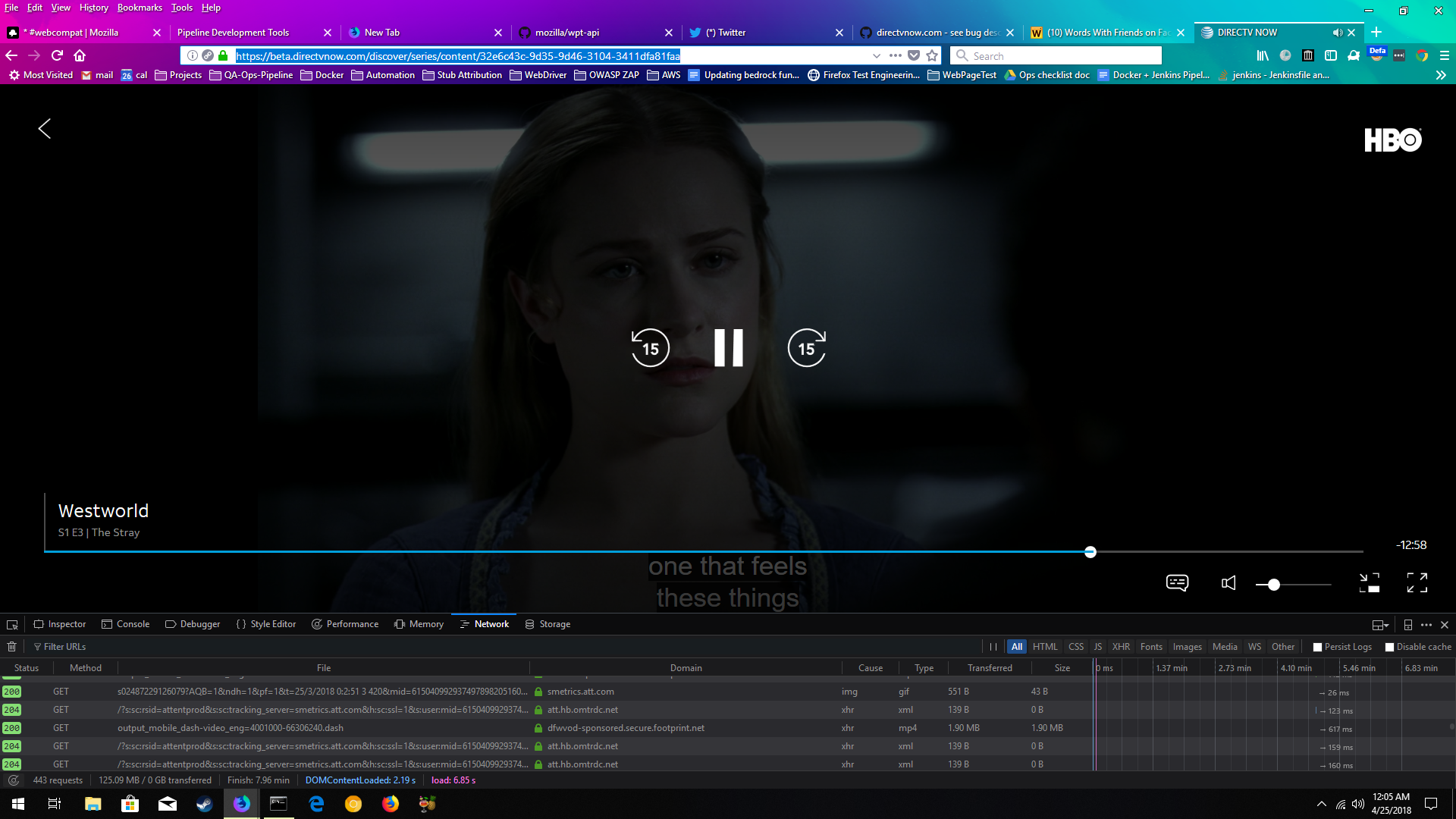
I got DirecTV NOW Beta to work using:
Mozilla/5.0 (Windows NT 10.0; Win64; x64; rv:61.0) Gecko/20100101 Firefox/61.0
Build ID: 20180424220100
spoofed as:
Mozilla/5.0 (Windows NT 10.0; WOW64) AppleWebKit/537.36 (KHTML, like Gecko) Chrome/62.0.3202.9 Safari/537.36
using:
https://addons.mozilla.org/en-US/firefox/addon/user-agent-switcher-revived/
Here's a screenshot of Westworld playing closed captions, sending RUM data back to New Relic, etc., just fine!
 stephendonner
on 25 Apr 2018
stephendonner
on 25 Apr 2018
Just FYI, the Beta shipped today, to prod: https://www.directvnow.com/blog/directv-now-users-get-new-interface-expanded-on-demand-content/
stephendonner
on 16 May 2018
Is this something that we should "fix" with the web compat system add-on?
 past
on 16 May 2018
past
on 16 May 2018
@past I believe after further testing there were some issues with the site in Firefox including video playback. I'll let @stephendonner comment on that.
I think it would be good to have someone from the media team take a look at the issues with @stephendonner (if possible).
adamopenweb
on 16 May 2018
The site itself works now (granted this is quite awhile since this issue was first opened). If there are additional specific issues with directv and Firefox, please open those separately.
 thejohnjansen
on 2 Nov 2018
thejohnjansen
on 2 Nov 2018
Thanks @thejohnjansen we're using this report to track playback support for other browsers on this site as well. I'll remove Edge from the browsers tracked if that is better for you.
adamopenweb
on 2 Nov 2018
The issue is still reproducible on my side.
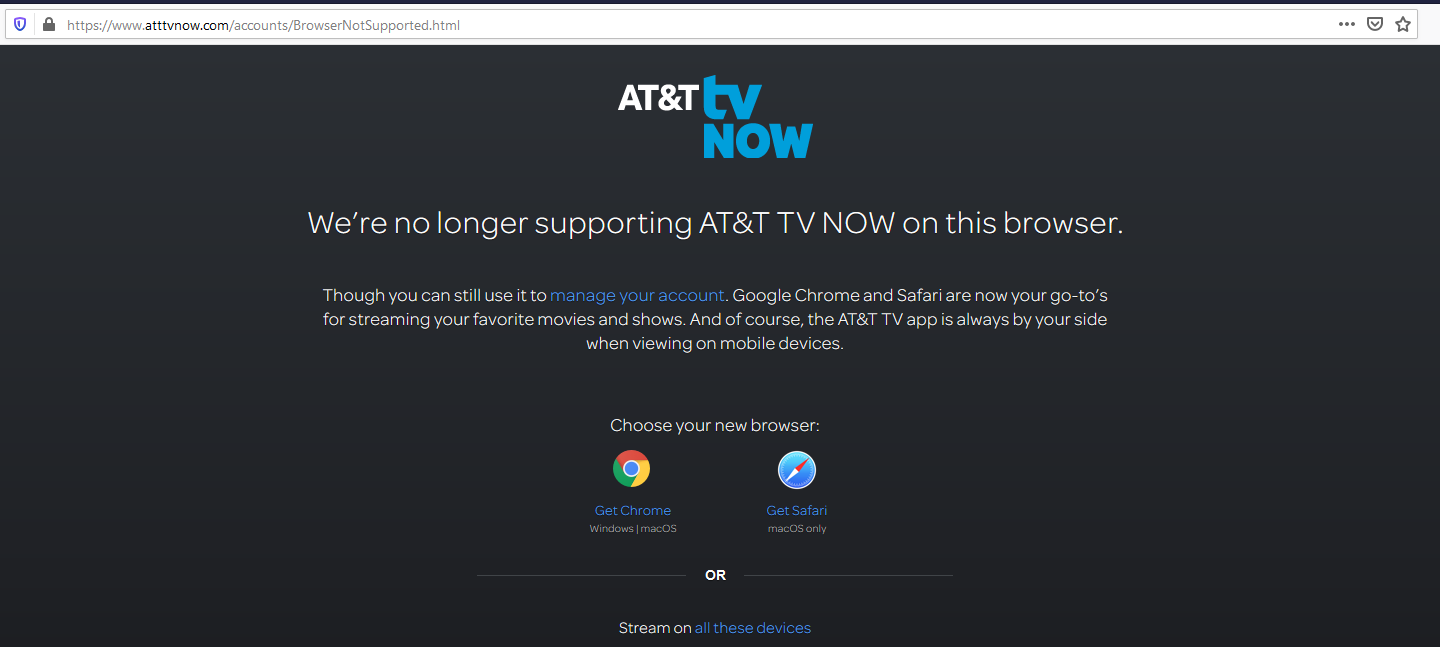
Tested with:
Browser / Version: Firefox Nightly 70.0a1 (2019-08-19)
Operating System: MacOS 10.14.6, Windows 10 Pro
 softvision-oana-arbuzov
on 20 Aug 2019
softvision-oana-arbuzov
on 20 Aug 2019
Looks like the WebCompat add-on has a UA override for directv.com in Firefox on Android. Can we enable it for desktop Firefox, too?
https://github.com/mozilla/webcompat-addon/blob/master/src/data/ua_overrides.js#L163-L181
cpeterso
on 21 Aug 2019
yep, I'll look into this
 ksy36
on 21 Aug 2019
ksy36
on 21 Aug 2019
Since https://www.directvnow.com/accounts/sign-in redirects to https://www.atttvnow.com/accounts/sign-in now, I'll add an override for this domain on desktop:
https://bugzilla.mozilla.org/show_bug.cgi?id=1577519
Created an account and can confirm that playing video in Firefox while spoofing as Chrome works on desktop.
On mobile, when clicking "Watch" in the main menu or going to https://www.att.tv/watchnow , the site offers to download AT&T TV app from Google Play both in Firefox and Chrome.
So, I guess, they do not offer the streaming service on mobile site. Only access to my account is available (profile, manage subscription etc.).
The override for directv.com we have at the moment is meant to solve a separate issue, and it's a different site, looks like (though they're related). I'm curious if playback works there, however I can't test that with my at&t account without paying :(
ksy36
on 29 Aug 2019
@ksy36, after retesting the issue having the UA override for https://www.atttvnow.com disabled I am redirected to the login page with no errors occurring.
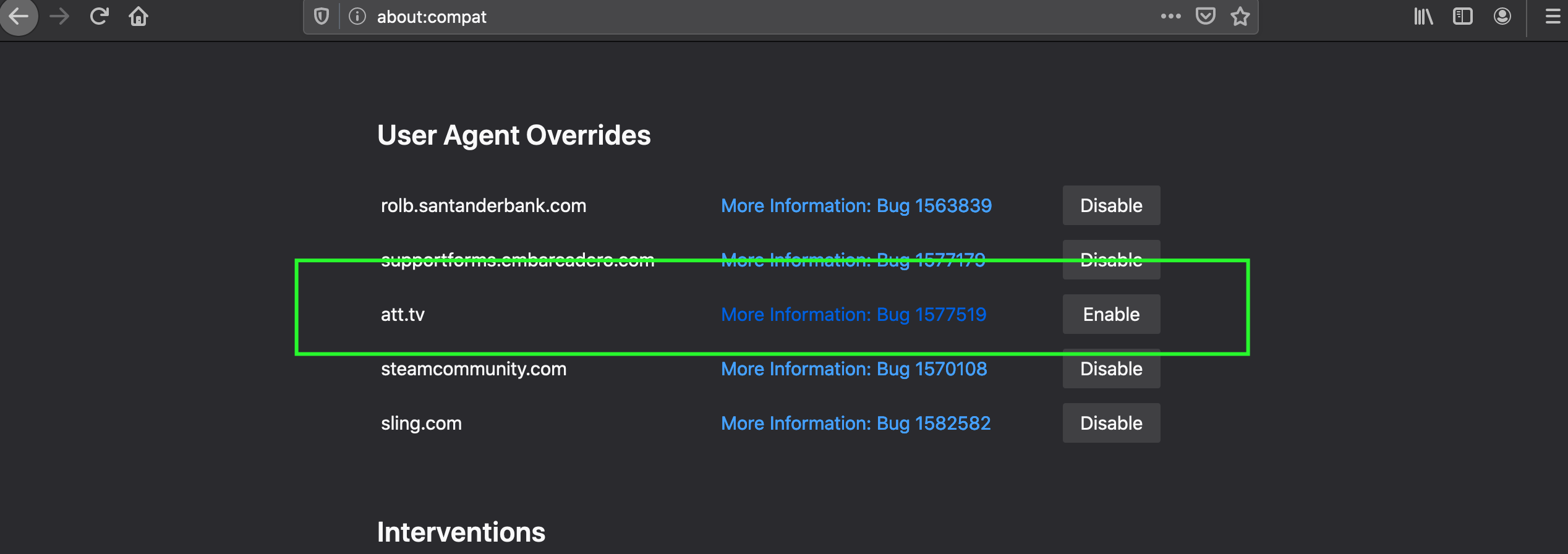
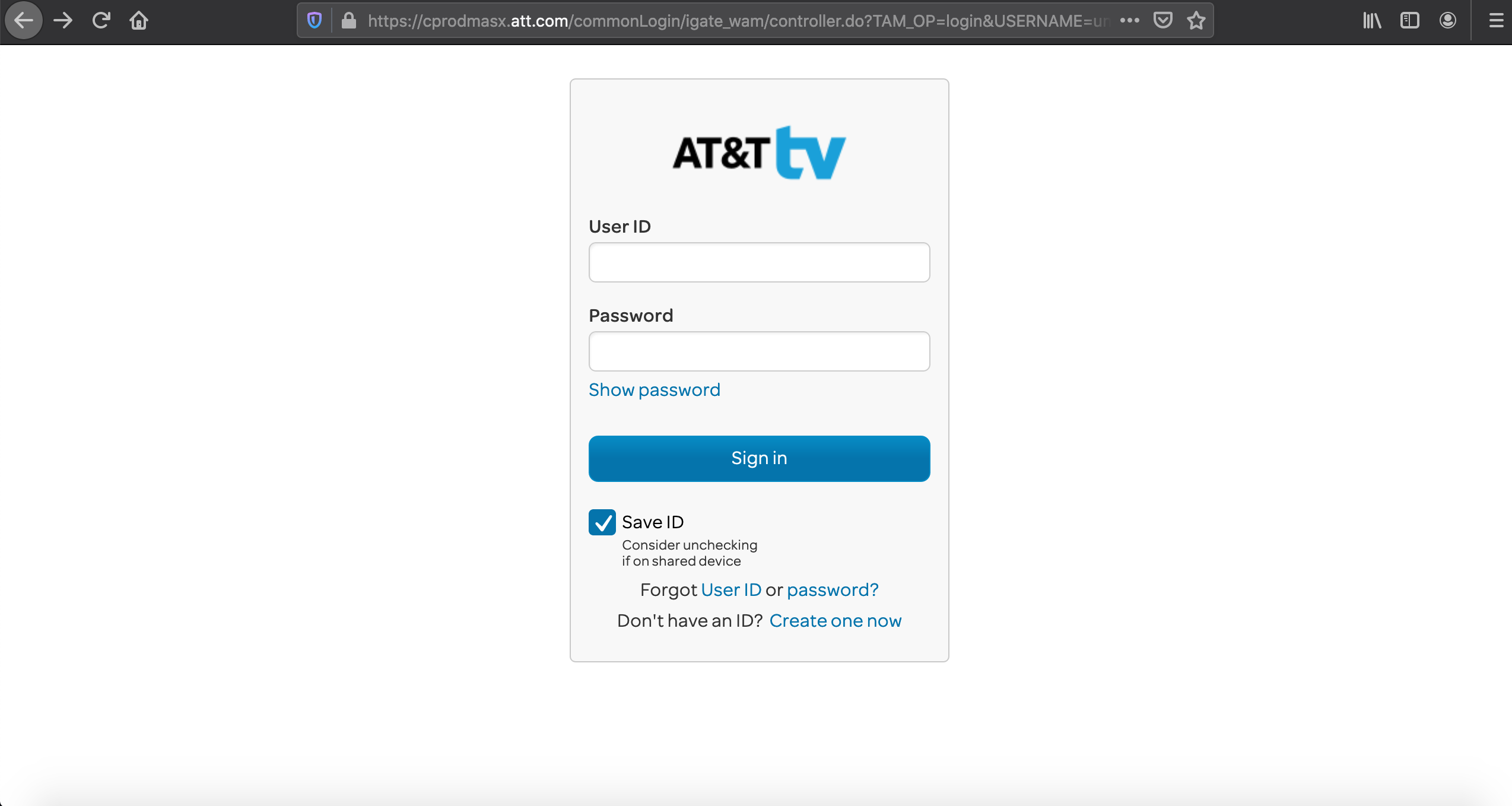
Tested with:
Browser / Version: Firefox Nightly 74.0a1 (2020-01-09)
Operating System: macOS 10.15.2
Is this still an issue?
 cipriansv
on 10 Jan 2020
cipriansv
on 10 Jan 2020
This is still an issue @cipriansv. I had to create an account with trial period though, to be able to reproduce it (my old account didn't seem to work anymore). Have to cancel it now, otherwise they'll charge my card.
Maybe we can get an account for testing this periodically? @miketaylr Or just let this override sit there and not test it every time (doesn't seem that they're going to unblock Firefox).
ksy36
on 16 Jan 2020
I have also discovered a new domain (https://www.attwatchtv.com/), which is also blocking Firefox.
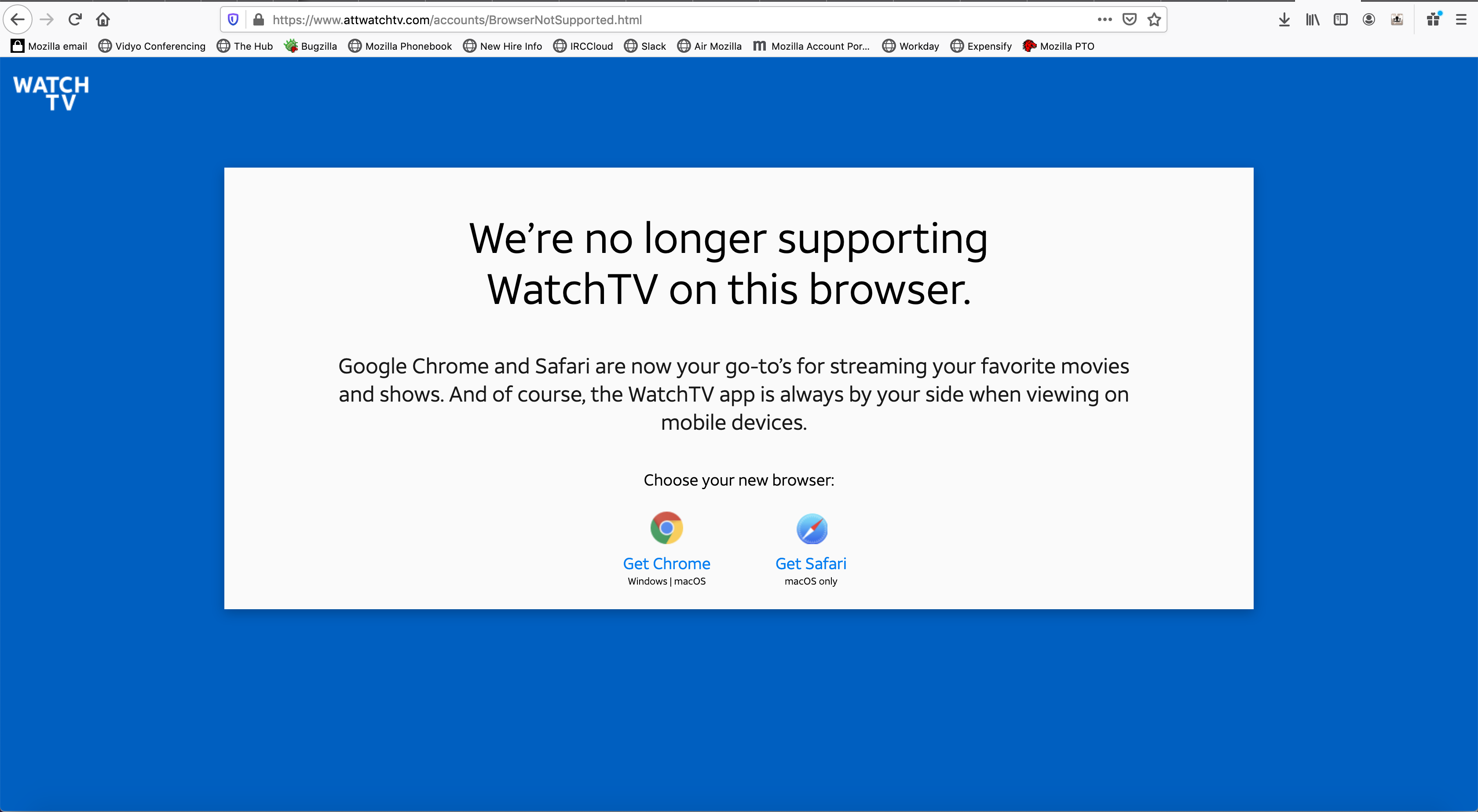
This site is providing an access to the same streaming service at https://www.attwatchtv.com/watchnow. Though the streaming doesn't seem to work neither in Chrome nor in Firefox (with UA spoofing)
ksy36
on 16 Jan 2020
Related issues
 GeorgeWL
·
5Comments
GeorgeWL
·
5Comments
 Ezio916
·
4Comments
Ezio916
·
4Comments
 lolrepeatlol
·
4Comments
lolrepeatlol
·
4Comments
 IngrownMink4
·
3Comments
IngrownMink4
·
3Comments
 bvanrijn
·
4Comments
bvanrijn
·
4Comments