Web-bugs: www.croma.com - see bug description
URL: http://www.croma.com/store?location=default
Browser / Version: Firefox 51.0
Operating System: Linux
Problem type: Something else - I'll add details below
Steps to Reproduce
1) Navigate to: http://www.croma.com/store?location=default
2) click drop down boxes under Store locator
Expected Behavior:
Drop down box should work
Actual Behavior:
Cannot select stores, only keyboard arrows work once drop down box is selected
_From webcompat.com with ❤️_
 bull500
All 15 comments
Thanks for the report @bull500! This is interesting.
Firefox 48/49 with e10s enabled - works for me
Firefox 50/51 with e10s enabled - issue reproduces
Firefox 50/51 in Non-e10s tab - works for me
Tested in OSX and Ubuntu.
 adamopenweb
on 10 Aug 2016
adamopenweb
on 10 Aug 2016

hmm another site with the wrong order for the CSS (but that's not related)
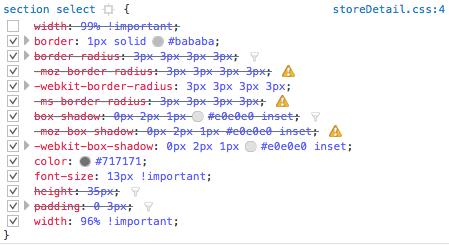
The drop down is activated by
function drop_down_list1() {

    $('#leveldropdown').show();
    var city = $('#city').val();

    var level;
    $
            .ajax({
                async : false,
                type : "POST",
                url : "store/location",
                data : "city=" + city,
                success : function(data) {
                    var html = '<option value="" style="display: none">Select Location</option>';
                    var len = data.length;
                    //document.getElementById("StoreAddress").style.display = "inline";
                    for (var i = 0; i < len; i++) {
                        html += '<option value="' + data[i] + '">'
                                + data[i] + '</option>';
                    }
                    html += '</option>';
                    $('#level').html(html);
                }
            });
}
Also funky document to parse…
→ http -b GET 'http://www.croma.com/store?location=default' | egrep DOCTYPE

<!DOCTYPE html>
<!DOCTYPE html>
<!DOCTYPE html>
The two first DOCTYPE are scripts. Basically the document is organized like this.
<!DOCTYPE html>
<meta http-equiv="X-UA-Compatible" content="IE=Edge,9,chrome=1">
<script src="http://ajax.googleapis.com/ajax/libs/jquery/1.11.2/jquery.min.js"></script>
<!-- <script src="Scripts/jquery-ui.min.js" type="text/javascript"></script> -->
<script type='text/javascript'>

function drop_down_list1() {
// cut the code
}
function drop_down_list2(location){
// cut the code
}
</script>

<!DOCTYPE html>
<meta http-equiv="X-UA-Compatible" content="IE=Edge,9,chrome=1">
<!-- <link href="https://cdnjs.cloudflare.com/ajax/libs/font-awesome/4.3.0/css/font-awesome.css" rel="stylesheet"/> -->
<link href="/_ui/desktop/common/css/font-awesome.css" rel="stylesheet" type="text/css" />
<script type="text/javascript">

// cut the code

</script>


<!DOCTYPE html>
<html lang="en">
<head>
    <title>
         Croma Retail Shop</title>

<!-- Finally the rest of HTML -->
Not sure how Firefox handles the script up there
 karlcow
on 11 Aug 2016
karlcow
on 11 Aug 2016
How many jquery libs do you need for a Web page?
→ http -b GET 'http://www.croma.com/store?location=default' | egrep '/jquery/'

<script src="http://ajax.googleapis.com/ajax/libs/jquery/1.11.2/jquery.min.js"></script>
<script src="https://ajax.googleapis.com/ajax/libs/jquery/1.12.0/jquery.min.js"></script>
<script src="https://ajax.googleapis.com/ajax/libs/jquery/1.12.0/jquery.min.js"></script>
This is without counting all the possible jquery modules.
Moving to needsdiagnosis.
karlcow
on 11 Aug 2016
Similar to @adamopenweb, v48 (e10s enabled) works as expected, v50 (e10s enabled) is broken. Problem seems to be the style="display: none" attribute on the first <option> tag in each dropdown; removing that inline style will trigger normal behavior.
 endemic
on 24 Aug 2016
endemic
on 24 Aug 2016
@endemic very good find.
Indeed. The box has very strange values.

I can isolate the issue and reproduce it:
http://codepen.io/webcompat/pen/KrjmAN
in Firefox Nightly 51.0a1 (2016-08-23) with e10s

In Safari Release 11 (Safari 9.1.2, WebKit 11603.1.2)

In Opera Blink

karlcow
on 25 Aug 2016
You can notice that none of the rendering engines agrees, but at least WebKit and Blink are usable.
Opening a bug on Bugzilla…
Here it is.
https://bugzilla.mozilla.org/show_bug.cgi?id=1297909
karlcow
on 25 Aug 2016
In the meantime, we could ask them to replace
<select id="city" name="city" onchange="drop_down_list1()">
    <option value="" style="display:none">Select City</option>
    <option value="AHMEDABAD">AHMEDABAD</option>
    <option value="AURANGABAD">AURANGABAD</option>
    <!-- cutting code -->
</select>
by
<select id="city" name="city" onchange="drop_down_list1()">
    <option value="" hidden="">Select City</option>
    <option value="AHMEDABAD">AHMEDABAD</option>
    <option value="AURANGABAD">AURANGABAD</option>
    <!-- cutting code -->
</select>
It doesn't change anything in Blink (hiding select city on select) and Safari (doing nothing), but it makes it work in Gecko (same behavior than Safari).
Switching to needscontact
karlcow
on 25 Aug 2016
  <select id="city" name="city">
    <option value="" hidden selected disabled>Select City</option>
    <option value="paris">Paris</option>
    <option value="tokyo">Tokyo</option>
    <option value="dakar">Dakar</option>
</select>
This would work perfectly in all modern browsers.
karlcow
on 25 Aug 2016
@karlcow 👍😄
endemic
on 25 Aug 2016
Croma is an infiniti retail brand, which itself is part of the Tata Group.
http://www.tata.com/company/profile/Infiniti-Retail
They have a contact us page with an email address.
http://www.croma.com/contact-us
And they seem to interact with the public on twitter
https://twitter.com/TataCompanies/status/768397160400519169
Switching to contactready
karlcow
on 29 Aug 2016
karlcow
on 15 Sep 2016
fyi the issue in Firefox has been fixed in Firefox 51.
https://bugzilla.mozilla.org/show_bug.cgi?id=1297909
Thanks @bull500 and @endemic
karlcow
on 15 Sep 2016
@karlcow can we close this issue? I can select stores in Firefox 55 for OSX.
adamopenweb
on 16 May 2017
sure.
karlcow
on 17 May 2017
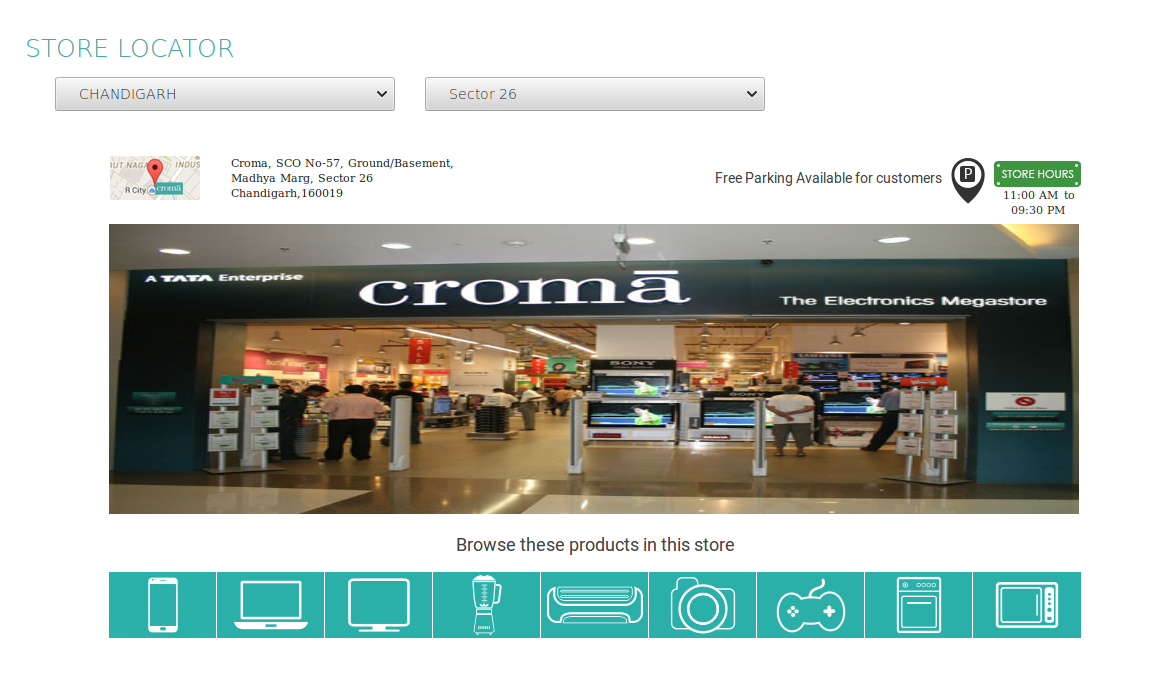
The issue has been fixed.
Tested with:
Browser / Version: Firefox Nightly 70.0a1 (2019-08-21)
Operating System: Linux Mint
 softvision-sergiulogigan
on 22 Aug 2019
softvision-sergiulogigan
on 22 Aug 2019
Related issues
 vickychin
·
4Comments
vickychin
·
4Comments
 webcompat-bot
·
5Comments
webcompat-bot
·
5Comments
 GeorgeWL
·
5Comments
GeorgeWL
·
5Comments
 IngrownMink4
·
3Comments
IngrownMink4
·
3Comments
 lolrepeatlol
·
4Comments
lolrepeatlol
·
4Comments
Most helpful comment
fyi the issue in Firefox has been fixed in Firefox 51.
https://bugzilla.mozilla.org/show_bug.cgi?id=1297909
Thanks @bull500 and @endemic