Web-bugs: language.chinadaily.com.cn - see bug description
URL: http://language.chinadaily.com.cn/
Browser / Version: Firefox 50.0
Operating System: Mac OS X 10.11
Problem type: Something else - I'll add details below
Steps to Reproduce
1) Navigate to: http://language.chinadaily.com.cn/
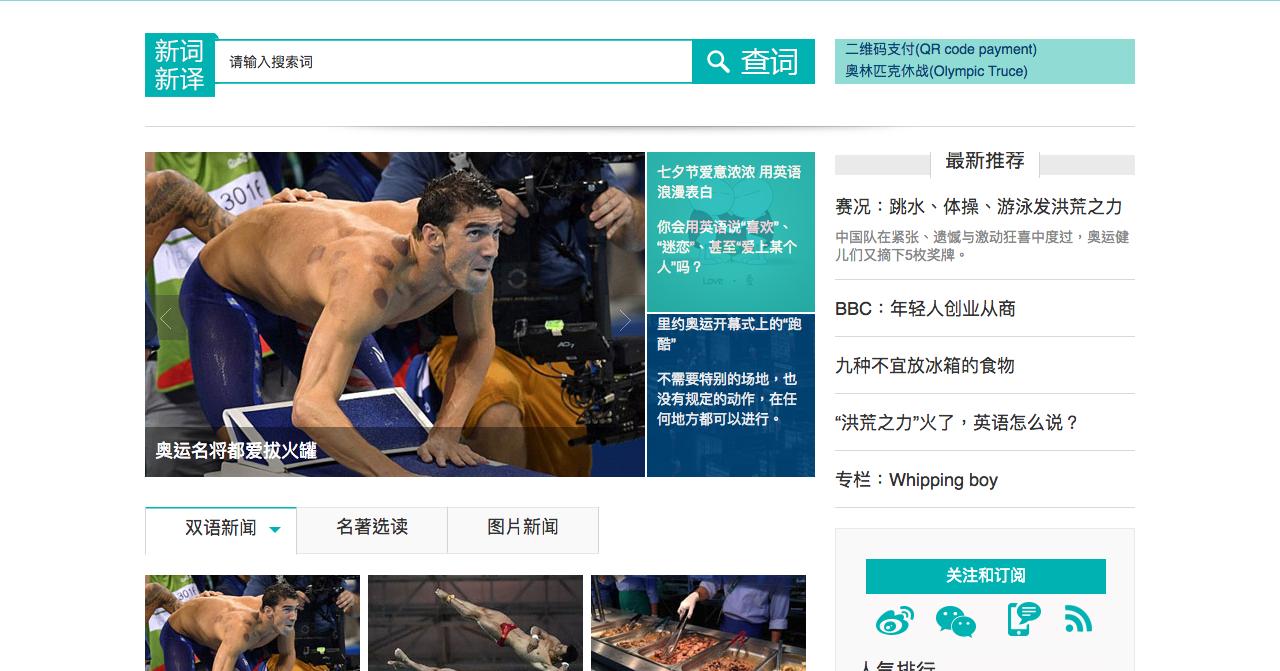
2) See the right column "最新推荐"
Expected Behavior:
Text is shown correctly
Actual Behavior:
Text is cut about 0.5px on the top. .tui span line-height: 20px is root cause. Disable or enlarge to 21px looks good for me.
_From webcompat.com with ❤️_
 MDTsai
All 13 comments
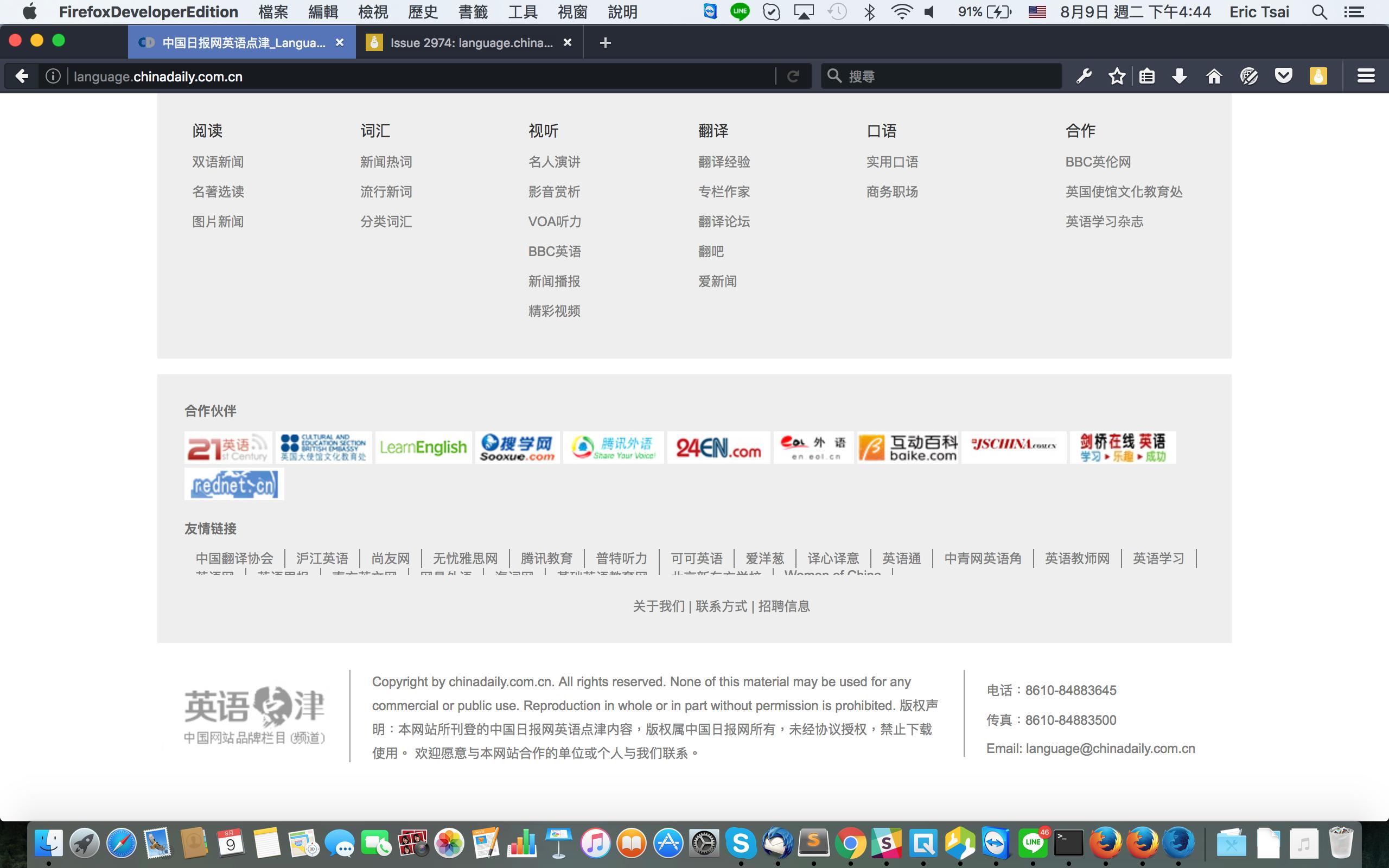
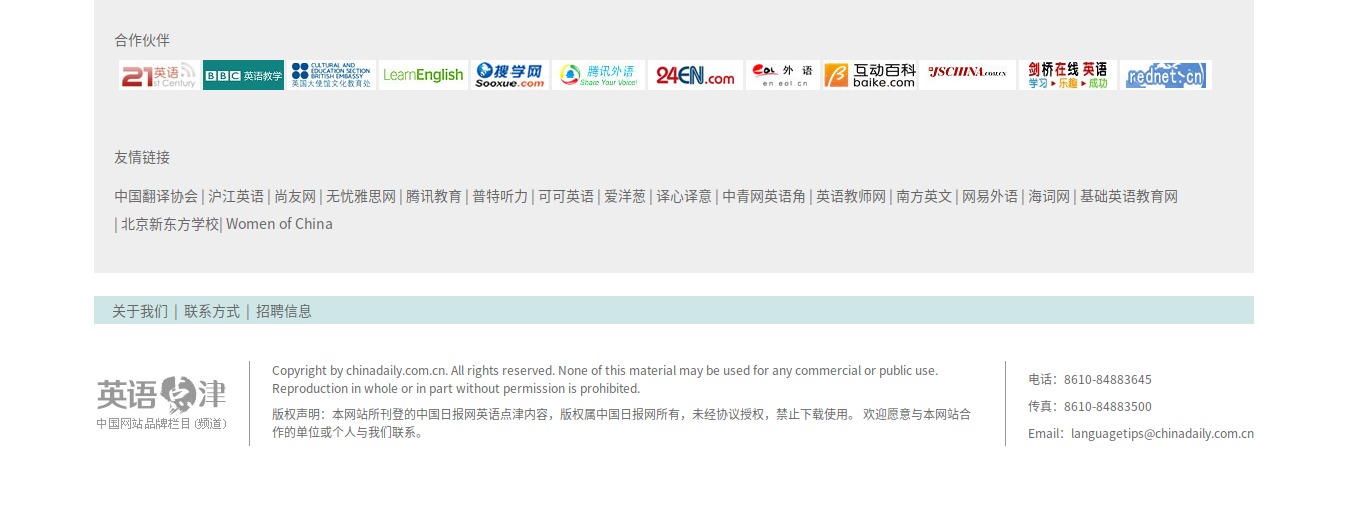
Another issue at the bottom of this page, the 友情链接 ul, texts are cut in second line
MDTsai
on 9 Aug 2016
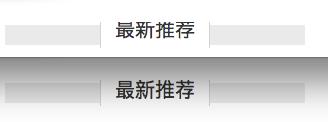
Firefox on top, Safari on bottom
 karlcow
on 10 Aug 2016
karlcow
on 10 Aug 2016
I can see a slight difference in box position once we draw an outline.
Firefox
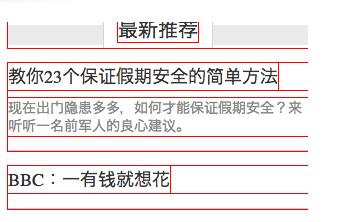
Safari
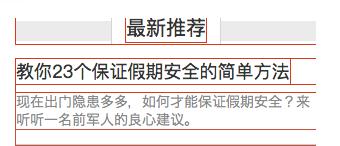
After adding padding to the top of .all-right
.all-right {
    margin: 0px;
    padding: 8px 0 0 0;
    float: right;
    width: 300px;
}
We can even see better the difference between Gecko and WebKit.
Firefox left, Safari right.

something strange though, while the outline around the nesting box is declared to be 26px in devtools. it is in real bigger than 26px. We can see the outline bigger than the background image.
A bug in Gecko?
ping @dholbert for boxes-fu!
karlcow
on 10 Aug 2016
About 友情链接 on bottom, set margin-top to 0 can fixed this. The .lian div computed size is 940x0, is this root cause?
MDTsai
on 22 Sep 2016
Discuss with @heycam today, he can help pass this issue to correct owner.
MDTsai
on 4 Oct 2016
File bug https://bugzilla.mozilla.org/show_bug.cgi?id=1307678 for follow-up, check the fallback font first.
MDTsai
on 5 Oct 2016
From https://bugzilla.mozilla.org/show_bug.cgi?id=1307678
One thing I notice is that http://language.chinadaily.com.cn/ doesn't seem to have a lang attribute (e.g. on the root element), so it looks like the Chinese text is actually getting a default Japanese font. Adding lang="zh-CN" should cause it to use our Chinese font prefs rather than Japanese during fallback, which seems like it's probably more appropriate for the site.
@MDTsai could you contact them for asking them to specify a "lang" attribute.
karlcow
on 22 Nov 2016
Yes, I sent a mail to customer service today for language attribute. Wait for their feedback.
MDTsai
on 23 Nov 2016
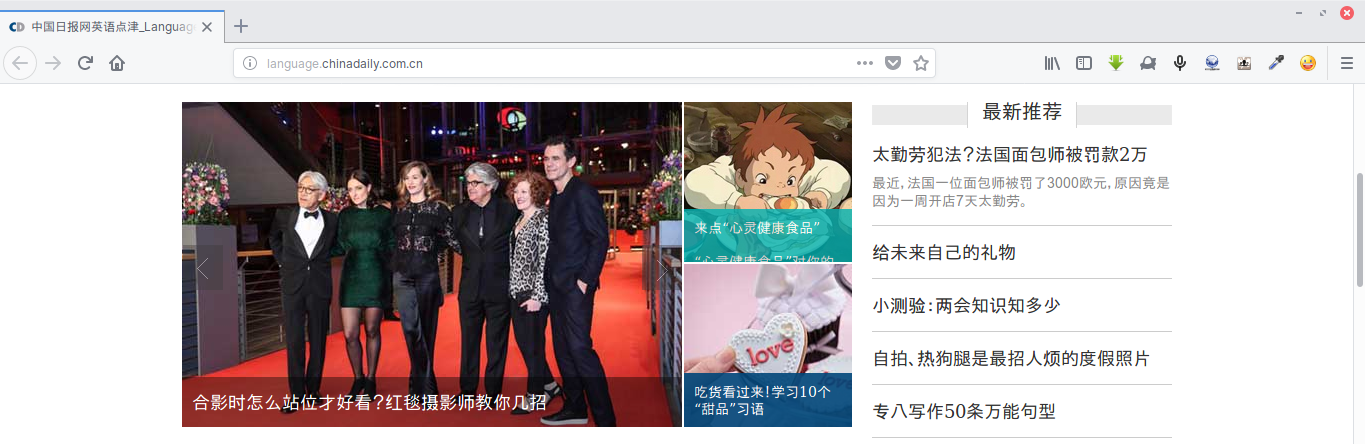
This issue is partially fixed.
The text under "最新推荐" is now rendered correctly. (See the punctuation marks being correctly placed)
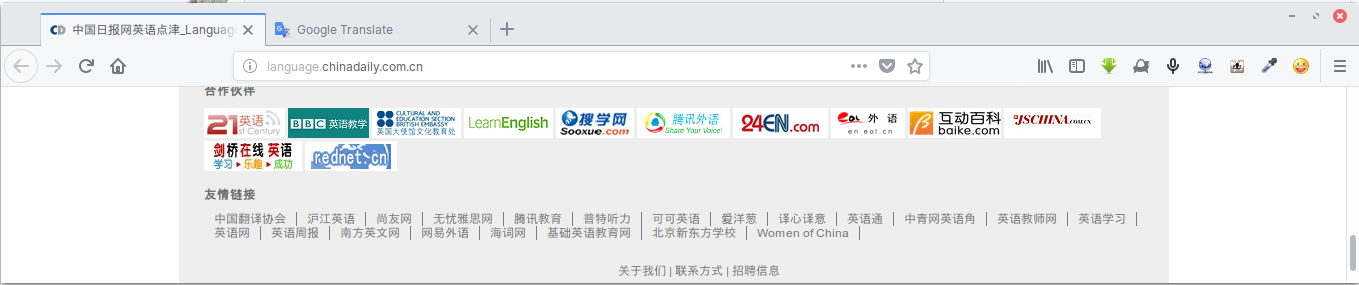
The footer text layout is fixed.
Unfortunately, the
lang="zh-CN"attribute is not being applied to the page. This page is being rendered with Japanese Kanji instead.
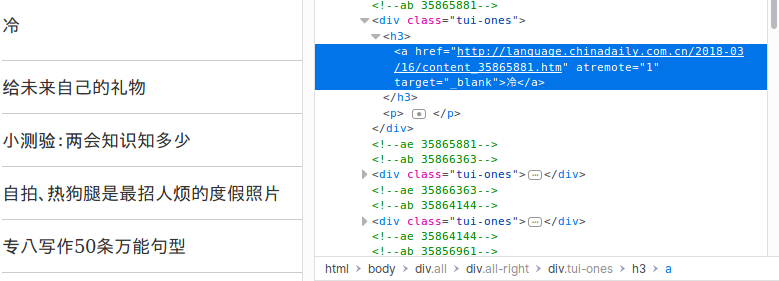
Note: I modify the 1st title to "冷" to demonstrate differences between (Simplified) Chinese Hanzi and Japanese Kanji, as in #8900.
 reinhart1010
on 16 Mar 2018
reinhart1010
on 16 Mar 2018
The layout has changed.
Tested with:
Browser / Version: Firefox Nightly 70.0a1 (2019-08-20)
Operating System: MacOS 10.14.6
@reinhart1010 and @MDTsai can you still reproduce any of the issues (cropped text and rendered language)? If yes please reopen.
 softvision-oana-arbuzov
on 21 Aug 2019
softvision-oana-arbuzov
on 21 Aug 2019
I can confirm the site change and the footer issue is no longer reproducible.
The column title (e.g. "最新推荐") are now left-aligned, yet there are no issues with it as well.
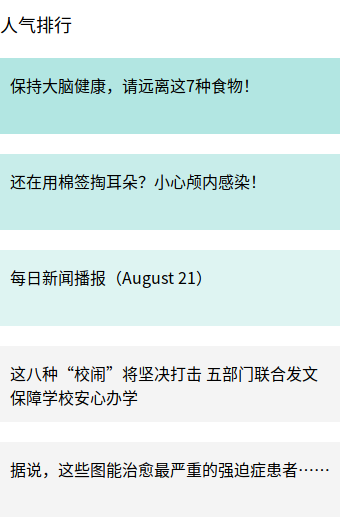
The default font is now set to "微软雅黑" (Microsoft YaHei), a Simplified Chinese font. In my Linux installation this is substituted with "Noto Sans SC", hence Japanese Kanji issue is no longer reproducible. (CSS Source)
So it's safe to close this as invalid.
reinhart1010
on 21 Aug 2019
confirmed
MDTsai
on 21 Aug 2019
Thanks @reinhart1010 and @MDTsai for your input.
softvision-oana-arbuzov
on 29 Aug 2019
Related issues
 bvanrijn
·
4Comments
bvanrijn
·
4Comments
 scheinercc
·
6Comments
scheinercc
·
6Comments
 IngrownMink4
·
3Comments
IngrownMink4
·
3Comments
 Ezio916
·
4Comments
Ezio916
·
4Comments
 webcompat-bot
·
4Comments
webcompat-bot
·
4Comments