Waveboxapp: Gmail unread count is incorrect
Which version of Wavebox are you using? [e.g. 3.0.0]
3.14.5Which Operating System are you using? [e.g. Windows 10, Mac OSX 10, Ubuntu 14.04]
Arch Linux
Wavebox insists that I have 3 unread messages, while I have none. I tried to mark these messages as unread and read them again, but nothing changed. I tried to remove the account and add it again, nothing changed.
Let me know if I can provide some more details.
 nplatis
All 26 comments
@nplatis did you also try the information that is in the knowledge base: https://wavebox.io/kb/google-unread-counts
There are some guidelines there on how it works so it could shed some light on the matter if you can check and test that.
Please do give feedback on what you tested there and if the problem still comes up.
 nmat
on 29 Apr 2018
nmat
on 29 Apr 2018
I tried every combination of Gmail settings and Wavebox settings and here are my findings (in all cases, the Wavebox setting was set according to the suggestion on the knowledge base article). Now that I am checking the situation, I have only 1 unread message.
| Gmail setting | Result |
| --- | --- |
| Default | Badge shows 3 unread, I have none.
| Important First | Badge shows 4 unread, I have 1 (in the 'Default' setting this message was in the 'Promotions' tab)
| Unread First | Badge shows 1 unread, I have 1
| Starred First | Badge shows 4 unread, I have 1
| Priority Inbox | Badge shows 4 unread, I have 1
So, in almost any case Wavebox shows 3 more unread messages than there actually are.
Let me also note that even in the 'Unread First' setting, the mini-app shows 4 unread messages: the one that is actually unread and the three other messages that Wavebox always considers unread.
So, for some strange reason, Wavebox thinks that three (specific, always the same) of my messages are always unread.
nplatis
on 29 Apr 2018
can't really answer this in a good way unfortunately. Sorry, but I can share to you what I use to get my unread counter working for gmail and at least here it does show the correct values:
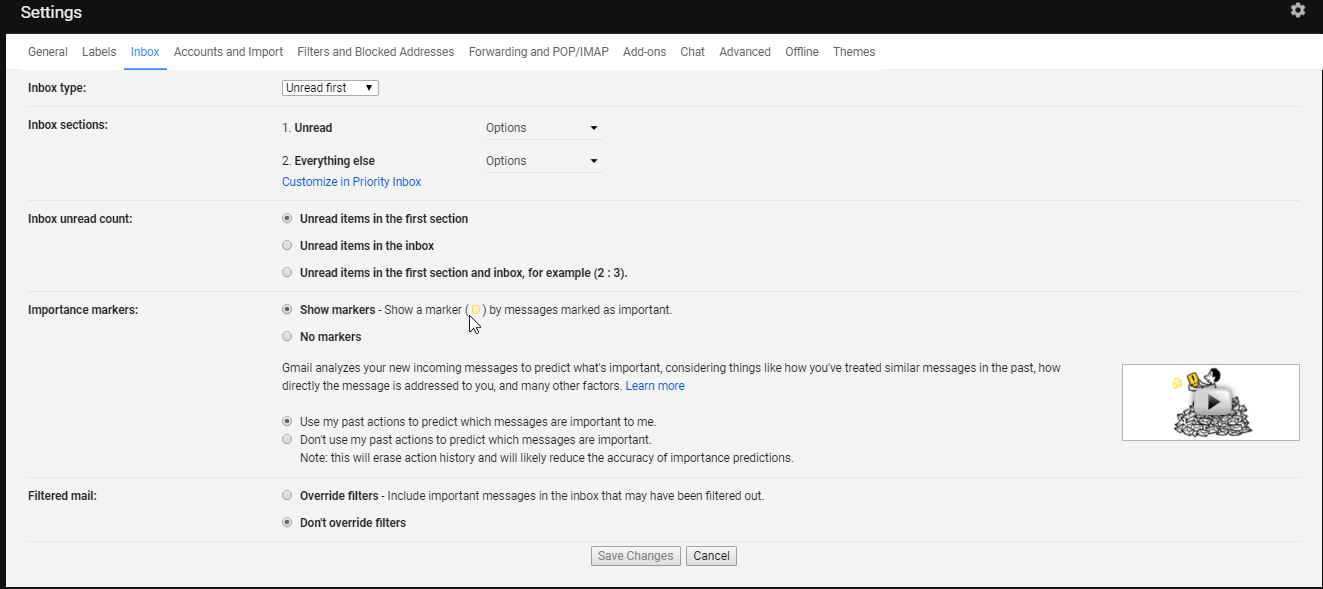
Inside wavebox:

nmat
on 1 May 2018
OK, but does it also show correct values if you use other (suggested) settings?
nplatis
on 1 May 2018
that is the question I can answer really. All I know is that this does work for me for getting the correct values on unread regarding inbox mail etc.
nmat
on 1 May 2018
The mode that's used in Wavebox sets out what search should be done on Gmail. The search returns the same results as an inbox mode in Gmail. In a nutshell...
Gmail Inbox Type | Wavebox Unread Mode | Gmail Search
-- | -- | --
Default | Unread Messages in Primary Category | label:inbox label:unread category:primary
Important First | Unread Important Messages | label:inbox label:unread is:important
Unread First | Unread Messages | label:inbox label:unread
Starred First | Unread Important Messages | label:inbox label:unread is:important
Priority Inbox | Unread Important Messages | label:inbox label:unread is:important
Ideally we'd love to just "know" what inbox type is being used so there's no configration step, but Google don't supply a way to do this yet
 Thomas101
on 1 May 2018
Thomas101
on 1 May 2018
Maybe my comment https://github.com/wavebox/waveboxapp/issues/659#issuecomment-385232994 was not clear enough: I have tried each and every of these combinations (as mentioned in the Knowledge Base article https://wavebox.io/kb/google-unread-counts) and in most configurations Wavebox finds three unread messages that are really not unread.
I also tried the Gmail search strings that @Thomas101 suggested and no unread messages actually exist -- but Wavebox keeps reporting 3 unread messages!
nplatis
on 1 May 2018
Sorry, I thought because you'd closed the issue it had sorted itself out.
There's a couple of things to try...
- Right click on the account icon on the left of the screen and then pick
Reauthenticateand follow the on-screen prompts. This will grab a new token from Gmail in case there's a glitch their end - Open the Wavebox tray and navigate the account that's showing the emails. You should be able to click through to the unread email from here and maybe clear it/give more information about the false-positives
If neither of those work, can you check which inbox type you're using in Gmail? (E.g. Default, Important First, Unread First etc...) and are you using the new Gmail?
Thomas101
on 2 May 2018
Sorry, closing it was a mistake.
I have already tried everything you suggested. Right now I installed Wavebox in another computer, the result is exactly the same.
Indeed I was using the new Gmail, but I tried going back to the old one; still the same.
The same three specific messages are always "unread" for Wavebox.
nplatis
on 2 May 2018
Do you use Google Inbox at all (e.g. on your phone or on another device). Do any of the emails have an assist on them? For example, they'll normally have "Reply to..." or "Follow up" under them and they'll be at the top of your unread messages.
There's also some additional steps we can run through to see exactly what's coming back as unread and why they may be triggering as so.
- Open the Wavebox Developer Tools by pressing Ctrl+Shift+J
- Click on the console tab and paste the following...
window.waveboxDebug.flags.googleLogUnreadMessages=true - Right click on one of the affected accounts and pick
Resync - You should see some logs in the console that look like so...
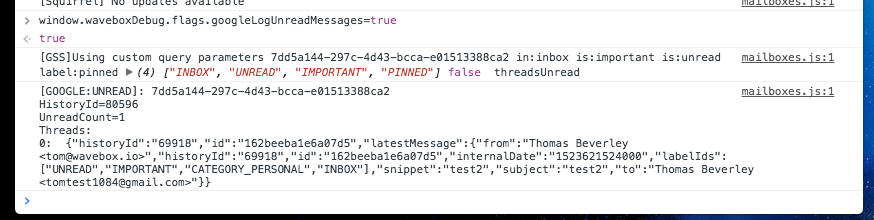
Can you send a screenshot of that? Feel free to block out any personal info
Thomas101
on 3 May 2018
I have used Inbox but I am not using it for a long time now -- certainly from before receiving these messages. However, I opened it to check; none of the messages had any "assist" on them, they were burried with the other messages. I noticed that all three messages were pinned; I unpinned the first one and... Wavebox showed 2 unread. Then I unpinned the remaining two messages, but Wavebox still shows 2 unread! Of course I have many other pinned messages in Inbox.
I am sending you the data that you requested from the console (the first batch is when there were 3 unread messages, the second batch is when there were 2). I have replaced some info with 'XXX'.
[GOOGLE:UNREAD]: 781f9ac3-2e2d-499d-b90d-101b351ec300
HistoryId=19766438
UnreadCount=3
Threads:
0: {"historyId":"19688587","id":"162c5e1f1501c619","latestMessage":{"from":"Yuri Astrakhan yuriastrakhan@gmail.com","historyId":"19688542","id":"162c6a6d36148069","internalDate":"1523751223000","labelIds":["IMPORTANT","CATEGORY_PERSONAL","INBOX"],"snippet":"XXX","subject":"Re: About kibana-vega-vis issue #58","to":"Nikos Platis nplatis@gmail.com"}}1: {"historyId":"19686780","id":"162b95bc57dbffa1","latestMessage":{"from":"TOMTOP support02@tomtop.com","historyId":"19686780","id":"162bcd13b5ea2bbd","internalDate":"1523586286000","labelIds":["IMPORTANT","CATEGORY_PERSONAL"],"snippet":"XXX","subject":"Re:Re:Re: Re:Regarding PayPal Case PP-XXX","to":"[email protected]"}}
2: {"historyId":"19741963","id":"162766d91bef82ab","latestMessage":{"from":"TOMTOP support03@tomtop.com","historyId":"19741963","id":"16289a7ad367bb10","internalDate":"1522727918000","labelIds":["IMPORTANT","CATEGORY_PERSONAL"],"snippet":"XXX","subject":"Re:Re:Re: Re:Re: Re:Duty-free shipping","to":"[email protected]"}}
mailboxes.js:1 [GOOGLE:UNREAD]: 781f9ac3-2e2d-499d-b90d-101b351ec300
HistoryId=19766467
UnreadCount=2
Threads:
0: {"historyId":"19686780","id":"162b95bc57dbffa1","latestMessage":{"from":"TOMTOP support02@tomtop.com","historyId":"19686780","id":"162bcd13b5ea2bbd","internalDate":"1523586286000","labelIds":["IMPORTANT","CATEGORY_PERSONAL"],"snippet":"XXX","subject":"Re:Re:Re: Re:Regarding PayPal Case PP-XXX","to":"[email protected]"}}1: {"historyId":"19741963","id":"162766d91bef82ab","latestMessage":{"from":"TOMTOP support03@tomtop.com","historyId":"19741963","id":"16289a7ad367bb10","internalDate":"1522727918000","labelIds":["IMPORTANT","CATEGORY_PERSONAL"],"snippet":"XXX","subject":"Re:Re:Re: Re:Re: Re:Duty-free shipping","to":"[email protected]"}}
nplatis
on 3 May 2018
Thanks for sending those. I think we may have a fix for this. Will push a release out next week :)
Thomas101
on 4 May 2018
I'm not sure, if it is related or not. I have also some problem with unread count. It is not updated automatically, no matter what. But when I do "Resync" on my account, it changes immediately to the correct number. My setup is as follows
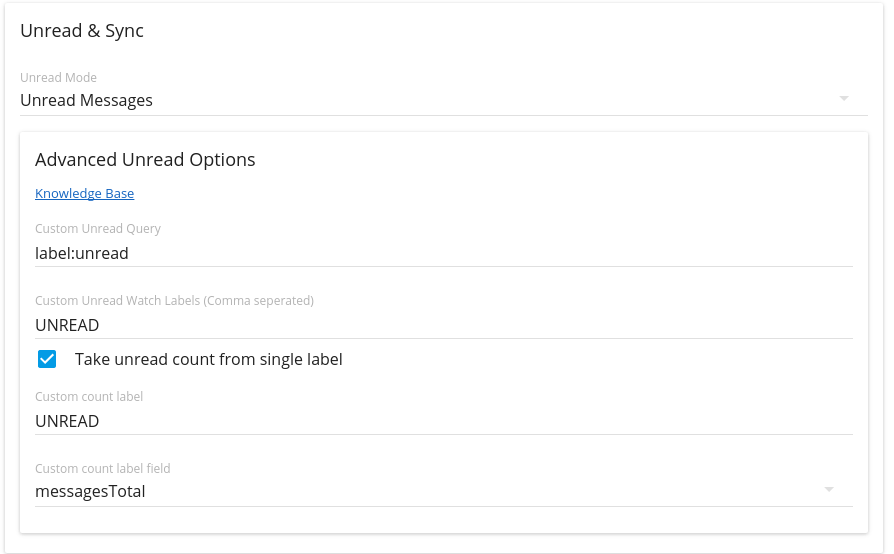
 afrish
on 6 May 2018
afrish
on 6 May 2018
@afrish there may be a slight delay with those settings as we have to wait for Gmail to push the update to the client. Normally we use a mixture of Google telling us about a change and watching the unread count in the UI to trigger a resync. In your case the count in the UI wont reflect any change when the total messages change so we have to wait for Google.
If you try waiting a little bit of time (I think a 30 - 60 secs should be the maximum time you should have to wait) does the count update itself?
Thomas101
on 8 May 2018
Hi, we've just pushed an update out for this - would be good to know if you see any improvement. If not could you try the following...
- Right-click on the account and then
Account Settings - Try one of the new modes that is prefixed with
Experimental. For example if you're currently usingUnread firsttry(Experimental) Unread first
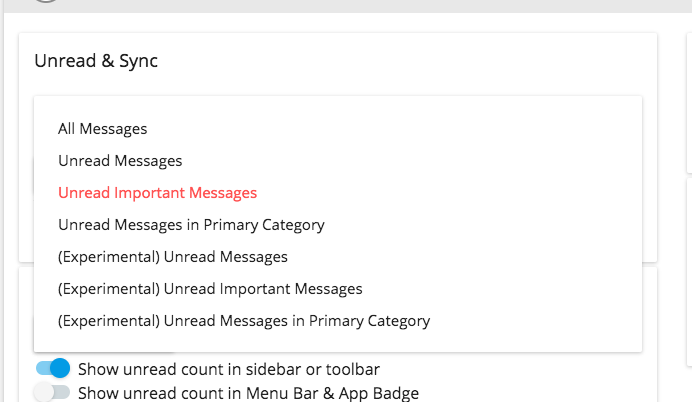
Thanks!
Thomas101
on 15 May 2018
I was using "Unread messages in primary category", and there was no change with the new version; let me note that now there is a new message seen by Wavebox as unread, apart from the two older ones. Again, this message was for some reason "pinned" in Inbox (I actually do not use Inbox) and when I unpinned it, the counter went down to 2 again.
However, using the corresponding "Experimenta" setting, the count is 0.
nplatis
on 17 May 2018
So the experimental option seems to work better?
Thomas101
on 18 May 2018
It seems to work correctly; I haven't tried it too much, though.
nplatis
on 19 May 2018
I'm going to close this off now as it seems to be fixed, but if you're still seeing the issue let me know and I'll re-open and take another look. Thanks.
Thomas101
on 20 Jul 2018
For me the "(Experimental) Unread important messages" removed from the unread count messages that had been snoozed. This is what I wanted. Thanks.
 damonmaria
on 13 Sep 2018
damonmaria
on 13 Sep 2018
Hello, I'm using Wavebox 4.10.1 (dmg) on macOS 10.14.5 with a G Suite email account that's configured exactly like the special case that's described in this KB article. After marking all of my emails as read within Wavebox on the main Gmail interface, if I search for is:unread, it says "🔍 No messages matched your search. Try using search options such as sender, date, size and more." However, when I look at the badge in the Menu Bar or at the Wavebox app icon in the Dock, both places show a red ❸:
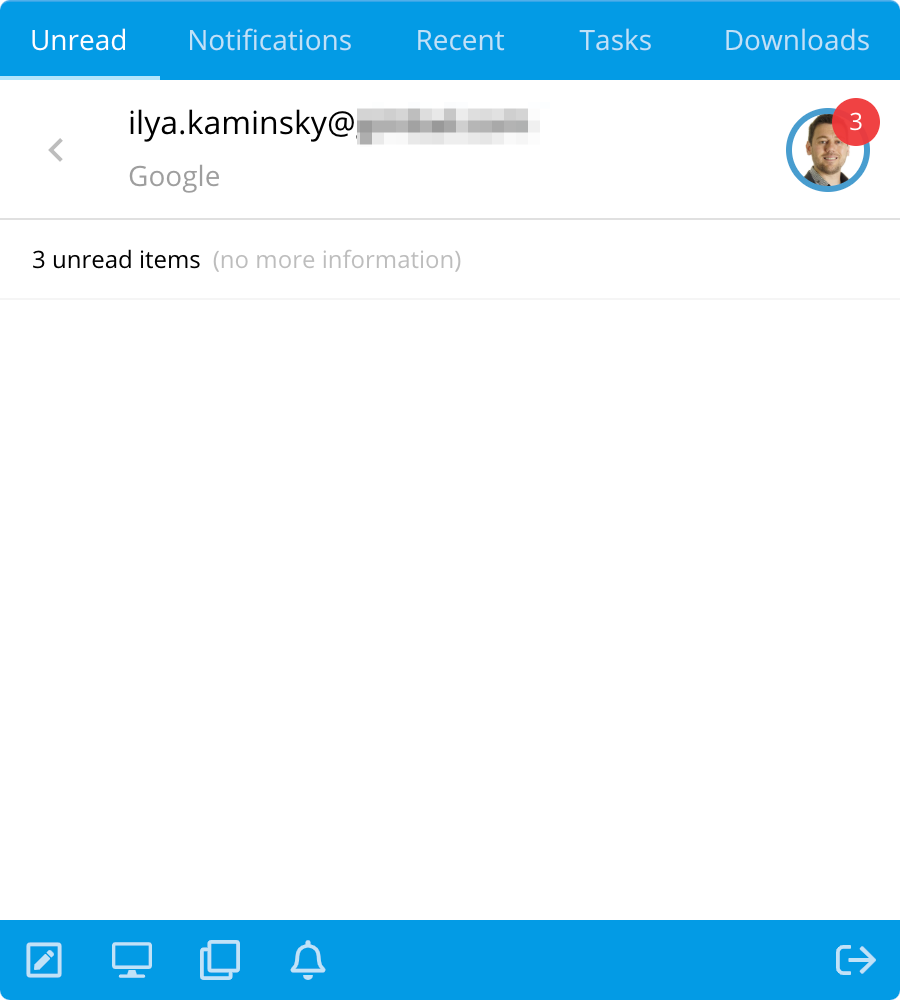
Restarting Wavebox from either the Menu bar or by hitting ⌘Q a couple of times does not seem to correct this issue. Neither does logging out of the OS and back in; nor restarting the machine itself. And yet, I feel like I'm doing something wrong. What am I missing?
 ilyakam
on 3 Jul 2019
ilyakam
on 3 Jul 2019
@ilyakam if you try restarting Wavebox does this clear? Also, can you send a screenshot of your Gmail Inbox Settings (from the Gmail interface)? I'll set up an account with the same config here and see if I can reproduce
Thomas101
on 4 Jul 2019
Hi @Thomas101, thanks for chiming in!
if you try restarting Wavebox does this clear?
Nope, as I mentioned in my previous message:
Restarting Wavebox [...] does not seem to correct this issue.
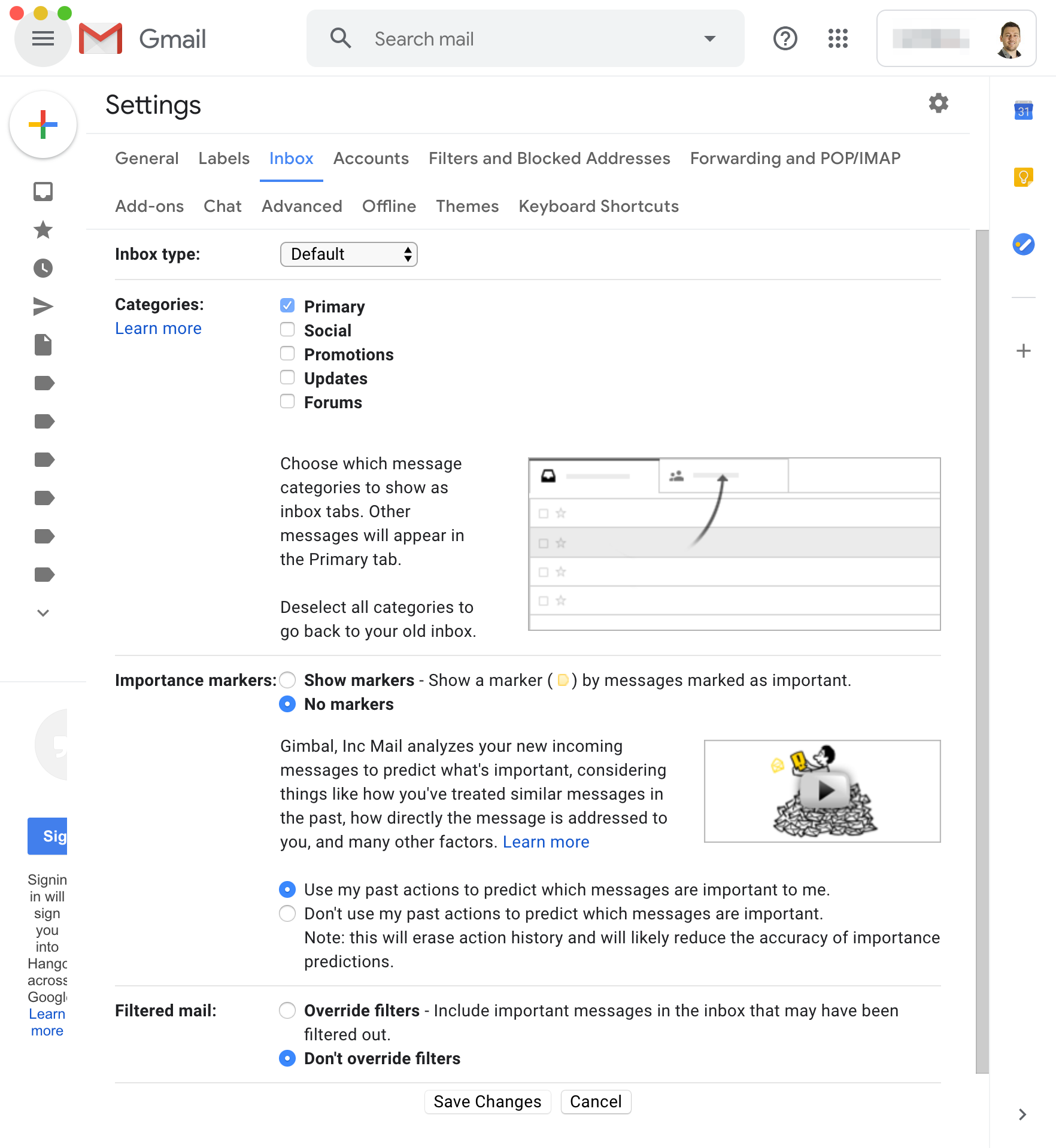
can you send a screenshot of your Gmail Inbox Settings (from the Gmail interface)?
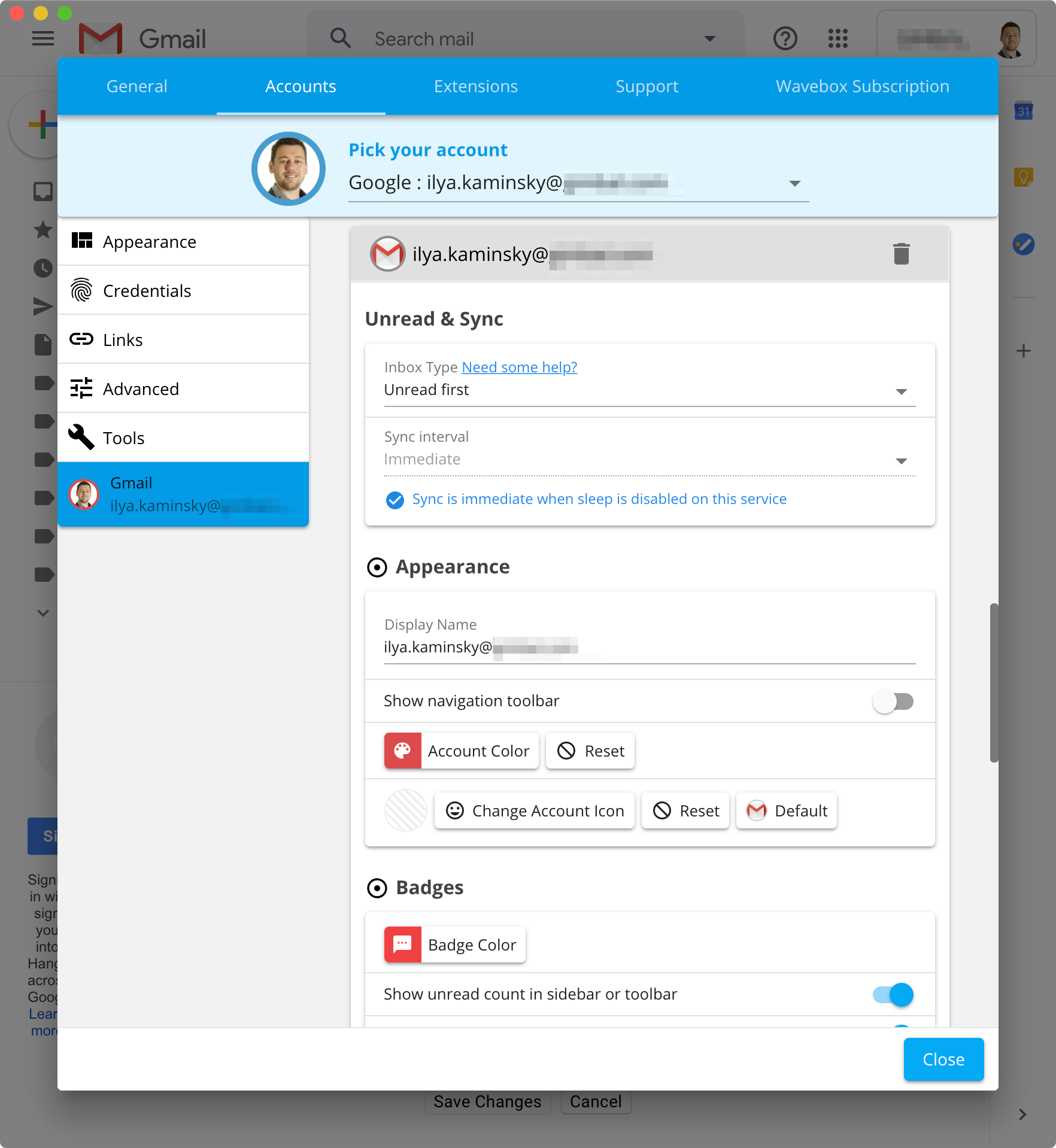
Of course. The following two screenshots show my Gmail and Wavebox settings configurations:
Gmail
Wavebox
ilyakam
on 4 Jul 2019
@ilyakam thanks, I wonder if there are a couple of emails that have just become stuck and google is still reporting them as unread.
The first thing to try is removing the account from Wavebox and then adding it in again - sometimes this clears things out.
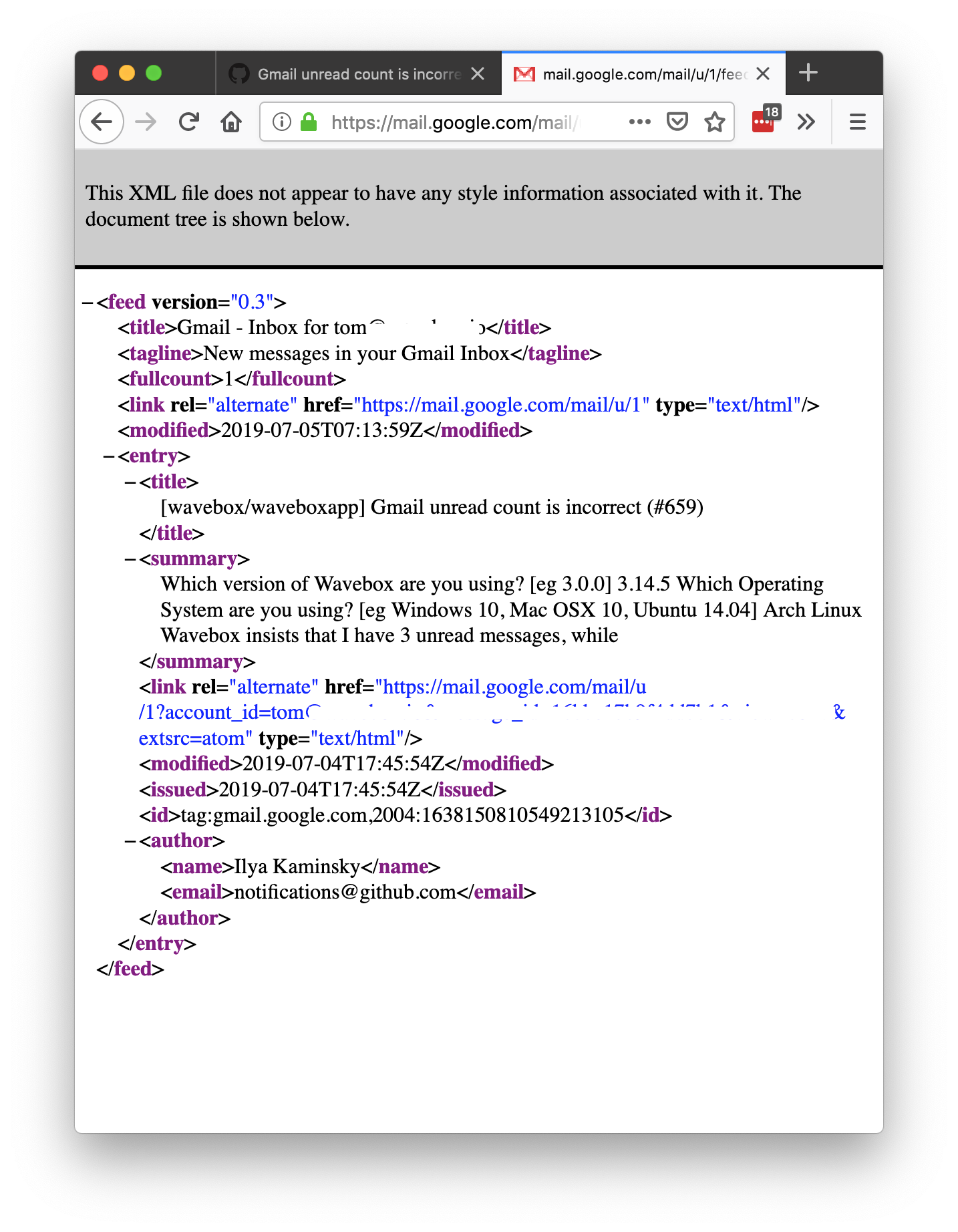
If not, in your normal browser, if you open up an icognito/private window and sign in to Gmail. Then once signed in, visit https://mail.google.com/mail/feed/atom/ you should get something like the following. Can you send a screenshot of it? It should give a hint as to where the 3 is coming from
Thomas101
on 5 Jul 2019
Hey @Thomas101,
Here's what the atom feed was showing:
<feed xmlns="http://purl.org/atom/ns#" version="0.3">
<title>Gmail - Inbox for ilya.kaminsky@[REDACTED]</title>
<tagline>New messages in your Gmail Inbox</tagline>
<fullcount>0</fullcount>
<link rel="alternate" href="https://mail.google.com/mail" type="text/html"/>
<modified>2019-07-05T20:56:23Z</modified>
</feed>
After seeing that, I went on to follow your advice to remove the account from Wavebox. While re-adding it, it looked like a lot of my settings were cached locally on the machine. So instead of taking any chances, I used AppCleaner to complete remove Wavebox and all of its support files off my machine. I then downloaded and installed a fresh version from this location. After I've set up everything back to how it was, that pesky ❸ was finally gone:
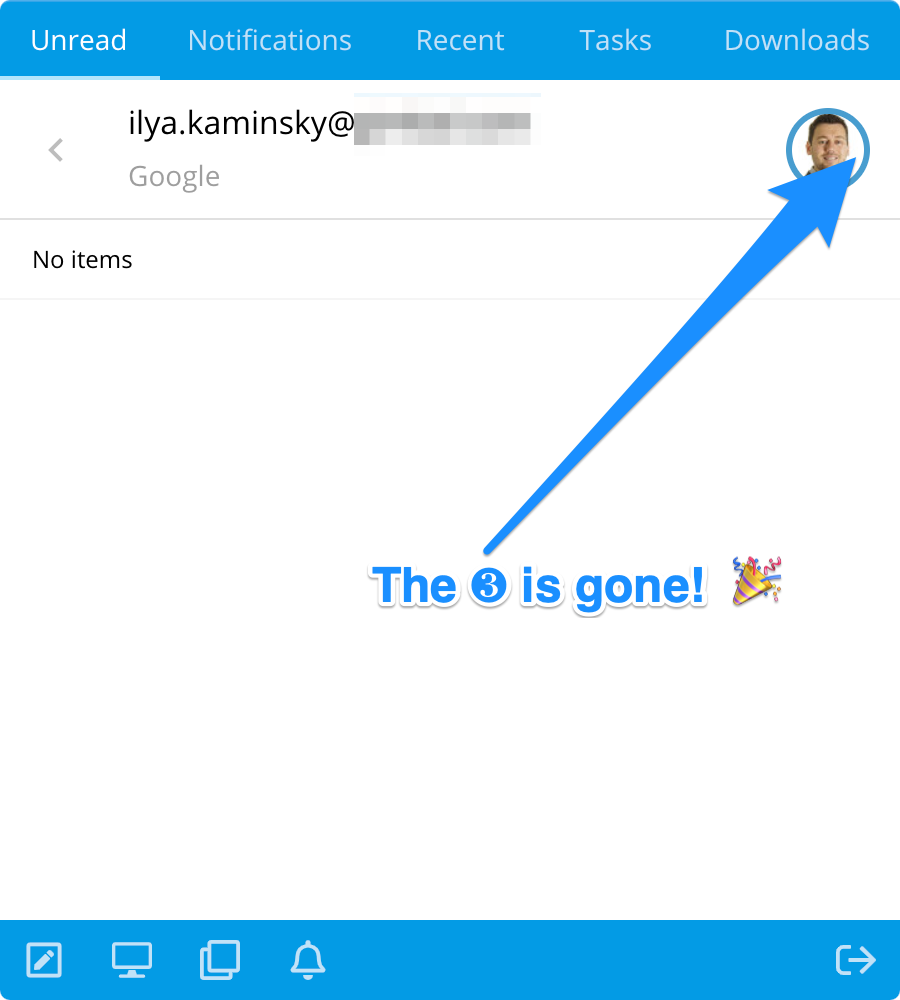
I still don't know what happened. I suspect that it has to do with the mandatory migration from Inbox back to Gmail. You see, I started using Wavebox because it had great support for Google Inbox. I couldn't recall having any issues with the unread count until after Google had sunset Inbox.
Either way, I appreciate all of your help -- thanks Thomas!
ilyakam
on 5 Jul 2019
I still don't know what happened. I suspect that it has to do with the mandatory migration from Inbox back to Gmail
Thanks for the heads up on this - I'll have a look at this and see if there's a case where it can fall through like this
Thomas101
on 8 Jul 2019
Related issues
 bashfulrobot
·
4Comments
bashfulrobot
·
4Comments
 dzg
·
4Comments
dzg
·
4Comments
 CheechGe
·
4Comments
Thomas101
·
3Comments
CheechGe
·
4Comments
Thomas101
·
3Comments
 MichaelTunnell
·
4Comments
MichaelTunnell
·
4Comments