Waveboxapp: Annoying WhatsApp notification sound!
How do I turn this WhatsApp notification sound off?
I have turned notifications off under the main settings and Whatsapp. I am getting no sound for emails but only for Whatapp whenever somebody sends a message!
Driving me mad and on verge of removing the Whatsapp feature.
Thanks
 jssagu
All 8 comments
In wavebox you have the option to turn off the notification and sound for a specific service.
If you right click the service for whatsapp there will be a notification setting in there. If that does not work you can go to General in preferences and try turning off the sound there.
However if you have turned the notification sound off for whatsapp then the notification sound "should" be off.
 nmat
on 4 Mar 2018
nmat
on 4 Mar 2018
Hello, I turned all notifications off but am still getting the sound. I even uninstalled and reinstalled the software and tried again but to no avail...
jssagu
on 4 Mar 2018
Thats odd.
Are you using chrome browser and allowed for whatsapp to send notifications through there and chrome still sends the sound and not wavebox?
nmat
on 4 Mar 2018
I am just using the WaveBox software as standalone for my emails and WhatsApp. The sound is also coming through on another computer as well..
jssagu
on 4 Mar 2018
jssagu
on 4 Mar 2018
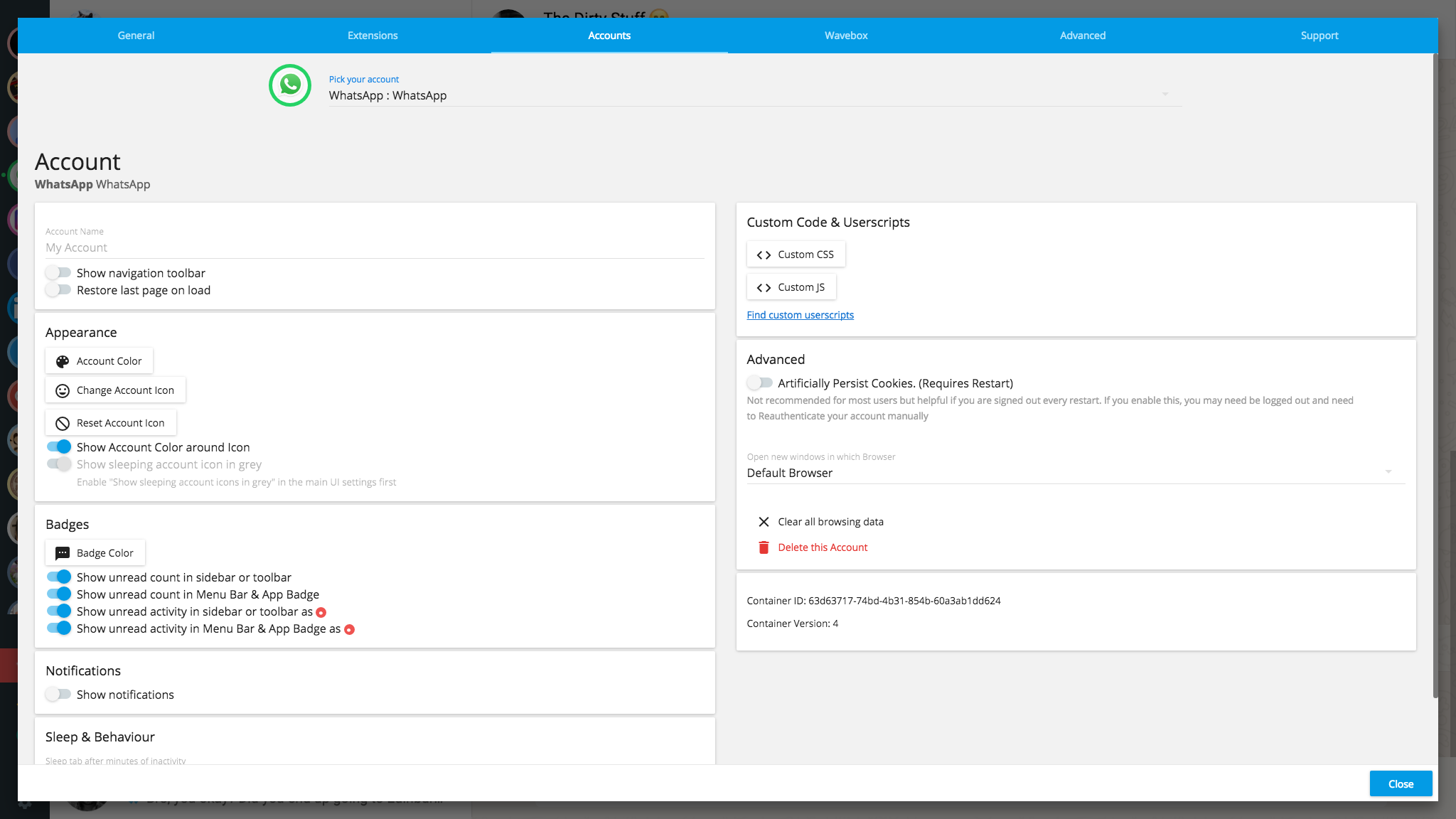
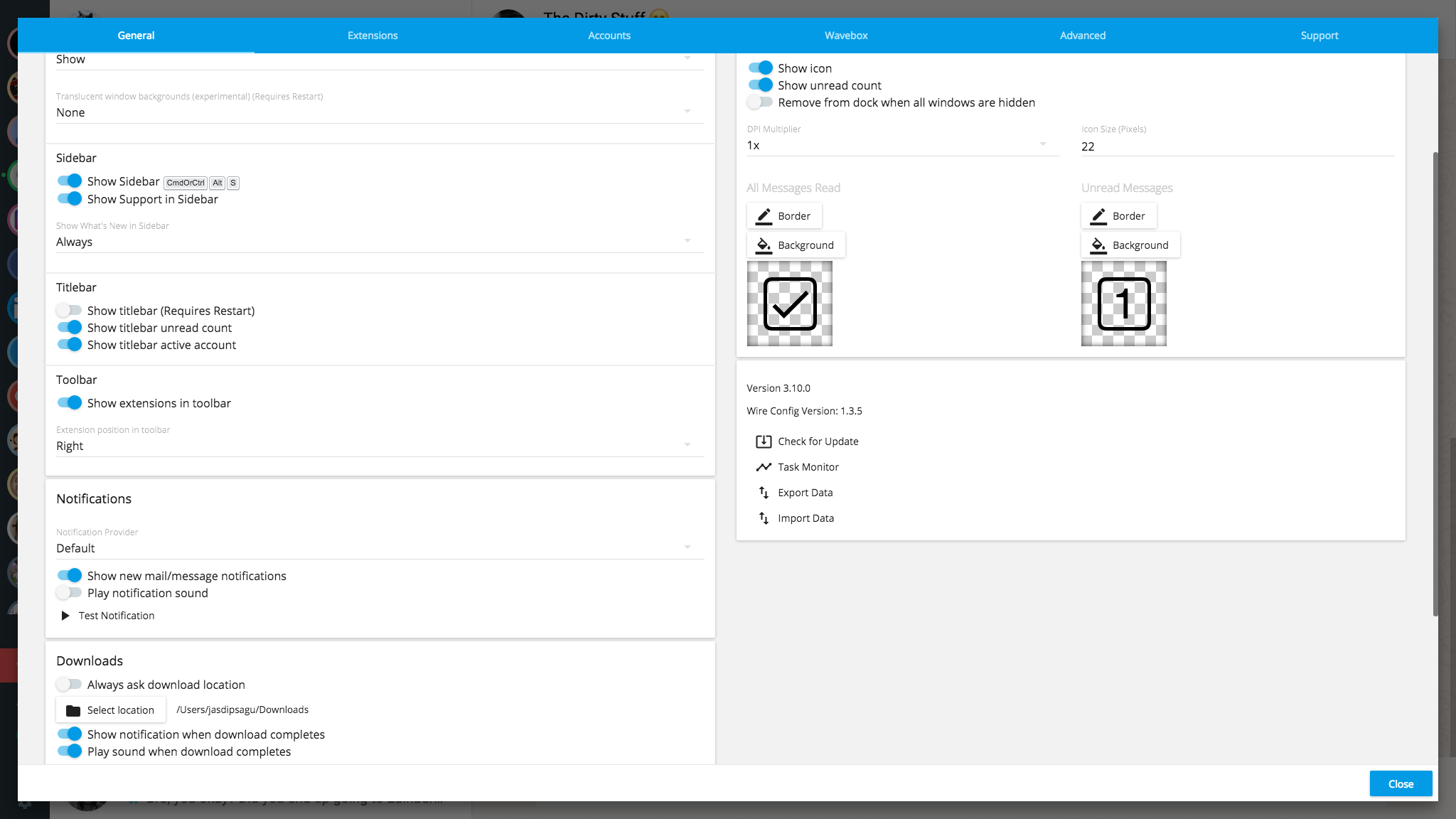
As you can see, sound notifications is turned off. Even when notifications are turned off for emails, I am still getting sound from Whatsapp
jssagu
on 4 Mar 2018
The notification sound setting in Wavebox configures the sound from the Notification api. It looks like WhatsApp is just playing a sound when a new message arrives, which is why it continues to play and the setting is ignored.
WhatsApp does have settings to configure these though. If you open up your WhatsApp Settings through the 3 docs at the top and then go to Settings
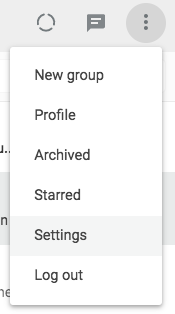
There's a Notifications section in here which has options for Sounds, Showing Previews etc. If you disable Sounds here it should stop playing

 Thomas101
on 5 Mar 2018
Thomas101
on 5 Mar 2018
Thank you! This worked! :D
jssagu
on 5 Mar 2018
Related issues
 cdeutsch
·
3Comments
cdeutsch
·
3Comments
 MichaelTunnell
·
4Comments
MichaelTunnell
·
4Comments
 dctucker
·
4Comments
dctucker
·
4Comments
 dep
·
4Comments
dep
·
4Comments
 tnaseem
·
4Comments
tnaseem
·
4Comments
Most helpful comment
Thank you! This worked! :D