Wappalyzer: Logs timeout error to console
Platform
Which platform does the bug apply to?
NPM
Describe the bug
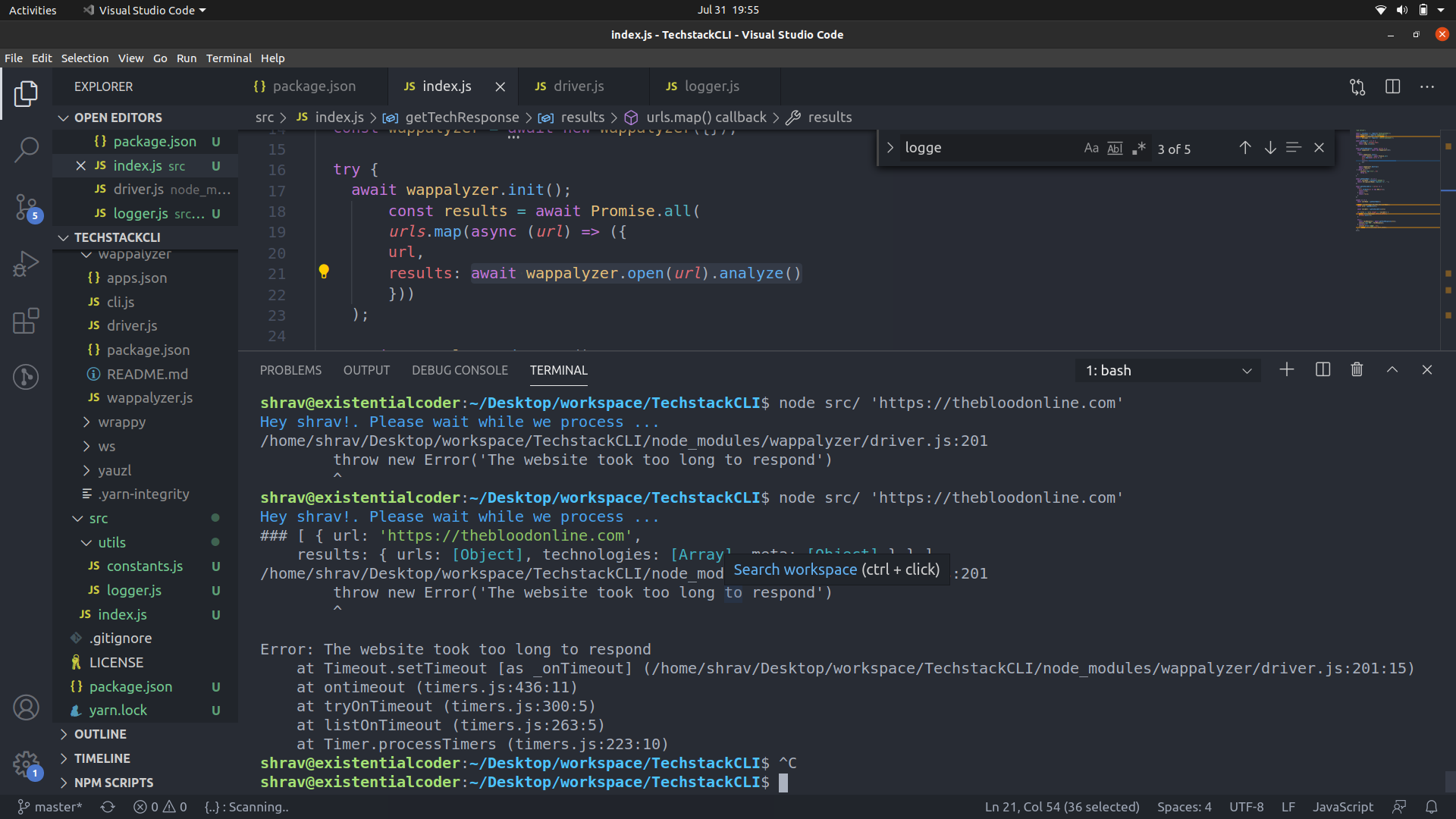
npm package logs this error
Error: The website took too long to respond
at Timeout.setTimeout [as _onTimeout] (/home/shrav/Desktop/workspace/TechstackCLI/node_modules/wappalyzer/driver.js:201:15)
at ontimeout (timers.js:436:11)
at tryOnTimeout (timers.js:300:5)
at listOnTimeout (timers.js:263:5)
at Timer.processTimers (timers.js:223:10)
To Reproduce
Steps to reproduce the behavior:
- Run wappalyzer await wappalyzer.open(url).analyze()
- Error is logged into console even though the results are returned back
Expected behavior
Only results should be returned error should be thrown if any
Additional context
 existentialcoder
All 12 comments
existentialcoder
on 31 Jul 2020
Same issue
 KirillZhdanov
on 31 Jul 2020
KirillZhdanov
on 31 Jul 2020
Adding options with maxWait as one minute when instantiating Wappalyzer fixed this for me
existentialcoder
on 31 Jul 2020
Same for me.. I thought I was the only one.
@existentialcoder can you please share a snippet of the code on how to wrap my function and at what place using the maxWait?
I'm calling the function from my processs and not via CLI. I had maxWait =500 and I tried all the way up to 50000 in the const options = {}_ object, yet it does not help. Also tried remoiving the maxWait - didn't help.
Thanks!!
 BigFoxMedia
on 1 Aug 2020
BigFoxMedia
on 1 Aug 2020
Does anyone know what version to downgrade to before this bug was introduced?
BigFoxMedia
on 1 Aug 2020
For anyone else that has this issue - uninstalling and then reinstalling v6.1.1 of both the main package and core - resolved the issue for me. So apparently this is a new bug introduced in the latest versions.
BigFoxMedia
on 1 Aug 2020
const wappalyzer = await new Wappalyzer({
    maxWait: units.ONE_MINUTE,
    recursive: true,
    userAgent: 'Wappalyzer',
    htmlMaxCols: 2000,
    htmlMaxRows: 2000,
  });

  await wappalyzer.init();
This fixed ir for me @BigFoxMedia
existentialcoder
on 2 Aug 2020
This has been fixed in v6.2.2.
 AliasIO
on 3 Aug 2020
AliasIO
on 3 Aug 2020
Still i'm having the same issue after upgrade the version v6.2.2 @AliasIO
 kiserbd
on 4 Aug 2020
kiserbd
on 4 Aug 2020
@kiserbd Can you show me an example?
AliasIO
on 5 Aug 2020
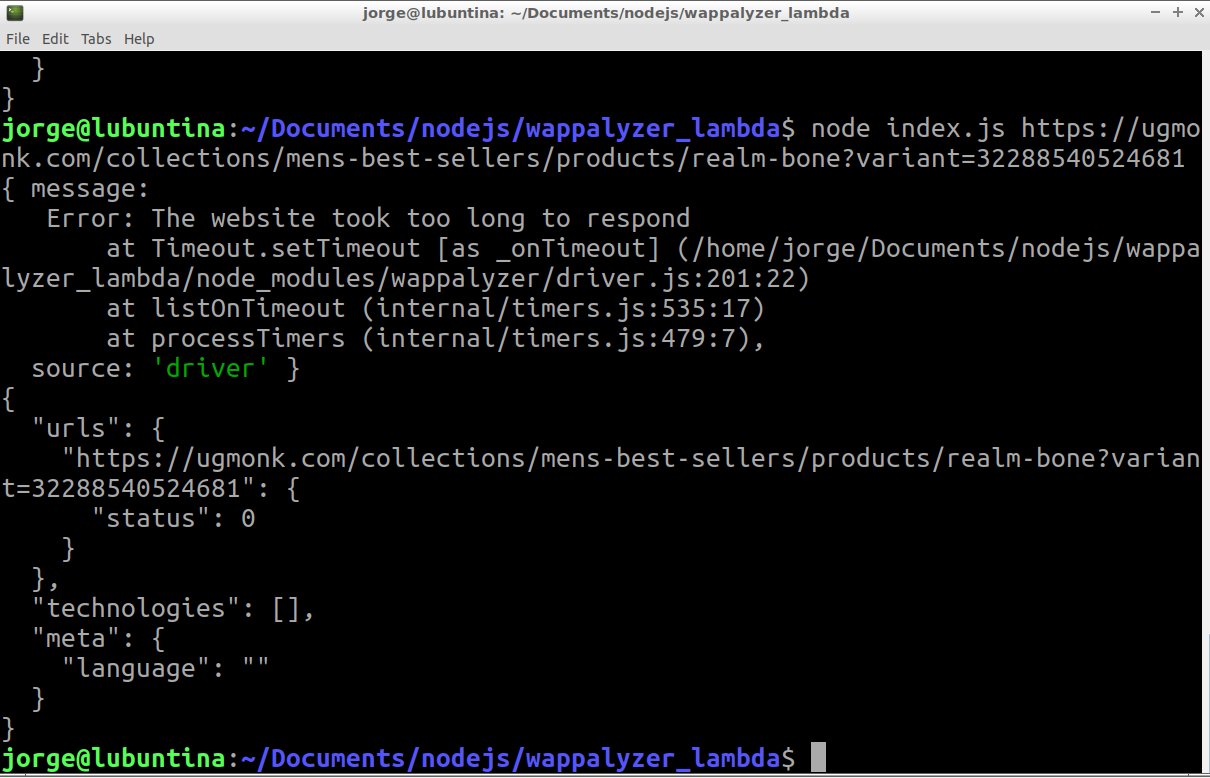
@AliasIO I've tried with url https://ugmonk.com/collections/mens-best-sellers/products/realm-bone?variant=32288540524681 and got this
kiserbd
on 5 Aug 2020
@kiserbd The error is being captured correctly here so it's working as intended. You can increase the maxWait value if you're seeing a lot of websites timing out.
AliasIO
on 6 Aug 2020
Related issues
 cfjedimaster
·
5Comments
cfjedimaster
·
5Comments
 craiglondon
·
3Comments
craiglondon
·
3Comments
 TheophilePACE
·
10Comments
TheophilePACE
·
10Comments
 madhavprabhu
·
11Comments
madhavprabhu
·
11Comments
 timneutkens
·
8Comments
timneutkens
·
8Comments