Wappalyzer: Display technologies is broken on most website
On most website, I get some thing like this when I clic on Wappalyzer icon :
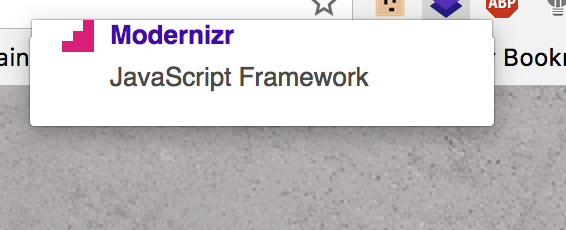
or :
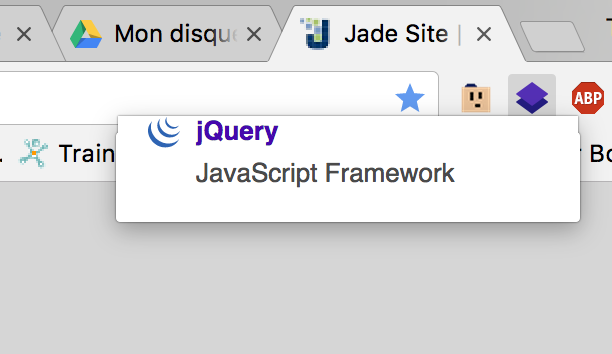
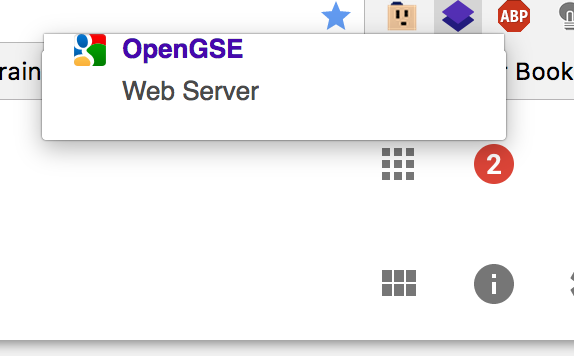
Maybe it is linked with the latest chrome version?
I am on Chrome last version (60.0.3112.78)
 TheophilePACE
All 10 comments
same here :
when i got more than 6 or 7 items, a scrollbar appear before collapse ...
chrome Version 60.0.3112.78 (Build officiel) (64 bits)
mac os 10.12.5
 Empreintes
on 3 Aug 2017
Empreintes
on 3 Aug 2017
Same here:
Version 60.0.3112.78 (Official Build) (64-bit)
MacOS Sierra 10.12.5 (16F73)
 florindediu
on 3 Aug 2017
florindediu
on 3 Aug 2017
Oh no.... It's happening again :(
Wappalyzer - 5.0.5
Google Chrome - 60.0.3112.90 (64-bit)
MacOS Sierra - 10.12.6
 petercunha
on 3 Aug 2017
petercunha
on 3 Aug 2017
It's because you have enabled 'Hardware Acceleration' in chrome. It will crash all chrome apps popups. In canary they fix it. We wait for this fixes. Meantime: http://www.solveyourtech.com/turn-hardware-acceleration-google-chrome/
Please close topic if solution is working :)
 Triloworld
on 4 Aug 2017
Triloworld
on 4 Aug 2017
@Triloworld - doesn't work.
florindediu
on 4 Aug 2017
I have:
Wappalyzer - 5.0.5
Google Chrome - 60.0.3112.90 (64-bit)
MacOS Sierra - 10.12.6
And work just fine. Can you provide link for example site and additional flags enabled
chrome://flags
?
Triloworld
on 4 Aug 2017
For example : http://jade.tilab.com/ or http://www.businessinsider.com/
All my flags are to default
TheophilePACE
on 5 Aug 2017
Duplicate of #1510.
 AliasIO
on 5 Aug 2017
AliasIO
on 5 Aug 2017
Hello guys,
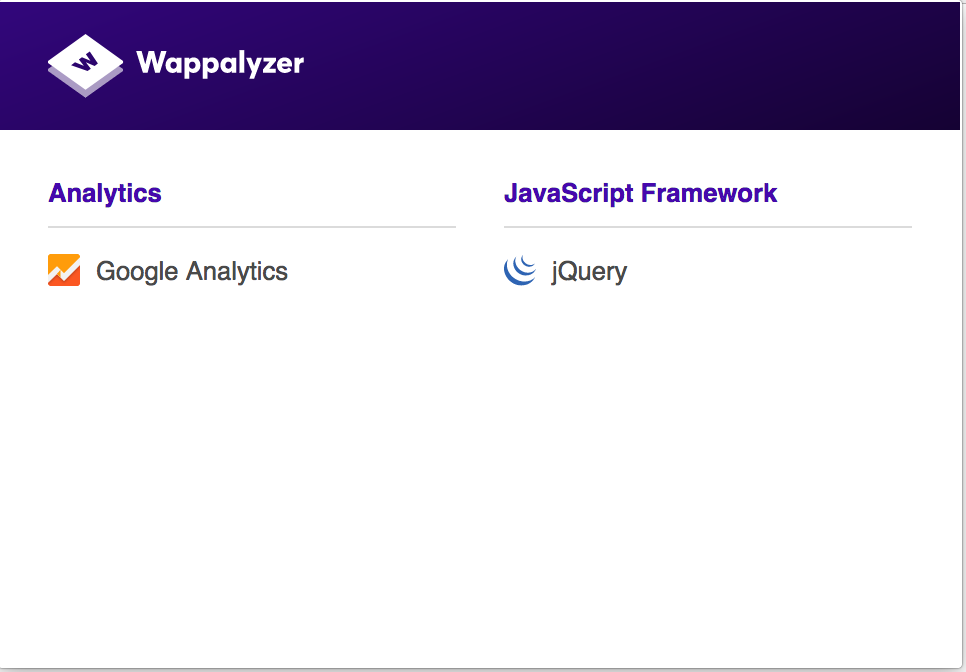
I've just seen the new UI and it's beautiful! I have no layout problems anymore and you have done a very nice job in terms of UI.
Keep on like this,
Thanks for the update!
TheophilePACE
on 28 Aug 2017
This thread has been automatically locked since there has not been any recent activity after it was closed. Please open a new issue for related bugs.
![lock[bot] picture](https://avatars.githubusercontent.com/in/6672?v=4&s=40) lock[bot]
on 31 Oct 2019
lock[bot]
on 31 Oct 2019
Related issues
 ocassio
·
5Comments
ocassio
·
5Comments
 KeviinCosmos
·
7Comments
KeviinCosmos
·
7Comments
 faheel
·
3Comments
faheel
·
3Comments
 smokeyflavor
·
8Comments
smokeyflavor
·
8Comments
 mrandreastoth
·
9Comments
mrandreastoth
·
9Comments
Most helpful comment
same here :
when i got more than 6 or 7 items, a scrollbar appear before collapse ...
chrome Version 60.0.3112.78 (Build officiel) (64 bits)
mac os 10.12.5