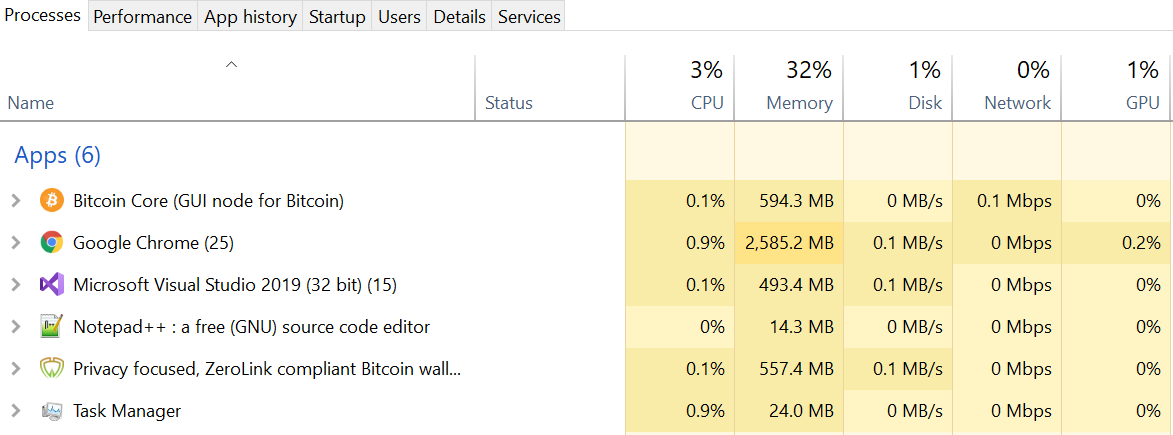
I let Wasabi run for a day or so, mixing and it turns out we use a lot of CPU and GPU.

I noticed this a couple of times, but only took a screenshot now. I restarted and started to mix again it and all good, but if I'd leave it there longer it'd be bad again.
 nopara73
All 15 comments

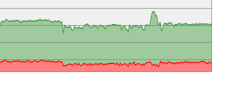
I caught Wasabi increasing it's CPU usage more than before
It was using 38% of a strong 6 Core CPU in a stable manner while doing nothing.
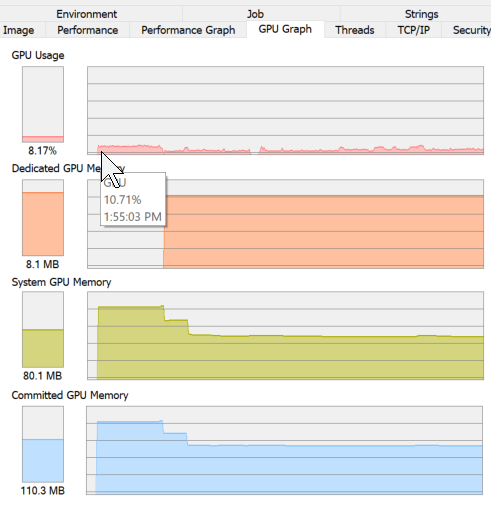
Also using ~11% GPU in the background with window minimized that went down to 6% when window as made visible.
 Transisto
on 11 May 2019
Transisto
on 11 May 2019
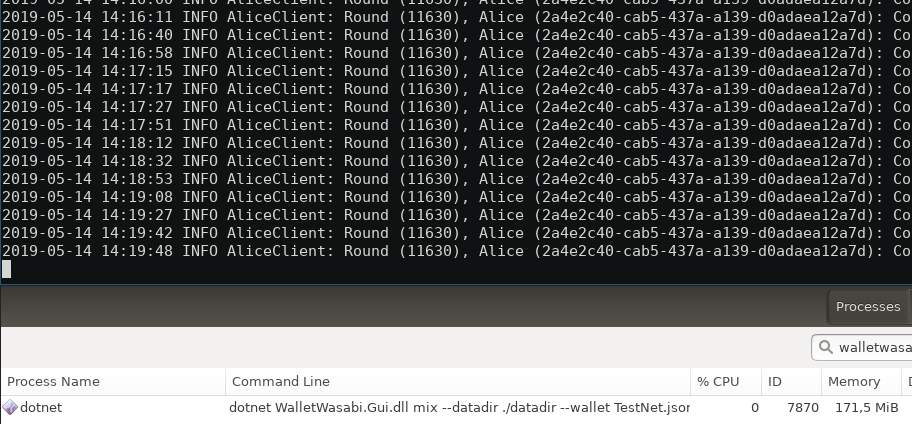
After 22 hours of running Wasabi to mix a pretty big wallet with almost 200 utxos in daemon mode on testnet, CPU usage is 0% and Memory 171 MB (see image)
We should focus on the GUI componentes then.
 lontivero
on 14 May 2019
lontivero
on 14 May 2019
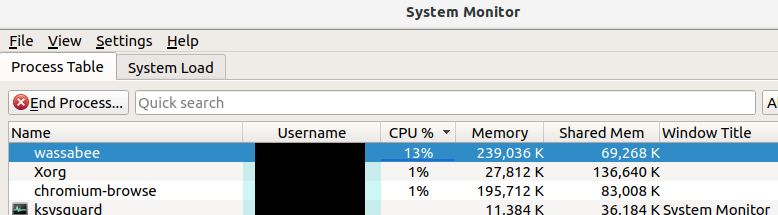
Same problem on Ubuntu 18.04 with Wasabi 1.1.4 while waiting for CoinJoin.
The yellow and red entries read "registered".
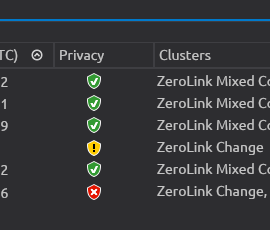
Let me know if submitting logs would help. Looks like dev more competent than me are on it :) :pray:
 cryptal
on 14 May 2019
cryptal
on 14 May 2019
Just a quick note on the memory. The filters are growing fast. They're the cause for the majority of the memory usage of Wasabi. (But note it's not a memory leak.)
Fixing it may be the last thing left to this PR: https://github.com/zkSNACKs/WalletWasabi/pull/1405
nopara73
on 15 May 2019
I would like to drop in and comment that 1.1.4 on OSX stopped responding (on a pretty reliable basis) just as a round would complete. I would get a notification from Wasabi saying you received [change amount from that round] and freeze up and send my cpu to 100%.
10.13.6 2018 15" $2,599 model Macbook Pro Retina (16gb ram)
For the time being I reverted back to using 1.1.3 which I have never had the aforementioned issue happen while using.
I haven't looked through all the issue tickets to see if anyone else is having the exact same issue (crash upon round completion) but figured i'd chime in.
wasabi_logs_osxcrash.txt
 mikeborghi2
on 15 May 2019
mikeborghi2
on 15 May 2019
@mikeborghi2 That is a known and fixed issue (on the master branch.) There were some problems with the process we used for hardware wallet integration on some OSX machines.
nopara73
on 16 May 2019
Edit: This issue happened when receiving multiple transactions (7) and letting it be.
Will try to replicated when fees are lower
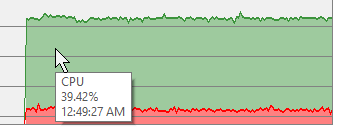
(6 Core i7)
Currently using a steady 39% CPU doing absolutely nothing (no coinjoin) with an open wallet with only 19 UTXO.
Transisto
on 7 Jun 2019
Edit: This 0-5% is caused by having the window from visible to minimized.
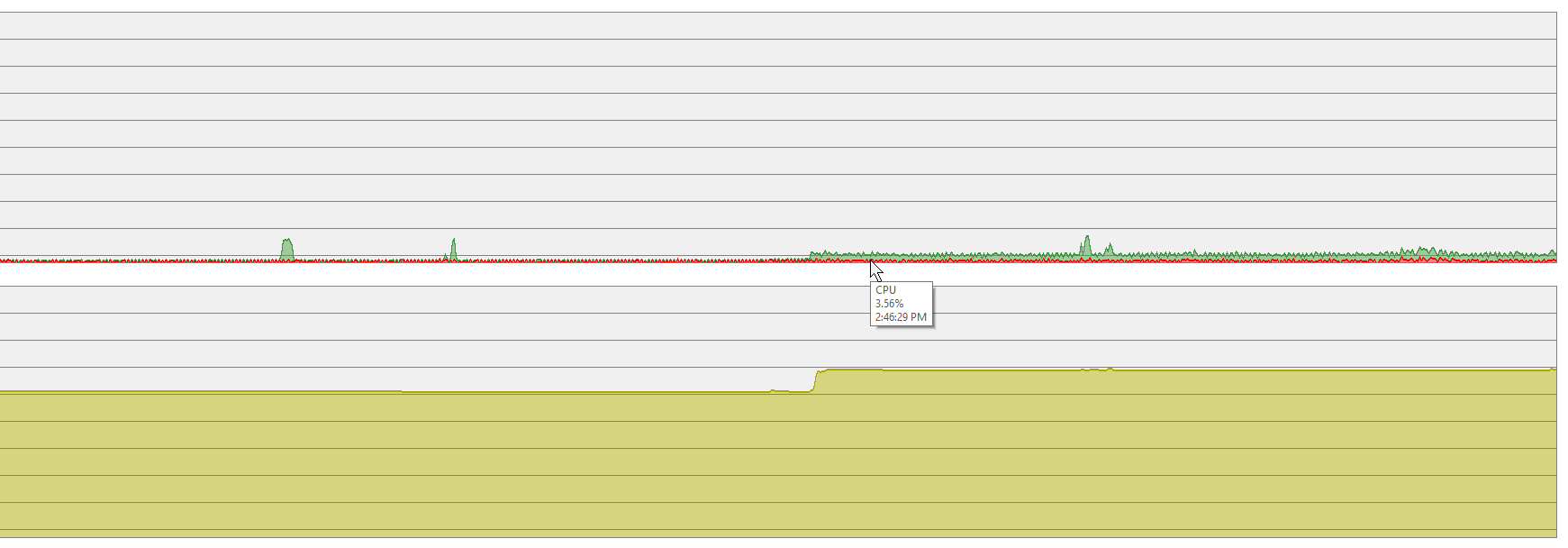
(1h period)
I'm not doing anything to the wallet and it goes from almost nothing to a steady 5% CPU, (State: waiting for a coinjoin)
Transisto
on 8 Jun 2019
That narrows down the issue to UI problems. Thanks!
nopara73
on 10 Jun 2019
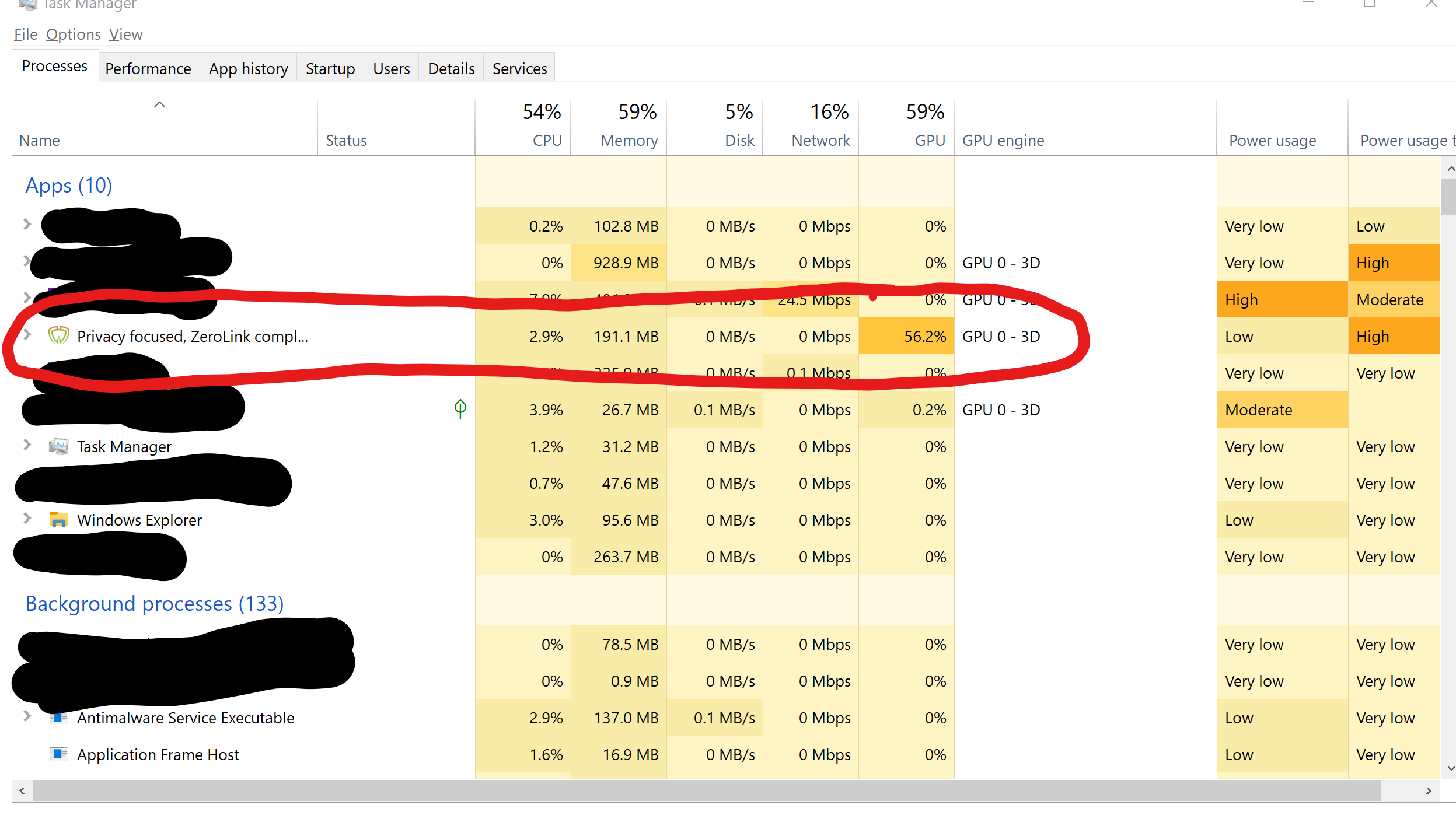
The high GPU usage makes it difficult to leave Wasabi running (especially on a laptop when out and about).
 shamoons
on 12 Jun 2019
shamoons
on 12 Jun 2019
im going to see if I can start to repro this.
 danwalmsley
on 28 Jun 2019
danwalmsley
on 28 Jun 2019
Yesterday my Wasabi went from 2% to 89% CPU and kept at that level until I restarted it. I tried to reproduce it but it never happened again.
lontivero
on 25 Jul 2019
@danwalmsley We have tried to do some CPU profiling here and the CPU was being eaten by Avalonia.
- If I run Wasabi daemon the CPU won't go up.
- I don't need to enqueue to mix to make the CPU usage go up.
- @Transisto is right, when you minimize the window, the CPU usage goes back (this doesn't happen if you just put the window to the background.)
- What we noticed is that the number of threads are huge and is growing. With the wallet that was open for a few hours the threads were about 600, with the wallet that was just loaded the threads were about 200. This number was not affected by the size of the wallet, so both small wallets and big wallets are eating the same amount of threads. If I run the software without Avalonia, with the cmd to mix, then the number of threads are only 27!
nopara73
on 26 Jul 2019
Are you saying we must wait for Avalonia 8? :laughing:
 MaxHillebrand
on 26 Jul 2019
MaxHillebrand
on 26 Jul 2019
Should be fixed. Apparently it didn't come out in Release: https://github.com/zkSNACKs/WalletWasabi/pull/2033
@MaxHillebrand We are waiting for Avalonia release for the clean fix 😄
nopara73
on 30 Jul 2019
Related issues
 molnard
·
3Comments
molnard
·
3Comments
 trading2835
·
3Comments
trading2835
·
3Comments
 yahiheb
·
3Comments
MaxHillebrand
·
3Comments
yahiheb
·
3Comments
yahiheb
·
3Comments
MaxHillebrand
·
3Comments
yahiheb
·
3Comments