Vue-storefront: Cannot change quantity on PDP in offline mode
Steps to reproduce the issue
- Open next.storefrontcloud.io
- Open Women category, then turn to offline mode
- Open any product page
- Try to adjust quantity
Current behavior
Quantity field is inactive and user cannot "click into it" to adjust quantity in any way - keyboard input, buttons, scroll, etc.
Expected behavior
Quantity should be adjustable in offline mode
Repository
next.storefrontcloud.io
Additional information
- If PDP was opened before going offline, then even despite "(offline)" message next to it, quantity can be normaly adjusted.
- Quantity can also be normaly adjusted from the cart view, even if user is offline all along.
Can you handle fixing this bug by yourself?
- [ ] YES
- [x] NO
Which Release Cycle state this refers to? Info for developer.
Pick one option.
- [ ] This is a bug report for test version on https://test.storefrontcloud.io - In this case Developer should create branch from
developbranch and create Pull Request2. Feature / Improvementback todevelop. - [x] This is a bug report for current Release Candidate version on https://next.storefrontcloud.io - In this case Developer should create branch from
releasebranch and create Pull Request3. Stabilisation fixback torelease. - [ ] This is a bug report for current Stable version on https://demo.storefrontcloud.io and should be placed in next stable version hotfix - In this case Developer should create branch from
hotfixormasterbranch and create Pull Request4. Hotfixback tohotfix.
Environment details
- Browser: latest chrome, fiefox
- OS: ubuntu
- Code Version: release/1.11
 ArturDivante
All 7 comments
I guess it should be fixed in both: 1.11 / 1.10
 pkarw
on 30 Sep 2019
pkarw
on 30 Sep 2019
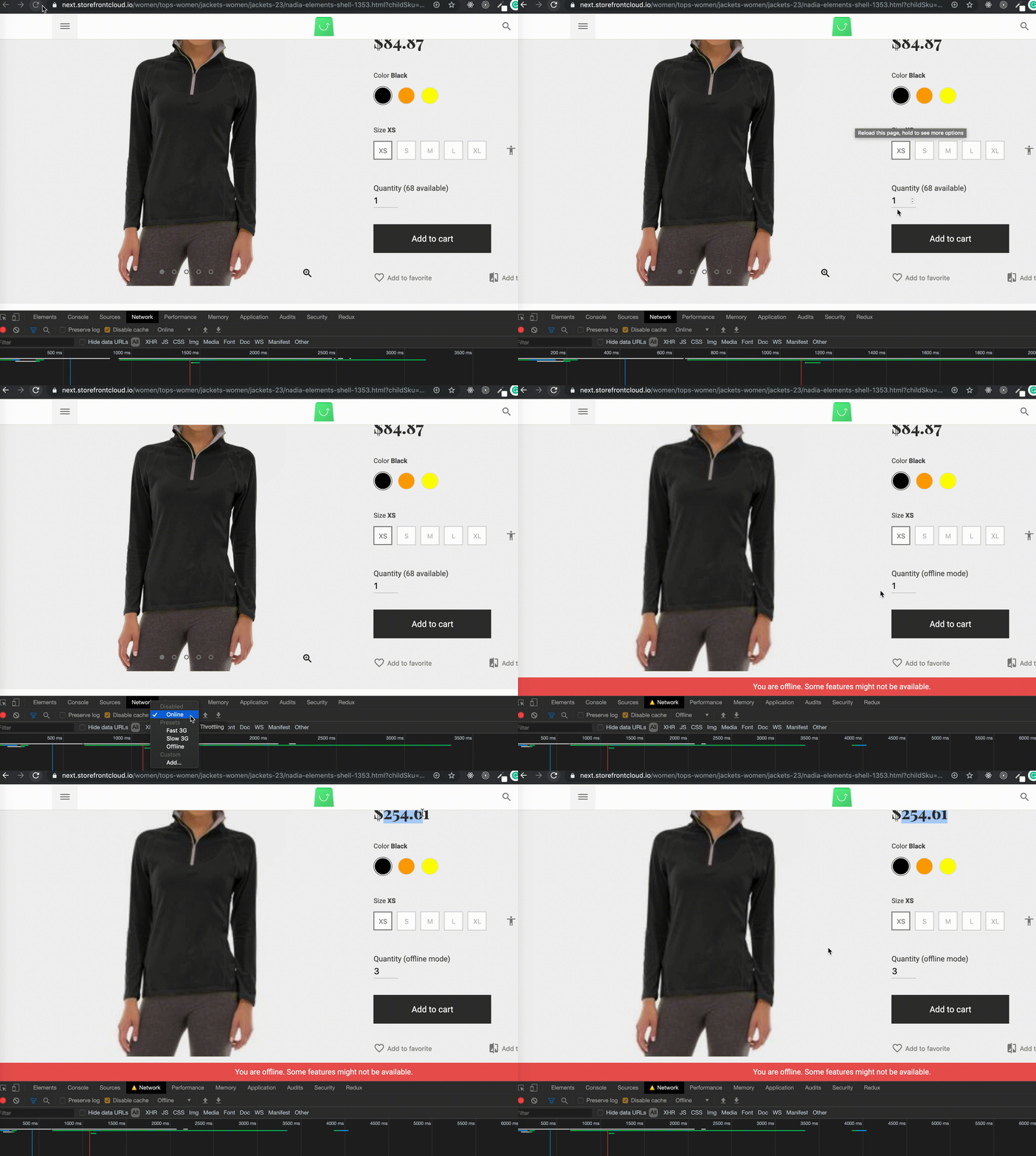
@ArturDivante Seems like it works, even on next:
 andrzejewsky
on 30 Sep 2019
andrzejewsky
on 30 Sep 2019
@andrzejewsky You are switching to offline from PDP itself. Pls follow my steps and turn to offline mode before you open PDP.
ArturDivante
on 30 Sep 2019
@ArturDivante ok now I see, sorry
andrzejewsky
on 30 Sep 2019
@ArturDivante I'm not too sure if we can solve it as this is how it was designed. You cannot use all of functionalities in the offline mode, some of them are limited. In the offline mode we processing the data that has been loaded already.
It doesn't work because you are not checking the stock on the category page but only when you visit product page. Because of you visit this page in the offline mode, you can't change the quantity.
To fix this issue, we have to check quantity on the category page which will be super heavy when it comes to performance. Other solution is using some cache / vuex state for products that you visited in the past, but it will be working only for them (visited), not for the new ones.
For me it sounds like improvement, not a bug. What do you think @pkarw @filrak @patzick?
andrzejewsky
on 30 Sep 2019
@andrzejewsky lets take it easy; in the offline mode stock check should be disabled so user should be able to add any qty they wanted; then when the cart is being synced magento / backend is checking the available qty anyway and raising an issue when needed
pkarw
on 30 Sep 2019
@pkarw yeah... sorry for complicating such a simple thing 😄 PR prepared
andrzejewsky
on 30 Sep 2019
Related issues
 benjick
·
4Comments
benjick
·
4Comments
 vishal-7037
·
5Comments
vishal-7037
·
5Comments
 ArjanStudent
·
3Comments
ArjanStudent
·
3Comments
 jorkvist
·
5Comments
jorkvist
·
5Comments
 bobcho
·
4Comments
bobcho
·
4Comments