Vue-storefront: My Account submenu doesn't render properly on Safari (Mac & iPad)
Current behavior
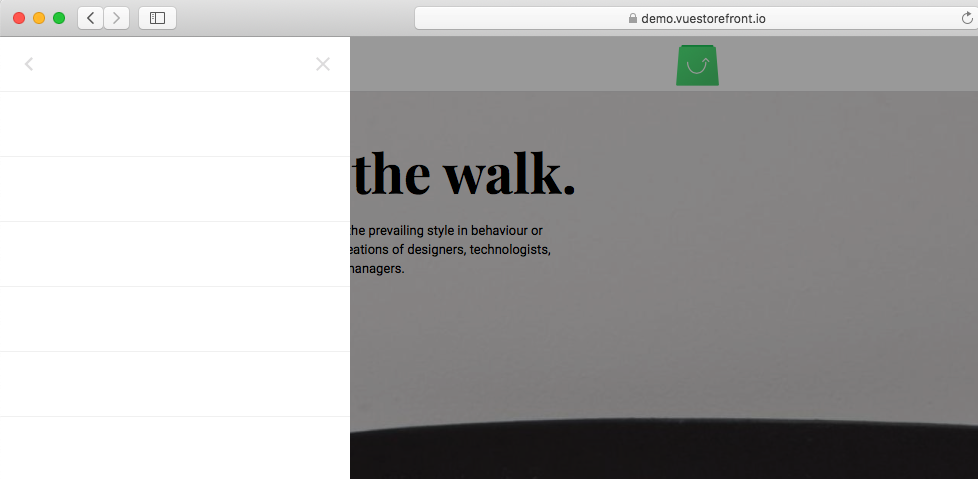
If you go to the hamburger menu icon -> My Account, it appears empty on Safari - the "color" style is not picked up for the list of anchors.
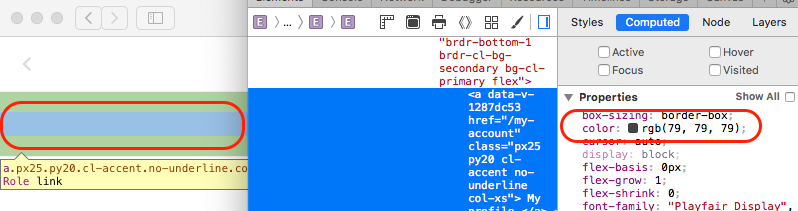
When you close the menu and re-open it, the anchors are now visible.
Expected behavior
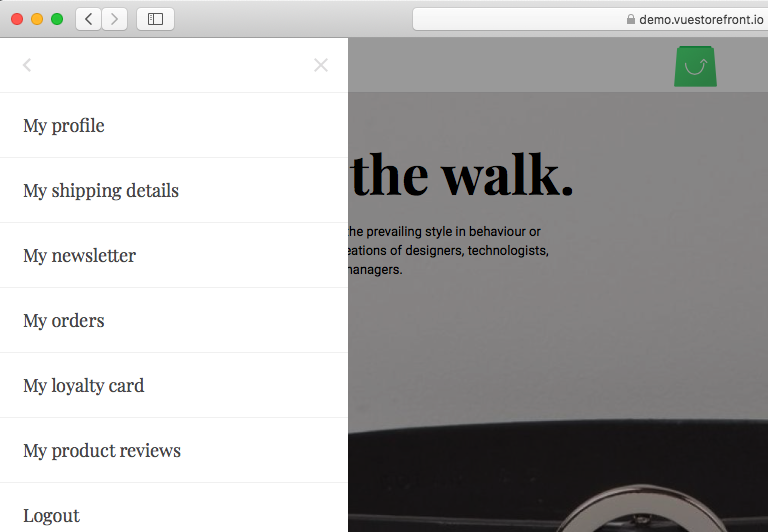
I expect to see the My Account sub-menu the first time I open it on Safari:
Steps to reproduce the issue
As described above - go to https://demo.vuestorefront.io, login to account, go to Menu -> My account with Safari.
Repository
Can you handle fixing this bug by yourself?
- [ ] YES
- [X] NO
Which Release Cycle state this refers to? Info for developer.
Pick one option.
- [ ] This is a bug report for test version on https://test.storefrontcloud.io - In this case Developer should create branch from
developbranch and create Pull Request2. Feature / Improvementback todevelop. - [ ] This is a bug report for current Release Candidate version on https://next.storefrontcloud.io - In this case Developer should create branch from
releasebranch and create Pull Request3. Stabilisation fixback torelease. - [X] This is a bug report for current Stable version on https://demo.storefrontcloud.io and should be placed in next stable version hotfix - In this case Developer should create branch from
hotfixormasterbranch and create Pull Request4. Hotfixback tohotfix.
Environment details
- Browser: Safari Version 12.1.1 (14607.2.6.1.1), but also reproducible with Safari on iPad Pro.
- OS: MacOS, iOS
- Node:
- Code Version:
Additional information
As the issue is only with the My Account sub-menu I assume it has to do with how this particular menu is rendered.
 bobcho
All 4 comments
@przspa can you Please update the status of this issue?
 pkarw
on 26 Jun 2019
pkarw
on 26 Jun 2019
@pkarw it's ready, I test it now and creating PR
 pspaczek
on 27 Jun 2019
pspaczek
on 27 Jun 2019
👍1
Thanks @przspa !
 patzick
on 28 Jun 2019
patzick
on 28 Jun 2019
❤1
thanks guys!
bobcho
on 28 Jun 2019
🎉1
Was this page helpful?
0 / 5 - 0 ratings
Related issues
 sandermangel
·
5Comments
sandermangel
·
5Comments
 kyvaith
·
5Comments
kyvaith
·
5Comments
 cartooncatfish
·
3Comments
cartooncatfish
·
3Comments
 benjick
·
4Comments
benjick
·
4Comments
 slightlyoff
·
3Comments
slightlyoff
·
3Comments