Vscode: Digital Pen input is interpreted as touch instead of mouse after Windows 1709 Fall Creator Update
- VSCode Version: Code 1.17.2 (b813d12980308015bcd2b3a2f6efa5c810c33ba5, 2017-10-16T13:59:46.104Z)
- OS Version: Windows_NT x64 10.0.16299
- Extensions:
Extension|Author (truncated)|Version
---|---|---
xml|Dot|1.9.2
gitlens|eam|5.6.5
cpptools|ms-|0.13.1
csharp|ms-|1.12.1
PowerShell|ms-|1.4.3
I just installed Windows Fall Creator Update and my Windows version is Windows 10 Pro 1709 build 16299.19. My computer is the Microsoft Surface 3 (Intel Atom)
Before the Windows upgrade. The Digital Pen in VSCode has functioned like a mouse. It was possible to use it to select text in the editor. Using Touch you could pan the open document like touch in a web browser.
After the Windows upgrade
VSCode interprets the Digital Pen as touch. Attempting to highlight text the Pen will not select text but instead pan the document like panning a web page or using Touch. I can't use Touch to select text.
I don't always have a keyboard handy and use VSCode to review code. I use the Digital Pen to select text and make notes in OneNote. I am unable to do this with the Pen.
The Digital Pen functions as expected in Notepad and other applications tested.
The new upgrade has also broken the ability to use the Touch Keyboard in full keyboard mode to use shift+arrow keys to select text. I was unable to work this morning.
I have tried rebooting the computer. I have not tried reinstalling VSCode.
Steps to Reproduce:
- A computer with a Digital Pen (Surface 3 Intel Atom)
- Windows 10 Pro 1709
- Open a document in VSCode
- Attempt to use the Digital Pen to select text in the document.
- Instead of selecting text the document will pan in VSCode.
Reproduces without extensions: Yes/No
 binaryWard
All 31 comments
@binaryWard I believe this is a Chromium issue (VS Code is built with Chromium v58).
Can you please double check this by trying the editor at https://microsoft.github.io/monaco-editor/ in Chrome ?
 alexdima
on 20 Oct 2017
alexdima
on 20 Oct 2017
I have found that using the digital pen right-click (holding the right-click button) allows me to select text. Then using the digital pen right-click (holding it on) allows me to move text. The right-click action is still able to pop up the context menu.
I have a wacom based Samsung ATIV 500T that is locked at an older Windows 10. Last night I installed the latest version of VSCode on it and the digital pen worked as expected on that device. This was the 32-bit version of VSCode. I am using the 64-bit version on the Surface 3.
I will attempt to try the suggestion to test on the link based upon the assumption of chromium.
binaryWard
on 20 Oct 2017
I don't think I know what I should do with the monaco editor. I was not able to figure out how to test it as VSCode uses it. I have only been able to run it via a web browser (Google Chrome) which highlighted text as expected.
binaryWard
on 20 Oct 2017
@binaryWard
The Monaco Editor uses 100% the same source code as the VS Code editor UI part, especially around input handling. So, from the input handling point of view, the Monaco Editor running on Chrome is almost equivalent to VS Code, except perhaps differences in the underlying Chromium version. VS Code uses Chromium v58, while Chrome is now at v62 I believe.
Since text is highlighted as expected in Chrome v62 in the Monaco Editor, the only difference remains in Chromium versions. I therefore believe that once we update to an Electron version that uses Chromium v62, the issue will be resolved.
The ultimate proof would be that the issue reproduces in the Monaco Editor using Chromium 58, but does not reproduce using Chromium 62. To validate this, you could check if input handling in Chromium 58 fails in the same way VS Code fails:
- VS Code uses Chromium
58.0.3029.110 - Downloading an older version of Chromium is a bit tricky.
- Using https://omahaproxy.appspot.com/ we can find Branch Base Position for:
454471 - http://commondatastorage.googleapis.com/chromium-browser-snapshots/index.html?prefix=Win_x64/ will list all build snapshots for Chromium
- Since
454471doesn't appear to exist there, I suppose454473will be close enough; I might be wrong, but this is usually what I do in these circumstances. - So finally, some incarnation of Chromium v58 is available at http://commondatastorage.googleapis.com/chromium-browser-snapshots/index.html?prefix=Win_x64/454473/
alexdima
on 21 Oct 2017
@binaryWard
The Monaco Editor uses 100% the same source code as the VS Code editor UI part, especially around input handling. So, from the input handling point of view, the Monaco Editor running on Chrome is almost equivalent to VS Code, except perhaps differences in the underlying Chromium version. VS Code uses Chromium v58, while Chrome is now at v62 I believe.
If you can reproduce on Chrome v62 on your machine with the Fall Creator Update, then please open an issue against https://bugs.chromium.org/p/chromium/issues/list .
If you cannot reproduce on Chrome v62 on your machine with the Fall Creator Update, I suppose you could also try Chrome v58 (which is what VS Code uses currently):
- VS Code uses Chromium
58.0.3029.110 - Downloading an older version of Chromium is a bit tricky.
- Using https://omahaproxy.appspot.com/ we can find Branch Base Position for:
454471 - http://commondatastorage.googleapis.com/chromium-browser-snapshots/index.html?prefix=Win_x64/ will list all build snapshots for Chromium
- Since
454471doesn't appear to exist there, I suppose454473will be close enough; I might be wrong, but this is usually what I do in these circumstances. - So finally, some incarnation of Chromium v58 is available at http://commondatastorage.googleapis.com/chromium-browser-snapshots/index.html?prefix=Win_x64/454473/
alexdima
on 21 Oct 2017
I am able to reproduce the issue using playground https://microsoft.github.io/monaco-editor/playground.html
Google Chrome Version 62.0.3202.62 (Official Build) (64-bit) would not let me select any text with the digital pen. I could not even use the right-click function.
Microsoft Edge 41.16299.15.0 presents the same problem. The digital pen will scroll like touch. Using the digital pen right click allowed the selection of text.
Internet Explorer 11.15.16299.0 digital pen fails to select text. acts like chrome.
I don't have firefox to test. I have not been able to test an older build of chrome.
binaryWard
on 24 Oct 2017
We have seen the Chrome version 61 work as expected on a Windows 10 1709. Although checking the browser it is now updating.
binaryWard
on 24 Oct 2017
More testing results using the playground. Because it is via a web browser I have put together some notes on different platforms and browsers.
I do not know if the input handling is designed to handle input relative to the OS or if it is wanting to have a uniform input handling on all platforms.
I have access to
Device|Operating System|Digital Pen
---|---|---
Microsoft Surface 3 (Intel Atom)|Windows 10 Pro 1709 16299.19 64-bit|Microsoft Pen (n-trig)
Microsoft Surface Book 4|Windows 10 1709 64-bit|Microsoft Pen (n-trig)
Samsung ATIV 500T| Windows 10 Pro 1607 32-bit (Microsoft locked out this device from newer updates)|S-Pen (wacom)
I have access to an iPad Pro with digital pencil, Samsung Note 5, and older Laptop with a Wacom pen running Windows 7 I will test it when I have a chance.
I have added a matrix matching the Windows mouse input to the digital pen input. On Windows the Pen and Mouse actions have the same actions for all applications.
Rarely does an application not respond to the pen as mouse input. Web content in a web browser may have different behaviors.
Mouse|Digital Pen|Note
---|---|---
left-click|tap|
left-click + drag|tap + drag|
left-double-click|double-tap|
left-double-click + drag|double-tap + drag|
right-click|long-tap|
right-click|button + tap|
(none)|button + tap + drag|select text, drag window
Here are the results from my testing.
There is one unique test I performed and that was on the Surface 3 I opened a Remote Desktop connection to another Windows 10 workstation to see how the digital pen input would be handled. This was done because I often am using this combination.
I didn't have this result matrix when I was testing. If I have time I will attempt to replicate the testing based upon the matrix.
The tests were using the playground at https://microsoft.github.io/monaco-editor/playground.html
I performed the tests in the text editing windows after the page loaded.
Device|Browser|tap|tap+drag|double-tap|button+tap|button+tap+drag|long-tap
---|---|---|---|---|---|---|---
Surface 3|Chrome v62.0.3202.62 (64-bit)|position cursor|pan text editor|position cursor|menu|menu when pen lifted|menu
Surface 3|Edge v41.16299.15.0 EdgeHTML 16.16299|position cursor|left text editor pan whole web page and scroll bars did not respond. right text editor pan scroll bars responded.|position cursor|menu|select text. tap on unselected text clear selection. does not work if all text selected.|menu
Surface 3|IE v11.15.16299.0 (11.0.47)|position cursor|pan text editor|position cursor|menu|menu when pen lifted|menu
Surface 3|FireFox v56.0.1 (64-bit)|position cursor|pan text editor|position cursor|menu|select text. tap clear selection|menu
Surface 3 -> RDP -> Windows 10|Chrome v61|---|text selection|---|---|---|---
Surface 3 -> RDP -> Windows 10|Edge v41.16299.15.0|---|pan whole page|---|---|select text. text cleared on tap outside of selection|---
Surface 3 -> RDP -> Windows 10|IE v11.15.6299.0|---|pan text editor|---|---|menu at pen lift|---
Surface 3 -> RDP -> Windows 10|Chrome v62|---|pan text editor|---|---|menu at pen lift|---
Surface 3 -> RDP -> Windows 10|FireFox v56.0 32-bit|---|select text|---|---|select text|---
Surface 3 -> RDP -> Windows 10|FireFox v56.1 64-bit|---|select text|---|---|select text|---
Samsung ATIV 500TT|Chrome v61 32-bit|---|selected text|---|---|selected text|---
Samsung ATIV 500TT|Edge 25.10586.672.0|---|pan|---|---|---|---
Samsung ATIV 500TT|FireFox 56.1 32-bit|---|selected text|---|---|selected text|---
Surface Book 4|Chrome v61|---|selected text|---|---|selected text|---
binaryWard
on 25 Oct 2017
For what it's worth, this new behavior in 1709 really bit me in the butt, not only in VSCode but in Edge as well. I prefer to use my pen for text selection over scrolling the screen (pretty much everywhere; I use finger-based-touch to scroll), and it appears 1709 changed the default behavior of the pen to pan/scroll instead of text selection. There doesn't appear to be a way to change this behavior system-wide.
I have an HP x360 (late 2017) and two pens: Surface pen and the default HP pen. Happy to help test.
 tcoulter
on 27 Oct 2017
tcoulter
on 27 Oct 2017
This issue also persists in Atom. I used to use my pen as a mouse, and fingers for touch-events.
Same as VSCode, holding the Surface Pen's right-click button allows me to highlight text,
but where I often hold ctrl+click to select multiple spots,
that is now treated the same as a normal right-click.
This was on a Surface Pro 4. Reproduced outside of Chrome entirely.
 MarkPuchalaII
on 10 Nov 2017
MarkPuchalaII
on 10 Nov 2017
I'm having similar issues in edge and chrome, and some web-apps with 1709. My only solution so far was to revert to 1703 and block 1709 from installing. I filed a bug with edge regarding this, and they say it's by design now. I'm using pen and touch in a similar fashion. select with drag button to copy paste.
I don't understand how anyone could sign pen scrolling off without an off-switch.
Some functionality that can break in various apps and web-apps are:
- Text selection (you can select with barrel button in some cases but no longer copy with it.)
- Drag and drop, will scroll instad of drag&drop. Or do both in some cases (conflict)
- Drawing/Inking in some apps and web-apps can scroll instead of draw, or do both(conflict)
- Barrel button functionality. (wrong context menu showing read aloud instead of copy paste etc)
- Double/Tripple taps to select word/paragraph.
I hope someone at microsoft can escalate this, because it's causing a lot of problems for a lot of pen users. Issues with this in feedback hub seems to be ignored so far. There needs to be a setting somewhere to revert to opd behaviour.
I can't file bugs with every app/developer I use to create workarounds for this. Hoping for a fix soon.
This is serious issues that have broken a workflow for a lot of people.
 tunepunk
on 26 Nov 2017
tunepunk
on 26 Nov 2017
"Drawing/Inking in some apps and web-apps can scroll instead of draw, or do both(conflict)"
This is a huge issue in my organization. We have students and teachers that need to draw and ink in web apps, and that feature is now broken, for a redundant implementation of an easy to use finger gesture. This boggles my mind, as I don't understand the use case imagined where making the stylus equivalent to a finger makes any sense. Having two touch based inputs act exactly the same, when the pen used to add a whole different set of touch based inputs seems like a leap backwards.
 sirgenius3
on 28 Nov 2017
sirgenius3
on 28 Nov 2017
This is a systemwide nuisance. If someone has got a feedback hub issue to upvote I'd be in.
Otherwise I'll open one and post a link.
Here is one comment I posted.
https://aka.ms/Lqphtg
Here is my dedicated feedback
https://aka.ms/Uondua
 ScruffR
on 6 Dec 2017
ScruffR
on 6 Dec 2017
Excellent suggestion! The current behaviour of the stylus pen is odd and unfeasible, indeed.
I added an implementation suggestion comment to your feedback (which in the meantime apparently has been moved to here: https://aka.ms/V3s0ff ).
 SetTrend
on 4 Mar 2018
SetTrend
on 4 Mar 2018
Please take a look at a recent post on Reddit that provides some more context in regard to controlling the pen behavior on Windows 10 with legacy Win32 applications.
https://www.reddit.com/r/Windowsink/comments/8508fi/controlling_pen_behavior_in_windows_10/
Hope this helps! Again, we really appreciate the feedback as we continue to enhance Windows Ink!
– Thanks, David
 David-WindowsInk
on 17 Mar 2018
David-WindowsInk
on 17 Mar 2018
The only thing which would help would be restore the standard functionality, and to allow bundles such as my Samsung Galaxy Book 12 and Staedtler Noris Digital Stylus to work as they did when purchased.
 WillAdams
on 28 Mar 2018
WillAdams
on 28 Mar 2018
Same behavior in Photoshop CS6 (64bit). Using Thinkpad X230 Tablet with a passive pen on Wacom digitizer built into the screen.
Reproduction instructions:
- Select Hand tool or hold Spacebar.
- Make sure Standard Screen Mode is selected under View->Screen Mode.
- Maximize your Photoshop window.
- Zoom in so that the current canvas is larger than your window/viewport.
- Press down and drag the pen across the screen in various directions, recentering the canvas when it jumps.
- Once you get the hang of reproducing this behavior (it's inconsistent, but notice that the scrollbars in your zoomed-in Photoshop project may transmogrify into some alien appearance when it happens), try moving your zoomed focus above the top-left corner of your canvas, then drag straight down or straight to the right with the Hand tool. The entire window will get pulled slightly, exposing the inactive windows and desktop behind Photoshop. This points to the hypothesis that it's a Windows feature acting badly.
Please if anyone has suggestions, this is a serious bug for me. I need my pen to work as a pen, not as a finger. And I really want toggle switches for all such "features" going forward. Any kind of clear, user-modifiable settings panel might actually make Microsoft's UX designers capable of triple-checking all their features for conflicts before release. Instead they seem to break basic features all the time just because they aren't dog-fooding them.
UPDATE:
The link provided by David from the WindowsInk team does indeed have instructions to turn the behavior off for legacy programs. Although this doesn't fix the horrid PEN SCROLLING (WTF??!?!) feature on modern apps... Thanks for sort of trying David.
Also, noted on that page is the flag to fix PEN-SCROLLING (WTF??!?!) in modern Chrome:
Direct Manipulation Stylus: DISABLED
 effeffitis
on 3 Apr 2018
effeffitis
on 3 Apr 2018
Same problem as @effeffitis , I went back to the previous update to "fix" the issue.. but still this is very annoying, hope they fix it.
 alextana
on 6 Apr 2018
alextana
on 6 Apr 2018
The problem is these changes appear to be influenced from Apple iPad. Remember the first iPads never had a digitizer pen. The users that used a pen on these devices we're using pens that emulated a finger. Now with the iPad pro with a digital pencil the same experience with all applications. OneNote on the iPad pro is a nightmare if you are a user from Windows or Android with a digital pen. These are changes based upon a user base that had devices emulating a finger. Wacom and Ntrig emulated the mouse.
The primary issue we have with the changes is one is more natural to a real pen than the other. When writing on real paper we do not use our pens to move papers or change pages in a notebook. We use our fingers.
Users are already aware they can use their fingers to scroll and pan. It is odd to explain the pen must toggle between a finger input and writing when it is a pen while using writing applications. The ink team defends their choice. The Android OneNote team rolled back the mistake. The digital pen input problem is far larger than vscode. This is a fundamental shift in how a digital pen will be expected to work in the future.
The pen based on mouse input was far more natural than the pen based on finger input.
binaryWard
on 6 Apr 2018
The problem is these changes appear to be influenced from Apple iPad
Now with the iPad pro ...
Yup, things seem a bit skewed towards these devices.
But Windows 8/8.1 had the side-by-side view for apps and that was a good thing IMHO, and Apple apparently thought so too and incorporated something similar in their iPad Pro.
Now Windows 10 can't even do a proper "side-by-side" or "stacked" windows arrangement with tablets with screen rotation.
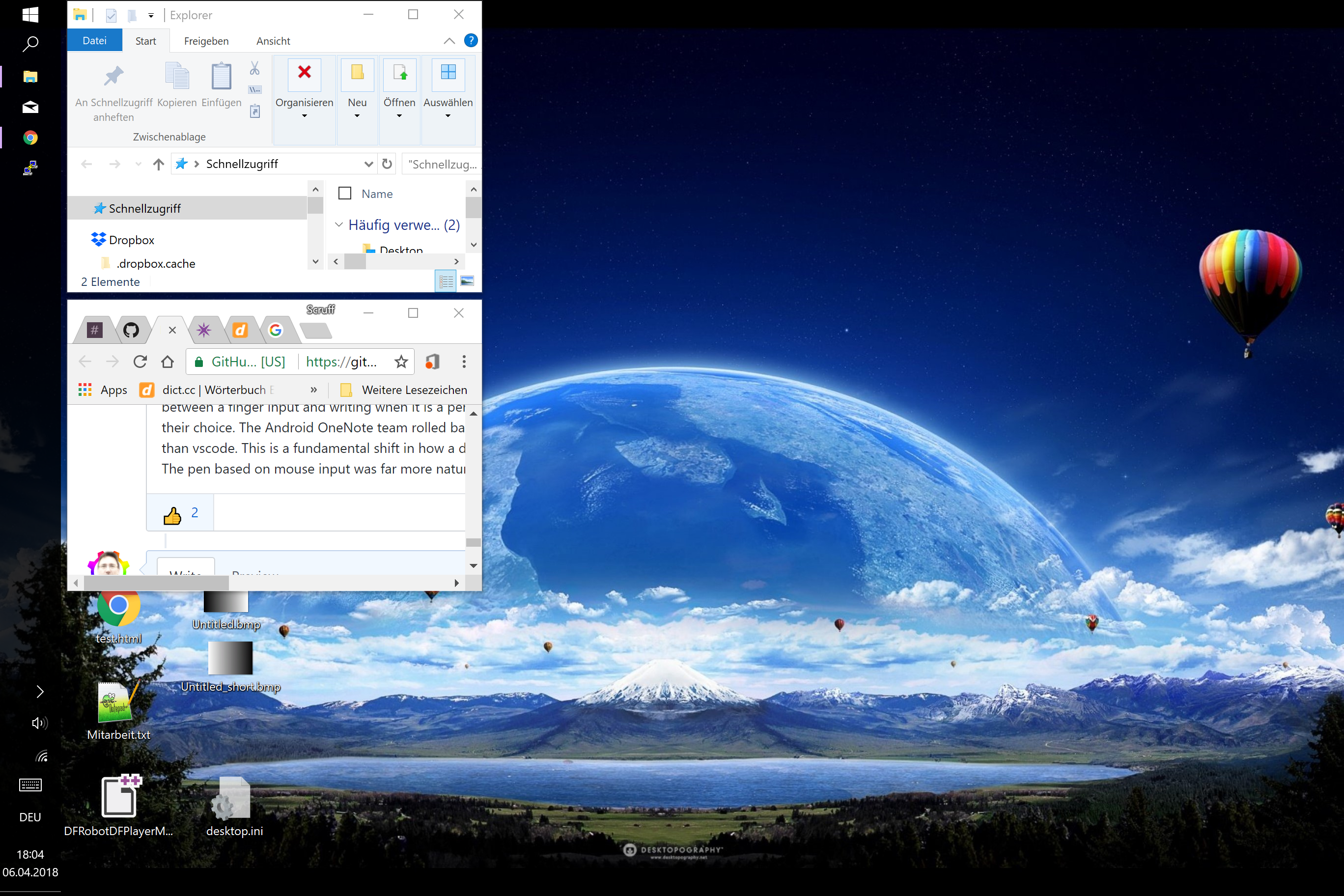
This is what happens when I right-click the taskbar and select side-by-side on my Surface Pro 2017 64bit - pathetic 🙈
Also the swipe from left border to bring up the last active app or the "swipe loop" from left border and back to bring up the active apps view (similar to the swype from right border on iPad pro) was intuitive once you learnt its magic - but while iPad Pro still has these features Win10 has killed them.
M$ mimiks the useless things but relinquishes their own great ideas so that others can take them up and "sell" them as special features - they seem to be aiming to get rid of the M$ and rebrand to m¢ 😉
ScruffR
on 6 Apr 2018
MS Feedback only displays the most recent 50 reports, so - to prevent it from getting into oblivion - I'd like to repeat my suggestion to MS on how to implement both behaviours in one go here:
Two possible, alternative implementations would be easy to grasp and implement:
- [ ] (A)
Add a Boolean (i.e. "either/or") option to Windows 10, so the user may decide on how he/she wants to use the pen (i.e. either scroll or text select when holding down the pen onto the screen (i.e. Morse code equivalent letter: "T")).
– or –
- [ ] (B)
- Whenever the user "double-clicks" and holds the pen (i.e. Morse code letter equivalent: "
A" or "I") on a non-interactive area (i.e. text or canvas), he/she wants to select text or paint images. - On the other hand, when he/she justs holds the pen (i.e. Morse code letter equivalent: "
T") he/she wants to scroll.
- Whenever the user "double-clicks" and holds the pen (i.e. Morse code letter equivalent: "
I would prefer option (B) to get implemented by MS:


And, please, MS, add a Boolean (i.e. "on/off") option to Windows 10 that will keep scroll bars from auto-hiding. It's uttermost tedious to look out for scroll bars if you don't see them. I neither need, like nor want scroll bars to auto-hide.
SetTrend
on 9 Apr 2018
No @SetTrend I disagree with both of your implementations. The reason is because you are designing only for a tablet productivity user, whereas I am a digital artist user. I know other users who only write in Evernote then put their pen down. I'm sure there are other kinds of users out there I can't imagine. My point is that I use the pen as a drawing implement, and any other layers of usability that I cannot disable and modify in detail (e.g., scrolling, text selection, window swiping out of the way, et al.) have the very real potential to ruin my day or the day of someone else.
Please consider all usage scenarios before offering such a narrow range of implementations for the WindowsInk team, since they may only see your very smartly illustrated post and ignore others, working to please you, the most notable member of a disgruntled and very competent userbase, and in so doing ignoring the core problem: THERE'S NO ADVANCED SETTINGS MENU!
effeffitis
on 9 Apr 2018
You are right, an Advanced pen menu would be perfect.
My proposal is for mainstream users indeed, because they aren't supported either. Currently no-one is satisfied. With my proposal a fair share of users would be satisfied, leaving a minor - yet undoubtedly important - group aside.
If the Windows Ink team agreed to provide even more advanced options, that'd be perfectly fine with me.
So, what'd be your suggestion on how the pen should specificly work to satisfy your needs?
SetTrend
on 9 Apr 2018
There was nothing wrong with the old behaviour. If you wanna scroll with a pen you can buy one of those capacitive pens with a rubber tip.
Text selection in 1709 is inconsistent. Some places it works one way (old way) some places it doesn't work with barrel button, and sometimes like touch.
Open Notepad, and write something or open any txt file. Select text with the pen. Works exactly like expected. Writer, also works the same way.
Open edge and go to twitter, here or any other comment input field. Write something, and try to select the text. Sometimes you don't even get the handlebars, to change the span of the selection. Extremely frustrating.
Any kind of editing of text (selection, copy, paste etc) with the new behaviour is hard, tedious, and broken...
The new behaviour is so terribly poorly implemented it's not even funny. No amount of personalized settings would make it good, unless you can completely turn it off.
Best text selection I have encountered so far is in Firefox, in 1703. It uses the old behaviour along with handle bars.
Does anyone know where I can send my invoice to MS so I can charge them for lost productivity by completely ruining my workflow?
tunepunk
on 9 Apr 2018
If you wanna scroll with a pen you can buy one of those capacitive pens with a rubber tip.
I actually own own. But don't you think it's quite a tedious fiddling around with a pen, twisting it all the time when editing a large document? Particularly when combining both functions into one instead _without_ much ado seems perfect to me.
You can still use it as in 1709. Just double-click instead of click. I don't see much of a drawback here.
SetTrend
on 9 Apr 2018
https://www.reddit.com/r/Windowsink/comments/8emum0/update_fix_now_available_unexpected_application/
David-WindowsInk
on 24 Apr 2018
I can't see any particular improvement after installing that update?
I can't find any extra setting to opt-in/out of the touch behaviour - looked in control or device settings.
Pen is still interpreted as finger touch.
ScruffR
on 25 Apr 2018
The context menu in Chrome opens when I do text selection by holding the barrel-button on my pen and selecting the text by moving the pen. Is this issue here the cause of it?
 MartinLichtblau
on 16 Jan 2019
MartinLichtblau
on 16 Jan 2019
same issue here. pen used to be able to select text, sections of code. Now it just interprets the pen as a finger touch instead of a mouse touch. Anyone find solutions??
 hEnRyDaSqrt64
on 4 Aug 2019
hEnRyDaSqrt64
on 4 Aug 2019
try the following
run vscode in compatibility mode for Windows 7
-> vscode icon / propertiescheck 'Allow my pen to act as mouse in legacy applications'
-> system settings / Pen & Windows Ink
now the pen selects text as it should, while touches keep scrolling
but this is not perfect at all, you can't grab tabs neither by pen or touch, scrollbar and minimap do not respond to touch drags, and who really wants to run good and modern vscode in compatibility mode, not all terminal and extension stuff may work as intended
 qrti
on 24 Aug 2019
qrti
on 24 Aug 2019
AFAIK there is no possible code change we can do in VS Code to influence how these events reach us, so there is nothing I can do in our code base.
I think the feedback in this issue is very valuable, and the issue can still be searched, but the best way forward is to continue giving feedback directly via Windows feedback channels.
alexdima
on 9 Oct 2019
Related issues
 sijad
·
3Comments
sijad
·
3Comments
 ryan-wong
·
3Comments
ryan-wong
·
3Comments
 chrisdias
·
3Comments
chrisdias
·
3Comments
 NikosEfthias
·
3Comments
NikosEfthias
·
3Comments
 mrkiley
·
3Comments
mrkiley
·
3Comments
Most helpful comment
The problem is these changes appear to be influenced from Apple iPad. Remember the first iPads never had a digitizer pen. The users that used a pen on these devices we're using pens that emulated a finger. Now with the iPad pro with a digital pencil the same experience with all applications. OneNote on the iPad pro is a nightmare if you are a user from Windows or Android with a digital pen. These are changes based upon a user base that had devices emulating a finger. Wacom and Ntrig emulated the mouse.
The primary issue we have with the changes is one is more natural to a real pen than the other. When writing on real paper we do not use our pens to move papers or change pages in a notebook. We use our fingers.
Users are already aware they can use their fingers to scroll and pan. It is odd to explain the pen must toggle between a finger input and writing when it is a pen while using writing applications. The ink team defends their choice. The Android OneNote team rolled back the mistake. The digital pen input problem is far larger than vscode. This is a fundamental shift in how a digital pen will be expected to work in the future.
The pen based on mouse input was far more natural than the pen based on finger input.