Vscode-pull-request-github: The GitHub Pull Request treeview never appears for an organization account
- Extension version: 0.1.2
- VSCode Version: 1.27.1
- OS: macOS High Sierra 10.13.6
Seems like the extension isn't working for organization accounts. I tried building the extension from source and I noticed that the isGithub method inside the GitHubManager is returning false for the host.authority which is something like github.example.com
This is the line where the check returns false
Seems very similar to this one https://github.com/Microsoft/vscode-pull-request-github/issues/395
Please let me know if you need additional details with this one.
 gauravrane2212
All 18 comments
@gauravrane2212 If you run curl -I https://github.example.com/api/v3/rate_limit in the command line with your enterprise domain, is there a line starting with X-GitHub-Request-Id: in the output?
 shana
on 11 Sep 2018
shana
on 11 Sep 2018
@shana here is the X-GitHub-Request-Id: e407b6b7-c226-4ae1-bdf4-21b89851fc5f
gauravrane2212
on 11 Sep 2018
@shana Did you have any luck in investigating this further? Feel free to ping me if you need any information from me regarding my setup. Thanks.
gauravrane2212
on 18 Sep 2018
@gauravrane2212 Thanks for the info, I think this is another instance of https://github.com/Microsoft/vscode-pull-request-github/issues/502
host.authority wasn't being correctly parsed out of the remote, https://github.com/Microsoft/vscode-pull-request-github/commit/869387e62d4c47e31eae65d91a0335aa2b8a6006 and https://github.com/Microsoft/vscode-pull-request-github/commit/51b6355aac949522ff418b9089d412d174420be1 fix this. I just published a new version of the extension with these changes, so please give it a try and let us know if there are still problems
 RMacfarlane
on 21 Sep 2018
RMacfarlane
on 21 Sep 2018
@RMacfarlane It still didn't work for me with the latest changes.
I did some more digging and it seemed like isGithub() was still returning me false. It looked like the method was still failing since it was going inside the onError.
The error I saw was Error: self signed certificate in certificate chain and I found this suggestion here to try using rejectUnauthorized : false or strictSSL : false
Using the rejectUnauthorized:false setting seemed to work and I do see the popup for GitHub login. YAY :tada: (I also can now see the github pull request section on the source control panel).
However, when I try to sign into my Github account using the popup redirect, it throws me an error like this Error Error: getaddrinfo ENOTFOUND github.example.com github.example.com:443
When I retried the sign in process, I saw this:
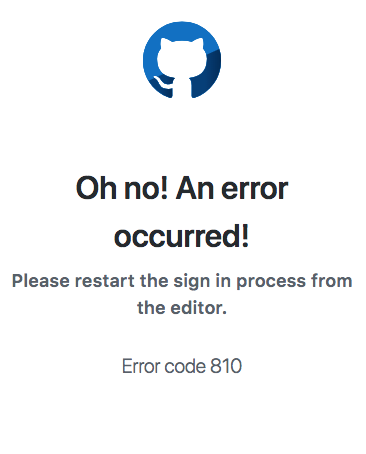
Do you have any clues as to what I can do next to debug this? Also, I don't think so setting rejectUnauthorized:false is a good option from a security point of view.
gauravrane2212
on 21 Sep 2018
hmm @shana any insights into what error 810 is? There was another issue filed on this https://github.com/Microsoft/vscode-pull-request-github/issues/509 which the author closed because they stopped seeing it, so it's something transient
RMacfarlane
on 21 Sep 2018
810 means that the IP for the websocket connection is different from the IP for the browser requesting the auth page.
@gauravrane2212, what's your NAT setup like? Are you behind a VPN?
 queerviolet
on 26 Sep 2018
queerviolet
on 26 Sep 2018
@gauravrane2212 Sorry for the delay in replying. You latest comment has clarified what the problem is as far as the connection fail (the 810 error is a different thing, see @queerviolet's comment).
The error I saw was Error: self signed certificate in certificate chain and I found this suggestion here to try using rejectUnauthorized : false or strictSSL : false
This means that your github enterprise instance has a self-signed certificate, which is something that will get rejected by connections (no way to verify identity).
In order to connect to a server like this, you'll need to import the certificate into your machine and trust it. You can export the certificate from your browser by clicking on the lock icon (in chrome), clicking on certificate, details, open file, and exporting the certificate as PKCS #7 (.p7b extension) and including all the certificates in the path:

You can then double click on the exported file and import it into your user trust store

Restart vscode, and you'll be able to connect to your server.
shana
on 26 Sep 2018
@shana - is there a workaround for OS X as well? I'm seeing this error in the the Output tab for GitHub Pull Request:
Error signing in to github.internal.host: Error: self signed certificate in certificate chain
Error: self signed certificate in certificate chain
at TLSSocket.<anonymous> (_tls_wrap.js:1103:38)
at emitNone (events.js:106:13)
at TLSSocket.emit (events.js:208:7)
at TLSSocket._finishInit (_tls_wrap.js:637:8)
at TLSWrap.ssl.onhandshakedone (_tls_wrap.js:467:38)
I don't run into certificate issues with other applications (e.g., Chrome), because I think they use the OS X system keychain (which trusts the self-signed certificate).
Any thoughts on workarounds?
 thelastnode
on 9 Oct 2018
thelastnode
on 9 Oct 2018
Oops, disregard - turns out I omitted the https:// in my github.hosts config. All good now!
thelastnode
on 9 Oct 2018
@shana Sorry for the late reply. I was out on a vacation and then sick thereafter. I am running this setup on a macOS High Sierra (v10.13.6) and I tried to add the certificates in the keychain (equivalent way to the windows solution you mentioned). Adding the certificates to the keychain still doesn't resolve the issue. ( I tried installing this setup on my windows VM and still the plugin doesn't work 😢 )
I, however, stumbled upon this answer from you here and I tried adding the github hosts in the user settings.
{
"github.hosts": [
{
"host": "https://github.example.com",
"username": "oauth",
"token": "TOKEN"
}
],
"http.proxyStrictSSL": false
}
This now shows that I am signed in the bottom of the VSCode but now it gives me errors like this for my repo
Unable to resolve remote: request to https://github.example.com/api/v3/repos/USER/REPO failed, reason: unable to verify the first certificate
Seems like the certificates are not added correctly on my system 🤔
-Gaurav
gauravrane2212
on 15 Oct 2018
This is the only issue open for something similar to my problem. So I write here.
Not tree view in side panel, no login prompt.
GitHub Enterprise 2.14.6
Mac OS
VSCode: 1.29.0
Github PR extension: 0.2.3
>>> git remote -v
>>> origin  https://github.myorg.com/myorg/myproj.git (fetch)
>>> origin  https://github.myorg.com/myorg/myproj.git (push)
OUTPUT for GitHub Pull Request:
/Users/xxx/.ssh/config: ENOENT: no such file or directory, open '/Users/xxx/.ssh/config'
Looking for git repository
Git repository found, initializing review manager and pr tree view.
No GitHub remotes found
No GitHub remotes found
Review> no matching pull request metadata found for current branch master
No GitHub remotes found
Review> no matching pull request metadata found for current branch master
 wxianxin
on 13 Nov 2018
wxianxin
on 13 Nov 2018
Does this extension require your GitHub Enterprise instance to be running on SSL?
 enure
on 13 Nov 2018
enure
on 13 Nov 2018
Any news? I see the same issue with v0.2.3.
 makamekm
on 4 Dec 2018
makamekm
on 4 Dec 2018
any news on this issues? couldn't get it started to taste the power of this tool.
 Lucashuang0802
on 14 Dec 2018
Lucashuang0802
on 14 Dec 2018
Same here, treeview never shows up.
- Extension version: 0.4.0
- VSCode Version: 1.31.0
- OS: Ubuntu 16.04.5 LTS
Output is:
[Info] /home/vagrant/.ssh/config: ENOENT: no such file or directory, open '/home/vagrant/.ssh/config'
[Info] Looking for git repository
[Info] Git repository found, initializing review manager and pr tree view.
[Info] No GitHub remotes found
[Info] Review> no matching pull request metadata found for current branch master
[Info] No GitHub remotes found
[Info] Review> no matching pull request metadata found for current branch master
This is very confusing 😕
 matzetronic
on 12 Feb 2019
matzetronic
on 12 Feb 2019
Same here, Please fix this
- Extension version: 0.5.1
- VSCode Version: 1.32.3
- Operating System: Windows 7 Enterprise
 yousifalraheem
on 18 Mar 2019
yousifalraheem
on 18 Mar 2019
Since all reports of this are > 1 year old I'm going to close this. If it's still happening, feel free to ping the issue.
 alexr00
on 10 Nov 2020
alexr00
on 10 Nov 2020
Related issues
 RamonMeffert
·
3Comments
RamonMeffert
·
3Comments
 lumaxis
·
3Comments
lumaxis
·
3Comments
 joaomoreno
·
4Comments
joaomoreno
·
4Comments
 kieferrm
·
4Comments
kieferrm
·
4Comments
 sbatten
·
4Comments
sbatten
·
4Comments
Most helpful comment
This is the only issue open for something similar to my problem. So I write here.
Not tree view in side panel, no login prompt.
GitHub Enterprise 2.14.6
Mac OS
VSCode:
1.29.0Github PR extension:
0.2.3OUTPUT for GitHub Pull Request: