Vscode-markdown: user defined snippets for markdown no longer work after enable Markdown All in One
steps to reproduce
- define some snippets for Markdown, and ensure them working. e.g.:
{
"math inline" : {
    "prefix": "$",
    "body": ["$`$1`$"],
    "description": "inline math"
}
}
- install Markdown All in One v0.11.0
- user defined snippets no longer work
- disable Markdown All in One
- user defined snippets work again
 zhanglix
All 6 comments
Yes, I find that the first time you type $ there is no snippet.
But after that (typing $ again) it will work. Is it?

 yzhang-gh
on 26 Oct 2017
yzhang-gh
on 26 Oct 2017
I found that after typing "$",
- if you type "ctrl + space", the snippet will show again.
- if you type "tab", the snippet will not show. (with setting: "editor.tabCompletion": true)
Maybe there are some conflicts between the build-in tabCompletion setting with "Markdown All in One".
Anyway, the "ctrl + space" solution work for me very well.
Thank you for sharing such a great VS extension. 👍
zhanglix
on 2 Nov 2017
Quick suggestion is disabled on Markdown by default. To get your behavior without the need for ctrl + space, add this to your User Settings:
    "[markdown]": {
        "editor.wordWrap": "on",
        "editor.quickSuggestions": true
    },
The editor.tabCompletion:true actually does not behave like I'd expect regardless if editor.quickSuggestions is true or false. I am not sure why tabCompletion without quickSuggestion won't work
 ketozhang
on 11 Nov 2017
ketozhang
on 11 Nov 2017
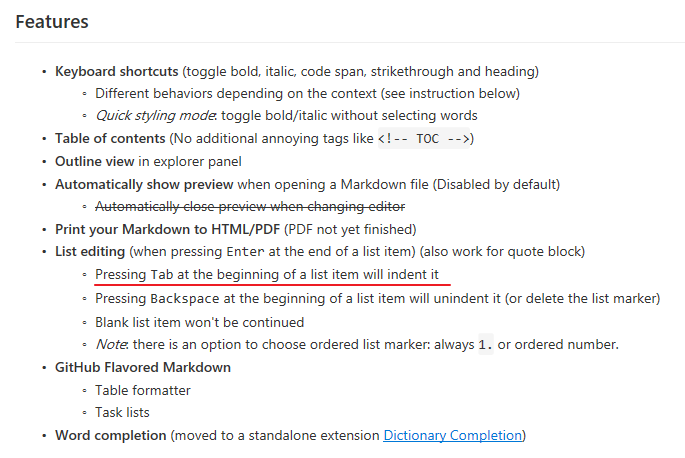
@ketozhang tab key is overridden for the usage of indenting list
yzhang-gh
on 11 Nov 2017
@neilsustc Shouldn't that tab only refer to listing environment such that:
# snippet tabCompletion is active here but not listing tab

* Item 1
    * Item 1a  #listing tab is active here but not tabCompletion
tabCompletion will work with v0.11.2!
yzhang-gh
on 23 Nov 2017
Related issues
 deanishe
·
4Comments
deanishe
·
4Comments
 gurbindersingh
·
4Comments
gurbindersingh
·
4Comments
 akurani
·
4Comments
akurani
·
4Comments
 maoturing
·
4Comments
maoturing
·
4Comments
 nosalan
·
3Comments
nosalan
·
3Comments