Vscode-gitlens: Cannot "open Repository/Branches/Branch on remote" when remote is not github
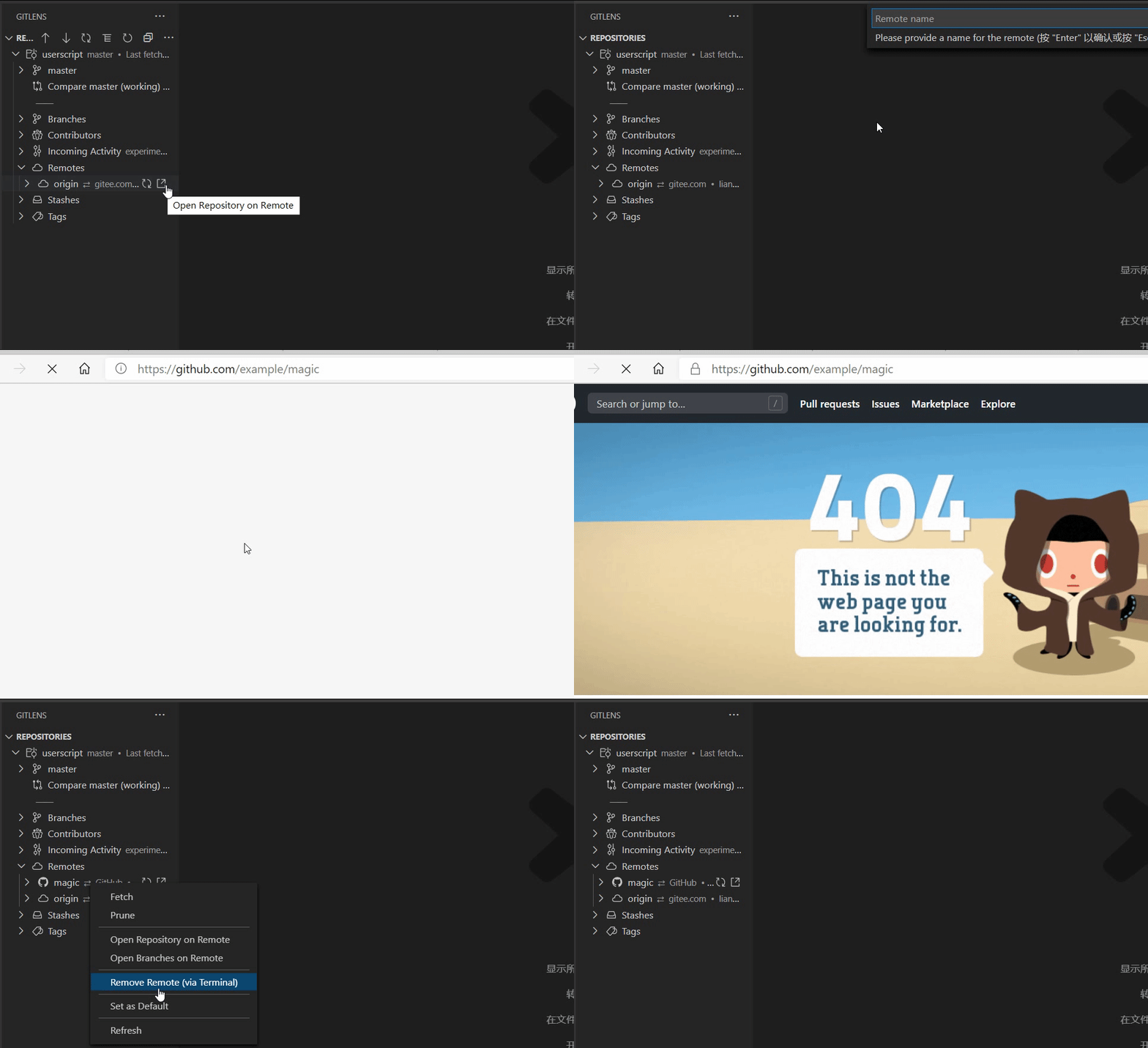
For example, when there is only one remote: https://gitee.com/a/b.git, you can't open anything on remote.
If you have two remotes: https://github.com/a/b.git and https://gitee.com/a/b.git, you can open the gitee remote, but the url is github. The key point is, there must be an origin of github.
 liangjiancang
All 7 comments
See the gif:
liangjiancang
on 21 Aug 2020
Does this still happen with GitLens 11?
 eamodio
on 1 Dec 2020
eamodio
on 1 Dec 2020
Yes, it does.
After clicking "Open Repository on Remote":

liangjiancang
on 1 Dec 2020
I believe the issue is that GitLens can't auto-detect your gitee.com remote, so it needs to be configured first. I have pushed a "fix" for this in the insiders edition of GitLens -- where you'll get a better error message.
Can you please try the insiders edition? Be sure to disable/uninstall the stable version of GitLens first.
You can install the insiders edition from here.
eamodio
on 1 Dec 2020
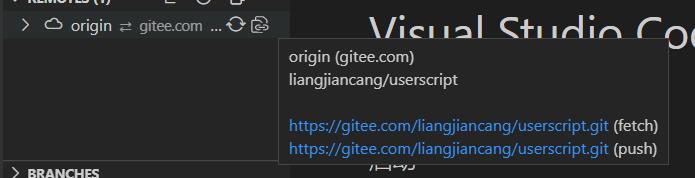
Sorry, I don't have much time for testing. You say GitLens can't auto-detect the gitee.com remote, but obviously it "knows" what the remote url is (just use fetch or push). I don't know what "detect" here exactly means, but user just want to open the remote url in browser quickly, rather than an error message.
liangjiancang
on 1 Dec 2020
GitLens knows the git remote "url", but that doesn't provide enough information to be able to open a specific resource (branch, commit, file, etc) given that url (never mind that the git url could be git: or ssh: rather than http). So in order for GitLens to be able to open those resources it needs to know how to form those urls -- and those need to be added via the gitlens.remotes setting.
eamodio
on 1 Dec 2020
I get it, thanks for your reply. I don't have time to test it, but as long as the error message points to gitlens.remotes, it should be OK.
liangjiancang
on 1 Dec 2020
Related issues
 ahhmarr
·
3Comments
ahhmarr
·
3Comments
 isaacwashere
·
3Comments
isaacwashere
·
3Comments
 ridhwaans
·
3Comments
ridhwaans
·
3Comments
 JP-Ellis
·
3Comments
JP-Ellis
·
3Comments
 roblourens
·
4Comments
roblourens
·
4Comments