Vscode-gitlens: GitLens sidebar pane is blank
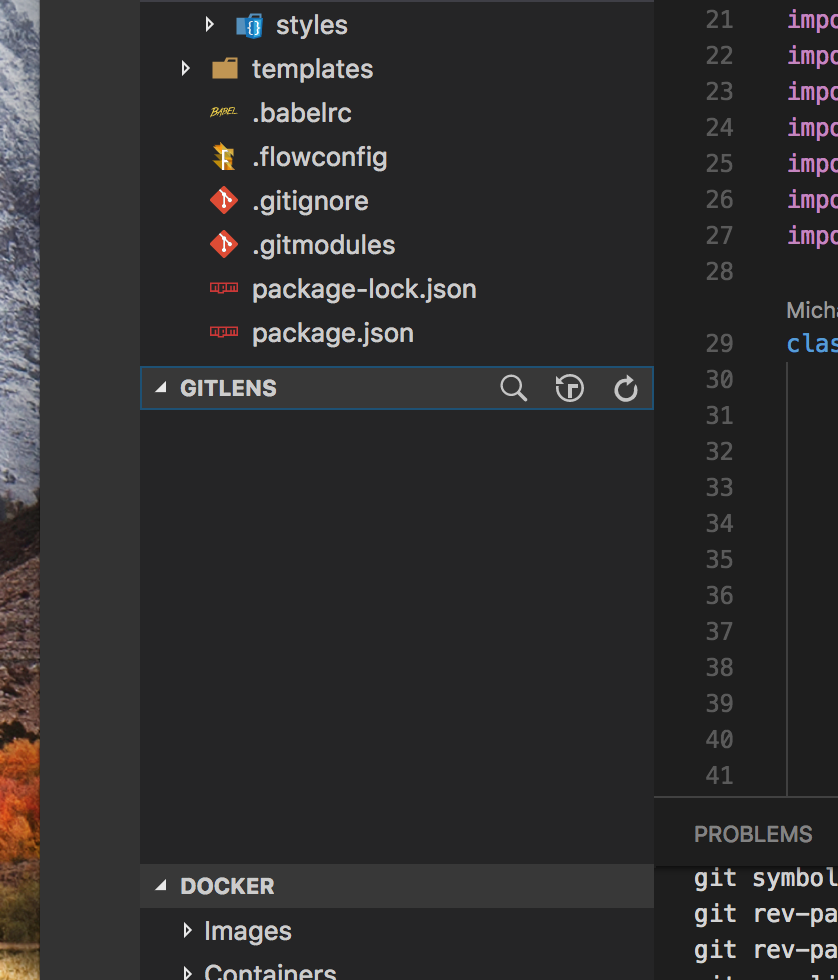
- GitLens Version: 5.6.3
- VSCode Version: 1.17.1
- OS Version: MacOS High Sierra 10.13 (17A405)
Steps to Reproduce:
- I reordered the sidebar panes to put GitLens above Docker
- Content in GitLens pane disappeared.
- Tried uninstalling/upgrading to no avail
Attaching verbose logs:
gitlens_log.txt
At first I thought it may have been something with the fact that particular project was using submodules but GitLens has stopped working for any projects on my machine.
 mindpivot
All 4 comments
@mindpivot would you mind trying this version to see if it resolves your issue?
Please rename it back to gitlens-5.6.4.vsix and then follow these instructions to install it: https://github.com/eamodio/vscode-gitlens/wiki/Installing-Pre-release-Versions
 eamodio
on 13 Oct 2017
eamodio
on 13 Oct 2017
That fixed it!
Awesome, thank you!
Is there a way to donate to the project?
mindpivot
on 13 Oct 2017
Excellent! A bit later tonight I'll release that version to the marketplace. Thank you!
eamodio
on 13 Oct 2017
This issue has been automatically locked since there has not been any recent activity after it was closed. Please open a new issue for related bugs.
![github-actions[bot] picture](https://avatars2.githubusercontent.com/in/15368?v=4&s=40) github-actions[bot]
on 30 Nov 2020
github-actions[bot]
on 30 Nov 2020
Related issues
 ridhwaans
·
3Comments
ridhwaans
·
3Comments
 PixelT
·
4Comments
PixelT
·
4Comments
 vgrafe
·
3Comments
vgrafe
·
3Comments
 rfgamaral
·
3Comments
rfgamaral
·
3Comments
 derrickstolee
·
3Comments
derrickstolee
·
3Comments
Most helpful comment
Excellent! A bit later tonight I'll release that version to the marketplace. Thank you!