Vscode-extension-for-zowe: Zowe Explorer Know Issues
Is your feature request related to a problem? Please describe.
Currently, as a Zowe Explorer user, I am unable to find any information about errors that sometimes appear while using the extension.
Describe the solution you'd like
I want to have a section in the docs that contains information about existing Zowe Explorer error messages and solutions to these errors. The proposed location/placement of the section is under the Troubleshooting topic https://docs.zowe.org/stable/troubleshoot/troubleshooting.html#known-problems-and-solutions
Describe alternatives you've considered
The only alternative I can think of is an increased workload for developers who will need to tackle a potentially increasing amount of users' requests.
Additional context
As opposed to the other components of Zowe, there's currently no doc that describes the existing error messages and how to deal with them. ZE grows fast, as well as its audience.
 IgorCATech
All 9 comments
Maybe this issue can be added in the Known Issues part
Error:
“Error running command zowe.createDataset: z/OSMF REST API Error: http(s) request error event called Error: self signed certificate in certificate chain. This is likely caused by the extension that contributes zowe.createDataset.”
Solution: Set Reject-Unauthorized to false
 jellypuno
on 19 Jun 2020
jellypuno
on 19 Jun 2020
This error can be added in Known Issues as well:
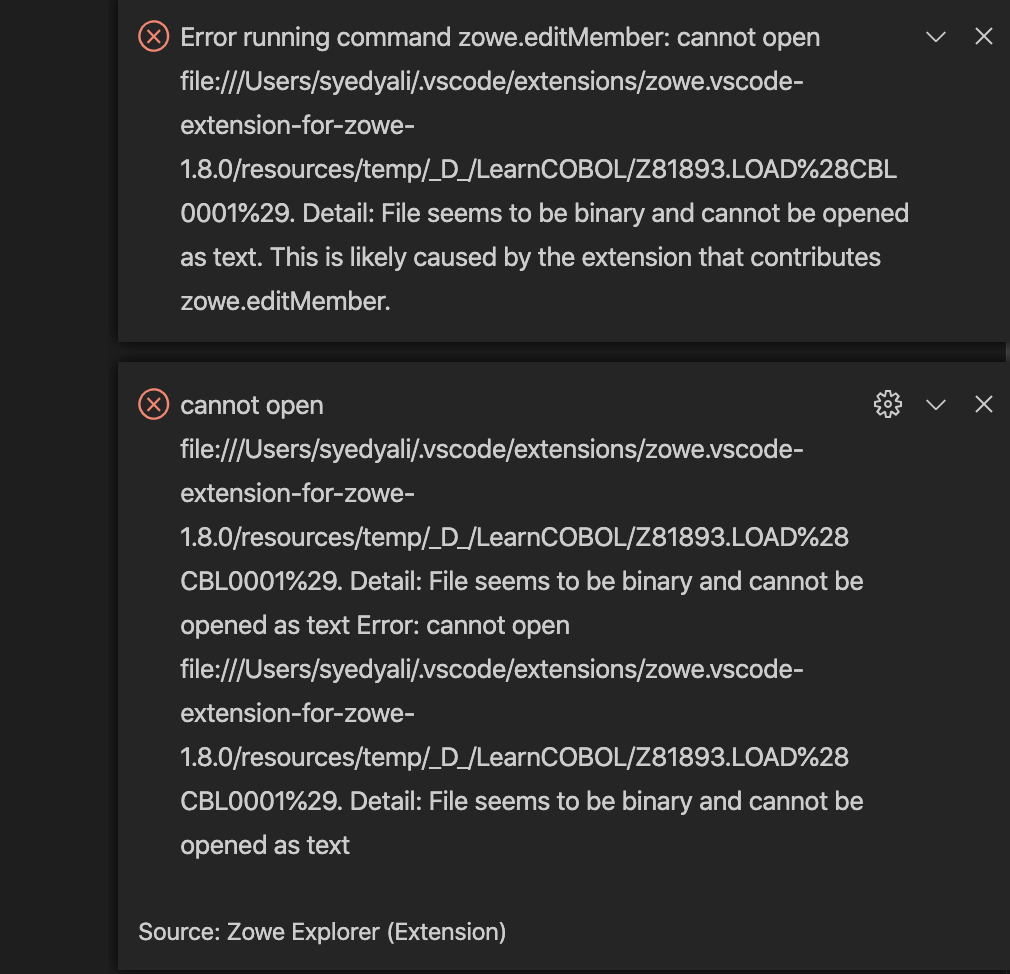
This happens when opening a binary file / packed data in datasets
jellypuno
on 11 Aug 2020
@jellypuno Can you please provide more context for those two cases?
In my understanding, the first one happens when a user tries to create a new data set, using a profile that has the Reject-Unauthorized parameter set to true. So, the solution is to set the parameter's value to false, using the edit a profile function.
The second one has to do with opening a binary file. What's the solution here?
IgorCATech
on 19 Aug 2020

I wonder if this error message can still occur. If yes, how can it be reproduced? By having 'encoded slashes' in a file?
IgorCATech
on 19 Aug 2020
More questions:
- How do I know what version of ZE is installed, except going to Marketplace in VS Code? Can the version be displayed using the command palette in VS Code?
- Where do I get more Known Issues from?
IgorCATech
on 19 Aug 2020
You can go to the Command palette, enter "Version", select the option that appears("Install a specific version of a plug-in", designate the plug-in and it will list all available versions, with the one you have installed labeled as "current".
 zdmullen
on 19 Aug 2020
zdmullen
on 19 Aug 2020
What about issues with Profiles? Like if you don't have one of the parameters entered, you get an error message, for one.
zdmullen
on 19 Aug 2020
You can go to the Command palette, enter "Version", select the option that appears("Install a specific version of a plug-in", designate the plug-in and it will list all available versions, with the one you have installed labeled as "current".
you could also go the the extension manager, search for the extension you have installed, and the current version should appear next to it. 😋
 zFernand0
on 19 Aug 2020
zFernand0
on 19 Aug 2020
Merged PR here https://github.com/zowe/docs-site/pull/1378
IgorCATech
on 7 Sep 2020
Related issues
 t1m0thyj
·
3Comments
t1m0thyj
·
3Comments
 jelaplan
·
4Comments
jelaplan
·
4Comments
 AHumanFromCA
·
3Comments
AHumanFromCA
·
3Comments
 travatine
·
4Comments
travatine
·
4Comments
 phaumer
·
5Comments
phaumer
·
5Comments
Most helpful comment
Maybe this issue can be added in the Known Issues part
Error:
“Error running command zowe.createDataset: z/OSMF REST API Error: http(s) request error event called Error: self signed certificate in certificate chain. This is likely caused by the extension that contributes zowe.createDataset.”
Solution: Set Reject-Unauthorized to false