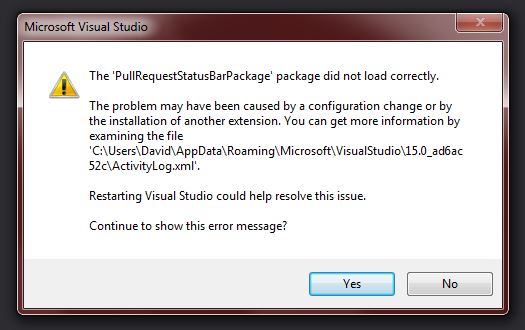
Visualstudio: GitHub Extensions "PullRequestStatusBarPackage did not load correctly" error.
Version
- GitHub Extension for Visual Studio version: 2.5.9.5485 & 2.5.2.2500
- Visual Studio version: 2017 Community (15.9.2)
What happened
- The package produces errors when navigating a solution and/or crashes VS when trying to view Pull Requests.
- I've uninstalled GIT support via the Visual Studio install package and reinstalled GIT Extensions with the same issue.
I've attempted fixes posted on forums.
v2.5.9.5485 crashes VS
- This versions crashes VS and no part of the PR can be viewed.
- v2.5.2.2500 allows PR list to be viewed, but errors after clicking a PR.
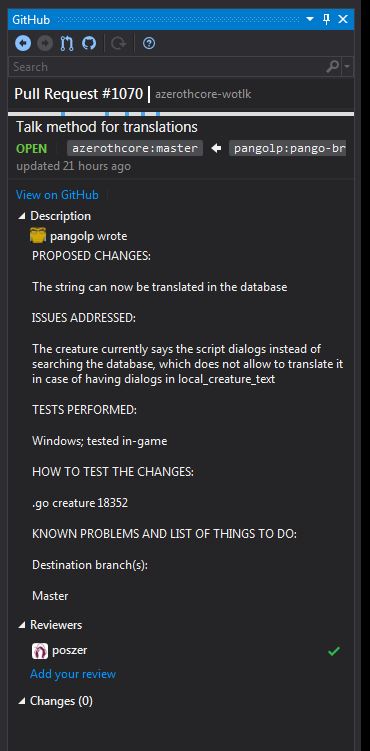
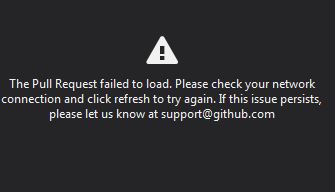
- This version allows the Pull requests list to be viewed, but clicking any of them produces an error in the window asking to contact GitHub. If you click refresh, the data for the pull request will show briefly but is quickly replaced by the error again.
Steps to Reproduce
- Install any version of the GitHub extensions
- Try to view the list of Pull Requests
Expected behavior: [What you expect to happen]
Actual behavior: [What actually happens]
Crash or errors appear preventing use of VS.
Screenshot or GIF:

- PR can be viewed, but is replaced quickly by the error.
Log file:
gitextensionerror.txt
bug
 StygianTheBest
All 5 comments
Any news here?
I have the same with the latest extension on the latest Visual Studio 2019 RC!
 DoCode
on 31 Mar 2019
DoCode
on 31 Mar 2019
Microsoft Visual Studio Professional 2017
Version 15.9.11
The same problem occurs.
 mzmang
on 25 Apr 2019
mzmang
on 25 Apr 2019
Microsoft Visual Studio Community 2019
Version 16.2.0
The same error
And more then that. when I try to open an project cause Visual Studio to restart. ????
 MugurelGiurcanu
on 29 Jul 2019
MugurelGiurcanu
on 29 Jul 2019
And Visual Studio Enterprise 2019 - same issue
 FreeApophis
on 7 Feb 2020
FreeApophis
on 7 Feb 2020
Seconding VS Enterprise 2019.
 gksmithlcw
on 7 Feb 2020
gksmithlcw
on 7 Feb 2020
👍2
Was this page helpful?
0 / 5 - 0 ratings
Related issues
 tierninho
·
7Comments
tierninho
·
7Comments
 jharris1993
·
5Comments
jharris1993
·
5Comments
 Lupusa87
·
7Comments
Lupusa87
·
7Comments
 sebastianferrari
·
7Comments
sebastianferrari
·
7Comments
 jcansdale
·
4Comments
jcansdale
·
4Comments
Most helpful comment
Seconding VS Enterprise 2019.