Visidata: [develop-branch] Playback not recording sheet name when importing from stdin
For commands that use a column like "-", the playback commands are not properly passed the column name. It seems like the "-" key is not hiding the column in playback. Also, when visiting the command table after performing such commands, the value in the column for column name is incorrect.
 frosencrantz
All 9 comments
Hi :dancer:
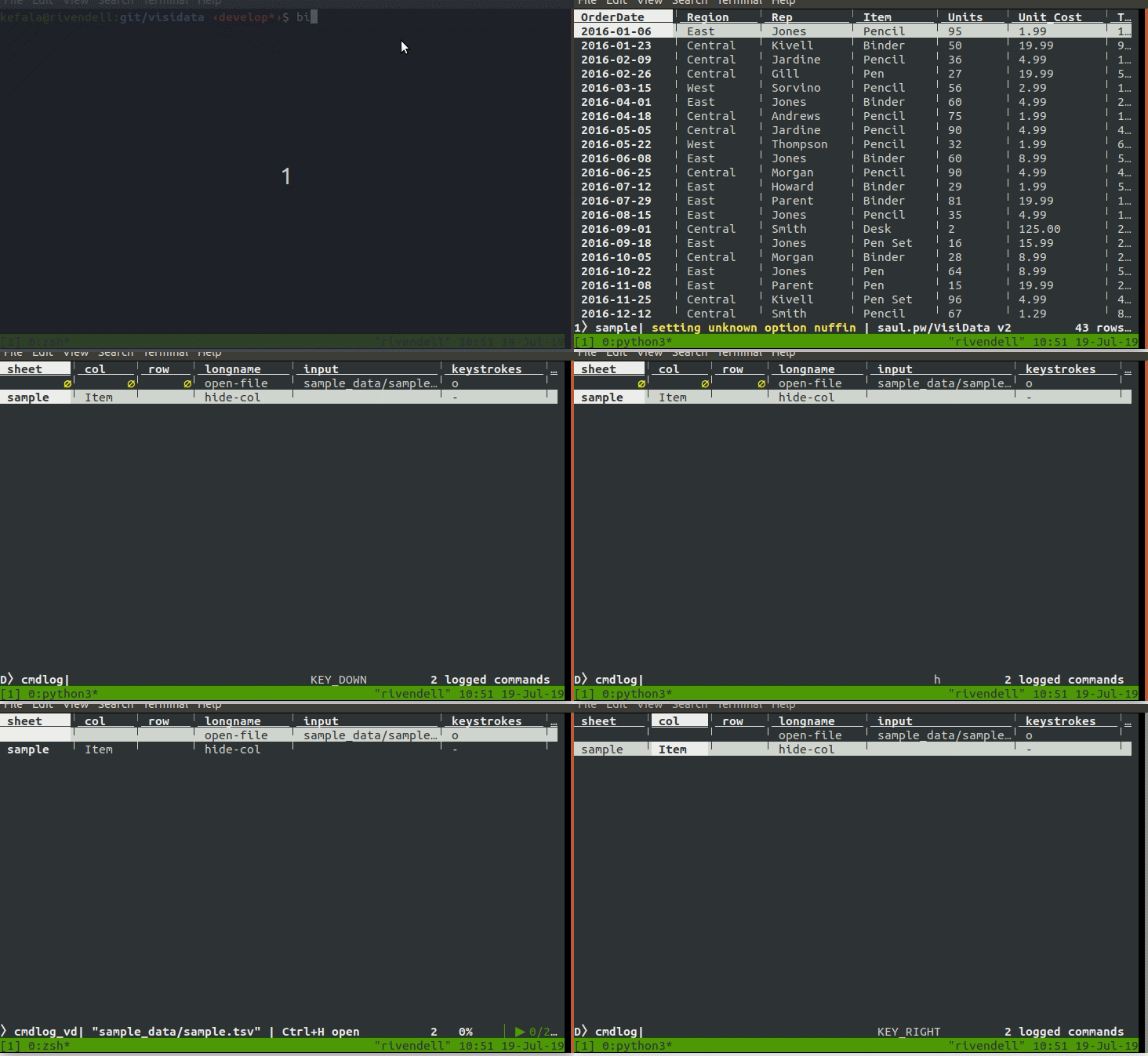
I cannot reproduce this. =( I made a gif to illustrate what I tried to do. Do you notice anything off in my procedure? Which commit is at your HEAD? (My repo is up-to-date.)
 anjakefala
on 19 Jul 2019
anjakefala
on 19 Jul 2019
If you want to explore the art of gif-making, I would appreciate if you showed me your reproduction!
anjakefala
on 19 Jul 2019
Perhaps the issue is when the table is coming from stdin. So try again like this.
bin/vd -f tsv - < sample_data/sample.tsv
bin/vd -p cmdlog.vd -f tsv - < sample_data/sample.tsv
Also, using head version of develop branch.
frosencrantz
on 19 Jul 2019
The tada was because I have successfully reproduced it (you did narrow in on the context). I have also confirmed that this is a regression since v1.5.2. I will look into it!
anjakefala
on 20 Jul 2019
It did not have to do with column names at all! @saulpw has done some work to migrate our internal Path to use pathlib.Path. In the migration, there was a line of code which set the pathname (and as a result the sheetname) to a blank string in the absence of a suffix. When importing from stdin, the path is -, and lacks a suffix.
We pushed a fix. It should work now. Please continue filing issues as you run into them. ^^
anjakefala
on 20 Jul 2019
Thanks, Anja. That fixed the problem. :)
frosencrantz
on 20 Jul 2019
@anjakefala There are two related issues:
- When playback was running it didn't report errors when the table name didn't match for some commands like "-", it kept going. Is that intentional?
- Did the name of the tables change? That can break scripts, it would be good to document that in any changelog, so users know that there will be incompatibility in the next release.
frosencrantz
on 20 Jul 2019
When playback was running it didn't report errors when the table name didn't match for some commands like "-", it kept going. Is that intentional?
The source of the replay issue was that the recorded sheet name was blank. If you record a .vd, and it looks for a sheet name that does not exist, VisiData will issue an error and replay will abort. I think this is the correct behaviour.
It seems like if the sheet name is blank, it will default to the top sheet on the stack and the first column. I think this is reasonable behavior, but better behavior is probably for VisiData to also issue an error.
Did the name of the tables change? That can break scripts, it would be good to document that in any changelog, so users know that there will be incompatibility in the next release.
Agreed! We aim to be very careful to document anything that could break existing .vds in the changelog. The names of sheets did not change but in our conversion from our homemade path to using pathlib.Path, stdin sources fell through the cracks.
(There have been changes to column names, actually, that it seems like were not documented. I will add those in. Also, we can better organise the changelog so that changes that might break .vds have their own clear section.)
anjakefala
on 20 Jul 2019
When playback was running it didn't report errors when the table name didn't match for some commands like "-", it kept going. Is that intentional?
The source of the replay issue was that the recorded sheet name was blank. If you record a .vd, and it looks for a sheet name that does not exist, VisiData will issue an error and replay will abort. I think this is the correct behaviour.
Yes, I agree.It seems like if the sheet name is blank, it will default to the top sheet on the stack and the first column. I think this is reasonable behavior, but better behavior is probably for VisiData to also issue an error.
I'm unsure. In my case it seems like it should have failed as soon as the playback wasn't matching correctly. Under what circumstances would the current behavior be better? Maybe so you can run a generic version of a script, without knowing the name of the table or the first column?
Did the name of the tables change? That can break scripts, it would be good to document that in any changelog, so users know that there will be incompatibility in the next release.
Agreed! We aim to be very careful to document anything that could break existing .vds in the changelog. The names of sheets did not change but in our conversion from our homemade path to using pathlib.Path, stdin sources fell through the cracks.
(There have been changes to column names, actually, that it seems like were not documented. I will add those in. Also, we can better organise the changelog so that changes that might break .vds have their own clear section.)
Yes, that sounds like a great idea!
I hit some incompatibility several months ago, but didn't realize what had happened, so just updated the vd and it was working again. I am hitting another issue that playback stopped working unless I add a pause for playback. It seems like some operation that was synchronous before is now running asynchronously.
frosencrantz
on 25 Jul 2019
Related issues
 aborruso
·
3Comments
aborruso
·
3Comments
 jsvine
·
3Comments
jsvine
·
3Comments
 Mikee-3000
·
4Comments
aborruso
·
3Comments
Mikee-3000
·
4Comments
aborruso
·
3Comments
 paulklemm
·
4Comments
paulklemm
·
4Comments