Often I find myself browsing the (great) visidata documentation for the shortcut of the command I want to use because I forgot it again.
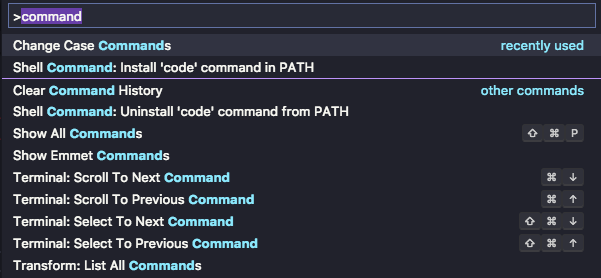
One thing that would really help is a command palette like in Sublime Text or Visual Studio Code. One shortcut brings up a search box where one can query basically all commands available in the current context. Showing the keyboard shortcut next to the command also helps a lot memorizing them again.
Here is an example from VSCode:
 paulklemm
All 4 comments
This is a good idea, @paulklemm. Do you know about z Ctrl+H, which takes you to a sheet of all commands available on the current sheet? And g/ which you can use to search that sheet. It's not quite the same workflow, but I'm wondering how close that gets you to what you want. What if we improve that workflow (suppose g Space to do something similar without going to a separate sheet), and maybe add a 'keywords' column to commands.tsv so that common synonyms can be given without cluttering the helpstring.
 saulpw
on 1 Feb 2019
saulpw
on 1 Feb 2019
Thanks, the z Ctrl+H together with g/ already is super useful, I wasn't aware of that. Still having something without going to a separate sheet would be nice I think.
paulklemm
on 1 Feb 2019
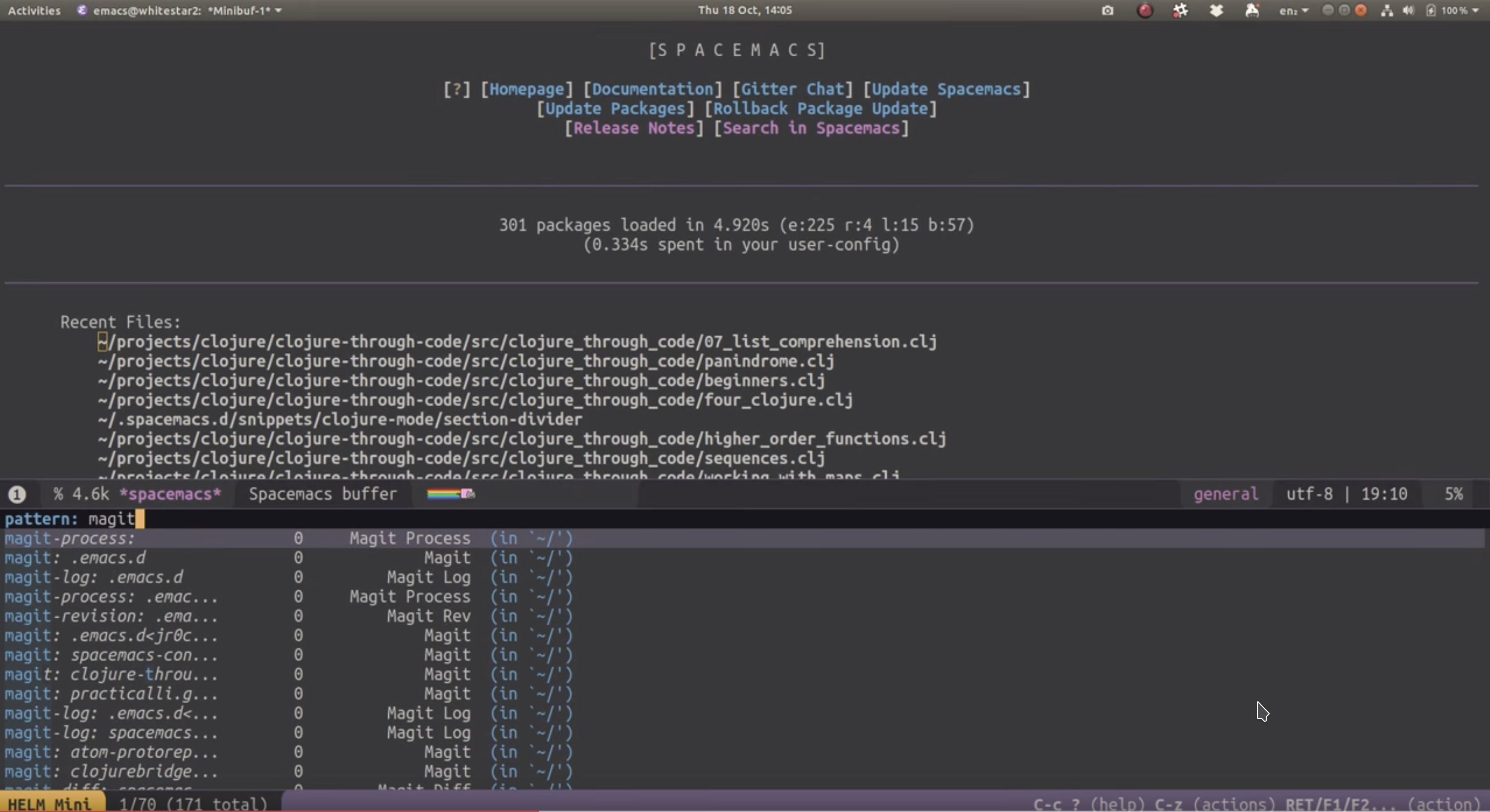
I like how emacs-helm does this by splitting into two panes, where the bottom pane shows the command palette. For visidata, showing the z Ctrl+H table in the bottom half of the screen would work nicely, I think. Typing into the palette does a live fuzzy-filter over the options.
 jtrakk
on 5 Jun 2019
jtrakk
on 5 Jun 2019
Added help-search command that opens a commands sheet filtered by the input regex. Unbound by default, you could try binding it to KEY_BACKSPACE if that works on your system, or ^@ (Ctrl+Space).
I agree, split-pane is the way to do this. It's already on the roadmap, so I'm closing this issue, though we may not get to it until 2.1.
saulpw
on 14 Nov 2019
Related issues
 aborruso
·
29Comments
aborruso
·
29Comments
 p3k
·
21Comments
aborruso
·
12Comments
p3k
·
21Comments
aborruso
·
12Comments
 frosencrantz
·
15Comments
frosencrantz
·
15Comments
 qrkourier
·
16Comments
qrkourier
·
16Comments
Most helpful comment
This is a good idea, @paulklemm. Do you know about
z Ctrl+H, which takes you to a sheet of all commands available on the current sheet? Andg/which you can use to search that sheet. It's not quite the same workflow, but I'm wondering how close that gets you to what you want. What if we improve that workflow (supposeg Spaceto do something similar without going to a separate sheet), and maybe add a 'keywords' column to commands.tsv so that common synonyms can be given without cluttering the helpstring.