Visidata: [develop] Saving DirSheets doesn't delete files
Small description
Opened a directory in Visidata, deleted a file and saved.
Expected result
File deleted from the file system
Actual result with screenshot
No result, no error.
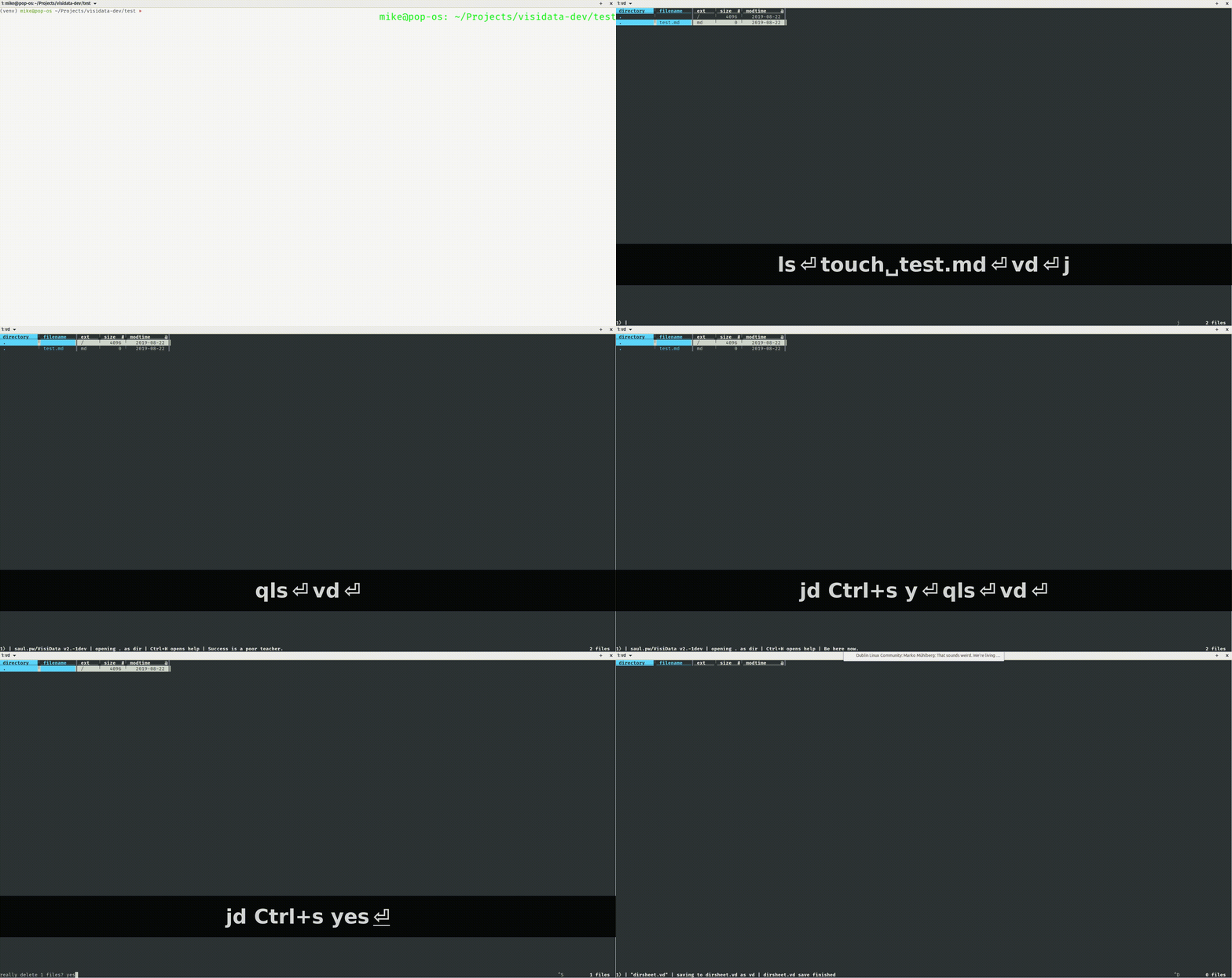
Steps to reproduce with sample data and a .vd
In a terminal, open vd with vd (no args). Delete the file with d. Save with Ctrl+S
Cmdlog:
sheet   col row longname    input   keystrokes  comment
            open-file   .   o
        キ.,test.md  delete-row      d
            save-sheet      ^S
Additional context
VD: 2.-1dev, OS: Linux
 Mikee-3000
All 4 comments
OT: What are you using for your screenshots @Mikee-3000?
 frosencrantz
on 24 Aug 2019
frosencrantz
on 24 Aug 2019
Peek for the recording
Screenkey for the key display
Unfortunately Peek crashes when I try to save to gif, so I save it as mp4 and use ffmpeg -i infile.mp4 outfile.gif to convert it.
Mikee-3000
on 25 Aug 2019
Hi @Mikee-3000, thanks for reporting this bug, which points to some deeper problems with interactions between the DirSheet and deferred modifications on other sheets. I think it may not be possible to have it work well both ways: the DirSheet (and other deferred modification sheets) want deleted rows to stick around (but colored/marked deleted) until the changes are committed. But data sheets want deleted rows to disappear straightaway. So either we remove the deferred modification functionality from most sheets, like it was pre-2.0, and/or we move the DirSheet editing functionality out into its own tool (vls, maybe?). I think this might make more sense ultimately, since data sheets and filesystem editing are kind of two radically different use cases, even though you want to use many of the same data management features for both.
 saulpw
on 1 Sep 2019
saulpw
on 1 Sep 2019
This is now fixed on the develop branch. We are experimenting with moving the Write-mode of the DirSheet into its own tool vls.
It does not have its own setup.py yet. To play with it, install the latest of VisiData v2.x (it is a dependency), then take the vls script and place it in a bin that is findable by PATH.
Then type vls and it should be the DirSheet that we know and love.
We are still considering how this will play out, so if anyone has any thoughts please share them! I will open up a new issue for Discussion.
 anjakefala
on 18 Sep 2019
anjakefala
on 18 Sep 2019
Related issues
 aborruso
·
3Comments
aborruso
·
3Comments
aborruso
·
3Comments
aborruso
·
3Comments
 baogorek
·
3Comments
baogorek
·
3Comments
 paulklemm
·
4Comments
paulklemm
·
4Comments
 suntzuisafterU
·
3Comments
suntzuisafterU
·
3Comments