Viro: ViroSampleApp Xcode Building issue
Hi viro friends!!
I have faced another error when building the xcode porject of virosampleapp.
mainly it was associated with "_OBJC_CLASS_$_VRTBundleURLProvider", referenced from:
objc-class-ref in AppDelegate.o
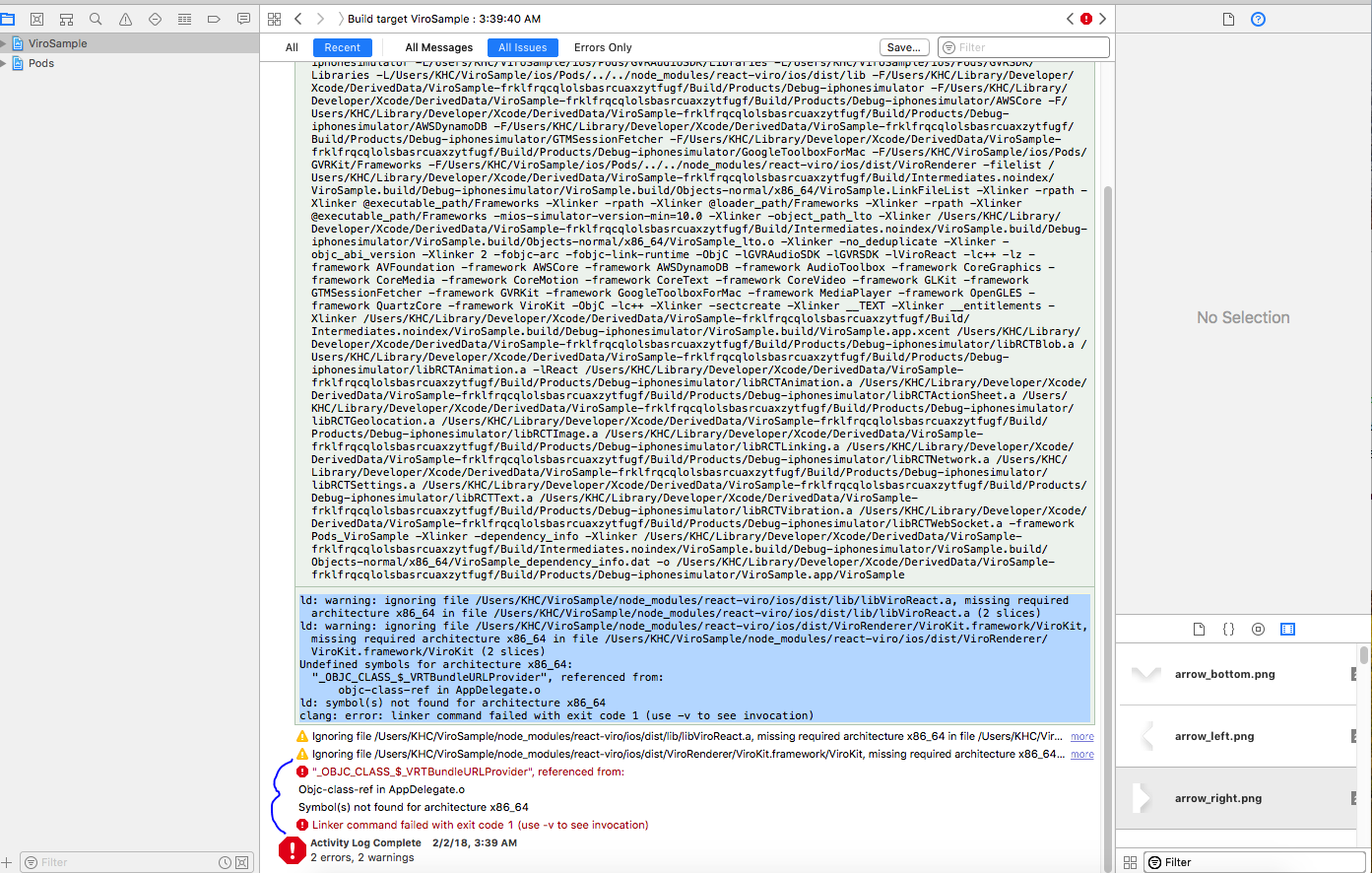
here islog of what i am suffering now.
ld: warning: ignoring file /Users/KHC/ViroSample/node_modules/react-viro/ios/dist/lib/libViroReact.a, missing required architecture x86_64 in file /Users/KHC/ViroSample/node_modules/react-viro/ios/dist/lib/libViroReact.a (2 slices)
ld: warning: ignoring file /Users/KHC/ViroSample/node_modules/react-viro/ios/dist/ViroRenderer/ViroKit.framework/ViroKit, missing required architecture x86_64 in file /Users/KHC/ViroSample/node_modules/react-viro/ios/dist/ViroRenderer/ViroKit.framework/ViroKit (2 slices)
Undefined symbols for architecture x86_64:
"_OBJC_CLASS_$_VRTBundleURLProvider", referenced from:
objc-class-ref in AppDelegate.o
ld: symbol(s) not found for architecture x86_64
clang: error: linker command failed with exit code 1 (use -v to see invocation)
thanks in advance!!!
 Polaris00418
All 11 comments
Hi @Polaris00418,
Below is a copy of the answer I gave you on this question: viromedia/viro#87 (comment)
It looks like you're trying to build your app for the iOS Simulator (x86_64), we don't support the iOS Simulator, so you'll need to run it on an actual iOS device (iPhone/iPad).
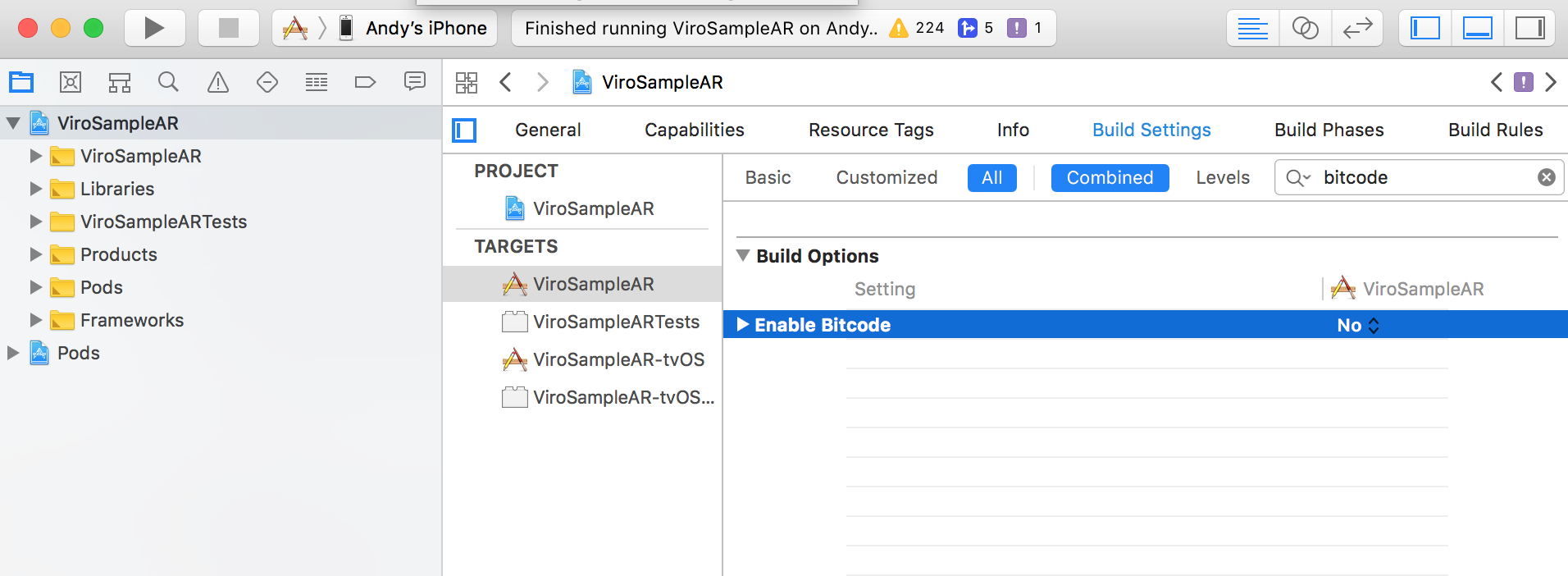
I downloaded your project and was able to run it on my iPhone 6S, except I had to change 1 setting in the project file, I had to set "Enable Bitcode" to "No", see the screenshot below for my project setup:
Let me know if that works for you!
 achuvm
on 2 Feb 2018
achuvm
on 2 Feb 2018
i set enable bitcode "no" at that time.. and of course i am using iphone x
Polaris00418
on 2 Feb 2018
Hi @Polaris00418,
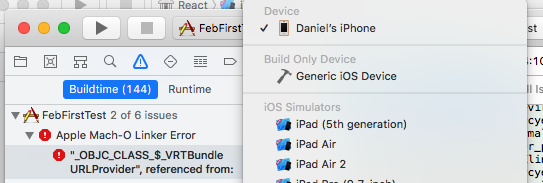
Make sure that your device is selected in the top left hand corner of Xcode:
Let me know if that doesn't work
achuvm
on 2 Feb 2018
hi sure i have connected correctly and it 's selected properly..
Polaris00418
on 2 Feb 2018
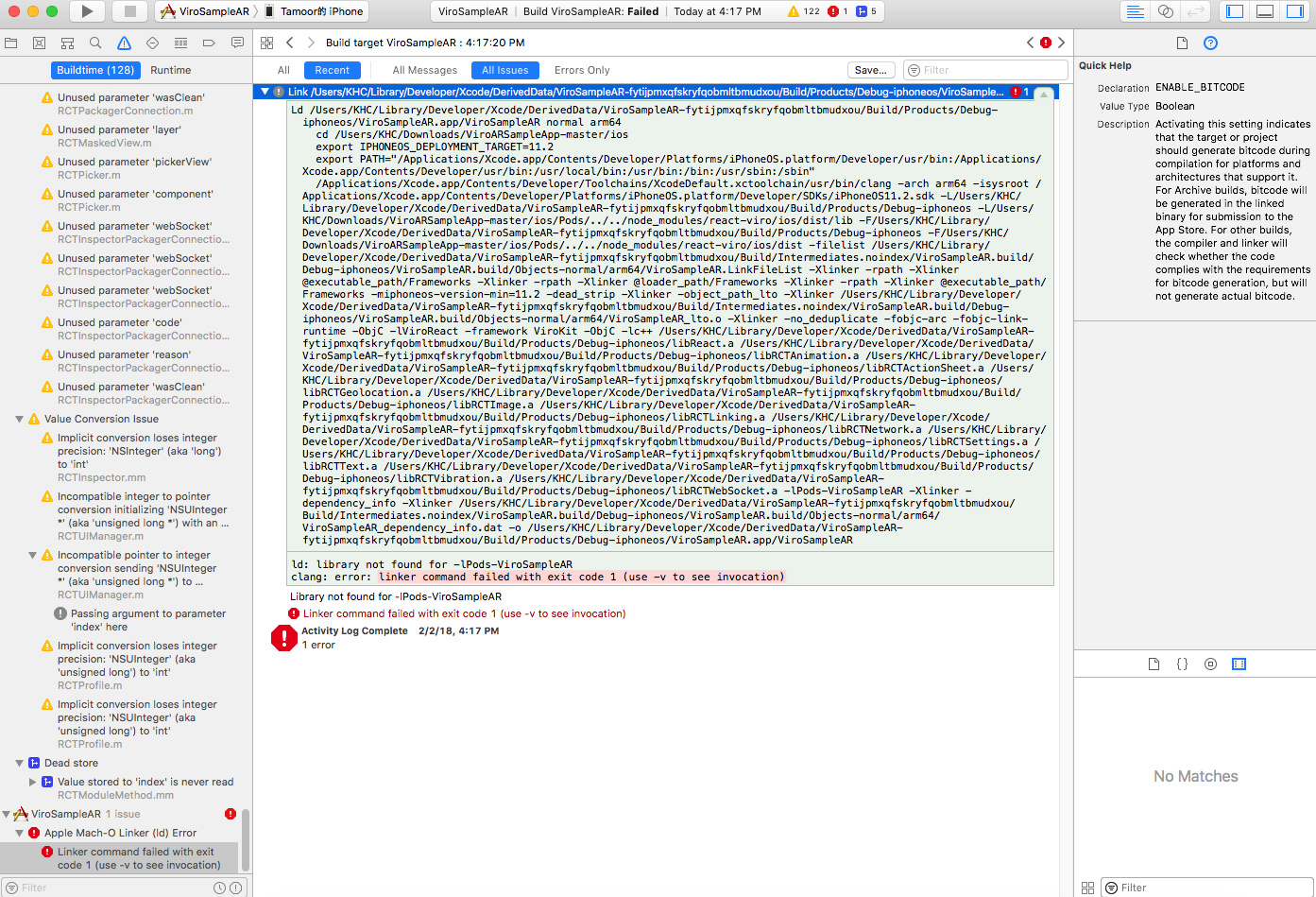
please check out
thanks
Polaris00418
on 2 Feb 2018
Hi @Polaris00418,
If you go into ViroSampleAR/ios make sure that you have run pod install and then ensure that you're opening the ViroSampleAR.xcworkspace not the ViroSampleAR.xcodeproj directory.
Thanks
achuvm
on 2 Feb 2018
Closing issue due to inactivity
 dam00n
on 28 Feb 2018
dam00n
on 28 Feb 2018
Does this mean we can not run the app in the simulator anymore? We have an otherwise 2D app, that has an optional AR module. We definitely would like to test the non-AR related parts of the app with the simulator. Is that possible?
 itchingpixels
on 12 Mar 2018
itchingpixels
on 12 Mar 2018
Hi @itchingpixels,
Yes, this is a limitation with our framework right now in that it is not compiled for x86 (Intel/AMD chipsets).
You can try the suggestions listed here:
Essentially using preprocessor macros to "hide" any references to Viro when compiling for the iOS Simulator. You may also need to change how you link against our framework(s).
We ourselves haven't tested this method yet, but do let us know if you do run into issues with it. We'll look into adding, at the very least, compiling support for the iOS simulator, if not full support.
Thanks,
achuvm
on 12 Mar 2018
Thank you, we'll give it a go!
itchingpixels
on 12 Mar 2018
Hi @itchingpixels ,
It looks like another one of our users were able to build their app for simulator by making our framework optional.
https://github.com/viromedia/viro/issues/175
Feel free to follow the instructions there and let us know if you run into any issues.
Thanks,
achuvm
on 20 Mar 2018
Related issues
 u-can-miracle
·
3Comments
u-can-miracle
·
3Comments
 ascorbic
·
4Comments
ascorbic
·
4Comments
 starantino
·
6Comments
starantino
·
6Comments
 vuthanhtrung0504
·
5Comments
vuthanhtrung0504
·
5Comments
 Thomas101
·
3Comments
Thomas101
·
3Comments
Most helpful comment
Does this mean we can not run the app in the simulator anymore? We have an otherwise 2D app, that has an optional AR module. We definitely would like to test the non-AR related parts of the app with the simulator. Is that possible?