Environment
- Development OS: Linux
- Device OS & Version: Didn't use because can't see ngrok url
- Version:
ViroReact version - 2.11.0
React Native version - 0.55.1 - Device(s): Didn't use because can't see ngrok url
Description
Could you help please, I don't see ngrock url after started
I went through started guide
https://docs.viromedia.com/v2.11.0/docs/quick-start
and launched all stuffs
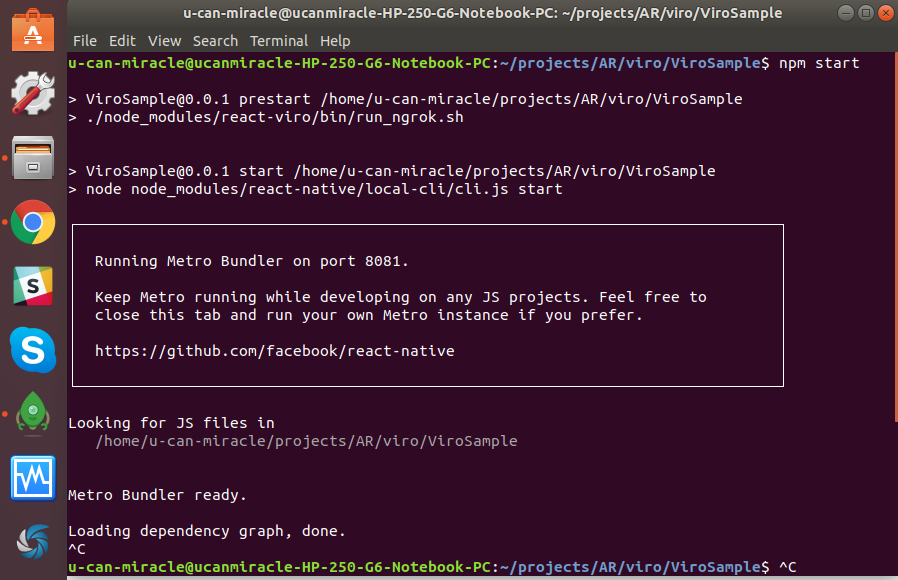
Reproducible Demo
Go through started guide
https://docs.viromedia.com/v2.11.0/docs/quick-start
 u-can-miracle
All 3 comments
We have seen on occasion the ngrok URL not show up. You can kill the session and then do npm start again and see if it appears the 2nd time.
Alternatively, f you already have ngrok running, you should be able to navigate to this address in your browser: http://localhost:4040/status -> It should have your ngrok address there.
If ngrok isn't running, then you should be able to start it up using this command: ngrok http 8081
 dam00n
on 4 Oct 2018
dam00n
on 4 Oct 2018
Another option is to use your computer's IP address -> https://docs.viromedia.com/docs/develop-with-viro
dam00n
on 4 Oct 2018
Awesome, thanks @dam00n
I'm wondered but today it works fine
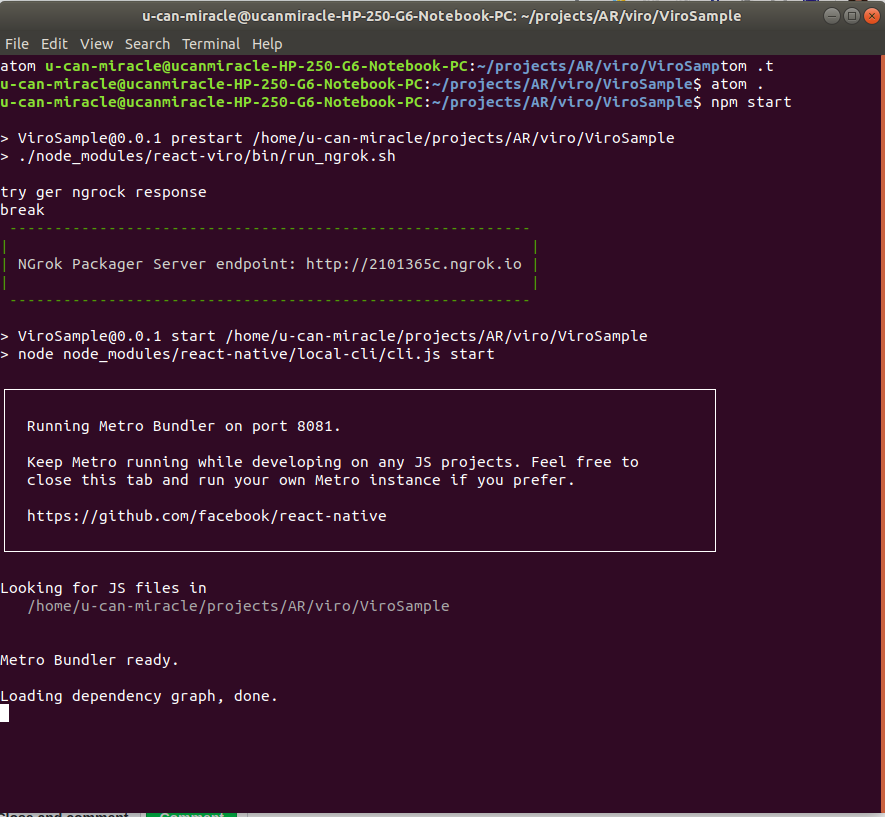
u-can-miracle
on 5 Oct 2018
Related issues
 parideis
·
4Comments
parideis
·
4Comments
 JStein92
·
5Comments
JStein92
·
5Comments
 Thomas101
·
3Comments
Thomas101
·
3Comments
 jonlaing
·
6Comments
jonlaing
·
6Comments
 funkyfourier
·
3Comments
funkyfourier
·
3Comments
Most helpful comment
We have seen on occasion the ngrok URL not show up. You can kill the session and then do npm start again and see if it appears the 2nd time.
Alternatively, f you already have ngrok running, you should be able to navigate to this address in your browser: http://localhost:4040/status -> It should have your ngrok address there.
If ngrok isn't running, then you should be able to start it up using this command: ngrok http 8081