Vim-airline: [ Question ] persistent fugitive branch in multiple splits
Hi,
Thank you for the awesome plugin. I just have a question.
Is there any way to make the branch show persistently, even when the windows get resized.
With branch
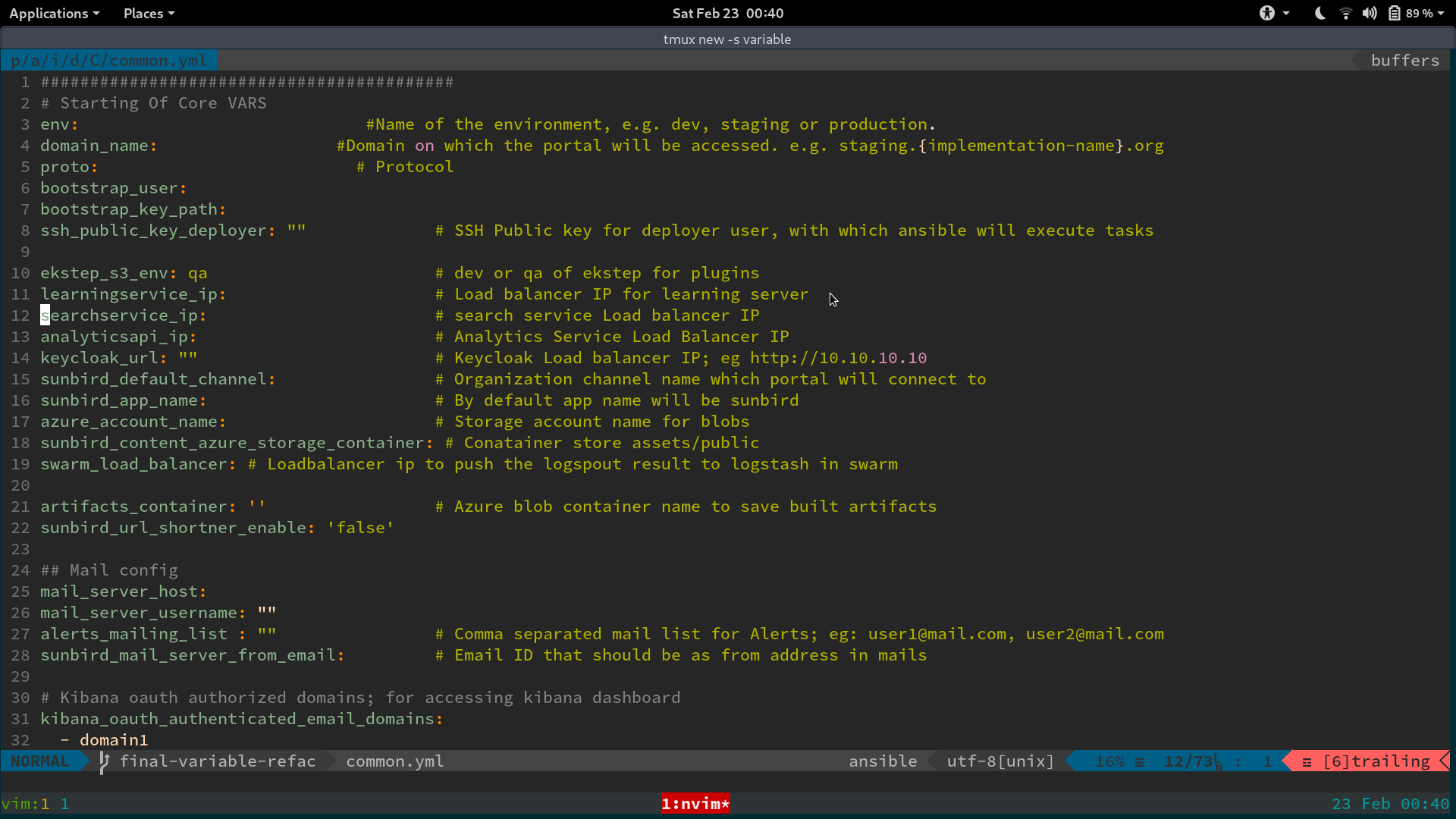
Without branch in split

 rjshrjndrn
All 28 comments
The window is too small to display it. You can try if changing this here fixes it: https://github.com/vim-airline/vim-airline/blob/1c3ae6077af76927f82f87e05a7b9fdfba47ce2c/autoload/airline/init.vim#L157-L159
 chrisbra
on 24 Feb 2019
chrisbra
on 24 Feb 2019
Is there some setting I can use in my init.vim? The line let g:airline#extensions#default#section_truncate_width = {} doesn't seem to make any difference for the branch and hunks sections.
 clason
on 25 Feb 2019
clason
on 25 Feb 2019
call airline#parts#define('branch', {
'raw': '',
'minwidth': 120})
Nope.. Nothing happened @chrisbra
rjshrjndrn
on 26 Feb 2019
You need to also define the default truncation width:
 let g:airline#extensions#default#section_truncate_width = {
    \ 'b': 79,
    \ 'x': 60,
    \ 'y': 88,
    \ 'z': 45,
    \ 'warning': 80,
    \ 'error': 80,
    \ })
   au VimEnter * call airline#parts#define('branch', {'raw': '', 'minwidth': 10})
   au VimEnter * let g:airline_section_b = airline#section#create(['hunks', 'branch'])
Make sure to use a small one for section b
chrisbra
on 26 Feb 2019
But the documentation says that an empty dict disables truncation completely -- which works for other parts, but apparently not for the hunks and branch parts?
clason
on 26 Feb 2019
You need to distinguish between section truncation and within a section minimum width for e.g the branch and hunk extension
Am 26.02.2019 um 11:46 schrieb Christian Clason notifications@github.com:
But the documentation says that an empty dict disables truncation completely -- which works for other parts, but apparently not for the hunks and branch parts?
—
You are receiving this because you were mentioned.
Reply to this email directly, view it on GitHub, or mute the thread.
chrisbra
on 26 Feb 2019
Ah, I see. But then I'm still a bit confused how #1877 lead to the changed behavior -- I thought only the way the minimum width is accessed was changed, not the widths themselves (which are still fixed at 100 resp. 120)?
clason
on 26 Feb 2019
Yes, it did not change the width itself.
chrisbra
on 1 Mar 2019
So why is it truncating now when it used not to before (for the same window size)? Maybe @maxnordlund can help me restore the old behavior via .vimrc?
clason
on 1 Mar 2019
it was always truncating.
chrisbra
on 1 Mar 2019
I'm sorry, I must have expressed myself poorly. What I mean is that for the same window size (~80 cols),
- before commit eb0ddf6, airline showed
branchandhunkswhere applicable, - after commit eb0ddf6, airline no longer shows
branchandhunks.
(And I'm not trying to debate you here, just honestly trying to figure out what happened and how to fix it on my end. I do appreciate your time spent on this.)
clason
on 1 Mar 2019
Are you sure? I do not see this. Have you updated all plugins (fugitive, whatever plugin you use for hunks)? What exactly does :echo winwidth(0) tell you? Please try with a larger size around 120 columns first. Then try to find at what size it starts truncating?
chrisbra
on 1 Mar 2019
also, what system are you using? Windows, Linux, gui non-gui? What Vim version?
chrisbra
on 1 Mar 2019
This is neovim (I know...), but vim/gvim (8.1.877) behaves the same, both on Linux and macOS, both tui and gui.
hunks are dropped on winwidth 100 and(!) below, branch is dropped below(!) winwidth 120 (so the behavior is not completely consistent
clason
on 1 Mar 2019
Yes and I believe this has always been the default for those widths.
chrisbra
on 1 Mar 2019
That's what I thought (and why I'm so confused). So the previous behavior was a bug (and the different behavior of branch and hunks is intended)?
(I'd prefer those never to be truncated and rather fileencoding be dropped or the filename be truncated. Is there some sort of precedence I can tinker with?)
clason
on 1 Mar 2019
Doesn't that does it for you? (You need to add a similar airline#parts#define() call for the hunk extension, defining the minimal width there.)
chrisbra
on 1 Mar 2019
It does; I was just wary of cargo-culting it without understanding what was going on. If the previous behavior (never truncating) was a bug and the current behavior is intended and needs to be overriden, then that's all I need to know. Thank you for your time!
(Quick related question, then I'll go my way: Is there a way to use the different formatters for the tabline also for the filename in section C?)
clason
on 1 Mar 2019
well, by default, vim-airline will use %f%m or %F%m depending on your autochdir setting. You could however create a custom function, that reformats the filename differently and stick that into section c instead.
chrisbra
on 1 Mar 2019
No, sorry, I spoke too soon -- it works only after redrawing the grid, but not when starting (except for neovim GUIs). Weird. Maybe I need a different autocommand? Here's what I have:
au VimEnter * call airline#parts#define('branch', {'raw': '', 'minwidth': 10})
au VimEnter * call airline#parts#define('hunks', {'raw': '', 'minwidth': 10})
au VimEnter * let g:airline_section_b = airline#section#create(['hunks', 'branch'])
(And I specifically was interested in reusing the airline formatters used for the tabline, which are pretty useful!)
clason
on 1 Mar 2019
What do you mean with redrawing the grid? Pressing ctrl-l? or using :AirlineRefresh? About the airline formatters, it might work, you would need to try it out.
chrisbra
on 1 Mar 2019
Either resize the window (gvim) or open a new split (tui) (ctrl-l doesn't suffice, but :AirlineRefresh does).
clason
on 1 Mar 2019
Okay, then you probably need to add this to the VimEnter autocommand.
chrisbra
on 1 Mar 2019
Yeah, that works -- seems a bit hacky, though. (But you're _the_ vim expert, of course, so I'm happy to take your word for it.) And thanks for your help!
clason
on 1 Mar 2019
Hm, the only thing I can think of is that by setting an explicit minwidth the normal/global cutoff behavior kicks in and that somehow interferes with the custom one for hunks and branch.
Try putting this in your vimrc:
" Remove explicit minwidth constraint
let hunks = airline#parts#get("hunks")
unlet hunks.minwidth
let branch = airline#parts#get("branch")
unlet branch.minwidth

" Must recreate the section to remove minwidth constraints
let g:airline_section_b = airline#section#create(['hunks', 'branch'])
 maxnordlund
on 1 Mar 2019
maxnordlund
on 1 Mar 2019
That results in errors:
line  248:
E716: Key not present in Dictionary: minwidth
line  250:
E716: Key not present in Dictionary: minwidth
I didn't for me, but I ran it manually. So I guess on VimEnter? Or just source a file by hand.
maxnordlund
on 1 Mar 2019
Yes, with au VimEnter (and AirlineRefresh) that indeed works.
clason
on 1 Mar 2019
Related issues
 svanharmelen
·
38Comments
svanharmelen
·
38Comments
 zdm
·
46Comments
zdm
·
46Comments
 ypxu
·
29Comments
ypxu
·
29Comments
 sekoenig-de
·
19Comments
svanharmelen
·
22Comments
sekoenig-de
·
19Comments
svanharmelen
·
22Comments
Most helpful comment
Yes, with
au VimEnter(andAirlineRefresh) that indeed works.