Victory-native: Android: VictoryZoomContainer cannot pan
_Maintainer note: this is a react-native-svg issue and is tracked in https://github.com/react-native-community/react-native-svg/issues/376_
1) How do you get the container to pan to the right? No matter if I drag to the left or the right with multi-touch, the graph just goes further left.
2) Is it possible to improve the performance of the swipe / pinch gestures? Feels like there's a huge lag between the interaction and the visual update.
3) Is it possible to use just one finger to move along the graph, as opposed to using multi-touch?
Demo:

Here's the code (using reagent + cljs)
[victory-chart {:theme theme
                :container-component
                (r/as-element [victory-zoom-container {:dimension "x"}])}
 [victory-area {:data data
                :interpolation "monotoneX"}]
 [victory-axis {:independent-axis true
                :tick-values (map #(* % 5) (range 5))
                :style {:axis {:stroke :transparent}
                        :tick-labels {:font-size 14
                                      :padding 5
                                      :fill "white"}}
                :offset-y 70}]]
 jlo1
jlo1
All 16 comments
I have a similar issue. On Android only, I can only slide to the left using multi-touch. On iOS, I can slide either direction with just one touch. Not sure what causes this, but I hope it is resolved soon.
 nlbrown2
on 6 Jun 2017
nlbrown2
on 6 Jun 2017
@jlo1 @nlbrown2 i'm sorry about this. nathan described the intended behavior (and what happens on iOS): scroll in either direction with a single touch. We have no iOS/Android-specific code in victory-native; instead we rely on react-native-svg and react-native itself to "just make it work" on multiple platforms. That clearly didn't work here! I'll look into it. Unfortunately what happens many times is that we have to file a bug with another library (usually react-native-svg)
 chrisbolin
on 12 Jun 2017
chrisbolin
on 12 Jun 2017
I know this isn't helpful news, but I can reproduce this on my own device. So that's... progress :)
chrisbolin
on 13 Jun 2017
I think it may be another react-native-svg bug related to PanResponder, a la https://github.com/FormidableLabs/victory-native/issues/96.
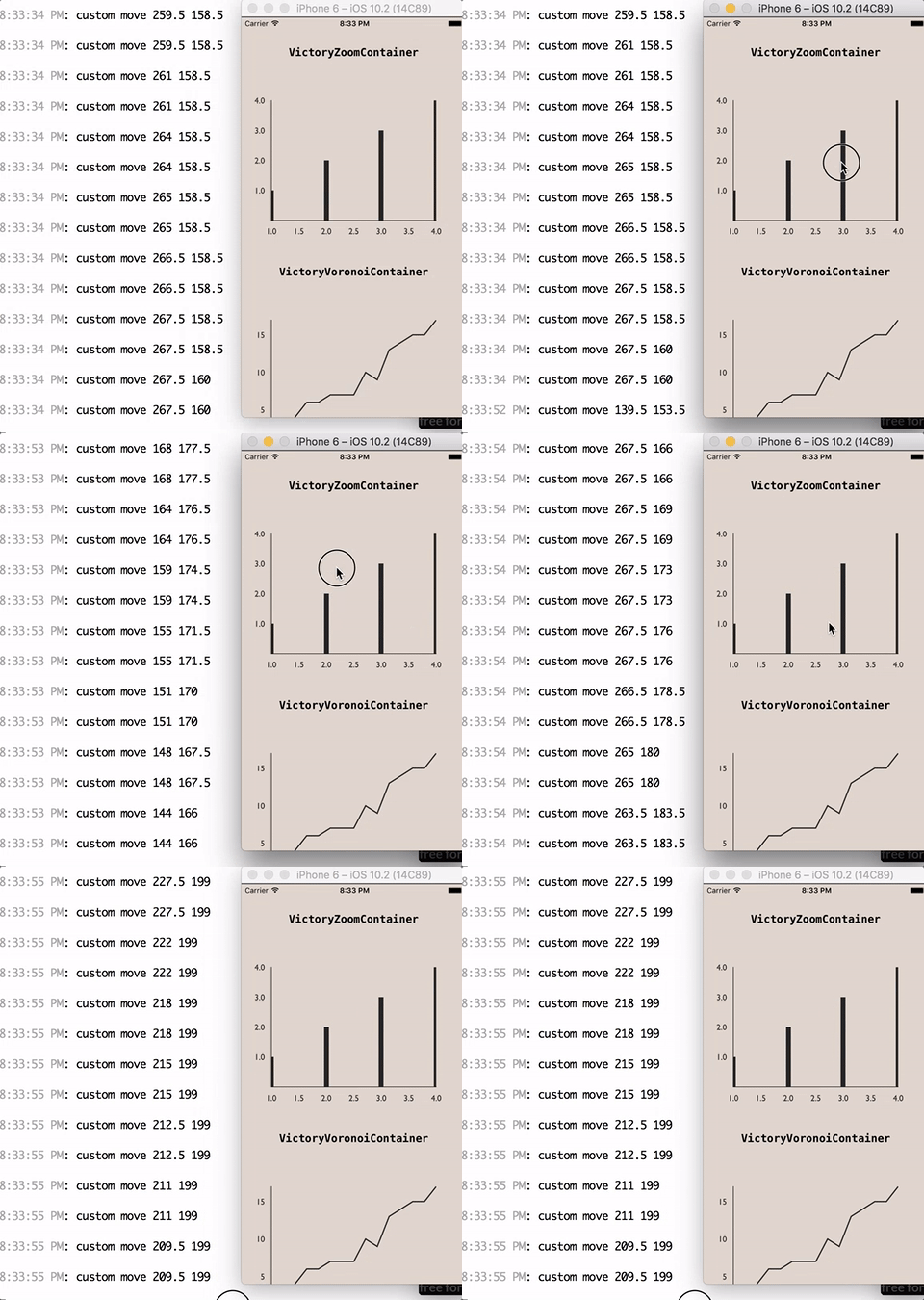
I added this debugging to VictoryZoomContainer...
      onTouchMove: (evt, targetProps, eventKey, ctx) => { // eslint-disable-line max-params
        const { x, y } = Selection.getSVGEventCoordinates(evt);
        console.log('custom move', x, y);
        return NativeZoomHelpers.onTouchMove(evt, targetProps, eventKey, ctx);
      },
and got different results for iOS and Android...
iOS
Android
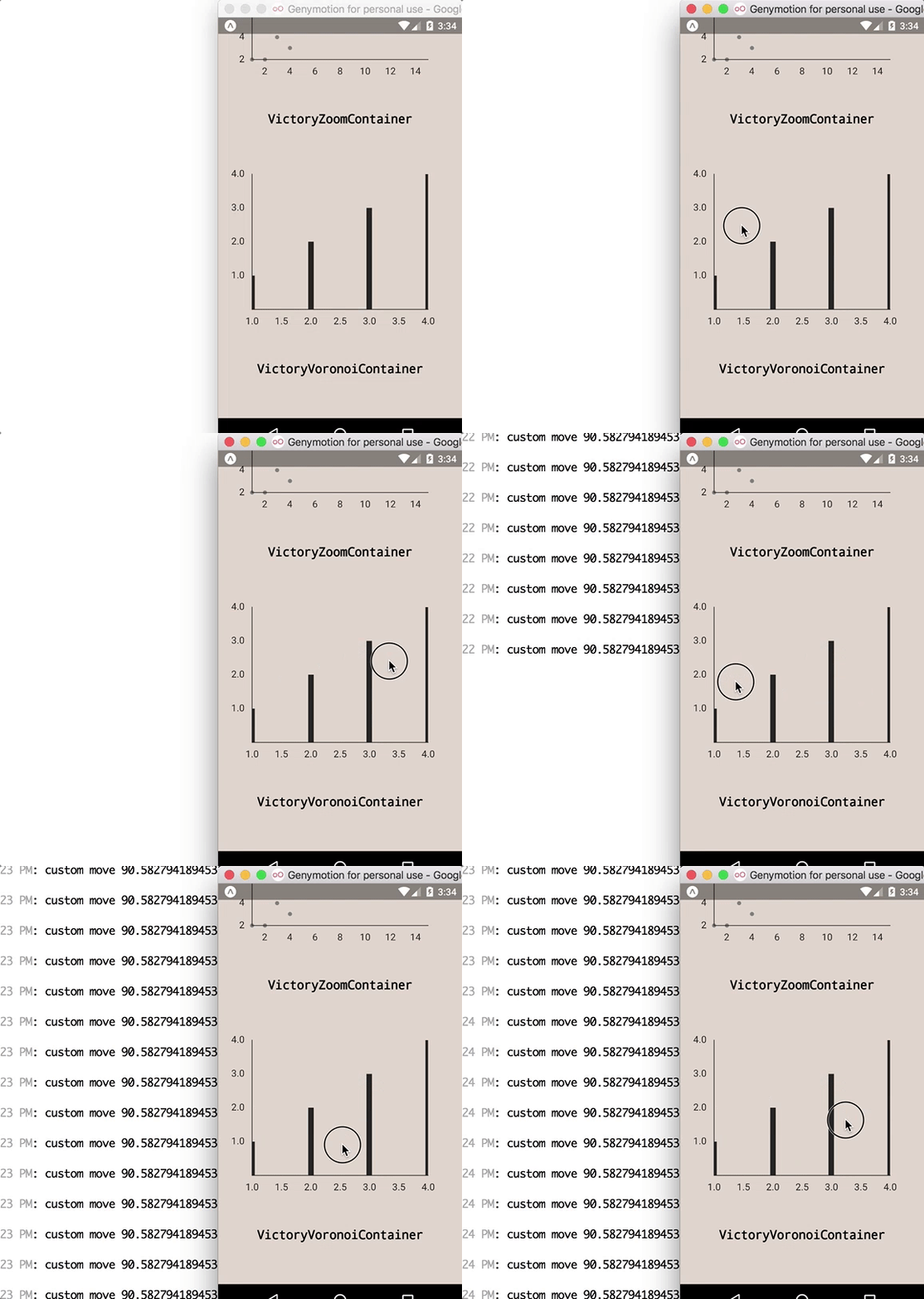
...meaning that our Selection.getSVGEventCoordinates method doesn't detect _any_ movement on Android. I'll dig more into this tomorrow. I really hope it's just something in getSVGEventCoordinates that I can clean up (but I'm not bullish).
chrisbolin
on 13 Jun 2017
another note: Android is returning the initial touch position for all subsequent moves. so each new touch initiates new coordinates. that seems like a possible good sign (for fixing it on our end).
chrisbolin
on 13 Jun 2017
@jlo1 good news and bad news (which do you want first? 😛 )
good news: I found the issue!
bad news: I can't fix it - it's in react-native-svg
details...
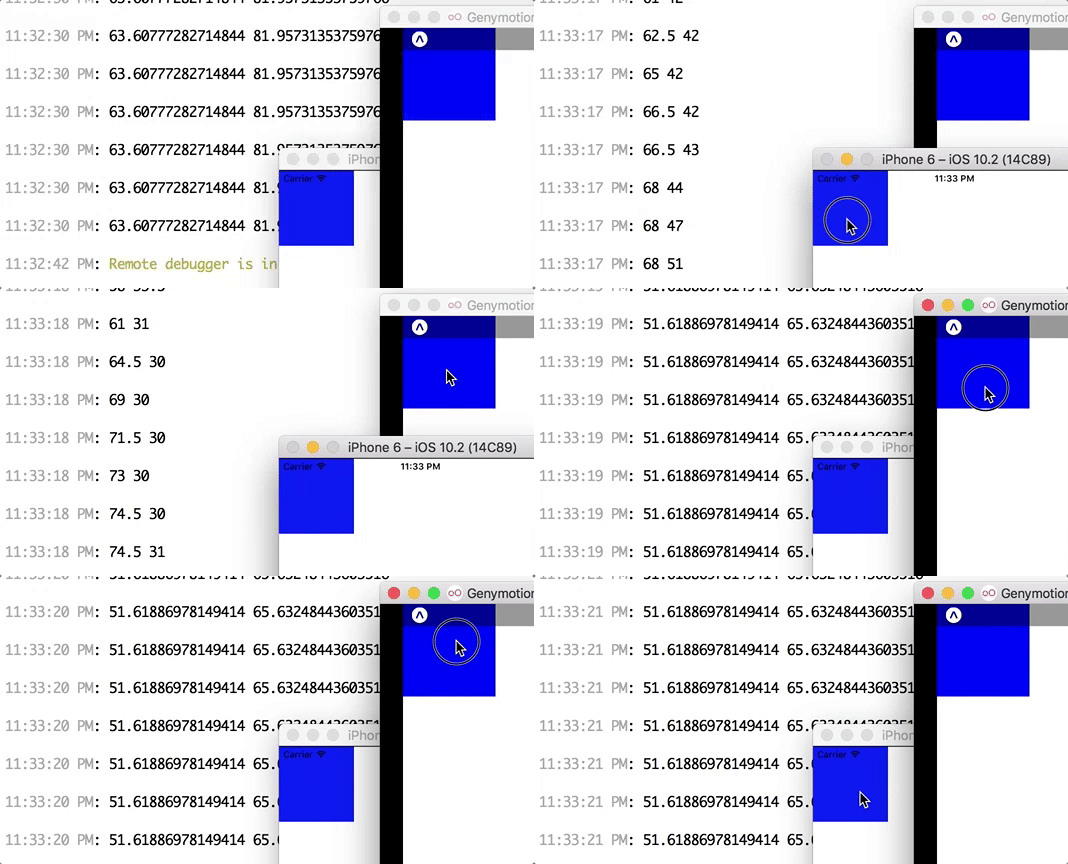
import React from 'react';
import { StyleSheet, Text, View, PanResponder } from 'react-native';
import Svg, { Rect } from "react-native-svg";

class Container extends React.Component {
  constructor(props) {
    super(props);
    this.panResponder = this.getResponder();
  }

  getResponder() {
    const yes = () => true;
    const no = () => false;
    return PanResponder.create({
      onStartShouldSetPanResponder: yes,

      onStartShouldSetPanResponderCapture: no,

      onMoveShouldSetPanResponder: yes,

      onMoveShouldSetPanResponderCapture: yes,

      onShouldBlockNativeResponder: yes,

      onPanResponderTerminationRequest: yes,
      // Active touch or touches have moved
      onPanResponderMove: this.props.onPanResponderMove.bind(this),
      onPanResponderGrant: this.props.onPanResponderMove.bind(this),
    });
  }

  render() {
    return (
      <View {...this.panResponder.panHandlers}>
        {this.props.children}
      </View>
    );
  }
};

export default class App extends React.Component {
  render() {
    return (
      <View>
        <Container
          onPanResponderMove={
            (event) => {
              console.log(
                event.nativeEvent.locationX,
                event.nativeEvent.locationY
              );
            }
          }
        >
          <Svg
            height="100"
            width="100"
          >
            <Rect
              width={100}
              height={100}
              fill="blue"
            />
          </Svg>
        </Container>
      </View>
    );
  }
}
pretty sure it's related to https://github.com/react-native-community/react-native-svg/issues/363, as it's another PanResponder issue on iOS vs. Android. However, I filed https://github.com/react-native-community/react-native-svg/issues/376
chrisbolin
on 18 Jun 2017
@chrisbolin Chris any workaround's for this. I know this is not an issue with victory charts, I see both above referenced issue's are not resolved, no updates and I'm on react-native 0.48.4 version. I'm a little helpless on android, iOS works fine.
 rishabhbhatia
on 14 Oct 2017
rishabhbhatia
on 14 Oct 2017
hey @rishabhbhatia ! unfortunately i don't know of any workarounds currently :(
we're kinda trapped, and i have no android dev expertise to offer to react-native-svg
chrisbolin
on 14 Oct 2017
@chrisbolin thanks Chris.
rishabhbhatia
on 14 Oct 2017
Looks like a fix has been added to the react-native code but has not yet made it to the release, in the meanwhile, if one isn't using any interactivity features (touch events) from victory charts, can one disable all touch events so that pulling up and down works on the chart? (I have a RN app which shows multiple charts on a page (where all are inside a scrollview) and I need the user to be able to scroll up and down by pulling up and down on the screen)
 amestsantim
on 6 Nov 2017
amestsantim
on 6 Nov 2017
Any update on this?
 GuiCavi
on 6 Dec 2017
GuiCavi
on 6 Dec 2017
@GuiCavi i think it's out of our hands, and maybe even out of our dependency react-native-svg's hands:
https://github.com/react-native-community/react-native-svg/issues/376
https://github.com/facebook/react-native/issues/12591
chrisbolin
on 6 Dec 2017
@chrisbolin thank you. Asked here cause it's the original issue. Do you have any idea if there is anyone in RNSvg working on this?
GuiCavi
on 6 Dec 2017
The same issue!!
VictoryZoomContainer use onTouchMove events, zoom not working on iOS.
"react": "16.0.0",
"react-native": "0.50.4",
"react-native-svg": "^6.0.0",
"victory-native": "0.15.0"
 yvonne6344
on 8 Dec 2017
yvonne6344
on 8 Dec 2017
_Maintainer note: this is a react-native-svg issue and is tracked in react-native-community/react-native-svg#376._
react-native-community/react-native-svg#376
facebook/react-native#12591
chrisbolin
on 8 Dec 2017
Related issues
 jzhw0130
·
3Comments
jzhw0130
·
3Comments
 aszheng
·
5Comments
aszheng
·
5Comments
 xkawi
·
4Comments
xkawi
·
4Comments
 WhyX
·
6Comments
WhyX
·
6Comments
 ericschaal
·
4Comments
ericschaal
·
4Comments