Victory-native: Cannot rotate axis label.
Hi everyone,
I am trying to rotate an axis label using style={{axisLabel: {angle: 90}}} on victory-axis but it is not rotating. I also tried using axisLabelComponent={<VictoryLabel angle={90}/>} without success.
Thanks!
 ericschaal
All 4 comments
Hello!
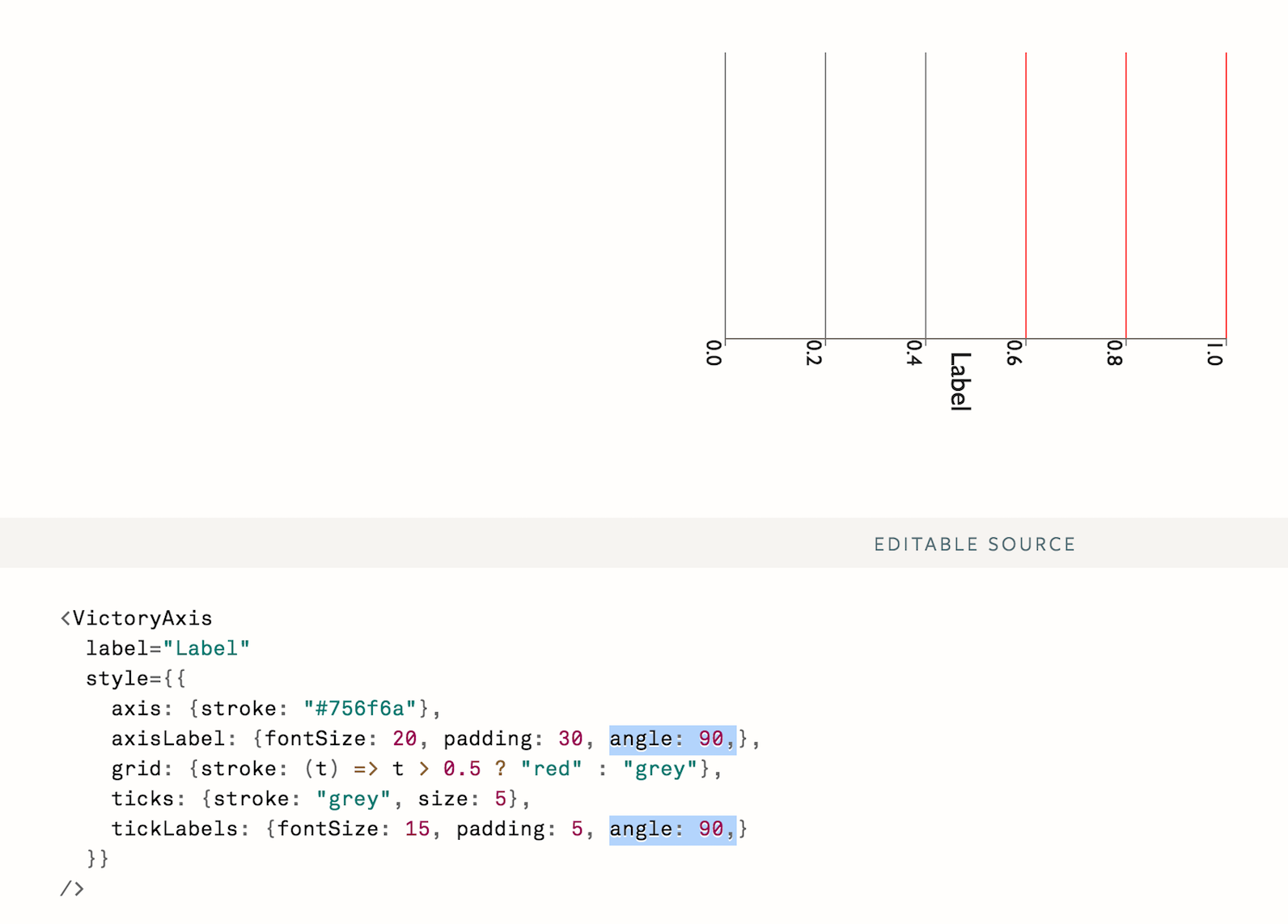
Specify the angle in the axisLabel object within the style like so.
<VictoryAxis
    label="Label"
    style={{
        axisLabel: {fontSize: 20, padding: 30, angle: 90},
        tickLabels: {fontSize: 15, padding: 5, angle 90}
    }}
/>
 johanolandero
on 25 Jul 2017
johanolandero
on 25 Jul 2017
Hi!
Thank you for your answer,
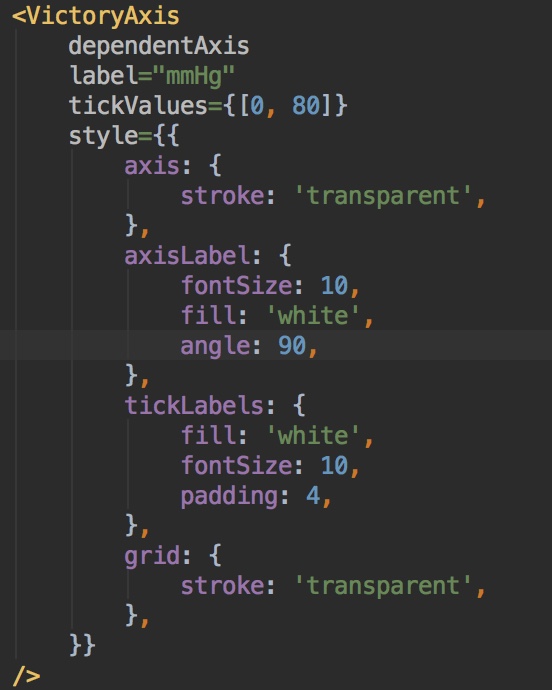
I think that's what I already had. Unless I have a vision problem hahaha.
ericschaal
on 25 Jul 2017
@ericschaal unfortunately this is an issue in react-native-svg that we haven't figured out how to deal with yet. I'm going to close this issue as a duplicate of https://github.com/FormidableLabs/victory-native/issues/103
 boygirl
on 25 Jul 2017
boygirl
on 25 Jul 2017
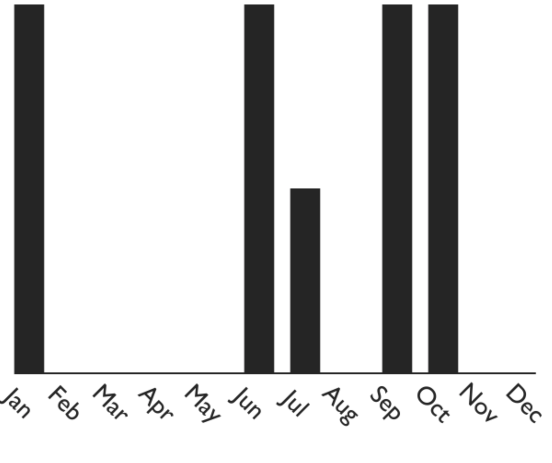
Is it possible to set the anchor of the rotation or move the labels somehow, such that after being rotated their center or start aligns with the data point's center? I tried with properties like paddingLeft or marginLeft but they don't have any effect.
See image. I'd like that the center of the left side of the labels aligns with the bar's center. Currently if you look at the Oct bar for example, it's difficult to see if it belongs to October or November.
 i-schuetz
on 29 Jan 2019
i-schuetz
on 29 Jan 2019
Related issues
 isabel-thx
·
5Comments
isabel-thx
·
5Comments
 aszheng
·
5Comments
aszheng
·
5Comments
 jlo1
·
3Comments
jlo1
·
3Comments
 JeremyBradshaw7
·
4Comments
JeremyBradshaw7
·
4Comments
 xinhash
·
4Comments
xinhash
·
4Comments
Most helpful comment
Is it possible to set the anchor of the rotation or move the labels somehow, such that after being rotated their center or start aligns with the data point's center? I tried with properties like
paddingLeftormarginLeftbut they don't have any effect.See image. I'd like that the center of the left side of the labels aligns with the bar's center. Currently if you look at the Oct bar for example, it's difficult to see if it belongs to October or November.