I have a very simple requirement, I have to display a single note (or chord) on a stave. No clef, no time signature, but it has to be centred.
I am using this code now:
    this.vf = new VF.Factory({
      renderer: { elementId: this.renderDiv, width: 80, height: 150 },
    })
    const score = this.vf.EasyScore()
    const system = this.vf.System()
    system.addStave({
      voices: [
        score.voice(score.notes('C5/w')),
      ],
    })

    this.vf.draw()
I've tried to go through the vexflow sorces and found the Formatter and references to justifyWidth, but I can't see how to apply them or if they apply to my problem.
Can you help?
 devboell
All 6 comments
Hey, you can use align_center property of StaveNote. If you set it to true, you should have the desired result.
Here is how I create a whole-rest for a 4/4 signature :
function generateWholeRestVoice44()
 {
   let notes = [new VF.StaveNote({ keys: ["d/5"], duration: "wr", align_center: true})]
   let voice =  new VF.Voice({num_beats: 4,  beat_value: 4})
   voice.addTickables(notes)
   let formatter = new VF.Formatter().joinVoices([voice]).format([voice], measureWidth)

   return voice
  }
Then I draw the voice using my_voice.draw(my_context, my_staff)
I don't know if that's the best way, but it does the trick
 ghost
on 5 Nov 2017
ghost
on 5 Nov 2017
Interesting, I wanted to achieve the same result and I didnt know about the align_center: true property, so I experimented by modifying the x value in the preFormat() function in vexflow-debug.js. I spent hours on that XD. Where can I find a list of all the properties?
Anyway using the align_center: true property works, but to achieve a perfect center for the note (or rest) you have to play with the measureWidth value of the formatter. For example if I have a 400px wide Stave and I want to put a note in the center I will have to input a value of 240px in the formatter.
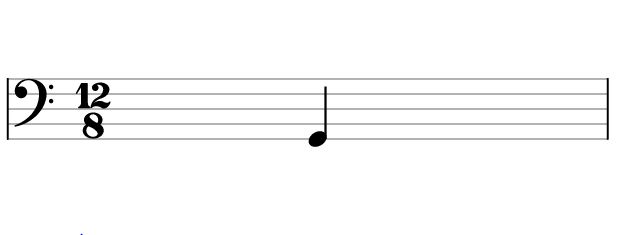
If I choose to not generate a time signature, I will have to compensate for the blank space by putting a value of 300 in the formatter, etc...

This does the trick, even if is not really a lean solution. I still don't fully understand how the formatting works, but it is probably possible to make this work without tricks by modifying the preFormat() function.
 micpob
on 6 Nov 2017
micpob
on 6 Nov 2017
I was having this issue as well. When a clef is present, the note no longer appears centered with align_center.
I haven't played around with the formatter much yet, but for anyone else who has this problem you might try extraLeftPx and extraRightPx on a Note instance (or inheriting classes like StaveNote). They're not passable options, but after instantiating a note you can assign e.g. myNote.extraLeftPx = 50. Solves the issue for me.
 evanrmurphy
on 13 Sep 2018
evanrmurphy
on 13 Sep 2018
Is the desired behaviour to center between the start of the clef/time-sig/etc. and the end of the stave? Or just between the start and end of the staves?
 0xfe
on 16 Sep 2018
0xfe
on 16 Sep 2018
My expectation was that in the absence of clef/time-sig/etc., the note would be centred on the stave. I don't really remember what the actual behaviour was, I just ended up showing the clef (which I'd rather not, because it takes up too much space for my purposes). I haven't had a chance to try evanrmurphy's solution yet.
devboell
on 16 Sep 2018
Ah sorry for my vagueness before. The desired behavior in this case was to center between the start of the clef/time-sig/etc. and the end of the stave.
I believe align_center was correctly centering between the start and end of the stave, though I didn't test this thoroughly as I was focused on the other. Which I resolved by using extraLeftPx instead.
-------- Mensaje original --------
On 16 de septiembre de 2018 05:29, Mo escribió:
Is the desired behaviour to center between the start of the clef/time-sig/etc. and the end of the stave? Or just between the start and end of the staves?
—
You are receiving this because you commented.
Reply to this email directly, view it on GitHub, or mute the thread.
evanrmurphy
on 17 Sep 2018
Related issues
 jkopyto
·
5Comments
jkopyto
·
5Comments
 amitgur
·
4Comments
amitgur
·
4Comments
 PCrompton
·
3Comments
PCrompton
·
3Comments
 dinukadesilva
·
5Comments
dinukadesilva
·
5Comments
 aemion
·
3Comments
aemion
·
3Comments
Most helpful comment
Hey, you can use
align_centerproperty ofStaveNote. If you set it totrue, you should have the desired result.Here is how I create a whole-rest for a 4/4 signature :
Then I draw the voice using
my_voice.draw(my_context, my_staff)I don't know if that's the best way, but it does the trick