Vexflow: Formatter spacing of notes in measure
I'm having trouble with the formatter note spacing. I've just upgraded the vexflow code from 1.2.93 to 3.0.9 and I get different result.
This is the 3.0.9 version result
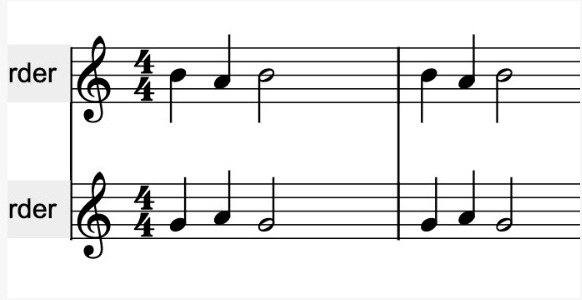
This is the 1.2.93 result
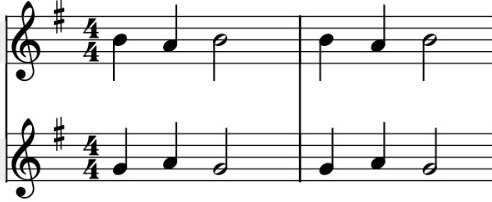
Just for an example this is finale output
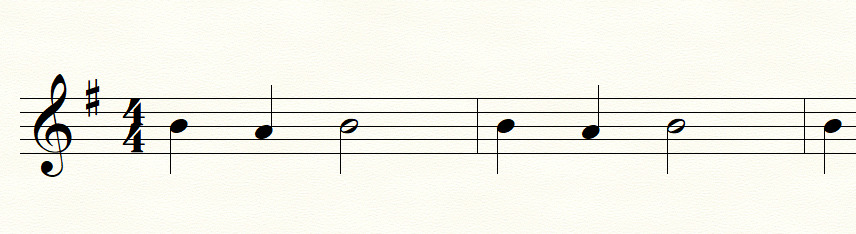
Any way to control how spacing is done? I can see the new version get the note more compressed than in the past. Any clue how to change that behavior?
Thanks
 amitgur
All 4 comments
Some experiments and I found out
Formatter({ softmaxFactor: 5 });
Will change the ticks formatting, and return the spaces to the 1.2.93 style. Any source for understanding that factor?
amitgur
on 30 Jun 2020
It determines how proportional the spacing is vs. note lengths. This is pretty well demonstrated in the Formatter unit tests (flow.html?module=Formatter).
I'm sure if you updated the 'How Formatting Works' section of the Wiki with this information, the community would appreciate it. That and justification across staves seem to be formatting things that people ask about a lot. The current Wiki does a good job of describing how it works, but not so much what it does.
The default setting is 20, but for my application I default it to 2. It is an integer exponent, so 1 is effectively off and values below that seem to be ignored (and the default is used).
 AaronDavidNewman
on 30 Jun 2020
AaronDavidNewman
on 30 Jun 2020
@AaronDavidNewman the default softmaxFactor seems to be 100, set in voice.js. searching the project:
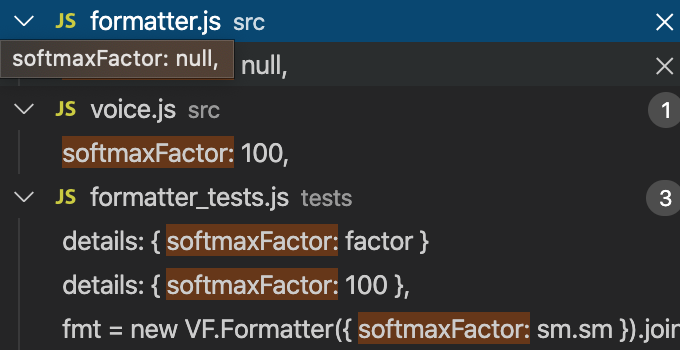
@amitgur thank you so much for this find! it's great to be able to control how tightly Vexflow formats.
The change from Vexflow 1.2.93 to 3.0.9 for example really made some scores much more expansive, especially with half notes for some reason.
A low softmax factor seems to work much better in general, this is factor 100 (notice the squeezed quarters):
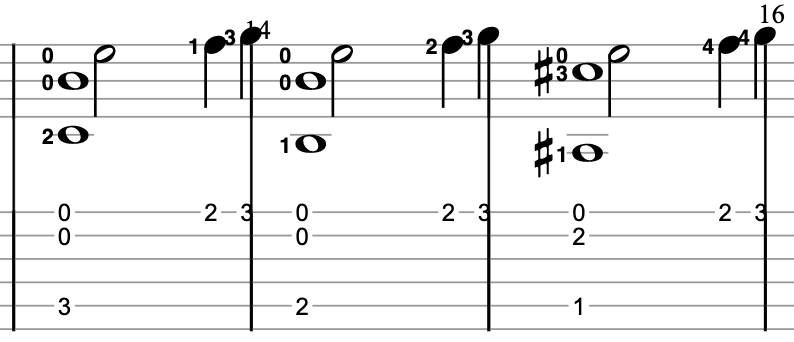
(This used to not be a problem in Vexflow 1.2.93. Also, the formatter places too close to the end of the stave, sometimes even clipping beyond it)
this is softmax 2 (5 also works):
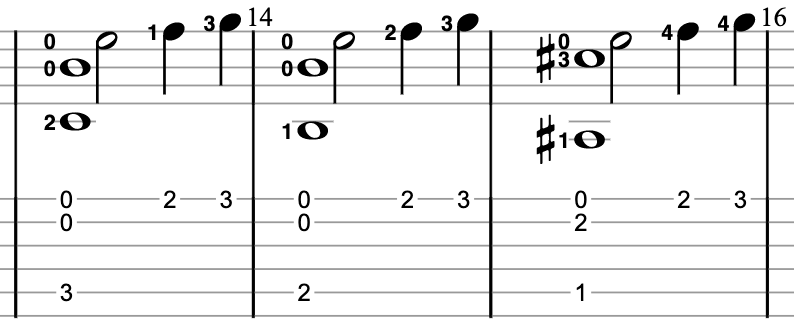
Still, the overlap remains in some cases.
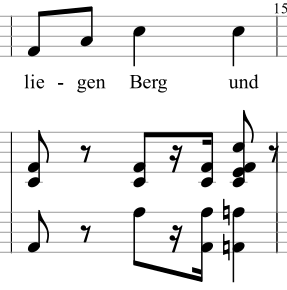
Maybe the formatter just needs a small tweak?
 sschmidTU
on 1 Jul 2020
sschmidTU
on 1 Jul 2020
@sschmidTU how does the last example look without the lyrics? I wonder if some of that is the annotations (if that's what you use) tend to overestimate the width of the text, and that does not play nicely with the new formatting. (and I agree, 100 is probably too high for most uses).
AaronDavidNewman
on 1 Jul 2020
Related issues
 sug1no
·
7Comments
sug1no
·
7Comments
 FlyMantou
·
3Comments
FlyMantou
·
3Comments
 erquiaga
·
7Comments
sug1no
·
6Comments
erquiaga
·
7Comments
sug1no
·
6Comments
 dinukadesilva
·
5Comments
dinukadesilva
·
5Comments
Most helpful comment
It determines how proportional the spacing is vs. note lengths. This is pretty well demonstrated in the Formatter unit tests (flow.html?module=Formatter).
I'm sure if you updated the 'How Formatting Works' section of the Wiki with this information, the community would appreciate it. That and justification across staves seem to be formatting things that people ask about a lot. The current Wiki does a good job of describing how it works, but not so much what it does.
The default setting is 20, but for my application I default it to 2. It is an integer exponent, so 1 is effectively off and values below that seem to be ignored (and the default is used).